8 Best Light for Video Calls in 2026: No Ring Reflections

The best light for video calls depends on your monitor, room, and call length; this guide matches each setup to lighting that flatters without harsh glare.

The first video-call light usually looks fine in the product photos: lots of LEDs, a high CRI number, a ring that promises even illumination. Once it arrives, the real test is whether it stays on your monitor, whether the beam is soft enough for a face close to the lens, and whether it still works after a few months of daily meetings.

The useful choice usually comes down to mount security and beam quality, not raw brightness figures. A clip that grips a thick bezel or curved screen matters more than extra lumens; a diffused panel avoids the tell-tale ring reflection in glasses that makes a call look obviously lit.

This guide sorts the category by how you actually work: clip-on for laptops, desk panels for long days, portable for travel, and higher-output lights for streaming. Each pick matches a specific setup so the light becomes invisible and you just look well-lit.

1

Best Overall

ACMEZING Clip-On Ring Light Kit

89 /100
Studio Score Strong Evidence

Key details

Mount Type
Clip, mini tripod
Color Modes
5 modes
Power Source
USB
Brightness Levels
5 levels
Check Price on Amazon

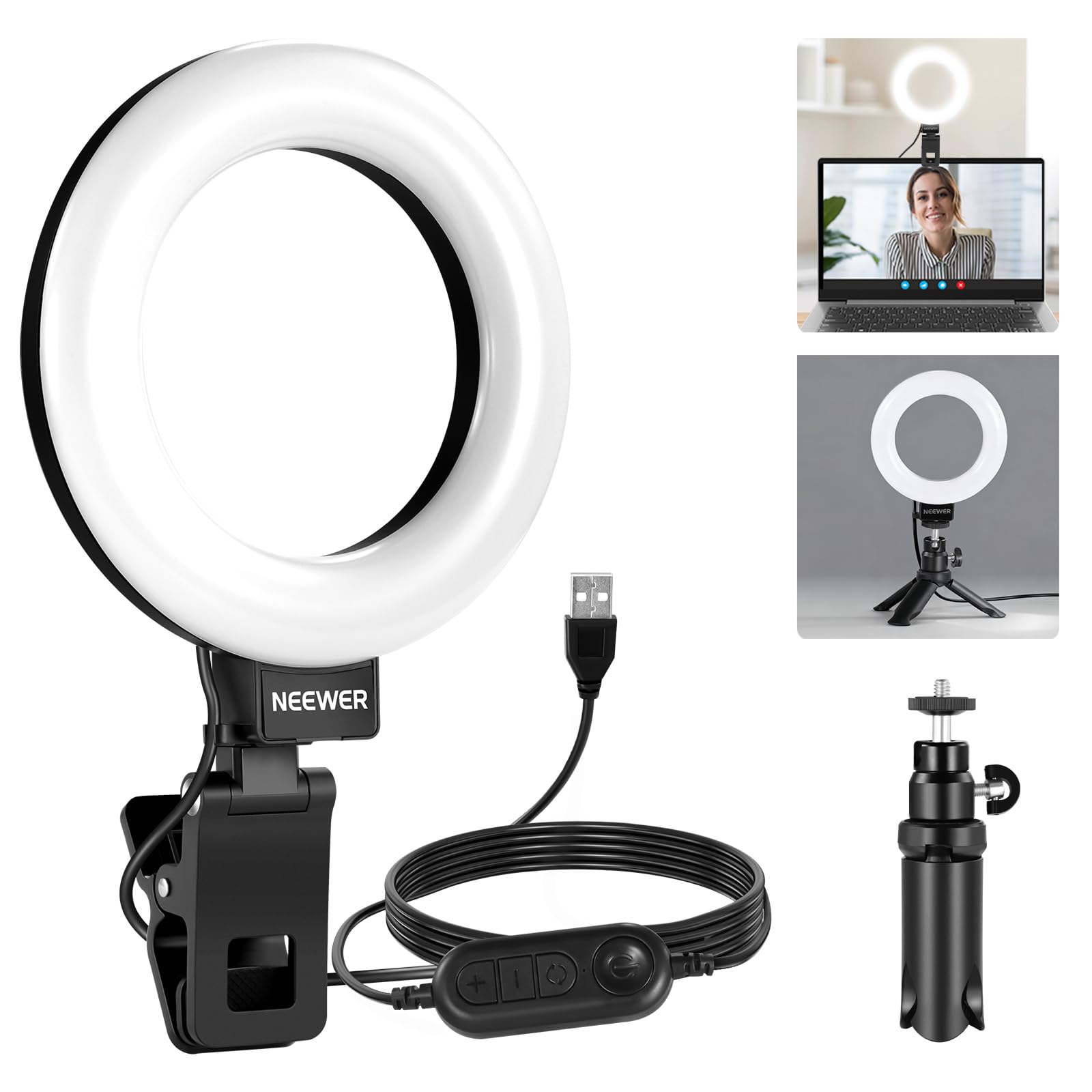
The ACMEZING kit pairs a metal clip with a flexible mini tripod, so it can mount to a monitor, laptop lid, or desktop without extra hardware. Its 64-LED, 10W panel delivers five brightness levels and five color temperatures from 3200K to 6500K, which is enough range to match a dim home office or a brighter daytime setup. Brightness is the standout trait: it evens out face lighting without flooding the room. The metal clip feels more solid than the plastic clips on cheaper rings, which matters when you are adjusting the arm mid-call.

Placed close to the webcam line, the ring cuts unflattering shadows and makes skin tones read more naturally on video calls. The clip holds on thicker monitor bezels, and the mini tripod covers situations where a laptop lid is too thin or the screen angle is wrong. Color temperature adjustment matters more than people expect: a 3200K warm setting flatters a home office with incandescent bulbs, while 6500K daylight mode fits a north-facing room. That mounting and color flexibility is what separates this kit from a bare clip-on ring.

Typical WFH callers, beginner streamers, and casual YouTubers will get what they need from this kit: a clip, tripod, and adjustable face light in one box. If your desk already has a free USB port, the light is ready to use in the time it takes to attach the clip. It expects a proper 5V/2A USB source, so plug it into a wall adapter or a capable port. This is not the answer for professionals who need app control, studio-grade output, or a non-ring diffused panel.

The budget price leaves room to trade up later if your needs grow. The manual design means no app to install, which keeps setup time short. The tripod also lets the light sit on a desk beside the monitor instead of staying clamped to the screen all day.

The light relies on USB power rather than a built-in battery, but the 2m cable reaches standard wall adapters or computer ports, so the lack of a battery rarely gets in the way during a desk setup.

Pros

  • Bright output with five levels makes faces look even in dim rooms.
  • Works well for video calls and streaming without needing extra setup.
  • Budget price includes a metal clip and flexible mini tripod.
  • Five color modes from 3200K to 6500K cover office and warm-light preferences.
  • Clip and tripod give quick switching between monitor, laptop, and desk.

Cons

  • Low-power USB hubs can cause freezes or glitches.
Our verdict

For a typical video-call setup, this kit delivers the core lighting adjustments at a price that makes dedicated hardware an easy desk addition.

Check Latest Price
2

Best Premium Compact

Logitech Litra Glow

90 /100
Studio Score High Confidence

Key details

Mount Type
3-way monitor mount
Color Modes
Adjustable warm/cool
Power Source
USB
Brightness Levels
Adjustable
Check Price on Amazon

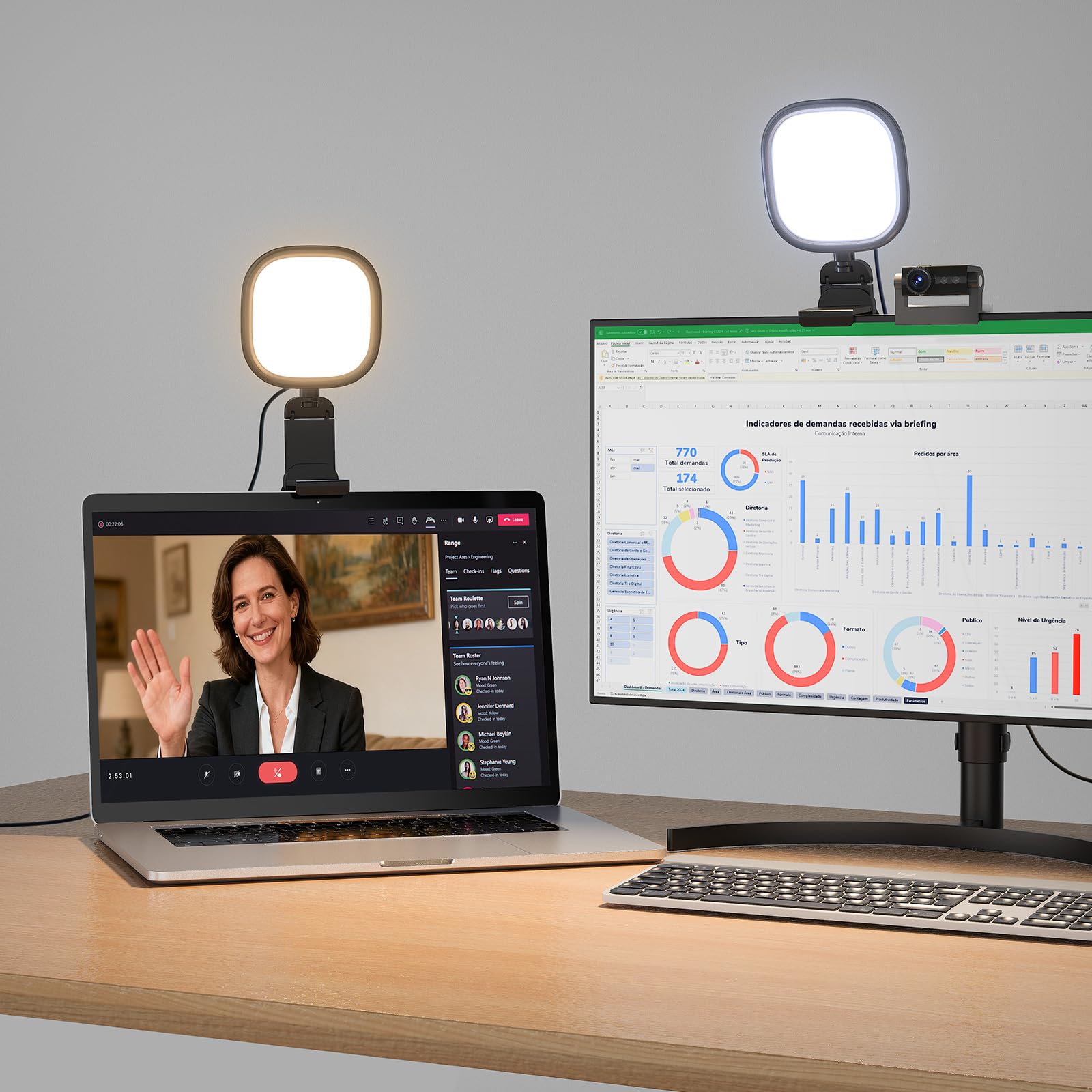
TrueSoft full-spectrum LEDs, G HUB presets, and a three-way mount make the Litra Glow the compact premium light for creators who want a flattering beam with software control. The diffuser softens the adjustable color temperature so webcam video gets even, natural-looking illumination instead of a harsh spotlight.

Brightness and warmth adjust in fine steps, so the light can match a dim evening meeting or a bright daytime stream without washing out skin tones. On-light controls handle quick changes mid-call, and saveable presets in the companion software store your usual meeting, podcast, or recording setups.

On a flat monitor, the rubber-gripped arm holds position through a full meeting, and the compact head keeps the webcam area clear. The three-way arm clears laptop and monitor tops, and a small footprint keeps desk space open.

This light fits streamers, podcasters, and WFH callers already in the Logitech ecosystem who want a compact USB light with premium polish. It is not a high-output key light for a dedicated studio setup, and it sits above the budget clip-on tier, so strict budget buyers should look elsewhere. The mount can lose grip on curved or unusually shaped monitors, and a faint coil whine may be audible in very quiet rooms. Flat-panel users in ordinary rooms get the benefit without either caveat.

Pros

  • Compact build feels substantial and keeps a low-profile position above the webcam.
  • Soft, bright face light with multiple levels and easy dimming flatters skin without harshness.
  • Noticeably improves webcam presence for meetings and streams.
  • On-light controls plus software presets make setup quick and repeatable.

Cons

  • A faint coil whine may be audible in a very quiet room.
  • Mount grip can loosen on curved or unusually shaped monitors.
Our verdict

The Litra Glow is the compact monitor light for creators who want preset-based face lighting without leaving the Logitech ecosystem.

Check Latest Price
3

Best Desk-Stand Eye-Care Light

LitONES Zoom Light with Stand

90 /100
Studio Score High Confidence

Key details

Mount Type
Height-adjustable desk stand
Color Modes
3 modes
Power Source
USB
Brightness Levels
10 levels
Check Price on Amazon

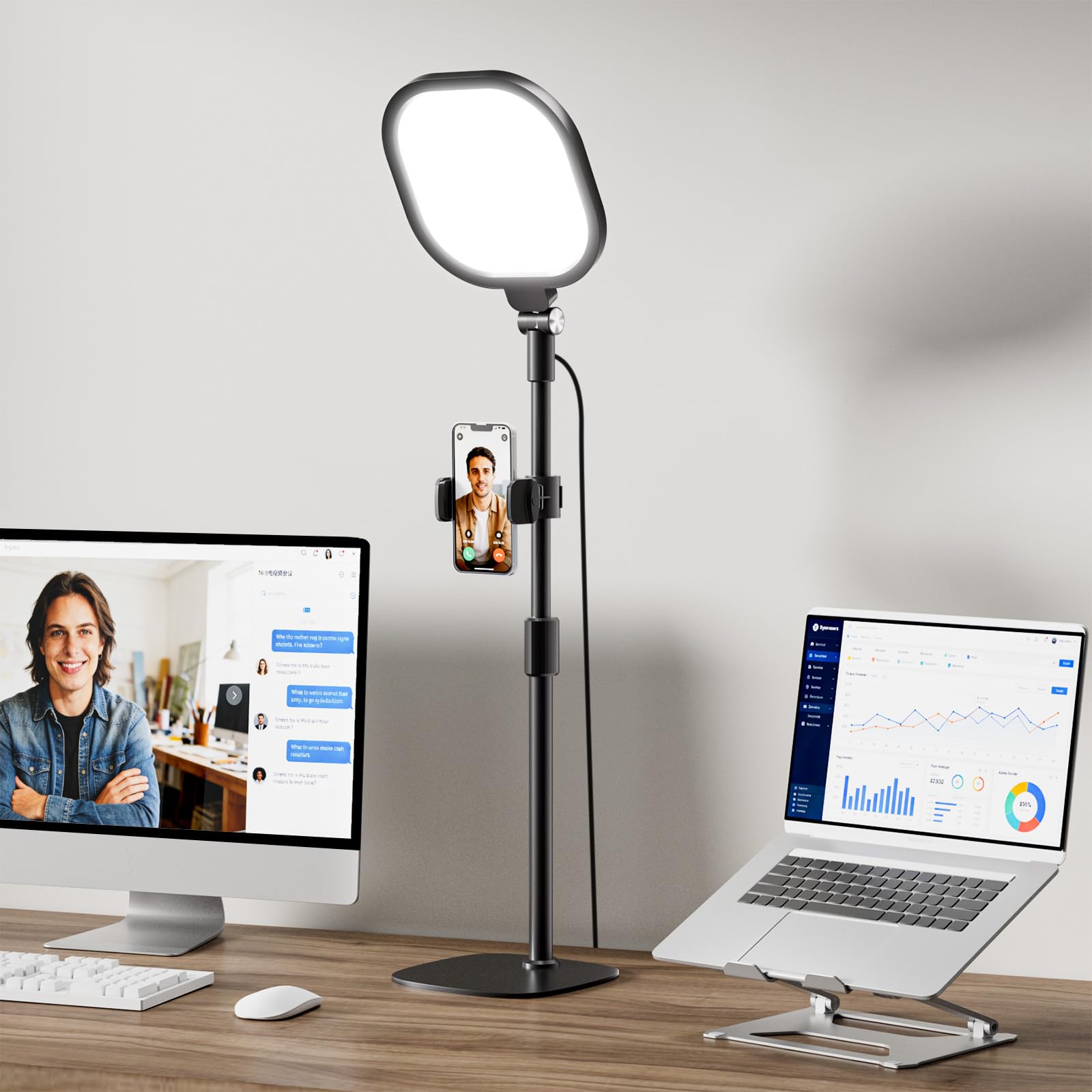
The LitONES desk panel skips the monitor clip and sits on a weighted metal stand, with a 7x7-inch diffused face that spreads light evenly across your face. It pairs a CRI above 98 with flicker-free output, so skin tones read naturally on camera without the harsh ring-light look.

Ten brightness levels and a 2700K-6500K color-temperature range cover most home-office lighting conditions. The memory function restores the last brightness and color setting when you power it back on, which removes the daily re-tuning ritual. The non-slip base keeps the head stable during adjustments, and the panel doubles as task lighting for reading and close-up work.

This is for all-day WFH callers with normal desk heights who want eye-friendly light for Zoom, Teams, reading, and close-up work. A compact travel light it is not; the slimmer clip-on version in this lineup covers that role. People with very low or very tall desk positions should check the stand's range first. The height adjustment knob can stick on some units, and the maximum stand height may not clear very tall monitor stacks, so if your monitor sits on a riser, measure the setup before buying. Streamers who need high-wattage panel output should look toward a larger key light.

Pros

  • Soft diffused light with a natural finish on camera, without the hard ring-light reflection.
  • Wide brightness and color-temperature range makes the panel useful from morning calls into evening work.
  • Memory function brings back your last brightness and color setting, so daily setup is one action away.
  • Weighted non-slip base keeps the panel steady while you adjust the head.

Cons

No notable drawbacks to flag.

Our verdict

This desk panel pairs eye-friendly diffusion, memory recall, and a stable stand in a mid-range package — the right call for WFH users whose monitor sits at a standard height.

Check Latest Price
4

Best Portable / Rechargeable

ALTSON 60 LED Portable Light

91 /100
Studio Score High Confidence

Key details

Mount Type
Clip, tripod adapter
Color Modes
3 modes
Power Source
Rechargeable, USB-C
Brightness Levels
10 levels
Check Price on Amazon

The ALTSON is a pocket-size clip light with a 2200mAh battery, CRI 97+, and 10 brightness levels across three color modes. It clips to a phone or laptop and also takes a 1/4-inch adapter for a camera tripod, so the same light can move from a video call to a social clip without extra gear. That makes it one of the few clip lights here that covers both solo phone content and laptop-based video calls.

Controls are simple: cycle through warm, natural, and daylight modes, then pick the brightness level you need. The clip opens wide enough for a phone or a laptop lid, and at close range the 60 LEDs create a soft, flattering face light. Photos and videos come out looking cleaner and more finished, which matters when a video call is the first impression.

Buyers who split time between phone content and laptop video calls will get plenty of use from this one. It is a short-session companion, not a wired-in desk fixture, so travelers and callers with a USB-C outlet nearby are the right fit; all-day unplugged workers should look at the larger LitONES panel. For those shorter sessions, the internal battery removes the need to hunt for an outlet.

Pros

  • Bright, flattering light with three color modes and ten usable brightness steps.
  • Pocket-size clip that moves easily from phone to laptop to camera.
  • Photos and video look cleaner and more professional without extra editing.
  • Simple controls and a secure phone clip keep setup quick.

Cons

  • On thin laptop lids, the clip may not hold as firmly as it does on a phone.
  • At higher brightness, the internal battery runs down quickly, so extended video calls are best on USB-C.
Our verdict

For callers and creators who want one light that can ride in a bag and switch from phone to laptop to camera, this is the budget-friendly pick.

Check Latest Price
5

Best Serious Streamer Key Light

NEEWER GL25B Streaming Light

90 /100
Studio Score High Confidence

Key details

Mount Type
Desk stand
Color Modes
Stepless 2900K-7000K
Power Source
USB, adapter
Brightness Levels
Stepless
Check Price on Amazon

The GL25B pairs a 176-LED 12.9-inch panel with CRI 98+ color accuracy, 2300 lux at 0.5 meters, and a fanless body that keeps microphone recordings clean. That combination sets it apart from the compact clip-ons and tripod rings in this roundup — it's a real key light on a desk stand, not an accessory you squeeze onto a monitor. The 2.4G remote and PC/Mac app add hands-on control for brightness and stepless 2900K-7000K color temperature, which matters when your hands are already on a keyboard.

Serious streamers and YouTubers get a wide, soft fill light with no fan whine, which is important when a condenser mic sits within arm's reach. Gamers who keep long sessions on camera will appreciate the silent operation and the desk stand's stable footprint. It's not the light for budget-conscious callers or anyone hunting for a small clip-on; the 25W output and 12.9-inch panel demand desk space. A small number of lights can turn off or jump brightness during use, so a live broadcaster who cannot tolerate interruption should weigh that before committing.

Compared with Elgato-style panels that cost considerably more, the GL25B delivers similar output for less. The remote simplifies multi-light setups, and the high CRI shows in skin-tone accuracy rather than a washed-out cast.

Pros

  • Wide 12.9-inch panel produces a soft, flattering key light with CRI 98+ color accuracy.
  • Brightness and 2900K-7000K color temperature adjust steplessly, so the panel matches room ambience or a monitor's white point.
  • 2.4G remote and PC/Mac app control multiple GL25B panels from the desk without touching the light.
  • Costs less than Elgato-style streamer panels while delivering comparable output for a dedicated desk setup.

Cons

  • A small number of units can turn off or jump brightness mid-session, which can interrupt a live broadcast.
Our verdict

For a permanent streaming desk that needs real key-light output without fan noise, the GL25B is the cost-effective alternative to premium panels.

Check Latest Price
6

Best Dual-Light Conference Setup

HumanCentric Double Light Kit

80 /100
Studio Score Strong Evidence

Key details

Mount Type
Monitor-top dual bars
Color Modes
Adjustable warm/cool
Power Source
USB-C/USB-A
Brightness Levels
Adjustable
Check Price on Amazon

The two connected USB light bars sit on either side of the monitor, so your face gets even illumination from both sides instead of a single off-center hotspot. That symmetrical beam is the reason to choose this kit over a one-bar clip-on light, and it avoids the ring reflection that circular webcam lights can throw onto glasses. For video calls, the result is a more natural, evenly lit appearance with fewer shadows under the chin and eyes.

Setup is quick because the bars arrive joined, and the brightness and color-temperature controls are easy to adjust during a call. Multiple levels give enough range to match warm indoor lighting or cooler daylight, and the low-profile hardware stays out of the webcam frame on a flat-top monitor. The two-bar unit also leaves desk space clear, which matters when a webcam, keyboard, and documents already compete for room.

This is best for professionals with wide monitors who want symmetrical, low-profile lighting for Zoom or Teams calls. It is not a bright primary key light, and the mount can slip on thin laptop lids or strongly curved screens, so a flat-top desk monitor is the intended environment. If raw output is the priority, a single stronger key light will do more; if even face lighting without ring reflection is the goal, this kit is a sensible premium-priced option.

💡 The mount holds best on a flat-top monitor, so check the grip before relying on it with a laptop lid or curved screen.

Pros

  • Two connected bars create balanced face lighting that a single off-center light cannot match.
  • Easy setup and controls mean the kit is usable within minutes of unpacking.
  • Conference-call presence improves with even light across the face rather than harsh shadows.
  • Adjustable brightness and color temperature match typical home-office lighting.

Cons

  • Mount can lose grip on thin laptop lids and curved screens, so a flat-top desktop monitor holds it best.
  • Maximum output is moderate; bright rooms may need an additional light for a strong key-light effect.
Our verdict

For a desk-bound caller who wants both sides of the face lit evenly, this two-light kit covers the need without taking over the monitor.

Check Latest Price
7

Budget Starter

NEEWER Basic 5-inch Ring Light

88 /100
Studio Score Strong Evidence

Key details

Mount Type
Clip, mini tripod
Color Modes
3 modes
Power Source
USB
Brightness Levels
10 levels
Check Price on Amazon

The NEEWER Basic 5-inch Ring Light is a compact clip/tripod light that pairs 60 LEDs with ten brightness levels and 3000K-6000K color modes. For video calls at a desk, it delivers bright, even face lighting, and the clip plus mini tripod cover both laptop screens and desktop positions. The small head and light-duty clip/stand joint define its limits: this is a starter light for students and budget home offices, not a studio key light. Good value and solid output keep it in the running, but a larger panel light with a sturdier mount is the better choice for heavy daily use.

Pros

  • Compact 5-inch ring puts out bright, even light for close-up video calls.
  • Clip and mini tripod cover both monitor-mounted and desktop positions.
  • Ten brightness levels and 3000K-6000K color modes make room matching easy.

Cons

  • The 5-inch ring suits close-up frames; a wider desk scene will want a larger panel.
  • The clip/stand joint can feel flimsy, so treat the mount as light-duty.
Our verdict

This fits a student or budget home-office setup where the light sits close to the face and the mount is handled gently.

Check Latest Price
8

Travel Laptop Calls

LitONES Eye-Caring Ring Light

83 /100
Studio Score Strong Evidence

Key details

Mount Type
Clip, desk stand
Color Modes
5 modes
Power Source
USB
Brightness Levels
10 levels
Check Price on Amazon

The five-inch diffused edge-lit panel delivers shadow-softening light that holds up well for video calls, with ten brightness levels and five color temperatures to match the room as daylight changes. The screen-safe clip and fold-down stand keep the kit small enough for a laptop bag, which suits travelers who want better meeting lighting without a tripod. The main boundary is mounting: the clip's grip can vary on thin laptop lids and slim monitors, while thick or curved displays may not fit at all, so this is best treated as a laptop-first tool rather than a universal monitor light. That narrower fit is why it sits in the also-consider group instead of the top tier, but for close-range laptop calls the panel itself performs above its price.

Pros

  • Diffused panel softens shadows and keeps the face clearly lit even in sunny rooms.
  • Ten brightness levels and five color temperatures adapt to changing daylight and evening calls.
  • Clip and fold-down stand keep the light compact enough to carry in a laptop bag.

Cons

  • Large-room lighting is outside this panel's range; a five-inch diffused light suits close-up calls.
  • Clip grip can vary on some thin laptop lids, so repositioning may be needed.
Our verdict

For laptop-first video callers who want a packable diffused panel, this fits when a compact clip-on form factor is the priority.

Check Latest Price

How to Choose

Color Temperature and Modes

Webcam white balance averages the whole frame, so a fixed color temperature can look wrong when your room light is different. A warm mode around 3000K cancels yellow household lighting, while a daylight mode near 5000K-6500K matches window light and keeps skin tones neutral.

Multiple modes matter because your room changes across the day: a morning call by a window needs a cooler setting, while an evening meeting under lamps needs a warmer one. Two or three selectable temperatures are usually enough.

Brightness Levels

Brightness is about matching output to the room, not about maximum power. A light that is too intense makes the webcam close down its exposure, which darkens the background and exaggerates facial highlights.

A wide dimming range lets you drop output until your face is lifted without washing out the scene. Fixed-step controls are fine if one of the steps matches your room; stepless dimming is mainly useful when daylight changes around you.

Mounting System

Clip-on lights grip the screen by spring tension, and that tension depends on the clip opening and padding matching the bezel. A curved monitor changes the contact angle, and a thick bezel can exceed the clip mouth, so the light has less surface to hold.

Desk stands avoid screen fit entirely, but they introduce their own trade-offs: base weight, height range, and reach. A stable desk light should stay put when you type; a top-heavy or narrow stand will shift with vibration.

Power Source

USB-powered lights are simple, but they inherit whatever power their cable is plugged into. A low-power hub can starve the light and cause flicker or frozen controls, so a proper 5V/2A port is part of the setup.

Rechargeable lights add portability, but battery voltage drops as it drains, so high-brightness output is harder to sustain. If your calls run past an hour, expect to keep the charger connected.

CRI and Diffusion

CRI measures color fidelity under the light, not how bright or soft it is. A high-CRI light keeps skin tones accurate, but a bare ring can still produce a hard circular reflection in glasses and harsh shadows under the eyes.

Diffusion is what spreads the beam and smooths the face. An edge-lit panel or diffuser scatters light across a wider area, which is why square panels increasingly replace rings for video calls.

Frequently Asked Questions