8 Best Headphones for Video Editing in 2026: Accurate Sound Without Amp Hassle

Wired studio monitor headphones for video editors who need neutral sound, long-wear comfort, and practical cables at a sensible price.

The search results for 'studio monitor headphones' are full of DJ-tuned models with boosted bass and swiveling earcups. They get thousands of positive reviews because they sound loud and exciting, but that is not the same as sounding accurate. For video editing, you need to hear dialogue clearly and spot plosives, room rumble, or clipping before your export does.

Accuracy comes from a few specific choices: closed-back or open-back design, impedance that matches your interface, and a cable you can actually replace. The right pair will make your edit sessions shorter and your audio decisions more confident. The wrong pair will hide problems in the low end and leave you with a headache after two hours.

This guide is built around those practical boundaries: wired over-ear monitors with neutral or near-neutral tuning, passive isolation for shared spaces, and comfort that survives a full day of cuts. Whether you mix in a quiet room or a noisy edit bay, the trade-offs that actually matter are the ones explained here.

2

Most Neutral Reference
Sony MDR7506

95 /100
Studio Score High Confidence

Key details

Cable
Fixed 9.8 ft
Design
Closed-back, folding
Impedance
63 Ω
Check Price on Amazon

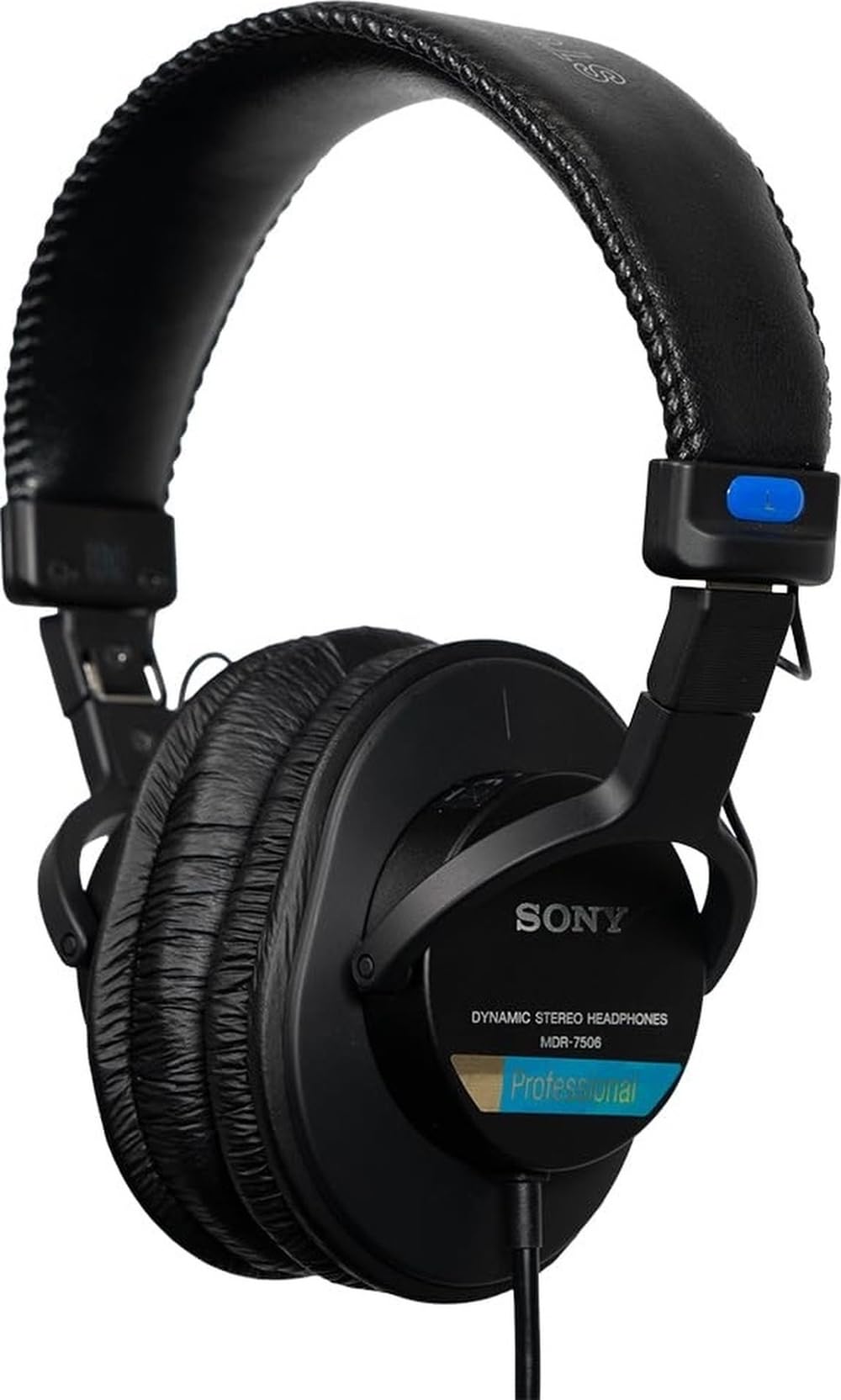
The MDR7506 delivers a neutral closed-back signature that video and VO editors have used for decades to check dialogue and mix balance. Its midrange is clear without extra bass color, so dialogue edits and room tone read accurately at a price below the top pick's detachable-cable package. The tuning is flatter than bass-forward consumer models, which is exactly what reveals balance problems in a mix.

At a stationary edit desk the long 9.8 ft cord reaches most interfaces and the closed earcups block enough ambient noise to focus on a voice track. Room tone and HVAC hum recede enough that you can trust the return path from your interface. The 63-ohm impedance lets most audio interfaces drive it to full level without a separate amp. It folds for storage, though this is not a travel-first headphone; it earns its keep when left plugged into one system.

This is for editors who work at a fixed desk and value a recognized neutral reference over a user-replaceable cable; the stock ear pads and headband padding are wear items rather than fit-and-forget parts. If your week is mostly dialogue, voice-over, and sound-effect placement, the MDR7506 keeps those decisions predictable without costing what the flagship alternatives do.

Pros

  • Neutral, balanced sound that makes dialogue and mix errors obvious without added bass bloom.
  • Closed-back seal blocks ambient noise in shared edit bays and VO booths.
  • Cost-effective monitoring option with a long history of studio and film use.
  • Steady performance across video, studio, and general monitoring tasks.

Cons

  • Clamp pressure can feel snug on larger heads or glasses until the pads soften.
  • The permanently attached cord cannot be swapped after damage; the whole headphone has to be serviced.
Our verdict

For dialogue-focused post-production at a fixed desk, the MDR7506's neutral tuning and passive isolation make it the sensible runner-up option.

Check Latest Price
3

All-Day Comfort Pick

beyerdynamic DT 770 PRO 80

93 /100
Studio Score High Confidence

Key details

Cable
Fixed 3m
Design
Closed-back, velour
Impedance
80 Ω
Check Price on Amazon

The DT 770 PRO 80 delivers velour-padded closed-back monitoring with strong isolation and a comfort record that carries through an eight-hour edit. Its 80-ohm design runs at usable levels from a laptop or interface, and the tuning is crisp enough to reveal dialogue edits and reverb tails without pushing bass into consumer-boost territory. The closed shell keeps neighboring conversation out and leaks little sound into a shared edit bay.

Metal yokes and replaceable ear pads give this pair a long service life, and the same tonal balance carries over to music and gaming, so one desk station can handle editing, spotting, and after-hours listening. Because the connection is wired, there is no Bluetooth latency to compensate for when syncing dialogue to picture, which matters more than a consumer-friendly feature list in post-production.

This is for the video editor who works at a fixed desk in a shared room and does not need to pack headphones for location work. The fixed half-inch cable is the main boundary to accept, and very large ears may touch the inner pad, so a quick fit check matters before committing. Editors who insist on detachable cables or folding portability should take the top pick instead.

💡 Clip the 3m cable behind the desk so it can swing without twisting into a tangle.

Pros

  • Crisp, detailed sound with clear imaging helps isolate dialogue and sound-effect problems in an edit.
  • Velour pads and balanced clamp support all-day wear through long edit sessions.
  • Closed-back shell offers good passive isolation and minimal leakage for shared rooms.
  • Metal yokes and replaceable parts make long-term servicing practical.

Cons

  • Very large ears may touch the inner pad, reducing the comfort edge for a small group of listeners.
  • The fixed half-inch cable is not detachable, and replacing it is more involved than unplugging.
  • Ear cup attachment hardware can work loose on some units, making the earcup feel less secure.
Our verdict

The DT 770 PRO 80 is the desk-bound editor's pair: comfortable for long sessions, closed-back for shared rooms, and serviceable for years.

Check Latest Price
4

Open-Back Critical Reference

Sennheiser HD 600

94 /100
Studio Score High Confidence

Key details

Cable
Detachable
Design
Open-back
Impedance
300 Ω
Check Price on Amazon

Reference-grade neutrality and a wide open soundstage let editors hear reverb tails and mix balance clearly. The dynamic driver keeps mids natural and treble smooth while the bass stays restrained, so dialogue never gets pushed forward by hyped low end. Its 12 Hz – 40.5 kHz response is not a marketing hook; treble extends without turning brittle and bass stays tight rather than boomy. The detachable Kevlar-reinforced cable and replaceable pads add serviceability that supports a long-term studio tool.

Plush velour pads and a lightweight frame make the headphones easy to wear for extended sessions. Comfort holds up well past the two-hour mark, a real asset when a cut needs multiple passes. The open presentation helps when checking stereo placement, room tone, and reverb returns, and the balanced response carries over cleanly to classical and jazz references. The soundstage renders a mix as a coherent space rather than a stack of instruments, which matters for judging depth and center-channel anchor.

The HD 600 is an open-back model, so it pairs with an editor who has a headphone amp and a quiet private room; laptop-only setups and shared edit bays are outside its working envelope. For post-production work that demands repeatable tonal decisions, this is a dependable reference at a fixed desk.

💡 Stretching the headband over a stack of books for a day or two eases the initial clamp pressure.

Pros

  • Natural reference tuning with clear detail and a wide soundstage for judging mix balance.
  • Long-term studio value
  • Plush pads and lightweight frame keep long sessions comfortable without fatigue.
  • Balanced sound flatters classical and jazz material while exposing mix problems.

Cons

  • 300Ω impedance requires a dedicated headphone amp
  • Open-back construction lets sound out and room noise in, so shared spaces are impractical.
Our verdict

The HD 600 is a reference-class open-back for critical listening at a fixed desk, where its neutral balance and serviceability earn their keep.

Check Latest Price
5

Best Budget Studio Staple

Audio-Technica ATH-M20x

93 /100
Studio Score High Confidence

Key details

Cable
Fixed single-side
Design
Closed-back
Impedance
47 Ω
Check Price on Amazon

The ATH-M20x is the lowest-cost path into Audio-Technica's M-series, and the one that makes sense when a first video-editing setup needs a closed-back monitor before anything else. It leaves the detachable cable and folding hinges to the pricier M50x, and that stripped-down design keeps the budget intact. The core job — hearing a cut or a podcast take clearly — is handled before any portability features enter the equation.

The 40 mm dynamic drivers deliver a clear, reasonably balanced sound with enough low-end body to reveal edit mistakes without flattering them. Closed-back cups cut a useful amount of desk noise, which matters in a shared home office or a small edit booth. With 47 Ω impedance, a laptop or audio interface drives them easily, so there's no headphone amp to budget for.

The single-side cable stays out of the way during desk work, and the closed-back design keeps dialogue sibilance in check so cuts and transitions are easier to judge. It also handles gaming and podcast monitoring without fuss, letting one pair cover a small content-creation setup.

This is for first-time editors and podcasters who need a wired closed-back monitor in a shared room and aren't planning to swap cables or wear it for eight-hour shifts. Comfort is acceptable rather than plush, and the fixed cable limits long-term repairability, so the right buyer is someone making a first upgrade rather than chasing all-day luxury.

💡 If you wear glasses, the initial clamp pressure will ease as the pads soften over the first few weeks.

Pros

  • Crisp, clear monitoring sound that reveals editing mistakes without harshness.
  • Works for editing, podcasting, and gaming without an external amplifier.
  • Closed-back cups block a useful amount of room noise in shared spaces.
  • Handles studio and content-creation basics across music production and post.

Cons

  • Build tolerances vary, so checking both channels after unboxing is worthwhile.
  • Ear pads and headband can feel tight and hot during longer sessions.
Our verdict

For a permanent editing desk on a tight budget, this is the least expensive credible M-series monitor worth owning.

Check Latest Price
6

Best Isolation for Shared Spaces

Sennheiser HD 280 Pro

91 /100
Studio Score High Confidence

Key details

Cable
Coiled, replaceable
Design
Closed-back
Impedance
64 Ω
Check Price on Amazon

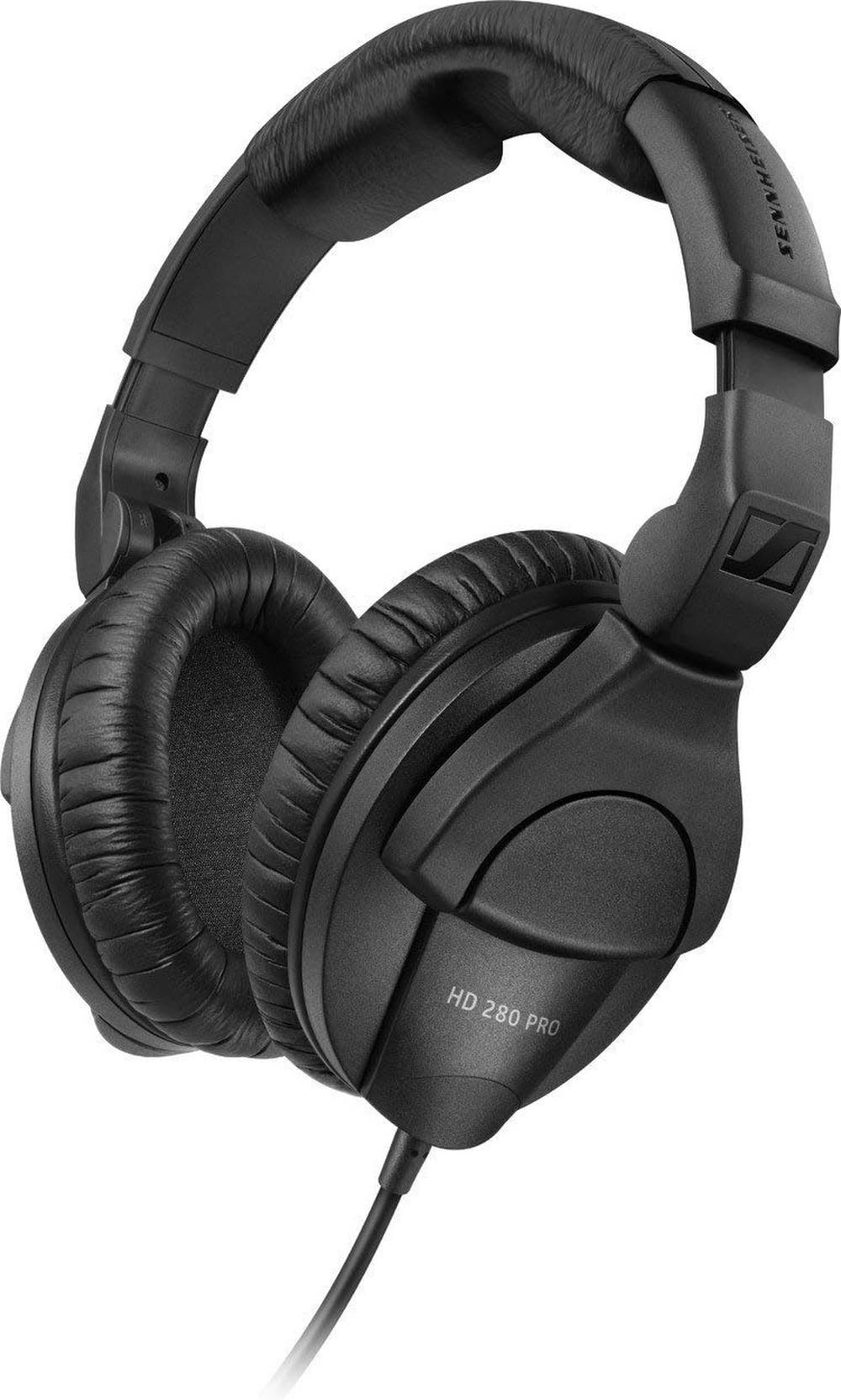
For video editors working in shared rooms, the Sennheiser HD 280 Pro is the closed-back option that blocks room noise before it reaches the mix. Its 32 dB of passive attenuation cuts through HVAC rumble and office chatter, and the closed shell keeps cue content from bleeding into a live mic. The wired signal path stays in sync with picture, and the response is balanced enough for dialogue and music-level checks.

Seated at an edit desk, the HD 280 Pro is best treated as a fixed workstation monitor. The coiled cable is heavier than a straight cord and can pull at the jack when you lean away, so this suits editors who stay put rather than moving between rooms. For that seated role, the isolation makes low dialogue and room tone easier to hear without pushing the mix up.

The build reinforces the workhorse angle: thick plastic ear cups, metal yokes, and replaceable earpads, headband pad, and cord. A pair that lives on one desk can have its consumables swapped instead of being retired, which matters for daily post-production use. Sound-wise, the tuning stays neutral with present mids and controlled low end, so it behaves like a monitoring tool rather than a consumer headphone. The 64-ohm impedance is happy with interfaces and headphone amps commonly used in video edit bays.

Pros

  • Passive isolation blocks up to 32 dB of background noise, so HVAC hum and talk in shared edit bays stay out of the mix.
  • Balanced, clear tuning reveals dialogue and mix errors without boosting bass for consumer appeal.
  • Sturdy construction with replaceable earpads, headband, and cord supports long-term use at a desk.

Cons

  • Cable and headband joints can show QC variance on individual units, so checking the connection points early is worthwhile.
  • Initial clamp pressure can feel tight for glasses wearers until the headband softens.
Our verdict

For editors who do most of their cutting at one desk, the HD 280 Pro's passive isolation and neutral tuning give it the strongest closed-back monitoring value in this group.

Check Latest Price
7

Budget Semi-Open Monitoring

AKG K240 Studio

91 /100
Studio Score High Confidence

Key details

Cable
Detachable 3m
Design
Semi-open
Impedance
55 Ω
Check Price on Amazon

The K240 Studio opens up a mix for surprisingly little money: the semi-open housing spreads instruments across a wide, natural stage, and the self-adjusting headband keeps it light for longer sessions. Dialogue and midrange clarity come through clearly, which suits voice-over and video-editing work in a private room.

Editors in a quiet home studio find the best fit here. The semi-open character means it is not a shared-room tool, and material durability is the limiting factor: ear pads and headband padding can degrade, and a channel can occasionally drop out. Those boundaries are why it sits below the top-tier closed-back monitors in this guide.

Pros

  • Wide, natural soundstage for the price
  • Strong value as a budget reference tool
  • Lightweight self-adjusting headband keeps long editing sessions comfortable

Cons

  • Semi-open housing lets sound out and room noise in, so shared edit spaces are the wrong setting.
  • For heavy daily travel, ear pads and headband materials can degrade, and a channel may drop out in some cases.
Our verdict

For a private home-studio desk, the K240 Studio is the budget way to hear a mix open up; keep it in that quiet room and it fills a specific role without straining the wallet.

Check Latest Price
8

Ultra-Budget Soundstage

Samson SR850

91 /100
Studio Score High Confidence

Key details

Cable
Fixed 3.5mm
Design
Semi-open
Impedance
32 Ω
Check Price on Amazon

Samson's SR850 brings a genuinely open-sounding presentation to ultra-budget monitoring: the 50 mm driver produces crisp highs and a wide soundstage that lets a beginner hear how parts sit in a mix. The semi-open design, however, means sound passes in and out, so this pair suits a quiet home studio rather than a noisy shared edit bay. Cable and ear cup joint issues can show up with heavy daily use, and the velour pads may squeeze or itch for some listeners — larger ears can touch the padding. That keeps it short of daily-driver status, but for a first reference pair on a tight budget, the mix perspective is hard to beat.

Pros

  • Crisp highs and a wide soundstage reveal reverb tails and mix balance at this price point.
  • Ultra-budget price with enough reference character for a first home-studio editing pair.

Cons

  • Ear cups can squeeze or itch, and larger ears may touch the padding.
  • Cable and ear cup joint issues can surface under heavy daily use, limiting lifespan.
Our verdict

Best for video editors starting in a quiet home studio on a tight budget, as long as the pair stays desk-bound and is handled with care.

Check Latest Price
9

Budget Streamers

FIFINE H8

89 /100
Studio Score Strong Evidence

Key details

Cable
Detachable, 2 cables
Design
Closed-back
Impedance
32 Ω
Check Price on Amazon

Two detachable cables (3.5mm and 6.35mm) and a budget-friendly price make the FIFINE H8 an easy starter pair for home-studio video editing. The closed-back 50mm drivers deliver clear sound with enough low end for basic dialogue and music monitoring, and the over-ear fit stays comfortable through shorter sessions. The headband is best suited to average head sizes, and long-term durability under daily studio use is still being established; this is not a neutral reference for critical post-production. For a budget streamer or podcast beginner editing short-form video, the H8 is a capable first monitor with a useful second cable.

Pros

  • Two detachable cables let a home-studio beginner switch between an audio interface and a laptop without buying extras.
  • Clear sound with a solid low end helps basic dialogue editing and music monitoring.
  • Budget-friendly pricing makes this a low-risk first studio monitor.

Cons

  • On larger heads, the clamp can make full-day editing sessions uncomfortable.
  • Occasional one-sided output loss makes a return-policy check worthwhile before client work.
Our verdict

This fits best as a low-cost first monitor for short-form video and podcast editing, where the detachable cables and swivel earcups matter more than reference-grade neutrality.

Check Latest Price

How to Choose

Closed, Open, or Semi-Open Back

Closed-back headphones seal the driver inside a solid cup, which blocks outside noise and prevents your audio from leaking into a microphone or a shared room. That makes them the default choice for video editors working in offices, on location, or near family members.

Open-back headphones let air pass through the ear cups, producing a wider, more natural soundstage. The trade-off is that they leak sound in both directions, so you need a quiet, private room. Semi-open models sit in between: they give some soundstage width but still pass noise in and out, which is why they are a budget compromise rather than a top-tier editing tool.

Impedance and Amplification

Impedance, measured in ohms, determines how much voltage the headphones need to reach a proper listening level. Low-impedance models from around 32 to 80 ohms work well with laptops, cameras, and basic audio interfaces. High-impedance models at 250 or 300 ohms sound thin and quiet when plugged directly into a laptop or phone.

The hidden trade-off appears when editors buy a high-impedance headphone because reviewers praise its detail, then discover their interface cannot drive it. If your setup lacks a dedicated headphone amplifier, stay with a low-impedance closed-back model. If you already own an interface with a solid headphone stage, an open-back 300-ohm reference become a legitimate option.

Cable Configuration

A detachable cable lets you replace a damaged cord in seconds and often costs less than 20 dollars. A fixed cable turns a simple strain injury or a chewed cord into a service job that may cost half the price of the headphone.

Coiled cables stretch and pull, which helps when you move around a desk but can add tension on the earcup connector over time. Straight cables are lighter and less tangly but need a longer loop if you lean back frequently. Editors who travel between suites should treat a detachable cable as a practical requirement, not a luxury.

Driver and Frequency Response

Larger drivers do not automatically mean more accurate sound; what matters is how the driver is tuned and damped. A 50mm dynamic driver can be tuned with exaggerated bass for DJ use, while a 40mm studio driver can deliver a flatter, more honest response.

Frequency response specs are less useful than they appear. Nearly every headphone claims a wide range like 20 Hz to 20 kHz, but the real differences show in the midrange, where dialogue lives. The key is not how low the bass goes, but whether the headphones make vocal sibilance and room tone obvious rather than flattering them away.

Comfort and Replaceable Pads

Clamp force is the reason many studio headphones become unwearable after an hour. Models with metal yokes and softer velour pads distribute pressure more evenly than budget plastic designs with stiff leatherette cushions.

Replaceable earpads matter because stock pads on many closed-back models flatten, flake, or crack within two years of daily use. If the pad is glued or non-standard, replacing it becomes a bigger project. Look for headphones with user-serviceable pads and headbands, especially if you wear glasses or plan to use them for full-day sessions.

Frequently Asked Questions