Best Overall
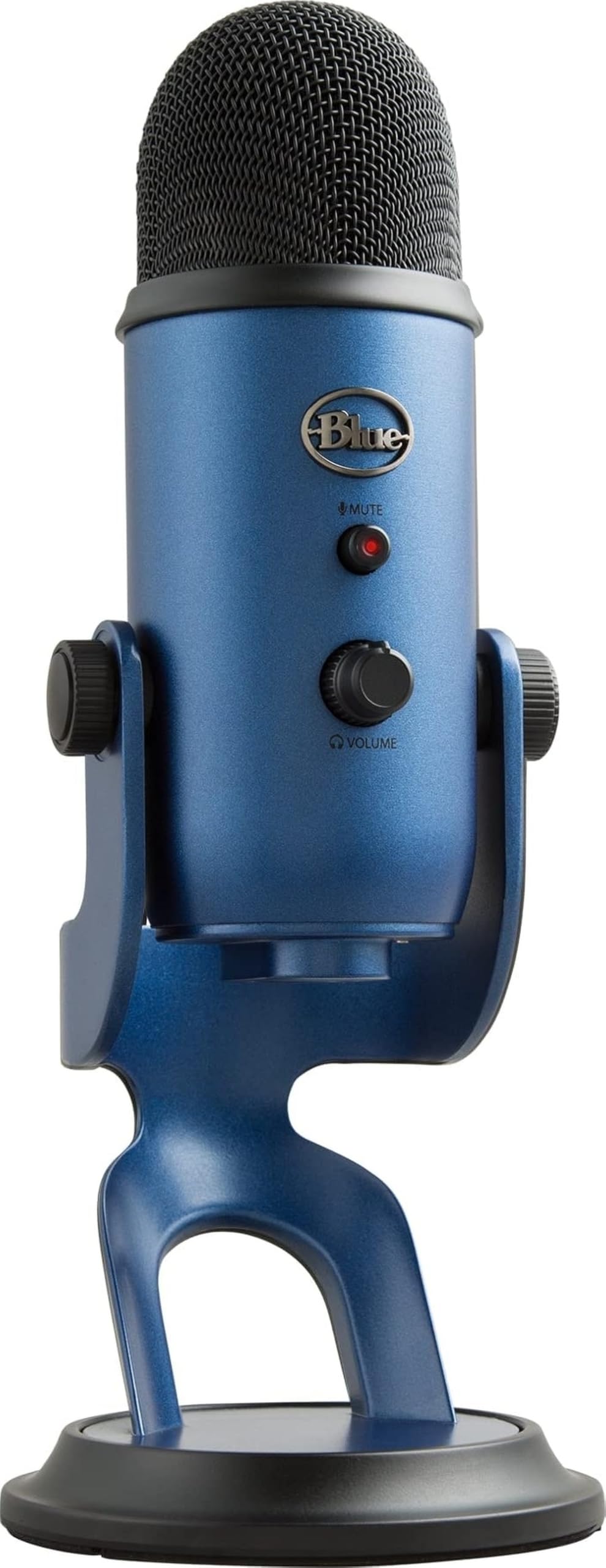
Blue Yeti USB
Key details
- Controls
- Gain, mute, headphone volume
- Gain Stage
- Onboard gain
- Accessories
- Stand, USB cable
- Capsule Type
- Tri-capsule condenser
The Blue Yeti USB puts a tri-capsule condenser behind a simple USB connection, with gain, mute, and headphone volume on the front. No interface or extra cables are needed to move between cardioid, omni, bidirectional, and stereo patterns. A rear control switches between those four pickup patterns. That flexibility makes it a strong starting point for podcasters and streamers who want broadcast-style voice capture without building a desktop audio rack. It is one of the few mid-range USB mics that can cover solo and multi-person recording from the same capsule.
On a recording, spoken voice lands with a clear, present tone and enough body to sound like a polished podcast without heavy post-processing. The headphone output provides near-zero latency monitoring, and the gain and mute controls let you set levels before a take and kill the feed during a pause. The front-mounted mute switch makes cutting the feed mid-session a quick thumb move, not a click into software. That level of onboard control is uncommon in the mid-range.
This is the right call for creators on Mac or PC who want plug-and-play USB and need one microphone that can handle solo podcasts, roundtable conversation, or music capture. It is not the pick for untreated or noisy rooms where a dynamic XLR microphone plus interface would reject background noise better; condenser sensitivity sets that boundary. For podcasters and streamers who do not own an interface, the Yeti remains the easier route to a clean vocal take and the default starting point for a first dedicated podcasting mic.
💡 For voice work, keep the capsule close and lower the gain for the cleanest track.
Pros
- Plug-and-play USB with gain, mute, and headphone monitoring removes the need for an audio interface.
- Three pickup patterns cover solo podcasting, roundtable conversation, and stereo recording from one capsule.
- Clear broadcast-style tone suits voice and music across podcasting, streaming, and calls.
- Mid-range price with broad applicability for first-time desktop creators without an interface.
Cons
- Durability can vary between units; a particular microphone may develop issues after extended use.
- Keyboard and mouse noise can bleed into recordings when the mic sits on a desk in an untreated room.
Start here if you need one USB microphone that can move from a solo podcast to a roundtable without an interface.