8 Best Film Scanner of 2026: Match Speed or Fidelity to Your Film

Choosing a film scanner comes down to format support, true optical resolution, and workflow speed, not the megapixel number on the box.

The first spec on most film scanner boxes is a megapixel number, but that number is usually interpolated from a much smaller CMOS sensor. What actually separates one scanner from another is how it handles color, how quickly it loads frames, and whether the optical resolution can support your output size. Most family archives need a fast, forgiving workflow more than they need maximum resolution.

The real trade-off is convenience against archival fidelity. A standalone scanner with large trays and a preview screen can digitize a shoebox of slides in an evening, while a slower dedicated scanner produces larger, cleaner files but demands patience and software experience. The right choice depends on whether you want usable memories quickly or gallery-quality files from every frame.

1

Best Overall

Kodak Slide N Scan

88 /100
Studio Score Strong Evidence

Key details

Resolution
22MP interpolated output
Scan Speed
Batch carousel trays
Dust Removal
No
Format Support
135, 110, 126 negatives, slides
Check Price on Amazon

The 5-inch LCD and quick-load trays make the Kodak Slide N Scan the fastest practical route from a mixed bin of film to an SD card without a computer. Scans save as 22MP JPEGs, and the standalone design keeps software out of the workflow. The preview is large enough to catch blur, rotation, and edge cropping before a full-resolution copy is written, which is a real time-saver when you are moving through hundreds of frames.

An entire slide carousel can be digitized in roughly 45 minutes, which turns a long-overdue archive project into one weekend afternoon. Controls are intuitive enough for a non-technical household member to operate after a few minutes of setup, and there is no computer to keep awake. The 45-minute pace is realistic for slides in standard mounts; with a mixed batch, extra time goes to sorting negatives and deciding which frames to keep rather than reloading holders.

The included trays cover 135, 110, and 126 film in both negatives and slides, so changing format is a tray swap rather than a holder reload. Compact portables have screens too small to judge sharpness; this 5-inch display is big enough to confirm focus and composition before you commit. At a mid-range price, that combination of format coverage and preview size is uncommon among standalone scanners, and flatbed film holders manage only a few frames per batch.

This is the right scanner for families digitizing large mixed collections and for speed-first archivists who want a standalone workhorse. It is not for professionals who need true optical 7200 dpi scans or exact color accuracy straight from the scanner; demanding slides may need a white-balance or color-correction pass after scanning. Buyers who accept that boundary get the fastest route from physical film to shareable digital files, and they avoid the per-frame discipline of a single-slot scanner.

Value in this category is measured in memories recovered rather than megapixels. The carousel trays and SD workflow allow one person to sit down with a shoebox of slides and emerge with digital copies in a single sitting. The 22MP output is enough for phones, tablets, photo books, and standard-size prints, which is where these memories end up. That is the difference between a scanner that gets used once and one that becomes the family archive station.

Pros

  • An entire slide carousel can be digitized in about 45 minutes.
  • Setup takes minutes, and controls stay simple for a non-technical household member.
  • Works as expected across negatives and slides with no software tinkering.
  • Build and output quality are solid for family photo archiving.
  • At its price, the number of recovered memories outweighs the cost.

Cons

  • Slide mounts that sit slightly warped may need extra alignment before the preview shows the full frame.
  • Dusty film must be cleaned before scanning; there is no infrared dust removal to lift dust out of the image.
Our verdict

Use the Kodak Slide N Scan when the goal is to get the family archive digitized this month. Its tray design and standalone SD workflow make that project achievable in one sitting.

Check Latest Price
2

Best for Archival Image Quality

Plustek 8200i SE

80 /100
Studio Score Strong Evidence

Key details

Resolution
7200 dpi optical
Scan Speed
Single-frame manual
Dust Removal
Infrared
Format Support
35mm negatives and slides
Check Price on Amazon

True 7200 dpi optical resolution, 48-bit output, and infrared dust/scratch removal make the 8200i SE the reference for single-frame image quality in this lineup. The batch scanner in this set moves through hundreds of frames faster, but it gives up some per-frame resolving power to do it. Film shooters who compare scans side by side will see the difference in fine grain and shadow detail.

The scanner body feels solid, and the 7200 dpi sensor resolves film grain sharply enough for large prints. Infrared dust removal cleans surface marks before they reach the digital file, which matters when the goal is archival output rather than quick sharing.

This is for enthusiasts who are digitizing a few hundred 35mm slides or negatives for archival quality and already know their way around scanning software. Users with tens of thousands of frames will find the manual workflow a bottleneck; that workload belongs in the faster multi-frame category. SilverFast SE Plus 9 has a learning curve, and scanning is slow, so plug-and-play beginners and high-volume digitizers should look to the batch-oriented options in this set.

๐Ÿ’ก Set aside a practice roll so SilverFast's tools feel natural before you scan irreplaceable frames.

Pros

  • Scans hold fine grain and shadow detail with high resolution and wide dynamic range.
  • Infrared dust and scratch removal works well for cleaning up old film.
  • Build quality feels durable and the scanner body is well made.

Cons

  • SilverFast SE Plus 9 is powerful but has a steep learning curve.
  • High-resolution scans can take 50 seconds to several minutes per frame.
Our verdict

For a film enthusiast who puts image quality ahead of convenience, the 8200i SE delivers the archival-grade files this category is meant to produce.

Check Latest Price
3

Best Budget All-In-One

Magnasonic FS71

87 /100
Studio Score Strong Evidence

Key details

Resolution
24MP output
Scan Speed
Batch multi-format trays
Dust Removal
No
Format Support
35mm, 110, 126, Super 8
Check Price on Amazon

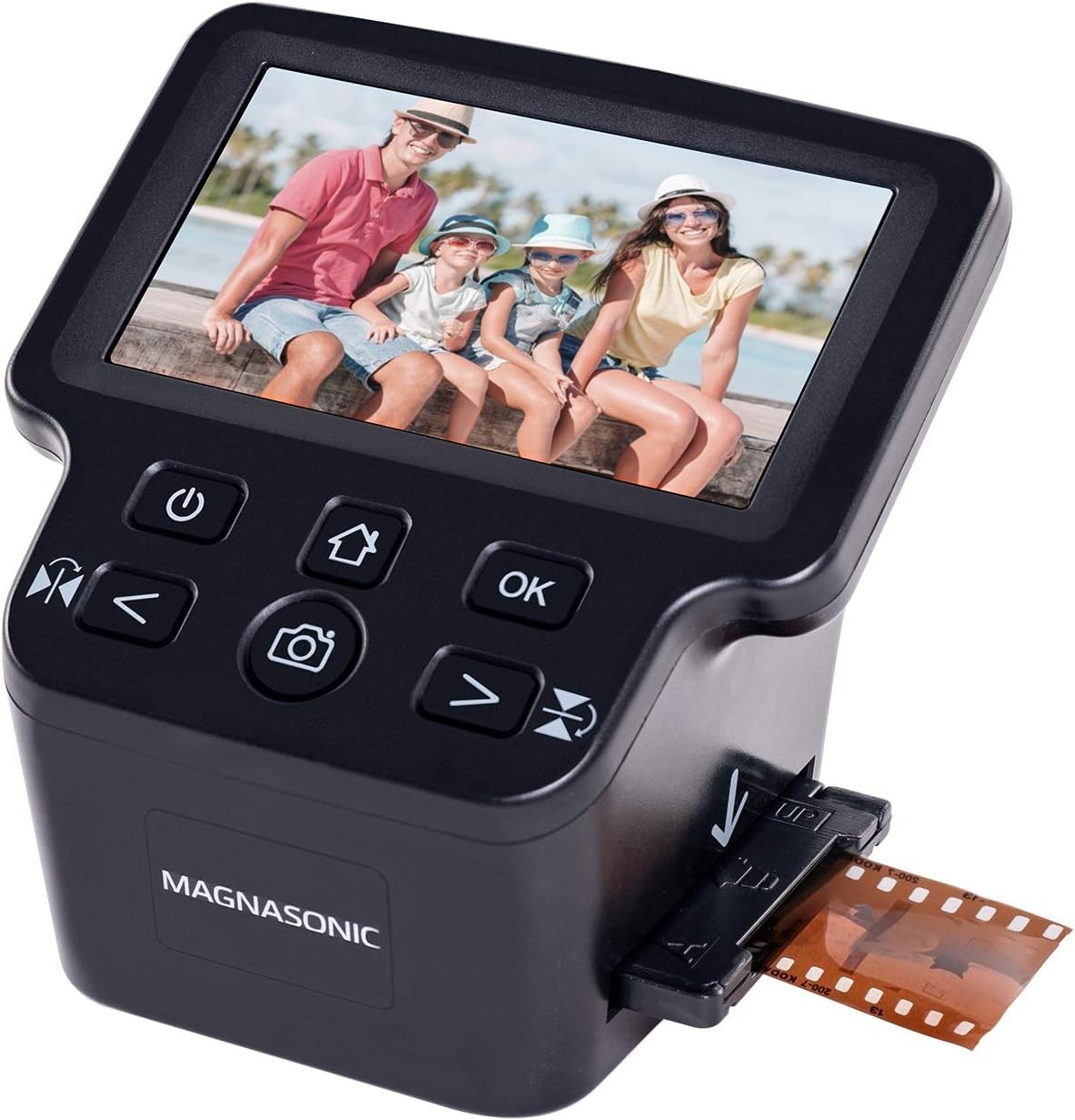
The Magnasonic FS71 turns a mixed pile of 35mm, 110, 126, and Super 8 film into SD-card JPEGs without a computer. The top pick in this lineup has a faster tray design and a more polished preview, but the FS71 reaches the same standalone workflow at a lower entry point. That makes it the more approachable first scanner for a family that is not sure how deep the digitizing project will go.

Households can move several hundred frames in an evening: load a tray, review on the 5-inch LCD, and save to the card. Because no driver or scanning software is needed, the workflow stays with the scanner rather than the computer. The screen is large enough to spot obvious focus issues before you commit a frame to the SD card.

Image quality at this price holds up for sharing and small prints, with 24MP files that are easy to edit and organize. That is the practical ceiling for this tier, so it fits casual family archives better than exhibition work.

This is for budget-conscious families who want old negatives and slides available for sharing, small prints, and family records. Color balance can be inconsistent on difficult slides, so this scanner suits a household archive rather than archival-grade color reproduction; buyers who need true optical 7200 dpi scans should look above this price tier.

๐Ÿ’ก For slides with a heavy color cast, use the scanner's white-balance control before saving to reduce post-editing.

Pros

  • Setup takes minutes; load the matching tray, preview on the 5-inch screen, and save to SD.
  • No computer required: slides and negatives go directly to an SD card, bypassing driver and software setup.
  • For a full shoebox of film, mail-in scanning would cost more than this scanner.

Cons

  • Large prints from every frame go beyond the detail this scanner can capture; keep those files for sharing and small prints.
  • Dense or aged slides can need a white-balance pass after scanning to get the color back in line.
Our verdict

The FS71 is the practical route for a family shoebox of mixed film: JPEGs on an SD card without a computer. For that use, the tray design and speed make a one-evening archive project realistic.

Check Latest Price
4

Best for Batch Scanning

Plustek 135i

82 /100
Studio Score Strong Evidence

Key details

Resolution
7200 dpi optical
Scan Speed
Batch holders, four slides
Dust Removal
โ€”
Format Support
35mm stills, panoramic, half-frame
Check Price on Amazon

The Plustek 135i moves a 35mm archive in larger chunks than a single-frame scanner, accepting four slide mounts or six negative frames per holder at a true 7200 dpi optical resolution. Batch loading plus 48-bit color output makes this the high-volume option in this set, and it scans large quantities faster than a flatbed without resorting to interpolated megapixel math. This is not the per-frame archival specialist; it is the volume-oriented counterpart in the lineup.

The bundled software needs a deliberate setup pass before a long run; after that, daily operation is manageable. Users comparing scanners should weight optical dpi and color handling over interpolated megapixel claims, and the 135i delivers that where it counts: 7200 dpi optical resolution, 48-bit color, and support for 35mm stills plus panoramic and half-frame frames.

The right buyer is a photographer with hundreds or thousands of 35mm frames to convert, working in dedicated sessions. This scanner assumes a tolerance for troubleshooting scanning software, so it is a poor fit for casual users with a single box of slides. It is not aimed at anyone who needs 110 or 126 format support; those formats need a different converter.

๐Ÿ’ก Keep a small stack of plastic slide mounts or trimmed negative strips ready for long runs; they load more smoothly than cardboard.

Pros

  • Batch holders move four slides or six negative frames through in one workflow.
  • True 7200 dpi optical scanning with 48-bit color preserves fine grain and shadow detail.
  • Daily operation becomes manageable after the initial setup pass.

Cons

  • Cardboard slide mounts can bend if forced into the holder's tight channels.
  • Auto multi-crop can miss challenging frames and discard a scan; manual override restores the file with added review time.
Our verdict

For high-volume 35mm digitization, the 135i's batch workflow and optical detail carry the day. A small slide collection is better served by a simpler machine.

Check Latest Price
5

Best Modern Touchscreen

HP Film & Slide Scanner

81 /100
Studio Score Strong Evidence

Key details

Resolution
13MP CMOS, 22MP interpolated
Scan Speed
Single-frame feed
Dust Removal
No
Format Support
135, 126, 110 slides, negatives
Check Price on Amazon

The 5-inch touchscreen puts this HP ahead of button-only scanners in pure ease of use: each step appears on the display, so you can preview a slide, set exposure, and scan to an SD card without touching a computer. USB-C power keeps the cable setup clean and modern. This is an approachable design in the current standalone group, though it is not a batch archival tool.

Scan output is genuinely useful for the casual archive project: slides and negatives come through with clear detail and natural enough color for normal digital viewing. The 13MP CMOS sensor feeds a 22MP interpolated output, so expect good screen-share quality rather than archival-grade enlargements. The tray-based workflow is fast, too, moving through a stack of frames in a single sitting without the constant file-management overhead of tethered scanning.

The right owner is someone with a shoebox of family slides, a USB-C charger, and no interest in learning scanning software. The large preview makes it easy to check sharpness before saving, and the standalone operation means no driver setup. If your slide mounts are standard and your goal is sharing or ordinary prints, this scanner fits; archivists who need true optical resolution will want a dedicated film scanner.

Pros

  • Slide and negative scans come out clean and usable for everyday digital viewing.
  • Touchscreen controls make the digitizing workflow easy without a computer.
  • Output suits photo sharing, social posts, and normal digital albums.
  • The tray-based process can work through a large slide collection quickly.

Cons

  • In-scanner color controls are limited, so demanding slides may need computer-side cast correction.
  • Thick or warped cardboard slide mounts can require extra effort to guide through the tray.
Our verdict

A touchscreen-first standalone scanner for casual digitizing: standard slide mounts and screen-sized output get a smooth no-computer conversion, while serious archivists should look at true optical-resolution options.

Check Latest Price
6

Legacy Format Conversion

Wolverine Titan

82 /100
Studio Score Strong Evidence

Key details

Resolution
20MP output
Scan Speed
Single-frame feed
Dust Removal
No
Format Support
35mm, 127, 126, 110, APS
Check Price on Amazon

This Wolverine converter is one of the few budget scanners that accepts 127, 126, 110, and APS film, giving legacy formats a path to digital files without a professional service. It converts slides and negatives in seconds, and the 4.3-inch LCD plus HDMI output make previewing easy. The 20MP output is soft despite the claim; scans work for sorting and social sharing, but they are not archival enlargements.

It suits budget buyers with a mixed box of unusual film formats who want a quick preview before committing to high-end scans. The slide carrier can stick on some cardboard mounts, so fragile collections may need slower feeding and occasional clearing.

Pros

  • Simple setup and control layout make first-time scanning approachable.
  • Converts slides and negatives in seconds, so previewing a large stack is fast.
  • Accepts 127, 126, 110, APS, and 35mm in one budget unit.

Cons

  • Slide carrier can stick on some cardboard mounts and need manual clearing.
  • 20MP output is soft, so scans are preview-grade rather than archival.
Our verdict

For owners of 127 or APS film who want a quick digital look, this is a reasonable first pass before professional scanning.

Check Latest Price
7

Large-Screen Hobbyists

Beone ClearScan P7

76 /100
Studio Score Established

Key details

Resolution
24MP output
Scan Speed
Single-frame feed
Dust Removal
No
Format Support
35mm, 126, 110, Super 8
Check Price on Amazon

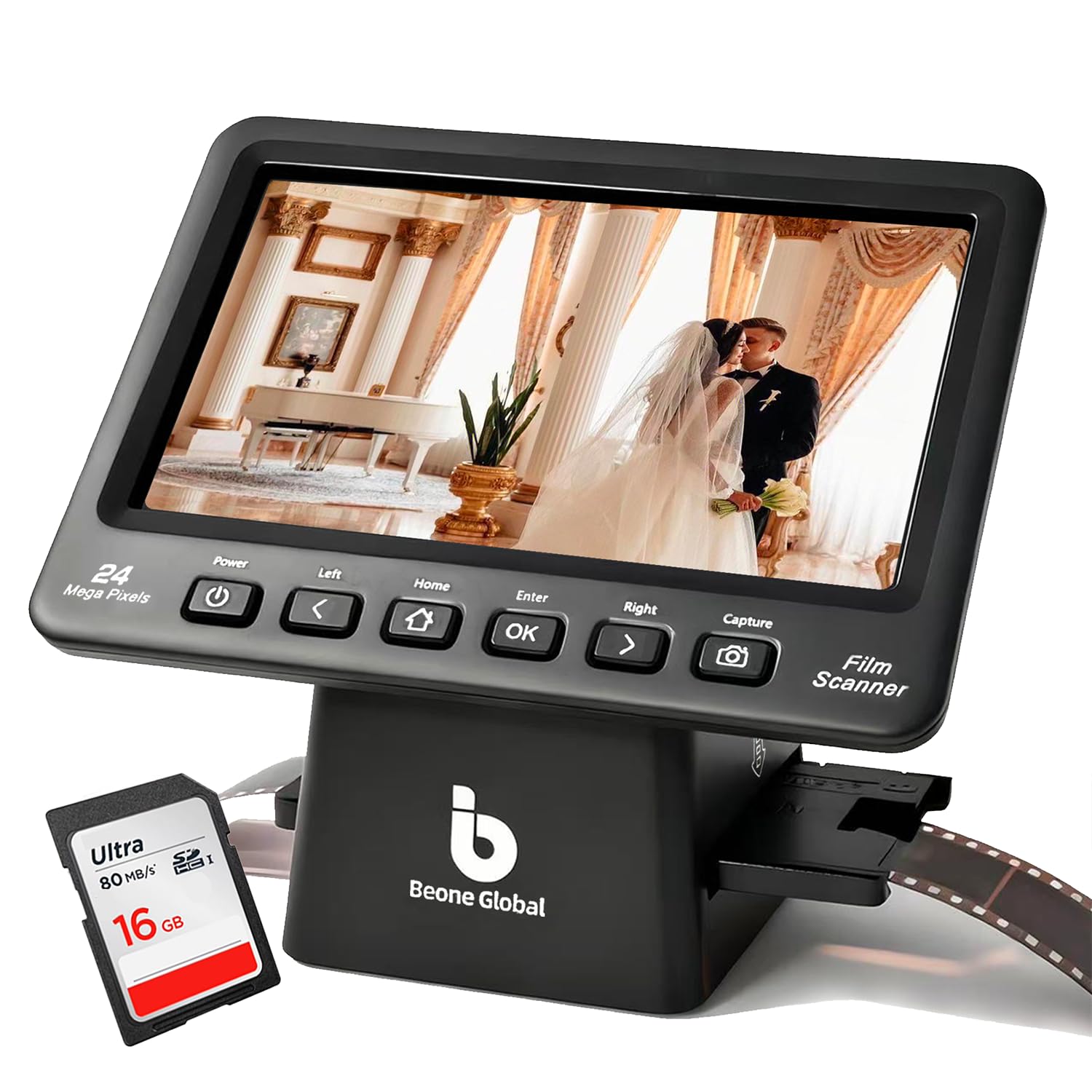
With a 7-inch LCD, the ClearScan P7 offers the largest preview screen in this roundup, and the included SD card makes it ready to digitize immediately. Casual scans come through with clear detail and strong color pop, so family slides and negatives look good on screen and in small prints. Basic tint controls are the main limit: slide colors that need precise correction will require a photo editor. That is why this mid-range scanner sits below options with deeper color tools, and buyers who want a long-established scanner maker will find fewer assurances here. For a hobbyist with a moderate film backlog who values preview size over archival precision, it is a cost-effective way to get old frames digital.

Pros

  • Large 7-inch screen makes it easy to inspect slides and negatives before saving.
  • Casual scans come out clear with good color pop for sharing and small prints.
  • Included SD card and mid-range pricing make it a strong value for hobbyists.

Cons

  • Color-critical work will need a photo editor because the tint controls are basic.
Our verdict

Choose the ClearScan P7 when a big preview screen and a bundled SD card matter more than color-accurate archival output; casual family digitization is its sweet spot.

Check Latest Price
8

Portable Occasional Use

Kodak Mini Scanner

85 /100
Studio Score Strong Evidence

Key details

Resolution
14/22MP output
Scan Speed
Single-frame feed
Dust Removal
No
Format Support
35mm, 126, 110, Super 8
Check Price on Amazon

The Kodak Mini fits a desk corner or carry-on with its small cube body and easy controls, and it handles 35mm, 126, 110, and Super 8 film. It is quick enough to work through a small stack of negatives in one sitting. The 2.4-inch screen makes sharpness and framing a guess, and 35mm slides can lose about 2mm at the edges with no adjustment. For casual sharing and short archive jobs, those tradeoffs are acceptable; for serious sessions where edge-to-edge fidelity matters, the larger Slide N Scan with its 5-inch preview is the easier tool.

Pros

  • Compact enough for a desk corner, yet quick enough to work through a stack of negatives in one sitting.
  • Simple menu navigation and scanning require little instruction for occasional film digitizing.
  • Supports 35mm, 126, 110, and Super 8 in a single small unit, reducing setup for mixed film boxes.

Cons

  • With the 2.4-inch preview, deciding whether a frame is sharp means trusting the saved file instead of the screen.
  • 35mm slides can come out cropped by about 2mm at the edges, with no adjustment option.
Our verdict

Keep the Mini for a few rolls at a time when desk space or travel is the priority.

Check Latest Price

How to Choose

Format Support

Film scanners only work with formats the supplied trays physically accept. A 110 negative is much smaller than a 35mm frame, so a scanner built for 35mm may lack the guides needed to hold other formats flat.

Check every box before buying. A mix of 35mm, 110, 126, and Super 8 needs a multi-format tray system; an all-35mm archive is better served by a dedicated 35mm scanner.

Resolution vs Megapixels

Interpolated megapixel counts describe software upscaling, not new detail. The sensor captures a native amount of information, and the scanner stretches it, so a 22MP file can look softer than a true 7200 dpi optical scan that captures grain and edges.

For sharing and small prints, interpolated output is fine. For large prints or archival files, check optical dpi and sensor size, not the marketing number.

Preview Screen and Workflow

A larger preview screen lets you confirm focus and framing before saving. Small 2.4-inch displays make it hard to see whether a slide is sharp, so soft frames reach your computer before you notice.

Standalone scanners save to an SD card and need no computer, which matters if your workspace is a table. The trade-off is fewer color-correction tools than computer software.

Infrared Dust Removal

Infrared dust removal uses a second light pass to identify dust and scratches without erasing image detail. It works on color film, whose dye layers are transparent to infrared light, but not on black-and-white film.

For color slide archives, this feature saves hours of retouching. For black-and-white, budget for spot healing in photo software.

Scan Speed and Batch Loading

Single-frame scanners force you to load, scan, save, and reload every frame. At 50 seconds to several minutes per high-res scan, a few hundred slides can turn into a weekend project.

Batch holders and carousel trays process multiple frames in one setup. They may cost more or sacrifice some per-frame precision, but they are the difference between finishing an archive and abandoning it.

Frequently Asked Questions