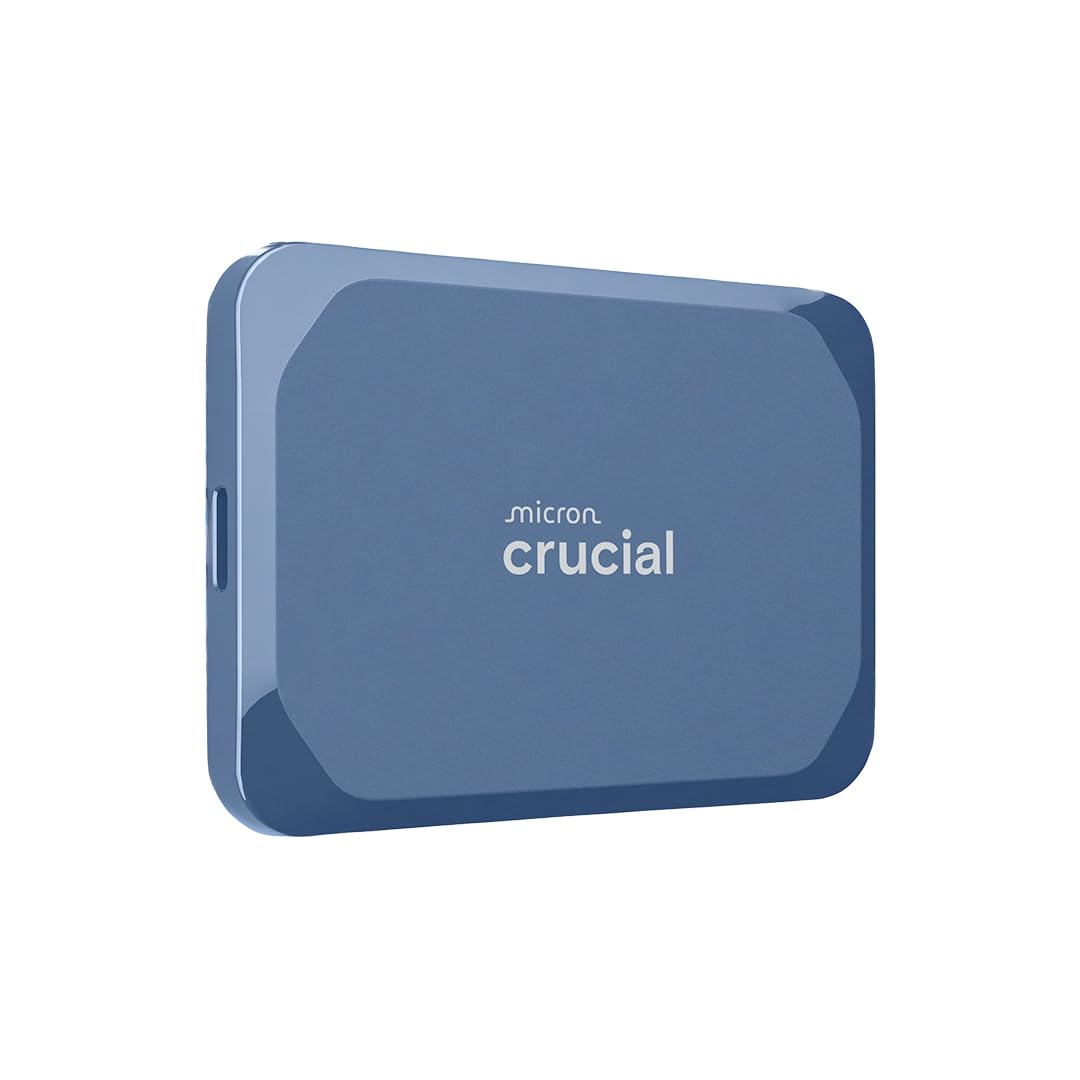
7 Best External SSD for Video Editing in 2026: Picks That Hold Up

The best external SSD for video editing balances sustained speed, rugged build, and proven reliability for photographers and videographers.

On paper, many portable SSDs quote the same 1,000MB/s-plus speeds, and most deliver them in short bursts. The number that matters appears about thirty minutes into a project: sustained throughput without overheating or dropping the connection. That is where compact drives separate from each other.

A faster Gen 2x2 or USB4 interface is real, but only if your host has the matching port. For photographers and videographers, the practical choice sits between maximum editing speed and a rugged drive that stays mounted in the field. Choose the wrong side of that trade-off and you spend the edit reconnecting drives or waiting out thermal throttling.

This guide focuses on drives that deliver their advertised speed in real use, survive a packed camera bag, and keep a sensible safety margin for footage that has no second copy. The right drive is the one that finishes the project, not the one with the biggest number on the box.

2

Best Rugged Field Drive

Samsung T7 Shield 2TB

95 /100
Studio Score High Confidence

Key details

Interface
USB 3.2 Gen 2
Durability
IP65, 3m drop
Sustained Speed
1,050MB/s typical
Reliability Record
16,371 reviews
Check Price on Amazon

IP65 sealing and 3m drop protection make the T7 Shield the outdoor shooter's working drive, with USB 3.2 Gen 2 transfers up to 1,050MB/s for photo culling and compressed video clips. The rubberized shell feels tough without turning the drive into a brick, and the compact shape drops easily into a field pouch.

Large photo files and compressed camera footage transfer close to the advertised rate, and the 2TB capacity is enough for a full day of shooting before you offload. The drive keeps that pace while sitting on a dusty table or damp tailgate, which is exactly where sealed storage earns its keep. The 3m drop rating covers the kind of knock that happens when a bag is set down hard, not just a desk slip.

This drive suits outdoor and field shooters who need a weather-resistant working drive and value an established record over maximum speed. It is a 1,050MB/s drive, so the heaviest multi-stream 4K/6K timelines belong on the 2,000MB/s Gen 2x2 option. Host-device recognition can be inconsistent on certain Mac setups and iPhone workflows — verify with the specific host before committing to it as a primary transfer drive.

Pros

  • IP65 sealing and 3m drop protection are backed by a shell that feels built for field abuse.
  • Transfers photo and video files at or near the advertised 1,050MB/s on compatible ports.
  • Compact footprint fits in a camera bag or card case without crowding other gear.
  • Handles sustained card-dump sessions without noticeable slowdown.

Cons

  • Price sits at the premium end of the 1,050MB/s class.
  • The 3-year warranty is shorter than the 5-year terms offered by competing 2,000MB/s drives.
Our verdict

Outdoor shooters working in dust or light rain get the most from the T7 Shield; the sealed shell matters more than the extra speed of a Gen 2x2 drive.
Check Latest Price
3

Fastest USB4 Drive

Corsair EX400U 1TB

92 /100
Studio Score High Confidence

Key details

Interface
USB4 / Thunderbolt 4
Durability
IP55 rugged housing
Sustained Speed
4,000MB/s on USB4
Reliability Record
61 reviews
Check Price on Amazon

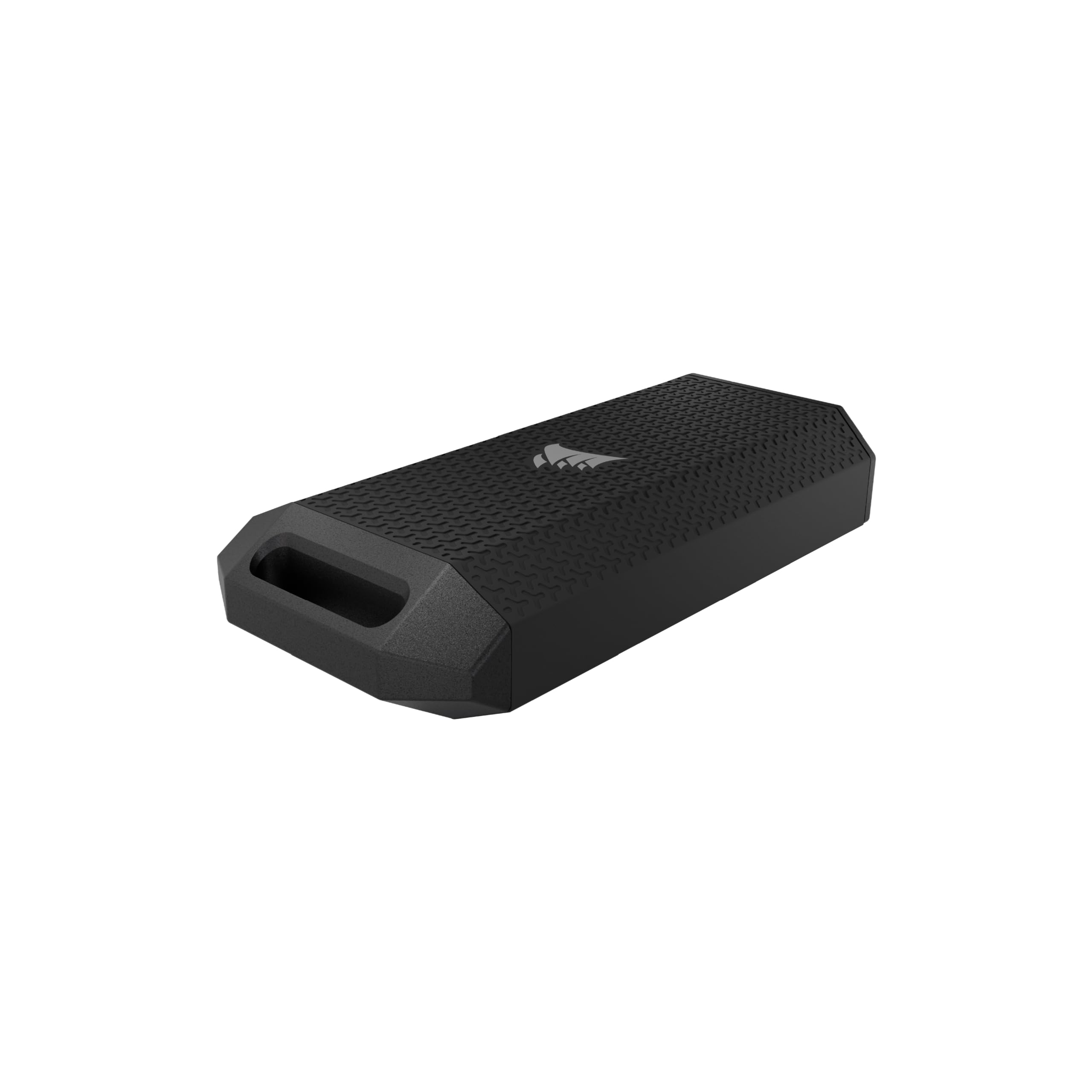
The Corsair EX400U is the speed leader in this USB4 group, with 4,000MB/s reads and 3,600MB/s writes that clear the 2,000MB/s Gen 2x2 drives and the 1,050MB/s field drives in the same comparison. On a USB4 Mac or iPad, that throughput is enough to keep multi-layer 4K and 8K timelines responsive while cutting directly from external storage, and the write side stays fast enough for big exports to land back on the drive without a long wait.

The drive keeps that speed in a compact body, so it fits in a camera bag without turning into a separate equipment case. The small footprint leaves room for card readers, batteries, and cables. The five-year warranty extends coverage across several project cycles, which matters when the SSD is the working copy of a timeline rather than a backup-only device.

The right buyer is an editor with a USB4 or Thunderbolt 4 MacBook or iPad who wants maximum portable throughput for active footage. The 1TB capacity is the main boundary: it works as a single-project drive or current-cut library, while long-form multi-cam archives will need a higher-capacity Thunderbolt drive. Editors who offload finished jobs after each delivery will find the 1TB footprint workable.

Pros

  • USB4 throughput at 4,000MB/s read and 3,600MB/s write keeps 4K/8K timelines direct-edit capable on compatible Mac and iPad hosts.
  • The compact IP55 shell handles dust and water spray, so it travels well in a camera bag.
  • A five-year warranty covers a working edit drive through multiple project cycles.

Cons

  • IP55 is a dust-and-spray rating, not full waterproofing; a dry bag still makes sense in steady rain.
  • A USB 3.2 Gen 2x2 host caps the drive below 4,000MB/s, leaving the speed advantage unused.
Our verdict

For a USB4-native editor, this is the fastest working drive in the comparison.

Check Latest Price
4

Best High-Capacity Thunderbolt

Sabrent Rocket Nano 4TB

84 /100
Studio Score Strong Evidence

Key details

Interface
Thunderbolt 3, USB 3.2
Durability
Aluminum chassis, sleeve
Sustained Speed
—
Reliability Record
126 reviews
Check Price on Amazon

The Sabrent Rocket Nano XTRM packs 4TB of Thunderbolt 3 storage into a pocket-sized shell while sustaining transfers up to 2,700MB/s. The faster USB4 model in this set is quicker on paper but stops at 1TB, so editors with large libraries will not have to shuffle projects between drives to keep a full 4K/6K timeline accessible.

Direct editing from the drive is practical during project sessions, and the aluminum chassis plus silicone sleeve protects it during travel between edit suites. On MacBook Pro and iPad setups, the drive has been steady enough for on-location cuts, which is the central need for this class of storage. It keeps its transfer pace through normal editing workloads, so a large timeline can stay on the drive rather than filling the internal SSD.

This Sabrent suits editors with Thunderbolt 3/4 Macs or PCs who want one high-capacity working drive for oversized 4K/6K libraries rather than a maximum-speed USB4 accessory. It fits both Mac and PC Thunderbolt workflows, which keeps the drive useful across edit systems. Buyers without a Thunderbolt port face a 900MB/s USB fallback, so the headline speed depends on having the right connection and cable. For those already in a Thunderbolt pipeline, the drive matches the need without forcing a switch to desktop storage.

Pros

  • 4TB in a pocket-sized shell keeps an entire 4K/6K project library available on location.
  • 2,700MB/s Thunderbolt 3 transfers allow direct timeline editing without copying footage to the internal drive.
  • MacBook Pro and iPad setups have been steady in early use, matching the on-location role.

Cons

  • On USB4 hosts, native USB4 drives can go faster than this drive's 2,700MB/s Thunderbolt 3 ceiling.
  • During sustained transfers, the aluminum body can get hot enough for lap editing to feel uncomfortable; a desk suits it.
Our verdict

Editors with oversized 4K/6K libraries get a single pocket-sized drive that holds the whole project at Thunderbolt speed.

Check Latest Price
5

Creator-Focused 2,000MB/s Drive

SanDisk Creator Pro 1TB

92 /100
Studio Score High Confidence

Key details

Interface
USB 3.2 Gen 2x2
Durability
IP65, 3m drop
Sustained Speed
—
Reliability Record
289 reviews
Check Price on Amazon

The Creator Pro is the Adobe-friendly member of the 2,000MB/s set: it matches the top pick's USB 3.2 Gen 2x2 read ceiling and adds a one-month Adobe Creative Cloud membership to the box. For Premiere and After Effects editors, that means a working drive that eases into a monthly subscription workflow, and the enclosure is compact enough for a bag pocket between setups.

The drive reaches the advertised 2,000MB/s read speed on a Gen 2x2 or USB4 host, which keeps multi-cam timelines scrolling without first copying footage to an internal SSD. The 5-year warranty stretches across a full creative-work lifecycle.

The IP65 shell handles dust and water spray, so moving between a desk and a location does not require a separate protective case. The body is smaller than a deck of cards and slides into a camera bag pocket without crowding out media cards.

Photographers and videographers who want a small 1TB scratch drive for on-location edits and active Adobe projects are the right fit. The portability and bundled software make it easy to keep the current project and its source files close.

Pros

  • Full 2,000MB/s read speed keeps direct-edit timelines responsive on a Gen 2x2 host.
  • 1TB capacity covers a boot drive and active project files for creative work.
  • One-month Adobe Creative Cloud membership is included, saving a separate setup step for Adobe editors.
  • Compact body with IP65 and 3m drop protection suits location work without a case.

Cons

  • Full 2,000MB/s speed requires a Gen 2x2 or USB4 port; a 10Gbps USB-C port runs at roughly half.
  • 1TB fills fast during 4K/6K edits, so heavy projects need an external archive or second drive.
Our verdict

For Adobe-centric editors with a Gen 2x2 host, the Creator Pro delivers the working-drive speed the listing promises, with a software bonus that lifts it beyond a raw storage box.

Check Latest Price
6

Budget Speed

Crucial X10 1TB

90 /100
Studio Score High Confidence

Key details

Interface
USB 3.2 Gen 2x2
Durability
IP65, 9.8ft drop
Sustained Speed
2,100MB/s peak, 1,200MB/s real
Reliability Record
2,442 reviews
Check Price on Amazon

The Crucial X10 delivers 2,100MB/s peak read speeds at a budget-friendly price, making it one of the quickest ways to edit compressed footage from an external USB-C drive. Sustained transfers measure above 1,200MB/s in real use, and the compact body slips into a camera bag without adding bulk. This is a working drive rather than a long-term archival solution, so irreplaceable client footage should always have a second home. For editors with a USB 3.2 Gen 2x2 or USB4 host who keep backups as standard practice, it offers fast timelines without the price tag of the top pick.

Pros

  • Reaches 2,100MB/s peak speeds on USB 3.2 Gen 2x2 and USB4 hosts, so large project files move quickly.
  • Copies of large media completed at over 1,200MB/s in one recorded session, keeping editing timelines responsive.
  • Compact body with IP65 and 9.8ft drop protection fits a run-and-gun kit.

Cons

  • PS5 recognition is inconsistent on some setups, so a native Gen 2x2 host is the safer pairing.
  • Durability issues and data corruption can surface after months of use, so finished footage deserves a backup.
Our verdict

For editors with a Gen 2x2 or USB4 host who always keep a backup, the X10 is a cost-effective way to edit fast without paying flagship prices.

Check Latest Price
7

Compact Backup

Crucial X9 Pro 1TB

91 /100
Studio Score High Confidence

Key details

Interface
USB 3.2 Gen 2
Durability
IP55, 7.5ft drop
Sustained Speed
1,050MB/s typical
Reliability Record
4,729 reviews
Check Price on Amazon

The X9 Pro packs a 1,050MB/s transfer path, IP55 sealing, and matchbook-sized dimensions into a cost-effective 1TB package. That makes it a handy working drive for tethering and on-site backup, with enough sustained speed for RAW bursts and compressed video clips.

Editors with heavy timelines should pick the faster Crucial model, as this drive tops out at USB 3.2 Gen 2. Some macOS and iPadOS hosts may not mount it on the first try, and occasional drives can stop being recognized after months of sustained use; for photographers who treat it as a working drive with a mirrored backup, those boundaries are manageable.

Pros

  • Slightly larger than a matchbook and light enough for a shirt pocket during field shoots.
  • Sustained transfers near 1,050MB/s handle RAW photo bursts and compressed video playback without stalling.
  • IP55 dust/water resistance and 7.5-foot drop tolerance cover dusty outdoor shooting conditions.

Cons

  • macOS and iPadOS recognition can be host-dependent; a different cable or port may be needed.
  • Occasional drives can stop being recognized after months of sustained use, so it suits secondary storage, not sole archival.
Our verdict

For photographers who need a pocketable working drive in dusty conditions and already keep a second copy of client files, the X9 Pro fits well; for direct 2,000MB/s editing, choose the faster Crucial model.

Check Latest Price
8

Budget Backup

SSK 1TB Portable SSD

91 /100
Studio Score High Confidence

Key details

Interface
USB 3.2 Gen 2
Durability
Aluminum alloy body
Sustained Speed
—
Reliability Record
No review content
Check Price on Amazon

The SSK 1TB undercuts comparable NVMe-class SSDs while keeping USB 3.2 Gen 2 speeds in a slim aluminum body. That makes it a practical scratch drive for compressed footage and quick transfers. The aggressive price is the reason to consider it: for files you can re-capture or replace, it covers the need without the premium of higher-priced options. What keeps it from ranking higher is the boundary it occupies — it suits secondary storage, not primary footage archives. Budget buyers who need a light secondary drive for replaceable project files get the value here; anyone with irreplaceable footage should keep that material on a separate drive.

Pros

  • Aggressive price for 1TB capacity and USB 3.2 Gen 2 speeds.
  • Slim aluminum body keeps the drive light in a bag or pocket.
  • Three-year warranty adds a safety net to a budget purchase.

Cons

  • For outdoor shoots, the aluminum body lacks the weather sealing of field-focused rivals.
  • The 1,050MB/s ceiling leaves 2,000MB/s-class timelines bottlenecked at the drive.
Our verdict

If your budget is tight and your footage is re-shootable, this is a legitimate way to get 1TB of NVMe-class storage.

Check Latest Price

How to Choose

Sustained vs Peak Speed

Peak speeds are measured in short bursts. Once a drive's cache fills or the controller heats up, write speeds can drop to a fraction of the number on the box.

For video editing, the rate that matters is the sustained speed after 20 minutes of continuous transfer. A 2,000MB/s drive that throttles during an export is slower in practice than a 1,000MB/s drive that holds its pace.

Interface Match

USB 3.2 Gen 2 tops out at roughly 1,050MB/s. USB 3.2 Gen 2x2 doubles that to 2,000MB/s, and Thunderbolt/USB4 goes higher. A faster drive on a slower port simply negotiates down.

Check your laptop's port standard before paying for bandwidth you cannot use. A Gen 2x2 or USB4 drive on a Gen 2 port behaves like a 1,000MB/s drive, so your cable and port need to match the drive.

Capacity and Portability

Capacity and thermals are linked: a nearly full 1TB drive can slow write performance, while a compact 4TB shell has less surface area to shed heat.

A 1TB drive suits a single project or a day of tethering. A 2TB or 4TB drive matters when you are away from a workstation for multi-day shoots and need the whole card library accessible.

Durability Rating

IP ratings describe sealing: IP65 resists dust and water jets, while IP68 adds submersion. Drop ratings describe a survival test, not a guarantee against repeated impacts.

An IP-rated drive is worth the trade in rain, dust, or a crowded gear bag. Studio editors can skip rugged cases and spend the same money on speed.

Reliability Record

Reliability shows up as the pattern of disconnects, mounting issues, and drives that stop being recognized over months of ownership. It does not show up in the average star rating.

Treat any external SSD as a working copy. If the footage is irreplaceable, keep a second backup on a separate drive before you start the edit.

Frequently Asked Questions