5 Best 360 Camera for Real Estate in 2026: HDR Virtual-Tour Stills

Find the 360 camera for real estate that balances sensor size, HDR, and app reliability for virtual tours — without overpaying for action-video specs.

A 360 camera that shoots brilliant 8K action video can still stumble on the part that matters in real estate: the stitched still that a buyer sees first. Virtual tours depend on sensor size, HDR handling, and low-light stitching, not just resolution numbers. The spec sheet that looks impressive on a trail does not always translate to clean interior walls and balanced window light.

Most shoppers discover this after a shoot, when Wi-Fi pairing stalls and the battery is already half gone. Choosing the right camera for listing work means weighing still quality and HDR against app reliability, storage, and field endurance. This guide focuses on the trade-offs that actually affect a virtual-tour workflow, so you can match the camera to the job rather than the marketing.

1

Best Overall for Real Estate

Ricoh Theta Z1

85 /100
Studio Score Strong Evidence

Key details

Battery & Wi-Fi
Internal, Wi-Fi
Sensor & Low Light
Dual 1-inch CMOS
Storage & Transfer
51GB internal
Video & Frame Rate
4K/30 stabilized
Check Price on Amazon

The Theta Z1 is the real-estate 360 camera in this group because it treats stills as the deliverable rather than an afterthought to video. Dual 1-inch back-illuminated CMOS sensors produce 23MP spherical captures, and the HDR modes hold window light while keeping shadowed floor and cabinet detail across mixed interior/exterior scenes. The multi-exposure merge is fast enough for normal listing work, and RAW/DNG capture extends the same latitude in post, so a bracketed set can be balanced without banding or clipped highlights. 4K/30 video is present for walkthrough clips, but it is not the reason to choose this body.

Matterport and Zillow creators get a direct path from capture to publish: the Z1's output is accepted by those tour platforms without the stitching cleanup that smaller-sensor cameras can require. The 51GB internal memory stores a meaningful portfolio of listings, and the compact body fits into a small kit bag alongside a tripod and spare cables. The body feels dense and solid in the hand, with controls that stay out of the way during tripod work. For a typical real-estate assignment, the camera sits on a pole or tripod while the app triggers capture room by room; the high-res HDR files are ready for the platform after a quick import.

This is the camera for professional real-estate photographers, Matterport producers, and virtual-tour operators who are paid for HDR still accuracy and low-light performance. The trade-offs sit with on-site workflow: the internal battery can't be swapped, so a long day of back-to-back listings calls for a charging stop, and the Wi-Fi/app pairing may demand a second reconnect attempt before a session starts. Those quirks are easier to absorb when the deliverable is a clean virtual tour than when the camera is one piece of a fast-moving action shoot. Budget-conscious or video-first shooters should look elsewhere in this category.

Compared with entry-level 1/2.3-inch 360 models, the practical difference appears in the toughest interior conditions: mixed daylight, dim hallways, and severe window backlight. Shadows hold detail instead of flattening to black, and window mullions stay defined instead of flaring out. The HDR merge and larger photosites are the difference between a salvageable edit and a reshoot. That low-light headroom is the reason the Z1 holds its position in a professional kit rather than on a shelf for occasional social use.

Pros

  • Dual 1-inch sensors deliver 23MP HDR stills that hold highlight and shadow detail in mixed interior light.
  • RAW/DNG capture gives editors latitude to correct window blowouts and dark corners before delivery.
  • Matterport and Zillow tour workflows accept the Z1's files without the format conversion smaller cameras need.
  • Compact body and 51GB internal storage keep a listing-day kit to one camera and a tripod.

Cons

  • Exposed front lenses need a slip-on cover or padded case in transport, since the glass isn't replaceable.
  • Premium price is a real barrier for part-time shooters; paid tour work is how the investment gets amortized.
Our verdict

Choose the Z1 when still-image quality and HDR latitude determine whether a virtual tour closes. It is a professional tool built around the deliverable, not a casual 360 camera.
Check Latest Price
2

Best All-Round 8K 360

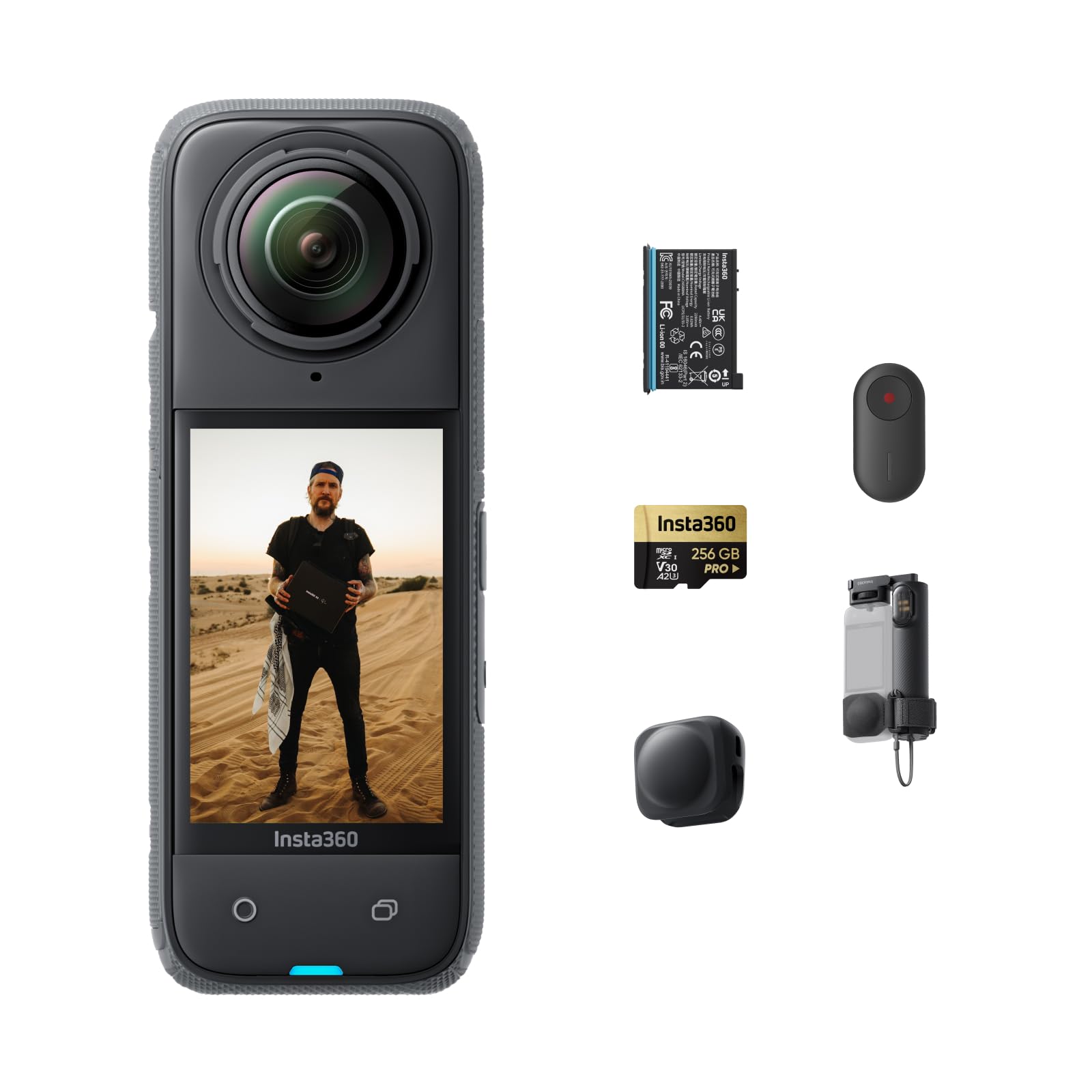
Insta360 X4

95 /100
Studio Score High Confidence

Key details

Battery & Wi-Fi
Removable, Wi-Fi
Sensor & Low Light
Dual 1/2.3-inch CMOS
Storage & Transfer
Video & Frame Rate
8K/30, 5.7K/60
Check Price on Amazon

The Insta360 X4 records 8K/30 360 video with FlowState Stabilization and adds 5.7K/60 plus 4K/120 wide-angle modes, then passes footage to a phone app that makes reframing a walk-through direct. That video-first package is what separates it from the 1-inch-sensor flagship in this set. The app's AI-guided edits amount to a same-day walk-through video.

Waterproofing to 10m and a 2.5-inch Gorilla Glass touchscreen broaden where the X4 works on a shoot. Handheld walking footage stays steady without a gimbal, and the screen is large enough to frame around the stitch line. One camera can move from a listing to a travel or outdoor clip without changing gear.

The X4 fits tour videographers who want one mid-range camera for listing walk-throughs, quick social edits, and outdoor content. It accepts the smaller-sensor compromise on low-light HDR stills, and a pre-shoot test run is part of the routine before client work. For platform-native still-heavy tours, the dual 1-inch-sensor flagship is the more direct route.

The mid-range price undercuts the 1-inch-sensor flagship while still covering the video side of a real-estate workflow. That value becomes clear when the same kit also needs to produce travel and social clips.

Pros

  • 8K/30 360 video stays sharp and vibrant when reframed into standard 16:9 clips.
  • Phone app guides quick edits, cutting a walk-through into shareable clips without a desktop session.
  • 4K/120 wide-angle mode adds fast motion cutaways from the same camera body.
  • One camera handles interior walk-throughs and outdoor shoots thanks to 10m waterproofing and FlowState.

Cons

  • Battery behavior can vary between units, so a spare cell is worth carrying on multi-listing days.
  • Occasional freezes and app connection drops can interrupt a walk-through; test the full workflow before client work.
Our verdict

For tour work that leans video-first, the X4 delivers more creative range per dollar than the 1-inch-sensor flagship.

Check Latest Price
3

Best 1-Inch Sensor Alternative

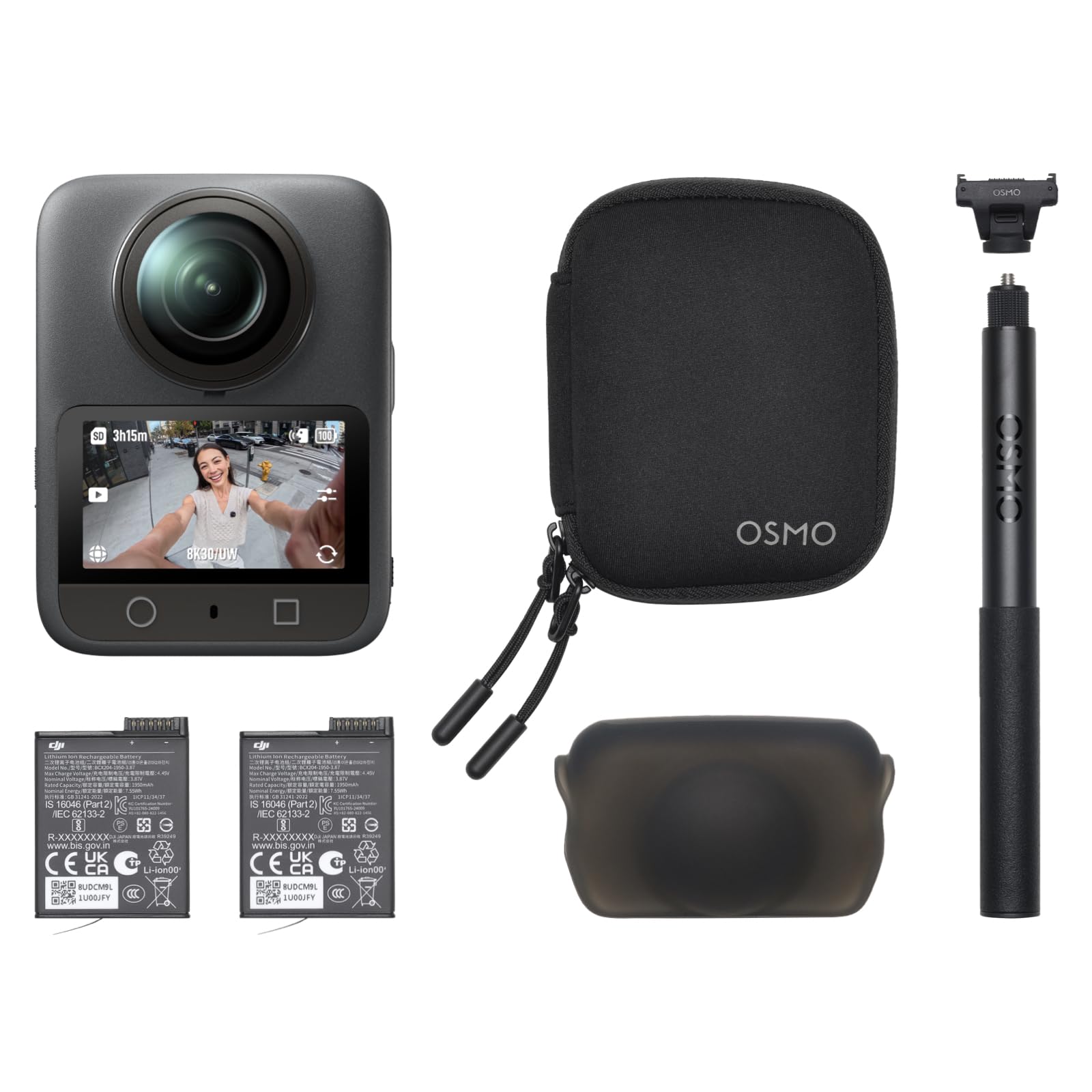
DJI Osmo 360

85 /100
Studio Score Strong Evidence

Key details

Battery & Wi-Fi
Removable, Wi-Fi
Sensor & Low Light
1-inch CMOS
Storage & Transfer
105GB plus microSD
Video & Frame Rate
8K/30, 4K/120
Check Price on Amazon

With a 1-inch sensor, 8K/30 360 video, 120MP stills, 105GB built-in storage, and a waterproof body, the Osmo 360 is a mid-range hybrid aimed at shooters who move between action, travel, and interior work. The sensor size gives it more latitude in dim rooms than the budget 4K option in this set, and the high-resolution stills keep virtual-tour images usable for listings. Its 120MP spherical stills and 8K video sit between the top pick's professional still focus and the 8K-first alternative's editing flow.

Outdoor and multi-room shoots go quickly because the magnetic quick-release mount and waterproof body move from a hiking pack to a dirt-bike mount without a housing swap; the included invisible selfie stick covers full-sphere views without visible support. The 1-inch imaging improves HDR and low-light latitude over smaller-sensor 360 cameras, which matters when a living room is lit by windows alone. Built-in 105GB storage holds a full day of 8K clips, so storage isn't the thing that slows a tour.

This Osmo is for hybrid creators, hikers, dirt-bike riders, travel vloggers, who also need clean interior panoramas and are willing to work around two friction points. Some units halt recording mid-clip, and Android users must install DJI's app from the company's site rather than the Play Store. For those buyers, the 1-inch sensor and 8K output outweigh the setup hassle; anyone needing zero-interruption capture for client deliverables should stay with the top pick.

💡 Carry a spare battery for back-to-back tours; 105GB built-in storage means you can leave the microSD card in the bag.

Pros

  • 8K/30 360 video and 120MP stills deliver enough resolution for immersive virtual tours and large-screen playback.
  • Magnetic quick-release and waterproof body make it easy to shoot from a hiking backpack to a dirt-bike mount.
  • 1-inch sensor gives better low-light interior stills than budget 360 models without jumping to flagship pricing.

Cons

  • Battery capacity can vary between units; an included cell may not hold a charge.
  • Matterport/Zillow verified tour workflow is missing, which keeps agency-grade deliverables in the top pick's lane.
Our verdict

Pair the Osmo 360 with the top pick if real-estate stills are the primary revenue stream; as a standalone mid-range hybrid, it covers both 8K video and interior stills in one waterproof body.

Check Latest Price
4

Budget 360 Starter

Ricoh Theta V

87 /100
Studio Score Strong Evidence

Key details

Battery & Wi-Fi
Internal, Wi-Fi
Sensor & Low Light
Dual 1/2.3-inch CMOS
Storage & Transfer
Video & Frame Rate
4K/30
Check Price on Amazon

The Ricoh Theta V captures 4K/30 360 video with simple controls and a budget-friendly price, making it the accessible entry point among the 1-inch-sensor models in this set. A large user base means setup questions already have answers.

Wi-Fi and Bluetooth Low Energy handle phone connection for framing and file transfer, while MP4/H.264 output keeps editing simple for social posts and basic virtual-tour drafts. Digital stabilization smooths handheld pans enough for quick walkthroughs, and the compact dual-lens body is easy to carry between rooms. Live preview on a phone makes checking the frame before you shoot easy. Controls are minimal enough to learn in a session.

This is best for budget-conscious real-estate beginners and entry-level virtual-tour shooters who want a first dedicated 360 camera for social and event work. The 14MP stills on 1/2.3-inch sensors limit shadow detail and HDR latitude in dim interiors, so if your tours depend on low-light or client-grade HDR stills, that boundary will matter. In well-lit interiors, the output is still enough for entry-level listing galleries, and the 4K/30 video covers the basics of a walkthrough.

💡 Keep a power bank in the bag if you expect to shoot several listings in one outing.

Pros

  • 4K/30 spherical video captures a full scene for entry-level virtual tours.
  • Wi-Fi plus Bluetooth Low Energy makes phone-based framing and file transfer easy.
  • Large user base with consistent 4-star-level satisfaction signals a low learning curve.
  • Compact dual-lens body captures full spherical video without add-on accessories.

Cons

  • Non-replaceable internal battery prevents field swaps during all-day shoots.
Our verdict

For a first 360 camera aimed at learning real-estate tours without a large investment, the Theta V fits the budget and the workflow.

Check Latest Price
5

Casual Social Sharing

Ricoh Theta S

82 /100
Studio Score Strong Evidence

Key details

Battery & Wi-Fi
Internal, Wi-Fi
Sensor & Low Light
Dual 1/2.3-inch CMOS
Storage & Transfer
8GB internal
Video & Frame Rate
1080p/30
Check Price on Amazon

The Ricoh Theta S keeps 360 capture approachable: the companion app handles shooting and sharing, the compact body travels well, and the entry price makes it a reasonable way to test 360 content. That casual strength is also its boundary. The 14MP stills and 1080p video appear soft when inspected closely, and the Wi-Fi/app connection can be inconsistent during file transfer; for real-estate virtual-tour work, where high-resolution HDR stills and stable on-site pairing are expected, it comes up short. Buyers who need a low-cost social-sharing camera can enjoy it for street views and travel panoramas.

Pros

  • Phone app keeps shooting and social sharing simple for casual 360 photos.
  • Compact, solid body is easy to carry for travel and street panoramas.
  • Fun, approachable capture makes it a low-pressure introduction to 360.

Cons

  • 14MP stills and 1080p video look soft on close inspection, limiting client-facing use.
  • Wi-Fi and app recognition can be inconsistent when transferring files on site.
Our verdict

This is the right low-cost pick for casual social and travel 360 experiments, not for client-ready virtual-tour deliverables.

Check Latest Price

How to Choose

Sensor Size and Low Light

Larger sensors gather more light per pixel, which is why a 1-inch dual-CMOS camera can hold shadow detail in a dim hallway that a 1/2.3-inch action camera turns into noise.

This matters most at dusk or in rooms with mixed window light and artificial bulbs.

Choose the largest sensor your budget allows if you shoot occupied homes or evening exteriors.

Still Resolution and HDR

Stitched still resolution is not the same as video resolution. A camera that records 8K video may still produce softer 360 photos because the two sensors merge images differently and lack RAW support.

HDR bracketing and RAW files give you editing room to pull back blown-out window light before the tour platform compresses the final image.

Video Resolution and Frame Rate

360 video is useful for walkthrough clips, but frame rate determines how smooth reframing feels. 8K/30 gives high detail for panning, while 5.7K/60 or 4K/120 adds slow-motion options for lifestyle footage.

If real estate is your primary revenue, prioritize still quality over a high video spec; if you also create social content, the higher frame rates earn their place.

Storage and Transfer Speed

Storage determines how many shoots you can complete before offloading. Internal-only storage on legacy models or small internal memory forces you to transfer mid-day, and slow Wi-Fi can turn a two-minute backup into a parking-lot wait.

Look for a camera with a large internal buffer or fast microSD write speeds if you shoot multiple listings in a row.

Battery Design and Wi-Fi Reliability

Non-swappable internal batteries are common in compact 360 cameras, so battery chemistry directly limits your field session. A 45-minute charge break may be fine for one listing but limiting for a three-property day.

Wi-Fi reliability is equally practical: if the app drops during transfer, you lose time on site. Carry a power bank and test the app workflow before a paying job.

Frequently Asked Questions