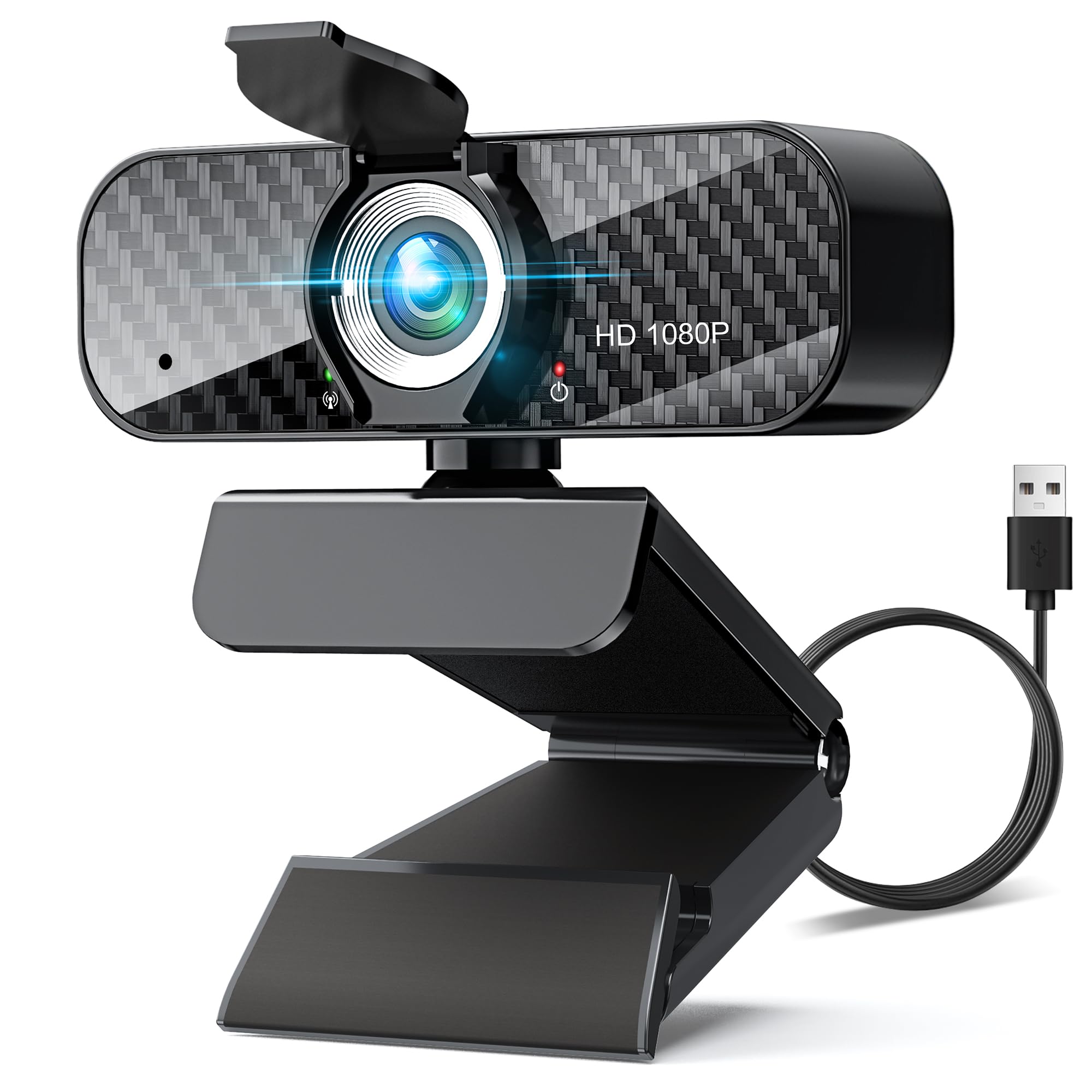
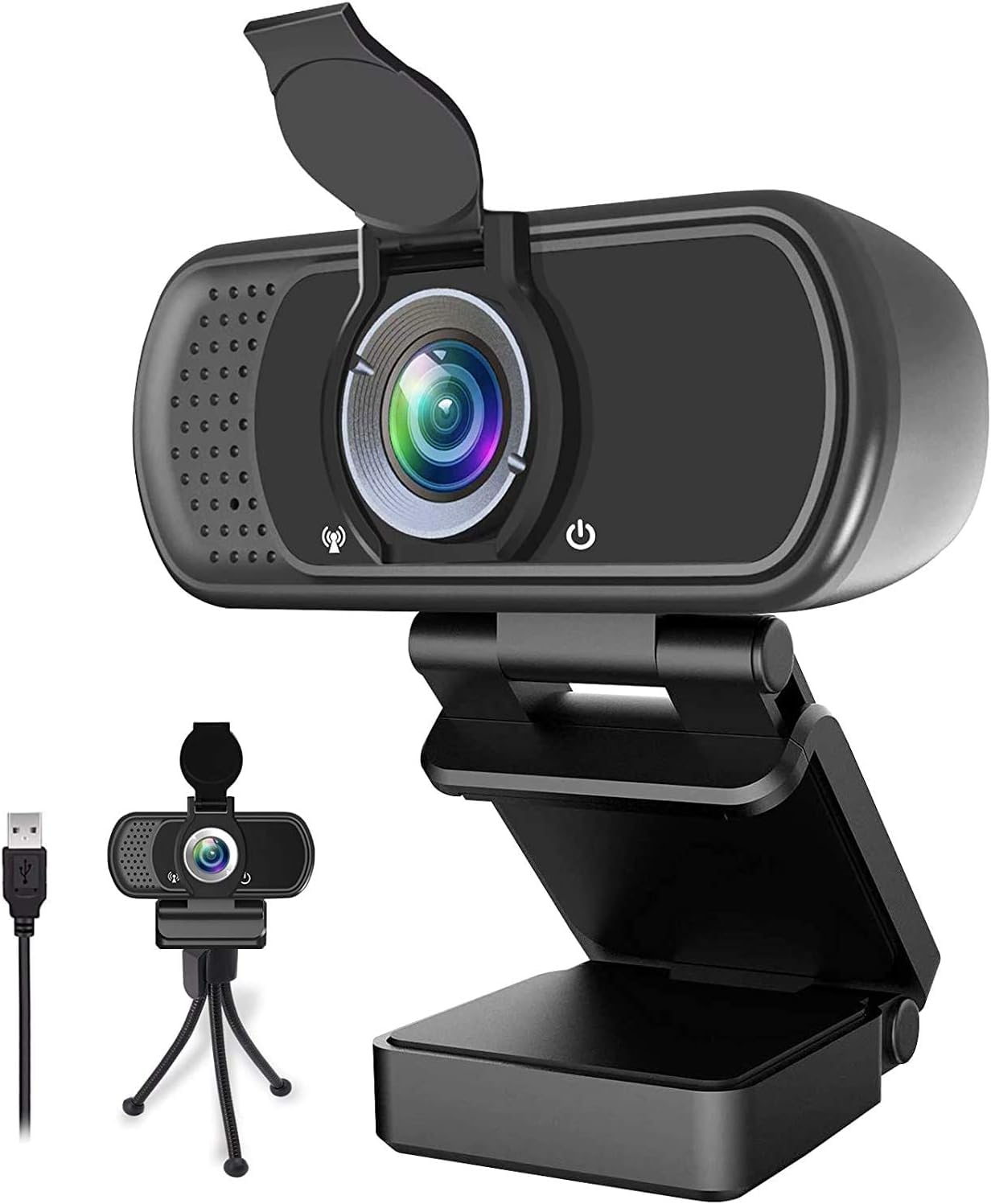
9 Best Webcam for Home Office 2026: Sharp 1080P Picks

Find a dependable home-office webcam with clear 1080p video, usable mics, and easy mounting for daily calls.

Most webcam listings claim 1080p, but real call quality depends on the sensor, lens, and software working together. A camera that records 1080p on paper can still deliver soft, dark, or overly warm video on a Zoom call.

Built-in microphones are the other weak link. Budget models often ship with mics that sound muffled or stop being detected entirely, which is the last thing you want in a client meeting. A separate microphone can fix that, but a webcam with dependable audio removes the problem at the source.

For a home office, the right move is to match the camera to how you actually sit and what you show on screen. A wide field of view helps if you share whiteboards, while autofocus matters more if you move around or lean in to present.

1

Best Overall

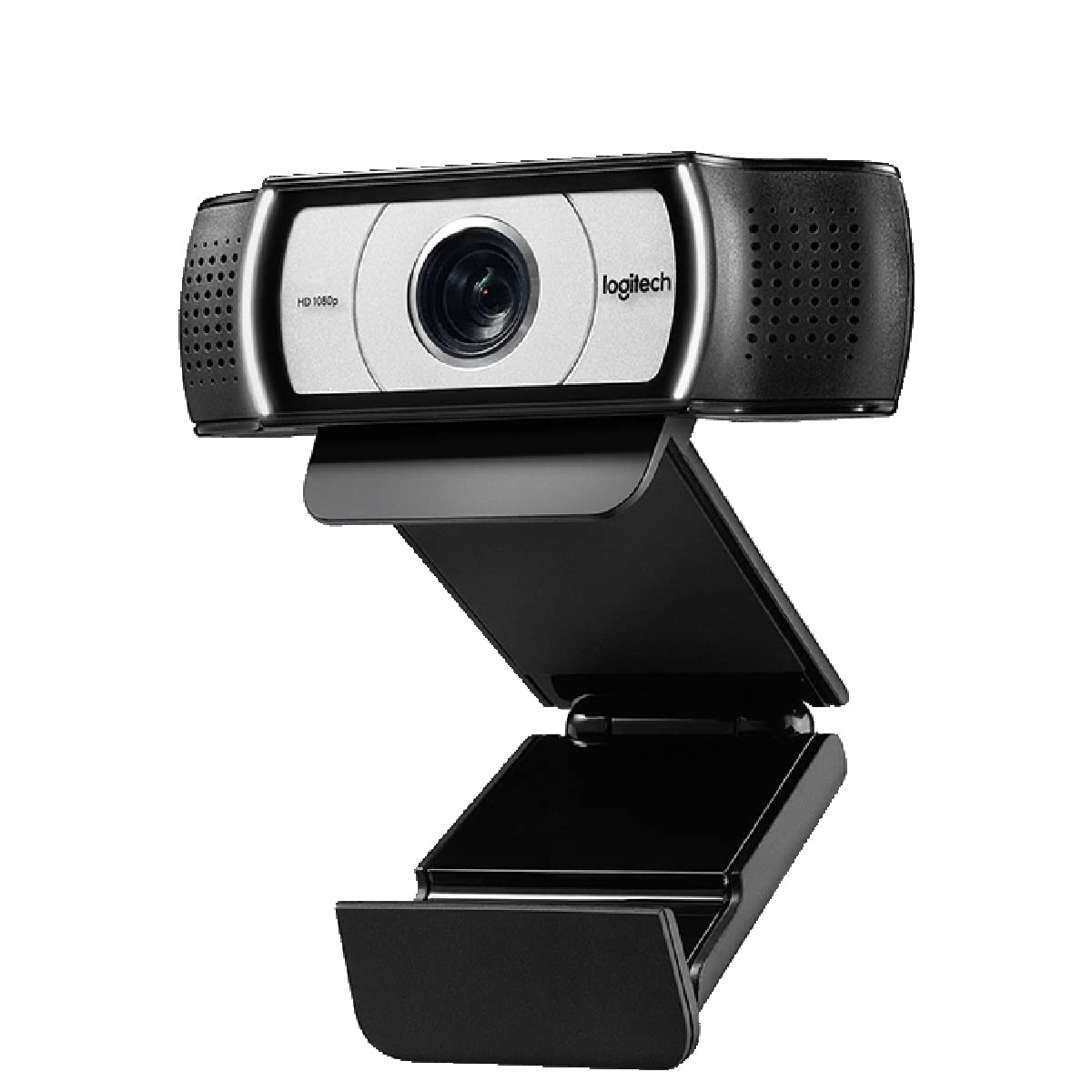
Logitech C920

93 /100
Studio Score High Confidence

Key details

Mics
Dual noise-reducing
Focus
Autofocus
Field Of View
78 degrees
Video Call Resolution
1080p @ 30fps
Check Price on Amazon

The C920 delivers crisp 1080p video at 30 fps with autofocus that keeps a seated speaker sharp through normal shifts in position. Auto low-light correction smooths dim rooms without the washed-out look of cheaper sensors, so a home office without ideal front lighting still looks presentable on video calls.

Setup is plug-and-play. The clip grips monitor bezels and laptop lids, the tripod thread is ready when you need it, and the camera is recognized directly by Zoom, Teams, Meet, and desktop apps. Autofocus stays with a speaker during normal desk movements, so you do not have to sit still to keep the image sharp.

This is a solo-desk camera for the individual working from home. For that buyer, the package is easy to build around: sharp image, steady autofocus, and simple mounting. The bundled mics are usable in a pinch, though a quick audio test on your Windows PC is a good idea before important meetings.

At a mid-range price, the C920 sits above fixed-focus entry webcams and below premium 4K models, which is the right zone for daily work calls. Streamers and remote workers get a camera that behaves the same across major systems and apps, with no driver negotiation. The value is in predictability: you buy it, mount it, and move on.

Pros

  • Crisp 1080p video with autofocus that holds a seated speaker through normal movement.
  • Auto low-light correction keeps dim offices presentable without extra lighting gear.
  • Registers with major systems and conferencing apps without extra setup.
  • Simple mounting that fits monitor bezels and laptop lids.

Cons

  • Single-desk framing will not cover a group or whiteboard, so keep it for one person at a time.
  • On picky Windows systems, the built-in mics may need a separate USB microphone for consistent audio.
Our verdict

For a home-office worker who wants clear video without chasing 4K, the C920 is the mid-range reference point. Sharp picture, steady autofocus, and easy mounting make it a low-friction daily driver.

Check Latest Price
2

Budget Workhorse

NexiGo N60

88 /100
Studio Score Strong Evidence

Key details

Mics
Single noise-canceling
Focus
Fixed focus
Field Of View
110 degrees
Video Call Resolution
1080p @ 30fps
Check Price on Amazon

The N60 delivers sharp 1080p video at a fixed focus tuned for typical desk distances, and the built-in privacy cover slides into place when you need to block the lens. It skips the autofocus found on the top pick, which keeps the price down and suits users who stay in one seat during calls.

This is the webcam for cost-conscious remote workers and students who want plug-and-play video in common conferencing apps and don't move around on camera. Microphone and compatibility can be inconsistent, so the N60 suits casual calls better than high-stakes meetings.

The simple fixed-focus design also means no focus-hunting delays when you lean in or sit back, which keeps video calls feeling natural for a single user.

Pros

  • Clear 1080p picture at a budget price, with a fixed-focus lens that handles typical desk distances.
  • Plug-and-play setup gets you into video calls quickly without extra drivers.
  • Strong value: everyday video-call quality at a cost that fits tight budgets.

Cons

  • Teams or macOS setups may not detect the N60 on first plug-in; a USB port change can help.
  • Built-in mic audio can sound quiet or delayed in meetings; a firmware update may be needed.
Our verdict

For fixed-position video calls on a budget, the N60 keeps the essentials in place: clear 1080p, easy setup, and a privacy cover.

Check Latest Price
3

Best for Wide / Whiteboard Calls

Logitech C930e

90 /100
Studio Score High Confidence

Key details

Mics
Built-in
Focus
Autofocus
Field Of View
90 degrees
Video Call Resolution
1080p @ 30fps
Check Price on Amazon

The C930e’s 90-degree field of view, autofocus, and digital pan/tilt/zoom make it the webcam for calls where you need to show something larger than your face. H.264 UVC encoding keeps the video stream light on your computer’s processor, and the clip mount fits most monitors. It is best understood as the wide-framing alternative to a standard 1080p personal webcam: one person can cover a whiteboard or product demo without moving the camera.

This profile fits the home-office worker who regularly presents documents, whiteboards, or physical work in calls. It is less necessary for someone who wants a simple face-on conversation with a budget fixed-focus webcam. The tradeoff sits in the connection: the USB cable can drop the signal when disturbed, and occasional Windows 10 or Teams recognition quirks have been noted, so a stable cable position and up-to-date software help. When the wide framing is part of your job, those quirks are a reasonable price to pay.

Pros

  • Sharp 1080p image quality that keeps text and facial detail clear in calls.
  • Setup is quick, and the camera is recognized directly by common conferencing software.
  • 90-degree field of view covers whiteboards, product demos, and wide desk setups without repositioning.

Cons

  • Occasional Windows 10 or Teams recognition quirks can show up, sometimes requiring a reconnect.
  • Touching the USB cable while adjusting the camera can cause an abrupt disconnect.
Our verdict

For home-office calls that hinge on showing whiteboards, product demos, or a wide desk, the C930e’s 90-degree framing covers territory a face-only personal webcam cannot.

Check Latest Price
4

Best Budget 4K

EMEET NOVA 4K

90 /100
Studio Score High Confidence

Key details

Mics
Dual omni
Focus
PDAF autofocus
Field Of View
73 degrees
Video Call Resolution
4K @ 30fps
Check Price on Amazon

The EMEET NOVA 4K brings genuine 4K capture and phase-detect autofocus to a mid-range price, making it a clear step above the entry-level EMEET webcam. Streamers and product-demo hosts get noticeably sharper detail without moving into premium-priced webcam territory, and the PDAF system helps keep close-up shots in focus during normal use. At this price, the NOVA undercuts other 4K webcams while keeping a standard webcam footprint.

For a home-office buyer, this is a practical daily camera. Dual omni mics handle calls, and the included privacy cover and tripod mount keep setup flexible. The autofocus can get stuck or drift blurry on some units after extended use, so it favors a fixed desk position where the camera rarely needs to reacquire focus. If your work includes product demos or streamed presentations, the 4K sensor gives you headroom that a standard 1080p webcam can't match, and the camera still fits into the usual meeting workflow.

Pros

  • 4K capture with PDAF autofocus delivers sharper detail than typical 1080p webcams.
  • Image quality holds up under normal home-office lighting, keeping calls and demos presentable.
  • Mid-range pricing puts 4K-class hardware within reach of home-office buyers and streamers.

Cons

  • Windows Hello face sign-in isn't supported, so facial login on compatible PCs won't work.
  • The 73-degree field of view is fixed, so reframing means moving the camera rather than changing a setting.
Our verdict

The NOVA 4K is the right buy for a streamer or demo-heavy home-office worker who wants 4K headroom without a premium webcam price.

Check Latest Price
5

Best Autofocus Step-Up

NexiGo N680

91 /100
Studio Score High Confidence

Key details

Mics
Dual stereo
Focus
Autofocus
Field Of View
90 degrees
Video Call Resolution
1080p @ 30fps
Check Price on Amazon

The N680 is the step-up NexiGo for home-office users who move around on calls: autofocus, dual mics, and a 90-degree lens are bundled at a mid-range price. The wide view frames one person plus a bit of desk, while the adjustable mount clips onto a monitor without extra hardware. Dual mics are aimed at a solo speaker, and the built-in privacy cover keeps the lens covered when you step away.

For a single home-office worker on Zoom, Teams, or Meet, this is a low-friction 1080p camera. It is best for seated calls: quick gestures or leaning in can make autofocus briefly hunt for focus. The 90-degree field is wide enough for a desk setup, and the dual mics cover a solo caller well. If you keep the call to a seated position, the N680 delivers the core webcam experience without jumping to premium-priced models.

Pros

  • Clear 1080p picture keeps a single face sharp in normal indoor lighting.
  • Solid overall quality for daily calls, with no fiddly controls to manage.
  • Plug-and-play setup works with common conferencing apps.

Cons

  • Not an ultra-lightweight travel webcam; the mount expects a desk or monitor.
  • 1080p/30 is the ceiling, so 4K capture is off the table.
Our verdict

The N680 is the right next step for home-office workers who want a wider frame and autofocus without premium pricing. If you keep motion in seated range, it handles daily meetings well.

Check Latest Price
6

Budget Dual-Mic

EMEET C960

89 /100
Studio Score Strong Evidence

Key details

Mics
Dual noise-reducing
Focus
Fixed focus
Field Of View
90 degrees
Video Call Resolution
1080p @ 30fps
Check Price on Amazon

EMEET's C960 delivers a clear 1080p image, dual noise-reducing mics, and a 90-degree field of view. Plug-and-play setup gets it running in seconds, and it works with standard conferencing apps. The fixed-focus lens and auto low-light correction suit a static home-office desk. It cannot match autofocus or premium exposure control; in some lighting the image can look washed out, and durability can vary between units. For online teachers and budget-conscious home-office users who want simple 1080p video without autofocus cost, this is a safe entry-level choice.

Pros

  • Solid overall quality for the price.
  • Easy plug-and-play setup.

Cons

  • The built-in microphone can sound weak or pick up poorly in some cases.
Our verdict

For a fixed-desk home-office setup where autofocus isn't needed, the C960 is a sensible entry-level pick.

Check Latest Price
7

Wide-Angle Budget

Lenovo 300 FHD

88 /100
Studio Score Strong Evidence

Key details

Mics
Dual stereo
Focus
Fixed focus
Field Of View
95 degrees
Video Call Resolution
1080p @ 30fps
Check Price on Amazon

At a budget price, the Lenovo 300 FHD gives home-office users a wide 95-degree frame and a 360-degree clip that make monitor placement flexible. Setup is plug-and-play, and the dual mics are fine for everyday calls. Image quality can be grainy or dark in low light, long-term durability can vary, and connection reliability is less consistent than the top picks. Color-critical or dim-room callers should look elsewhere.

Pros

  • Delivers solid 1080p quality for the price.
  • The 360-degree clip and tilt make mounting quick and easy.

Cons

  • Color accuracy is not a strong point; skin tones can look off in mixed lighting.
Our verdict

This is a sensible option when wide desk framing matters more than low-light color fidelity.

Check Latest Price
8

Tripod Bundle

ILAOLIU 1080p

88 /100
Studio Score Strong Evidence

Key details

Mics
Noise-canceling
Focus
Auto focus
Field Of View
Wide angle
Video Call Resolution
1080p @ 30fps
Check Price on Amazon

This webcam bundles a tripod, privacy cover, and clear 1080p image at a very low price. Setup is plug-and-play, and video quality works well for everyday video calls. The built-in microphone is the main compromise: it can sound muffled or go undetected on some Windows systems, so this is better suited to casual calls or backup duty than to important professional meetings. For buyers who keep expectations aligned with the entry-level price, the bundle delivers solid value.

Pros

  • Clear 1080p image quality for everyday video calls
  • Tripod and privacy cover included at a budget-friendly price

Cons

  • For daily professional use, the budget build is more of a limiting factor than it is for occasional backup duty
Our verdict

For backup duty or casual video calls where the kit's tradeoffs are acceptable, this bundle delivers clear 1080p at a very low price.

Check Latest Price
9

Ultra-Budget Wide-Angle

ZIQIAN N5 Webcam

86 /100
Studio Score Strong Evidence

Key details

Mics
Noise-reducing
Focus
Fixed focus
Field Of View
110 degrees
Video Call Resolution
1080p @ 30fps
Check Price on Amazon

The lowest-cost option here still bundles a 110-degree view, a tripod, and a privacy cover, so casual video chats are easy to set up without extra accessories. For quick calls and informal catch-ups, that package is enough. Long-term durability is a real tradeoff; occasional disconnects can appear after a few months, so steady home-office use calls for a more consistent model.

Pros

  • Plug-and-play setup gets you running without installing extra software.
  • The bundled tripod and privacy cover add mounting and privacy options without extra cost.

Cons

  • Despite the 1080p label, the fixed-focus lens can leave close-up detail soft.
  • The built-in microphone can sound muffled, so professional calls may require a separate USB mic.
Our verdict

For occasional video chats on a tight budget, the wide view and bundled extras make it a low-stakes buy; for a daily home-office workhorse, spend more.

Check Latest Price

How to Choose

Video Call Resolution

A webcam can record 1080p but still output 720p during live calls, because video call resolution is a separate spec from recording resolution. Check the product page specifically for 'video call' resolution, not just 'recording resolution' or 'capture resolution.'

For home-office use, 1080p at 30fps is the practical standard. 4K adds headroom for cropping and sharper close-up detail, but most conference software compresses the stream and delivers 1080p or less to the other participant.

Autofocus vs Fixed Focus

Autofocus keeps you sharp when you lean in, lean back, or hold a product up to the camera. Fixed-focus lenses have a specific distance range where they are sharp, usually around 20 inches to several feet.

If you stay centered at a desk, fixed focus is fine. If you move around, present objects, or use a standing desk with a shifting seat height, autofocus prevents the soft blur that ruins an otherwise good call.

Microphone

Built-in mics vary more than any other webcam spec. A dual-mic array with noise reduction usually sounds acceptable, while a single low-quality mic can be muffled, quiet, or fail to be detected on some systems.

If your meetings matter, treat the webcam mic as a bonus rather than the primary audio source. A dedicated USB microphone solves the question entirely, but if you want one-cable simplicity, focus on models with consistently praised dual mics.

Field of View

Field of view determines how much of your desk, room, or whiteboard appears on camera. A 60-degree lens shows mainly your face; a 90-degree lens can show a wide desk setup; 110 degrees starts to include walls and background objects.

The right choice depends on what you share. For solo calls, 60 to 78 degrees is flattering and reduces background clutter. For whiteboards, product demos, or showing a colleague a physical setup, 90 degrees or wider is more useful.

Software and Compatibility

Most webcams are UVC plug-and-play devices that work with Zoom, Teams, and Google Meet without extra drivers. Compatibility issues usually show up around advanced features like Windows Hello facial sign-in, 4K output on Mac, or specific firmware quirks on Teams.

Before buying, check whether the webcam supports the OS and features you need. A camera that looks great on paper but drops connection during a client call is worse than a simpler model that works every day.

Mounting and Build

A webcam mount needs to grip the top of your monitor or laptop lid securely and stay put when you adjust the screen. A rigid clip with a rubber pad is more reliable on thick monitors; a flexible clip works better on thin laptop lids.

If you use a sit-stand desk or external monitor arm, consider a webcam with a standard tripod thread. That lets you position the camera at eye level instead of looking up or down, which changes the whole tone of a video call.

Frequently Asked Questions