10 Best USB Microphone for Streaming in 2026: Keep Your XLR Path

The best USB microphones for streaming balance plug-and-play setup, background-noise rejection, and a clear path to XLR when your setup grows.

A USB mic is the fastest way to get clean audio in front of a camera, but the category is full of condensers that advertise 'noise-cancelling' and still record every keyboard click. The real difference is whether the mic's capsule, controls, and software match the room you are actually streaming in.

The other choice is future-proofing. Some creators will stay on USB forever; others will eventually want an audio interface. A USB/XLR hybrid covers both, while a multipattern condenser covers interviews and roundtables today. The trade-off is focus: a streaming-first mic with DSP routes audio and controls distortion, but gives up multi-person flexibility; a general-purpose mic does the opposite.

For camera creators, the practical goal is simple: put the capsule close to your mouth, keep desk noise out of the shot, and choose a connector that won't loosen after a year of plugging and unplugging.

1

Best Overall

Elgato Wave:3 MK.2

95 /100
Studio Score High Confidence

Key details

Kit Includes
USB Connector
USB-C
Pickup Pattern
Supercardioid
Onboard Controls
Tap mute, gain dial, headphone
Check Price on Amazon

The Wave:3 MK.2 is built around live audio control rather than just a capsule in a box. Unlike a basic USB mic, it behaves like a small mixer for desktop audio. Its supercardioid pickup feeds clean voice into Wave Link, where separate game, browser, music, and voice channels can be mixed and processed before reaching a stream or recording. Clipguard 2.0 catches sudden yells or sound effects before they distort, and the tap-to-mute button gives you a physical cutoff without losing your place in a sentence. That combination is why streamers with multi-source audio setups may prefer it over a general-purpose studio condenser.

On a desk, the gain dial and headphone socket put level control and monitoring directly at hand, which matters when a live session can’t be paused to open settings. The supercardioid pattern rejects more side noise than a typical cardioid, and the solid construction stays planted on a crowded desktop. For gaming, streaming, and podcasting, the voice capture holds up without an audio interface; podcasters and commentators get a clean signal from a standard USB-C connection. Compression, EQ, and other vocal processing live in Wave Link, so you can shape the sound before it reaches Discord, OBS, or a podcast editor.

This is for streamers, gamers, and podcasters who want integrated audio routing and DSP without moving to XLR, especially anyone juggling game audio, music, voice, and alerts in one mix. It is a focused single-voice mic, so a two-person roundtable or interview setup isn’t the right fit; for solo streaming and commentary, that focus is an advantage. Wave Link is a required companion, so buyers who refuse to install companion software should look elsewhere; creators who need XLR connectivity won’t find it here. The Wave:3 MK.2 can reset settings or feel buggy for some users, and the condenser remains sensitive without the noise gate enabled.

💡 Spend a few minutes setting Wave Link's noise gate and saving a preset before your first stream.

Pros

  • Captures studio-quality voice for streaming and podcasting without an audio interface.
  • Ranks among the better USB mics for gaming, streaming, and podcasting across a range of setups.
  • Premium build quality with a stable base and tactile controls that suit a dedicated desktop setup.
  • Handles gaming, streaming, and podcasting use without extra gear beyond a USB-C cable.

Cons

  • In a quiet room, the condenser picks up keyboard and room noise until the noise gate is enabled.
  • Wave Link can reset saved settings or feel buggy, which may mean a quick reconfigure before going live.
Our verdict

The Wave:3 MK.2 is the USB mic to choose when you want live-streaming audio routing, anti-distortion protection, and vocal processing without an interface.

Check Latest Price
2

Most Versatile

Blue Yeti USB Mic

93 /100
Studio Score High Confidence

Key details

Kit Includes
Desk stand
USB Connector
USB
Pickup Pattern
Cardioid, Omni, Bidirectional, Stereo
Onboard Controls
Mute, gain, headphone output
Check Price on Amazon

Four pickup patterns, 100 dB signal-to-noise ratio, and broadcast-style voice set the Blue Yeti apart from single-cardioid USB mics. Switch between cardioid for solo work, omni or bidirectional for two-person interviews, and stereo for room sound. Setup is plug-and-play over USB on Mac and PC, with mute, gain, and headphone monitoring on the body. At a premium price, the feature set still lands as strong value for one mic that covers podcasting, streaming, gaming, and music recording.

This is the mic for streamers and podcasters who need one USB mic for solo episodes, two-person interviews, and roundtable discussions. The condenser will pick up keyboard and room noise in untreated spaces, so a quiet room or acoustic treatment is part of the setup. For creators who can work in that condition, the Yeti delivers a complete studio in one body.

Pros

  • Broadcast-style voice clarity with four switchable pickup patterns for solo, interview, and roundtable use.
  • Plug-and-play setup on Mac and PC, with mute, gain, and headphone monitoring on the body.
  • One mic handles podcasting, streaming, gaming, and music recording without extra gear.

Cons

  • Large desk footprint can crowd a small setup.
  • Durability can vary between units; USB and gain issues have been noted after extended use.
Our verdict

For solo podcasts, two-person interviews, and roundtable recordings, the Yeti's four patterns make it the one USB mic that covers all three.

Check Latest Price
3

Best Compact Studio Pick

RØDE NT-USB Mini

91 /100
Studio Score High Confidence

Key details

Kit Includes
Magnetic stand
USB Connector
USB
Pickup Pattern
Cardioid
Onboard Controls
Headphone output
Check Price on Amazon

The RØDE NT-USB Mini packs Røde's DSP suite — noise gate, compressor, and APHEX enhancements — into a compact body with a magnetic stand. Its cardioid capsule captures clear, present voice while taking up meaningfully less desk space than the multipattern community standard.

Voiceover artists, solo podcasters, and single-voice streamers get studio-style processing without an external interface. The cardioid pattern keeps one voice focused, so multi-person roundtables are outside its scope; that role belongs to a multipattern mic.

The build feels substantial, setup is plug-and-play over USB, and the headphone output provides direct monitoring. Integrated DSP shapes the signal before it reaches the computer, giving spoken word a polished broadcast tone without an audio interface. At normal speaking levels, the onboard noise gate and compressor keep tracks clean without sounding processed. The magnetic mount also makes quick angle adjustments easier than a threaded collar.

💡 The bundled stand sits low; a boom arm or taller support lifts the capsule to mouth level.

Pros

  • Compact design delivers professional-grade voice capture without a large footprint.
  • Cardioid pickup gives clear, crisp audio for solo voice and podcasting.
  • Plug-and-play USB setup gets you recording without extra gear.

Cons

  • No hardware mute switch; muting runs through software or OS controls, an extra step during live streams.
  • Occasional units can develop output issues after months, and warranty support may require patience.
Our verdict

For a single-voice creator who wants Røde-grade DSP without a full-size desk mic, the NT-USB Mini delivers clean cardioid capture.

Check Latest Price
4

Best Budget Dynamic with XLR Upgrade

FIFINE K688

91 /100
Studio Score High Confidence

Key details

Kit Includes
Shock mount, windscreen
USB Connector
USB-C, XLR
Pickup Pattern
Cardioid
Onboard Controls
Tap mute, gain, headphone
Check Price on Amazon

The FIFINE K688 pairs a dynamic cardioid capsule with USB-C and XLR outputs, so streamers can start with plug-and-play USB and later run the same microphone through an interface. Tap mute, gain knob, headphone monitoring, shock mount, and windscreen come in the box, and the dynamic element keeps keyboard clacks and room echo out of the mix better than budget condenser mics.

Voice comes through clear and present, and the build feels solid enough for daily desk use. The cardioid pattern rejects background noise without a treated room, which matters more to streamers than multi-pattern recording.

Podcasters planning an XLR upgrade and streamers who want background-noise rejection are the right buyers, particularly those ready to provide their own boom arm and set gain levels deliberately. The included shock mount and windscreen keep the additional hardware short.

💡 Set the gain knob while monitoring through the headphone jack to avoid level surprises.

Pros

  • Crisp voice reproduction holds up against pricier USB options.
  • Solid build and included shock mount handle daily repositioning without feeling fragile.
  • USB-C and XLR outputs keep one mic useful through an interface upgrade.

Cons

  • No boom arm or stand ships in the box; a separate arm adds to the real setup cost.
  • Output can be quiet until the gain knob and interface trim are set appropriately.
  • The USB-C connection can develop intermittent contact issues, and static audio may occur.
Our verdict

The K688 is the hybrid to choose when an interface is planned but USB should work today.

Check Latest Price
5

Best Budget RGB Streaming Kit

MAONO DGM20S

93 /100
Studio Score High Confidence

Key details

Kit Includes
Boom arm, shock mount
USB Connector
USB, USB-C
Pickup Pattern
Cardioid
Onboard Controls
One-tap mute, gain, headphone
Check Price on Amazon

The DGM20S is a complete budget streaming bundle: RGB lighting, a boom arm, one-tap mute, noise-reduction button, and headphone monitoring all come in the box. It plugs straight into a computer via USB, and the cardioid pattern keeps chat focused on your voice rather than the room. That package sets it apart from the plain scissor-arm podcast kit in this lineup, which skips lighting and processing in favor of 24-bit/192kHz capture for voice-first creators.

It targets Windows-first Discord and OBS users who want clear voice pickup without assembling separate parts. The full noise-reduction software is Windows-only, so Mac users should weigh that before ordering, and the bundled arm is best left in one spot after setup. For its intended buyer — a budget-conscious gamer on Windows — those boundaries don't change the value; the RGB, mute, and headphone jack still deliver the complete streaming look and live monitoring at a price that fits an entry-level setup.

💡 Use the hardware noise-reduction button on Mac; only the advanced software adjustments require Windows.

Pros

  • Full gaming bundle with boom arm, RGB, one-tap mute, noise reduction, and headphone monitoring.
  • Clear cardioid voice pickup works well for Discord chat and OBS streams.
  • Noise reduction cleans up background room tone for a more focused stream.

Cons

  • Advanced noise-reduction software is Windows-only; Mac users get a plainer adjustment set.
  • The bundled boom arm can lose rigidity or sag when repositioned.
Our verdict

The DGM20S is a cost-effective Windows gaming bundle that brings RGB, noise reduction, a boom arm, and live monitoring to a single USB setup.

Check Latest Price
6

Best Budget All-In-One Starter Kit

FIFINE T669 USB Mic Kit

93 /100
Studio Score High Confidence

Key details

Kit Includes
Arm, shock mount, pop filter
USB Connector
USB-A, USB-C
Pickup Pattern
Cardioid
Onboard Controls
Gain knob
Check Price on Amazon

The FIFINE T669 is the rare budget USB kit that arrives ready to record: a metal condenser, shock mount, pop filter, and boom arm in one box, with a front gain knob and true plug-and-play USB connectivity. Compared with the streaming-first top pick, it trades DSP software routing for a more conventional studio setup, and that trade favors beginners who want the familiar broadcast look without adding accessories.

This is the right starting point for first-time streamers, budget podcasters, and home voiceover beginners who want to spend their money on the mic rather than a pile of extras. The bundled arm is the main compromise: it can wobble or sag when repositioned, so buyers who expect heavy-duty studio positioning will eventually replace it. If you already have an interface or plan to move to XLR, the hybrid alternative in this lineup better matches that path; the T669 is a pure USB condenser.

Pros

  • Complete starter kit: metal condenser, arm, shock mount, pop filter, and gain knob.
  • Clear voice pickup for the price, tuned well for spoken word and streaming.
  • Plug-and-play USB operation gets you recording without an interface or driver setup.

Cons

  • Cardioid pickup can bring in fan and keyboard noise when gain is set high.
  • Durability can vary between units, and electrical faults may show up after extended use.
Our verdict

For a first-time streamer or budget podcaster, the T669 is the easiest way to get a full studio-style kit without assembling parts.

Check Latest Price
7

Best Compact Yeti

Blue Yeti Nano

93 /100
Studio Score High Confidence

Key details

Kit Includes
Desk stand
USB Connector
Micro-USB
Pickup Pattern
Cardioid, Omni
Onboard Controls
Mute, gain, headphone output
Check Price on Amazon

The Blue Yeti Nano keeps the familiar Blue Yeti voice in a body that takes up noticeably less desk space, with cardioid and omni patterns plus Blue VO!CE software for tone shaping. Between the full-size Yeti and the top pick's streaming-first DSP workflow, it sits in a narrower lane: a compact USB mic that stays close to plug-and-play while still offering mute, gain, and headphone monitoring. The smaller shell also packs more easily for travel than the original Yeti, which matters for remote recording sessions.

It fits solo streamers, travel podcasters, and voiceover work in small spaces. The headphone output and mute button work without software, so a quick remote setup stays simple. The micro-USB port is the main caveat: keep the cable supported with a little slack near the connection so desk movement doesn't stress the connector. Buyers who want a rugged USB-C connection or plan to swap cables constantly should factor that in before choosing this model.

Pros

  • Clear Blue Yeti-style sound in a smaller size, so a tight desk doesn't cost voice quality.
  • High build quality and solid feel for a compact mic.
  • Easy to set up and use, with mute, gain, and headphone output available on the mic itself.

Cons

  • Pattern set is solo-focused, so two-person interviews need a separate mic.
  • Intermittent disconnects can surface after extended use.
Our verdict

The Nano is the Yeti for solo streamers and travel podcasters who want familiar voice quality without a full-size desk presence.

Check Latest Price
8

Mobile Phone Creators

ZealSound K66

89 /100
Studio Score Strong Evidence

Key details

Kit Includes
USB Connector
USB, USB-C, Lightning
Pickup Pattern
Cardioid
Onboard Controls
Echo, volume, mute, headphone
Check Price on Amazon

The ZealSound K66 is a capable mobile podcasting mic: USB-C and Lightning hookup fits an iPhone or Android without extra gear, and echo, volume, and monitoring knobs sit on the body. The noise-reduction switch is a tone filter, not a true canceller, so it suits quiet rooms; loud surroundings may bleed through. Some units route audio only after a headphone is seated in the 3.5mm jack, so confirm that connection if output drops. This is a solid phone-first alternative to a bulkier boom-arm kit.

Pros

  • USB-C and Lightning adapters make it a true plug-and-play mic for iPhone or Android podcasters.
  • Echo, volume, and monitoring knobs keep live audio adjustments on the mic body instead of inside an app.

Cons

  • Noise-reduction mode is a tone filter, not a true canceller, so background sound can pass through in noisier spaces.
  • Some units only output audio once a headphone is seated in the 3.5mm jack, so check that plug.
Our verdict

For a solo mobile podcaster in a quiet room, the K66 is a solid budget way to keep echo, volume, and monitoring on hand without an interface.

Check Latest Price
9

RGB Gaming Kits

TONOR TC310+

90 /100
Studio Score High Confidence

Key details

Kit Includes
Arm, shock mount, pop filter
USB Connector
USB-A
Pickup Pattern
Cardioid
Onboard Controls
Tap mute, gain
Check Price on Amazon

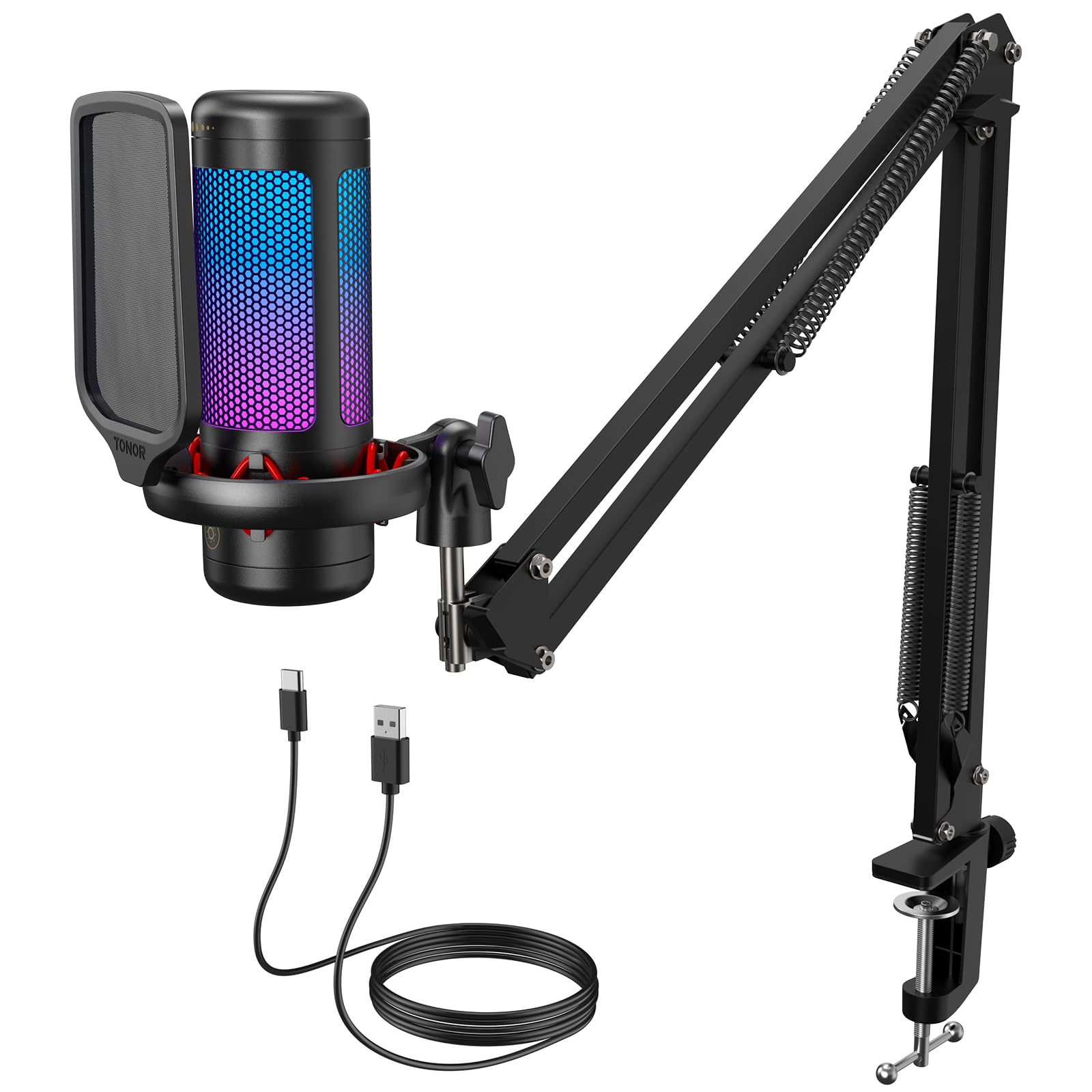
The TONOR TC310+ is a complete budget setup — boom arm, RGB, tap mute, and gain control — with clear voice pickup for casual streams. It sits a step behind the MAONO and FIFINE kits on build-finish consistency, and RGB control is limited if you want the lights off easily. For a first Twitch station where the look matters as much as the mic, those limits are easy to accept.

Pros

  • Boom arm, RGB, tap mute, and gain control arrive in one low-cost kit.
  • Clear voice pickup for casual streaming and chat on a budget condenser.

Cons

  • The USB port on the bottom can be awkward to reach once the mic is mounted.
  • Background noise pickup can be noticeable in a room with fans or keyboard clatter.
Our verdict

For a first Twitch setup that needs the full boom-arm look on a tight budget, the TC310+ covers the essentials.

Check Latest Price
10

General Podcast Kits

MAONO A04 Kit

91 /100
Studio Score High Confidence

Key details

Kit Includes
Scissor arm, shock mount
USB Connector
USB, USB-C
Pickup Pattern
Cardioid
Onboard Controls
Gain knob
Check Price on Amazon

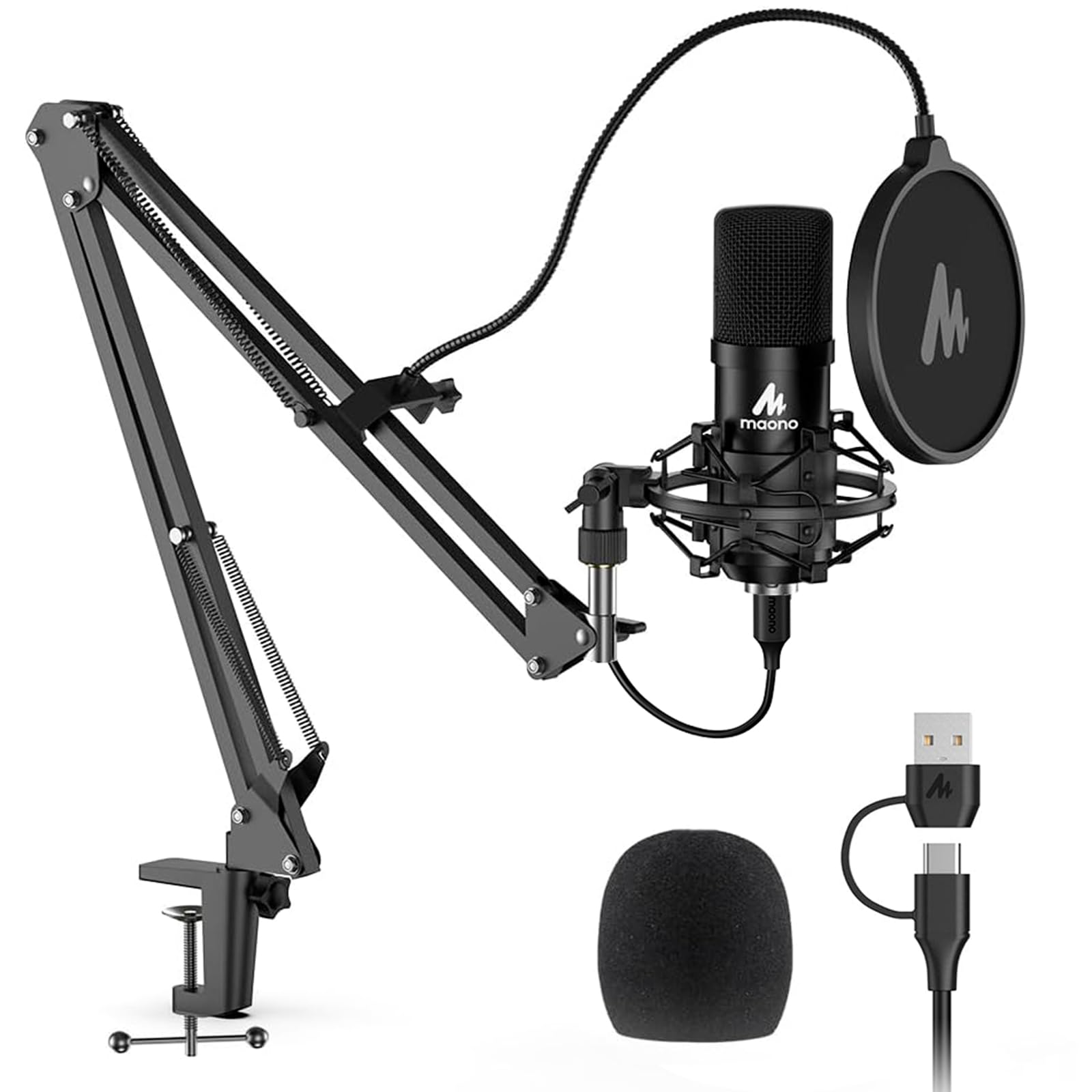
The complete scissor-arm kit with 24-bit/192kHz capture and understated black styling gives first-time podcasters a practical starting setup, with plug-and-play operation and a natural cardioid voice tone. The arm and shock mount suit a set-it-and-leave-it position; repositioning them can loosen the joints. The condenser handles quiet rooms well, but in untreated noisy spaces it captures more room tone than a dynamic mic. It sits close to the brand's gaming mic in price without that model's one-key noise reduction and refreshed design, a combination that matters less for voice-first podcasters.

Pros

  • Good overall sound for the price, with a cardioid pattern that suits spoken-word work.
  • Plug-and-play setup that works for podcasts, gaming, and voice chats.

Cons

  • Occasional hardware problems can appear in early use, so unit-to-unit consistency may vary.
Our verdict

For podcasters who want one box for a complete desk setup, this is the cost-effective place to start.

Check Latest Price

How to Choose

Pickup Pattern

Cardioid captures the front and rejects most rear and side noise; supercardioid narrows the pickup further but adds rear sensitivity.

A cardioid condenser still hears keyboard clicks and fan hum because those sounds enter from the sides and reflect off surfaces. A dynamic capsule physically rejects more ambient sound in untreated rooms.

USB Connector

Detachable USB-C is a longevity upgrade. Micro-USB ports wear out with cable movement, and a fixed cable turns a nick into an unusable mic.

For camera creators who move gear between desk and location, a detachable cable is cheaper to replace than a whole microphone.

Signal Processing

Built-in DSP can apply noise gate, compressor, and EQ inside the mic before the signal reaches your computer. It reduces room tone without loading OBS or editing software.

Software-dependent DSP works while the app runs, but adds a dependency: settings can reset, and advanced features may be Windows-only.

Onboard Controls

A hardware mute button gives an instant cut even when OBS or a camera app isn't focused on the mic. A 3.5mm headphone jack provides delay-free monitoring without an interface.

Gain is the preamp input level. Too low adds noise later in the chain; too high clips before you can fix it in post.

Kit Includes

A boom arm puts the capsule six to ten inches from your mouth, the biggest voice-quality improvement in a typical room. Shock mounts stop desk vibration, and pop filters stop plosives.

Bundled arms are often the first compromise on budget kits. They can wobble, sag, or loosen, and replacing one adds to the real cost of the bundle.

Frequently Asked Questions