9 Best HDMI to USB Capture Adapters of 2026: Find Real 1080P60

An HDMI to USB capture adapter that records the 1080p60 it promises, with stable audio and usable latency for OBS, Zoom, and camera workflows.

Most HDMI to USB capture adapters advertise 4K, but that number describes the input signal, not the files you record. The practical benchmark is 1080p60 over USB 3.0, and only a handful of cards deliver that without audio quirks or dropped connections. Shopping by use case instead of label is the difference between a card that works on day one and one that needs constant OBS restarts.

Within this price range, the real trade-off is crowd-tested popularity versus a cleaner feature set. A heavily reviewed card may have the most owners, while a quieter option with HDMI loop-out and a mic jack can offer more predictable streaming. Match the input and output specs to your camera, console, or conference setup, and the right purchase becomes clear.

1

Best Overall

Acer OCB5B0 4K Loop-Out

85 /100
Studio Score Strong Evidence

Key details

Audio
HDMI audio, 3.5mm mic-in
UVC Support
UVC, no driver
Capture Output
1080p60
USB Generation
USB 3.0
Check Price on Amazon

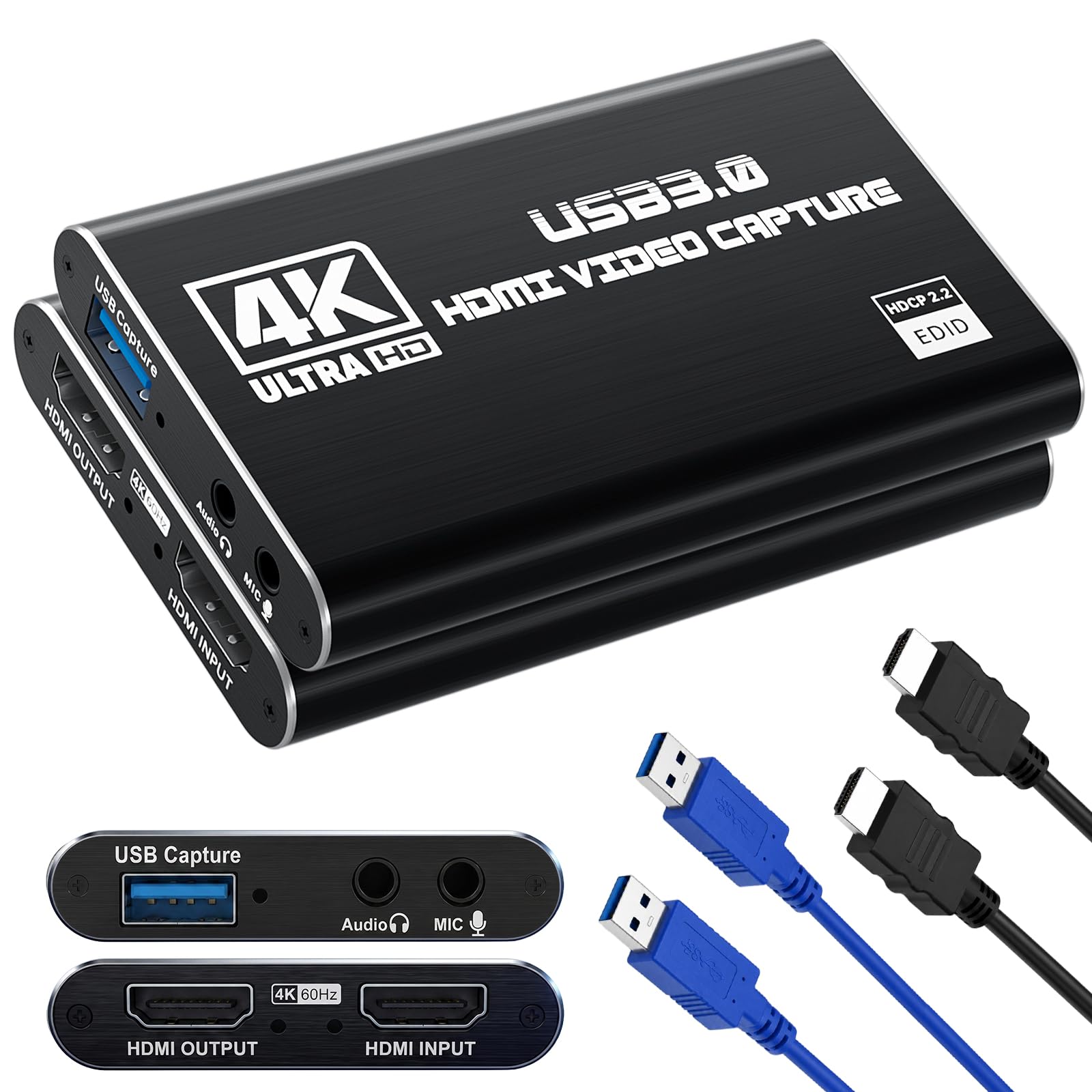
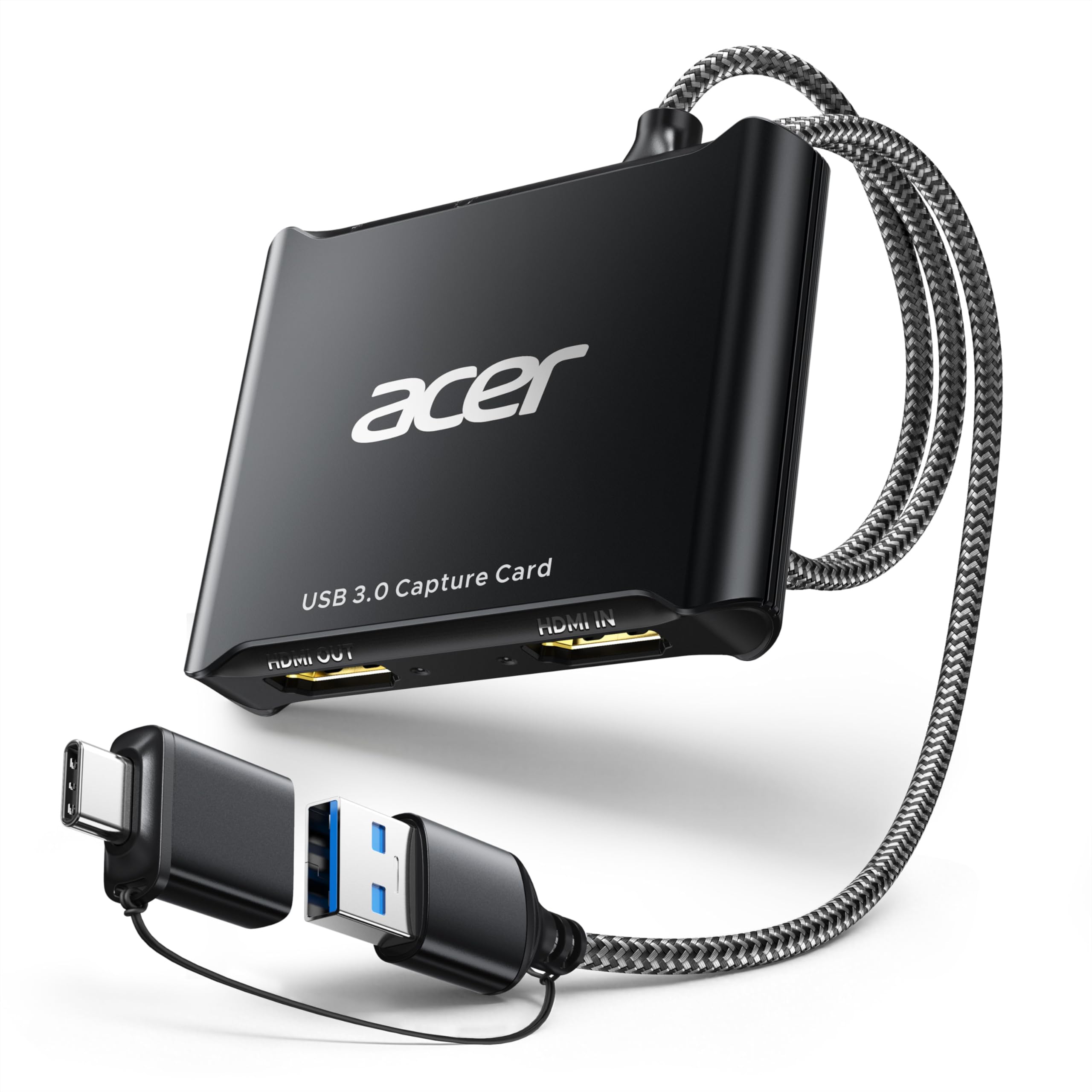
The Acer OCB5B0 captures 1080p60 in YUY2 color while its 4K HDMI loop-out carries the original source to a separate monitor. This is the combination that matters for streamers: the game stays on a TV or monitor at native resolution, the laptop receives a full 60 fps capture feed, and the 3.5mm mic-in lets you add a headset or lapel microphone without a second USB audio adapter. The loop-out also removes the need for an external HDMI splitter when you want the same source on a display and a capture device.

Setup follows the standard UVC path: plug into a USB 3.0 port and the card appears as a camera device in OBS or any other UVC-compatible app. No driver installation and no custom SDK to maintain. The aluminum shell and braided cable make it easy to move between a desktop and a laptop during event streams. Live preview latency is low enough for everyday streaming; in fast games a slight delay can appear on the preview, which is why the loop-out display is the better path for console play. The preview lag does not affect the recorded file, and the loop-out stays direct.

This card targets Switch and console players who need the game on a separate display while the capture feed runs to a laptop, plus streamers who want one connector for video and audio input. It costs more than entry-level cards, so strict budget buyers will find cheaper 1080p30 alternatives. The loop-out is a monitoring convenience rather than a raw capture quality upgrade; the value is the live display, not a sharper recording.

The 4K loop-out sits before the capture chip, so the connected monitor sees the original signal rather than a processed preview. Handing the game feed to a TV while the USB port records at 1080p60 is what separates this card from the 1080p30 dongles that require watching the preview window. The slimmer budget Acer in this lineup omits that port; the OCB5B0 adds it alongside the mic-in. For a game cabinet or dual-PC stream, the extra ports reduce cable clutter and keep the display out of the streaming path.

The same UVC feed works for conference software, so a camera or console can move from a streaming PC to a work laptop without extra configuration. The card does not lock you into one broadcasting tool; whatever recognizes a standard USB camera will recognize this.

๐Ÿ’ก For low-latency console play, watch the loop-out display rather than the USB preview window.

Pros

  • Clean 1080p60 YUY2 capture keeps fast motion smooth in OBS without visible stutter.
  • 4K HDMI loop-out sends the original signal to a separate monitor while the USB feed records at 1080p60.
  • 3.5mm mic-in accepts a headset or lapel microphone without adding a second USB audio adapter.
  • UVC plug-and-play setup works with any UVC-compatible app; no driver installation or custom SDK.
  • Aluminum case and braided cable hold up to cable swaps and travel between setups.

Cons

  • The 4K HDMI input is passthrough only; the USB capture stream stays at 1080p60, so this is not a 4K recording card.
Our verdict

For streamers and console players who want a separate live display alongside a 1080p60 recording, this Acer handles video and mic input in one box.

Check Latest Price
2

Budget 1080P60 Workhorse

Guermok GM-29A 1080P60

89 /100
Studio Score Strong Evidence

Key details

Audio
HDMI audio
UVC Support
UVC, no driver
Capture Output
1080p60
USB Generation
USB 3.0
Check Price on Amazon

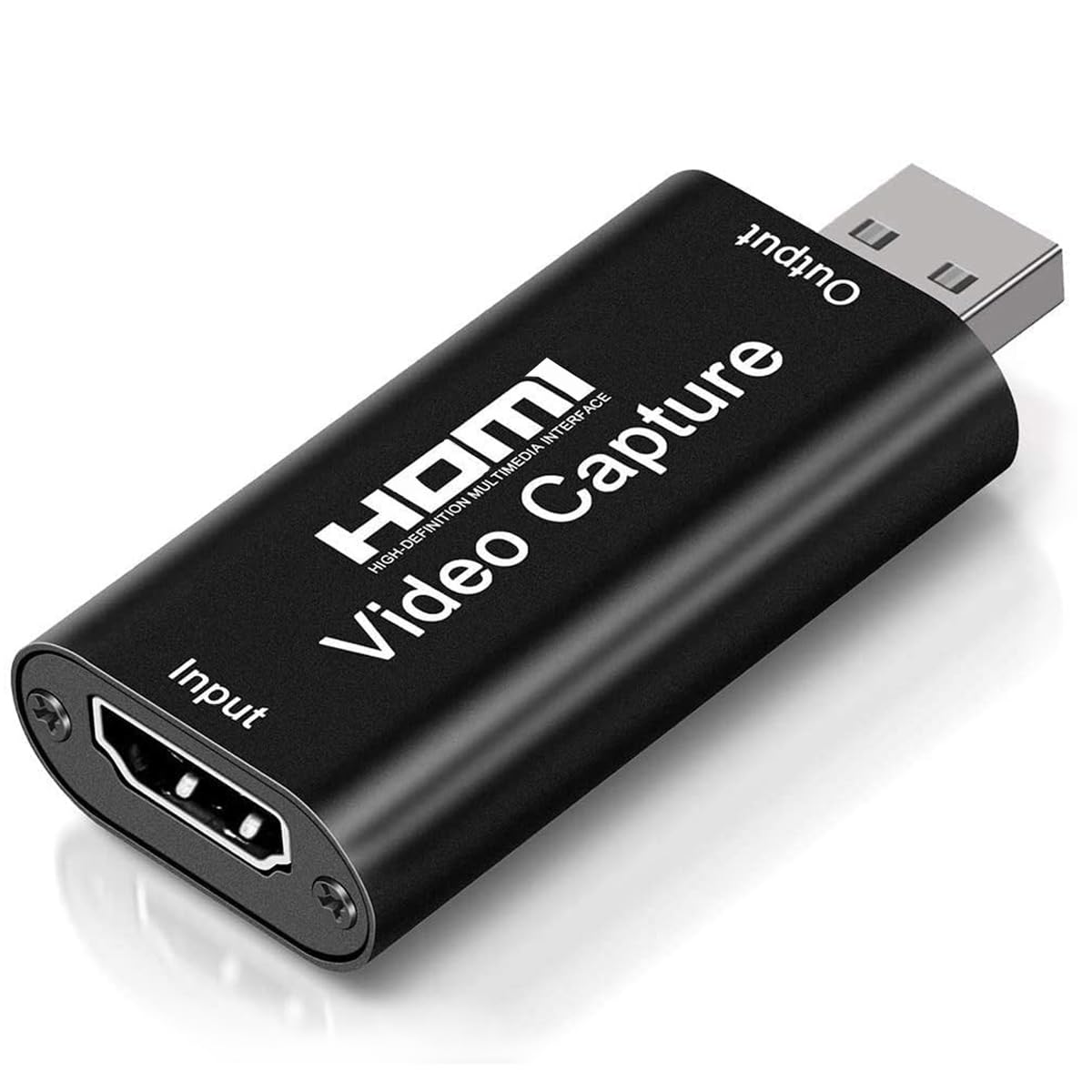
The Guermok GM-29A delivers the core capture job with no driver installation: 4K HDMI in, 1080p60 out over USB, and instant recognition in OBS and camera apps. The 4K label refers to the input signal, not the recorded output, so the realistic expectation is a clean 1080p60 stream. The USB-A/USB-C interface covers modern laptops and older desktops, and the lack of extra ports keeps the price entry-level and the setup simple.

Recorded quality at 1080p60 holds up for talking-head streams, interview calls, and console capture. HDMI audio arrives through the same connection, so a camera or game console can feed video and sound with one cable. The card stays in the expected performance band for this price level, handling the jobs a starter setup needs.

This is a starter card for budget live streamers, camera-to-computer conference setups, and first-time buyers who want a working 1080p60 capture path before adding more hardware. It is not aimed at competitive gamers who need a lag-free live preview or users who need verified USB 3.0 bandwidth.

๐Ÿ’ก Use a native USB 3.0 port and verify the device reports 3.0 before relying on 60fps capture.

Pros

  • Plug-and-play UVC device shows up in OBS and camera apps without downloading a driver.
  • Budget-friendly pricing keeps the first capture setup under control while covering 1080p60 recording.
  • Records 1080p60 video that satisfies the typical streaming and video-call workload.

Cons

  • HDMI audio can crackle or drop out on certain units, particularly in quiet talking-head content.
  • Some hosts enumerate the card as USB 2.0, which caps capture at 30fps despite the USB 3.0 label.
  • Live game preview can lag during fast play, so a direct monitor connection matters for competitive players.
Our verdict

For a first capture setup, the GM-29A delivers the 1080p60 core job at a budget price, with room to move up when the stream grows.

Check Latest Price
3

Best for Simple 1080P30 / iPad & VHS

UGREEN 40189 1080P30

89 /100
Studio Score Strong Evidence

Key details

Audio
HDMI audio
UVC Support
UVC, no driver
Capture Output
1080p30
USB Generation
USB 2.0
Check Price on Amazon

The UGREEN 1080p30 capture card pairs a full aluminum shell with dual USB-A and USB-C connections, giving it a more durable feel than the usual plastic capture sticks in this class. It presents as a standard UVC device, so iPadOS, macOS, and Windows recognize it without loading drivers. The two connector options mean the same card can serve a modern iPad and an older Windows laptop.

The card passes HDMI audio over the same USB connection, so OBS and QuickTime pick up both video and sound without an extra audio cable. At a mid-range price, the aluminum shell and dual connectors make this a stronger buy than the cheapest 1080p30 adapters; the USB-C option is especially useful for iPads and current laptops because no separate adapter is needed.

This card fits iPad or iPhone users, laptop owners, and anyone digitizing VHS tapes. VHS decks, DSLR-style cameras, and older consoles that output 1080p or lower all work through the HDMI input. The 1080p30 ceiling sets the boundary: it is not a 60fps gaming capture card. Some host configurations can drop the video feed, though switching to a different USB port or a shorter cable can restore it.

๐Ÿ’ก Use a direct USB port rather than a hub when connecting the card to a laptop or iPad.

Pros

  • Aluminum shell and dual USB-A/C connectors hold up to regular handling.
  • Works well for cameras, consoles, and iPads at 1080p30.
  • Cost-effective for the 1080p30 capture niche.

Cons

  • HDCP-protected sources produce a black feed, so DRM video from streaming apps will not capture.
  • High-motion scenes can stutter or lag because USB 2.0 bandwidth limits the frame pace.
Our verdict

The UGREEN handles camera feeds, iPad capture, and VHS digitization at 1080p30 without extra software โ€” a sturdy, dual-interface card for that specific workload.

Check Latest Price
4

Best for VR / Mobile + 100W PD

Hagibis UHC07P 100W PD

83 /100
Studio Score Strong Evidence

Key details

Audio
HDMI audio
UVC Support
UVC, no driver
Capture Output
1080p60
USB Generation
USB 3.0
Check Price on Amazon

Hagibis makes pass-through charging the centerpiece: it captures 1080p60 over USB 3.0 and routes up to 100W PD to a connected Quest 3 or tablet while the HDMI signal is recorded. That separates it from the full-featured Acer top pick, which adds loop-out and mic-in but does not carry power for portable hosts.

The video path stays clean at 1080p60 with HDMI audio, and the USB 3.0 Type-A/C connection behaves as a plug-and-play UVC device on Windows, Android, and iPad hosts. The dual interface lets USB-C laptops connect without an adapter while older desktops can use Type-A. No extra capture power brick is required; the PD input is dedicated to charging the source device.

Quest 3 owners, tablet users, and travel streamers get the clearest value from the PD port keeping a headset or tablet alive while the HDMI feed is recorded. PD pass-through is a top-up aid during capture, not a guarantee of a full 100W charge in every host configuration. Desktop-only streamers and competitive players who prioritize zero-lag preview will find the top pick's loop-out a better fit; for mobile capture, the Hagibis covers the essential ground.

๐Ÿ’ก Plug a 100W-rated USB-C adapter into the PD input before a long capture so the source device gets the best possible top-up.

Pros

  • Captures clean 1080p60 from Quest 3 and Switch-to-iPad setups without per-device troubleshooting.
  • Compact build and clean video output keep the 1080p60 picture stable.
  • Plug-and-play UVC operation skips driver installs and external capture power.
  • 100W PD pass-through charges a phone, tablet, or Quest 3 while capture runs.

Cons

  • Twitch-heavy games can reveal slight input lag in the live preview.
  • PD pass-through may charge a connected device more slowly than the 100W rating implies during active capture.
Our verdict

If your camera, console, or tablet needs charging while you capture, this is the card to carry; for desktop-only streaming, move to the top pick's loop-out.

Check Latest Price
5

Best Budget USB 3.0 All-Rounder

Papeaso PAP-001 1080P60

88 /100
Studio Score Strong Evidence

Key details

Audio
HDMI stereo audio
UVC Support
UVC, no driver
Capture Output
1080p60
USB Generation
USB 3.0
Check Price on Amazon

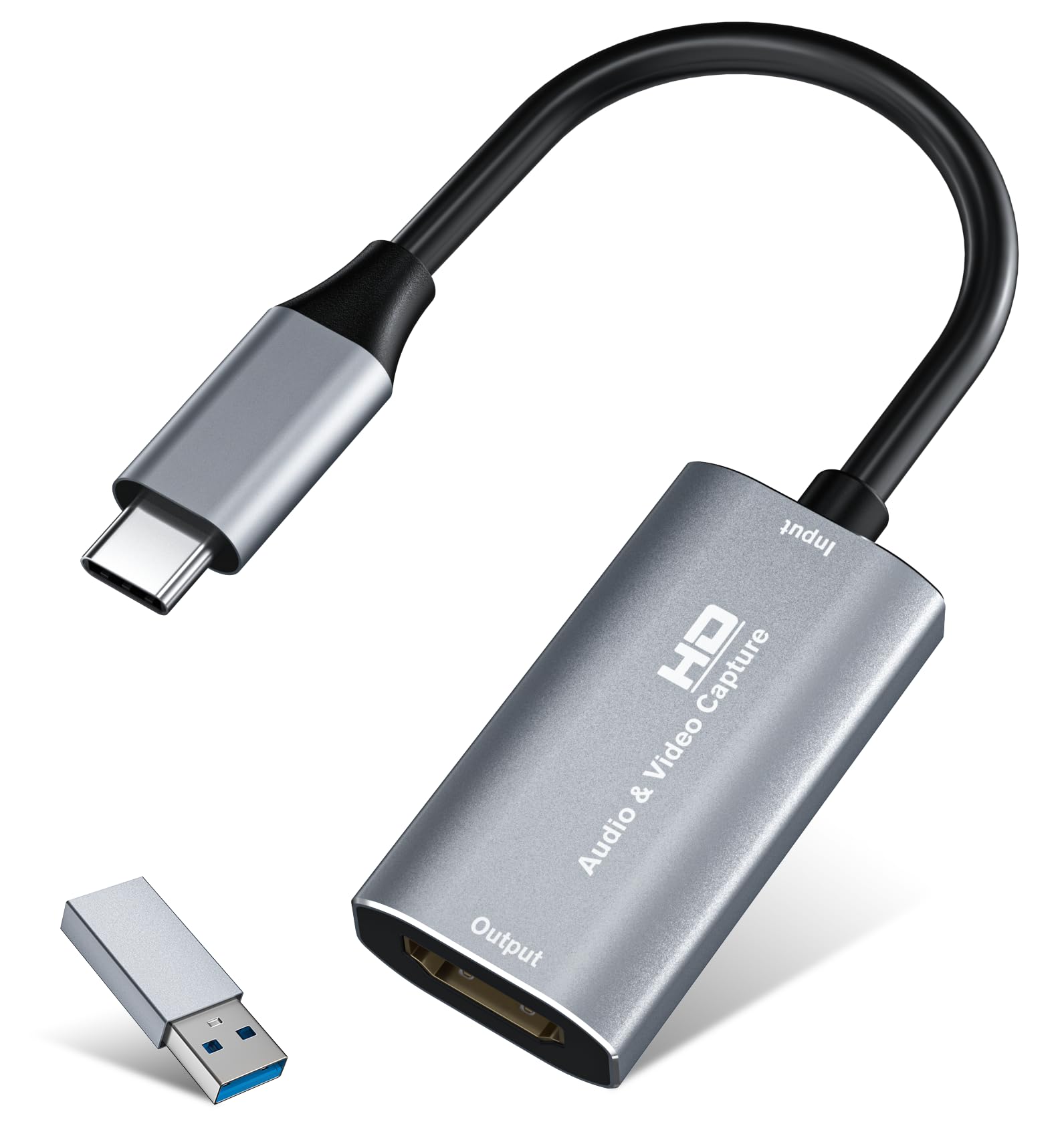
The Papeaso PAP-001 captures 1080p60 over USB 3.0 and gets the core details right: both USB-A and USB-C connectors ride on the same cable, and HDMI stereo audio reaches the recording app without an extra adapter. That puts it ahead of the USB-C-only budget card in this lineup for anyone juggling older and newer laptops.

Switch users connect the dock's HDMI out to the card and the card's USB end to the Mac; video and audio appear as separate sources. In OBS, QuickTime, or Zoom, the card shows up as a standard UVC camera and audio input. Video from a Fire TV or Switch stays clean at 1080p60, and the stereo capture holds up during normal streaming sessions โ€” a rare find at this price.

YUY2/MJPEG support gives software two ways to request the feed, so older apps can request MJPEG when USB bandwidth gets tight.

This card suits a Switch owner working from a Mac, a budget streamer who wants a single cable for both desktop and laptop, or anyone tired of capture dongles that lose audio. The dual-interface cable makes it a one-card answer for a mixed household: a Windows desktop with USB-A and a MacBook with USB-C. 4K input is downscaled to 1080p60, and fast-paced competitive play should stay on a direct display rather than the USB preview.

๐Ÿ’ก For competitive games, keep the game on a TV or monitor and use the capture feed only for stream output.

Pros

  • Smooth 1080p60 capture for Switch-to-Mac and Fire TV setups, with no driver installation required.
  • Stereo audio comes through the HDMI cable intact, a meaningful advantage at this price.
  • Dual USB-A and USB-C interfaces let one card serve both older laptops and current MacBooks.
  • Mac and Switch recognize the card quickly, keeping setup friction low.

Cons

  • 4K sources are captured as 1080p60, so 4K recording is outside this card's range.
  • The USB preview can feel behind real-time action during fast competitive games.
Our verdict

The PAP-001 covers the core 1080p60 capture job โ€” clean video, working stereo audio, and a cable that fits both USB-A and USB-C โ€” without the audio headaches that can sink budget adapters.

Check Latest Price
6

Passthrough Streamers

Guermok GM-34A Loop-Out

80 /100
Studio Score Strong Evidence

Key details

Audio
HDMI audio, mic-in, headphone out
UVC Support
UVC, no driver
Capture Output
1080p60
USB Generation
USB 3.0
Check Price on Amazon

The GM-34A pairs 4K loop-out with 1080p60 USB 3.0 capture, and the 3.5mm mic-in plus headphone/speaker out gives streamers a compact audio-monitoring hub without an HDMI audio splitter. It appears in OBS as a UVC device and handles PS5 sessions well, which covers the main console-streaming use case: low-latency display on a TV or monitor while recording at 1080p60.

The 4K input passes through the loop-out only, so 4K recording is outside this card's job. The Acer loop-out card remains above it here because YUY2 color mode and cleaner USB 3.0 recognition give OBS users more headroom, but the Guermok is the port-focused alternative.

Pros

  • Works well with OBS and PS5 for streaming and recording sessions.
  • Good overall build quality in a compact capture card.
  • Mic-in and headphone/speaker out cover commentary and monitoring without an HDMI audio splitter.

Cons

No notable drawbacks to flag.

Our verdict

The Guermok fits streamers who want 4K passthrough and audio monitoring in one box; if YUY2 color or cleaner USB 3.0 recognition matters, the Acer loop-out card is the direction to take.

Check Latest Price
7

OBS, Event Streaming

Acer OCB5A0 1080P60

84 /100
Studio Score Strong Evidence

Key details

Audio
HDMI audio
UVC Support
UVC, no driver
Capture Output
1080p60
USB Generation
USB 3.0
Check Price on Amazon

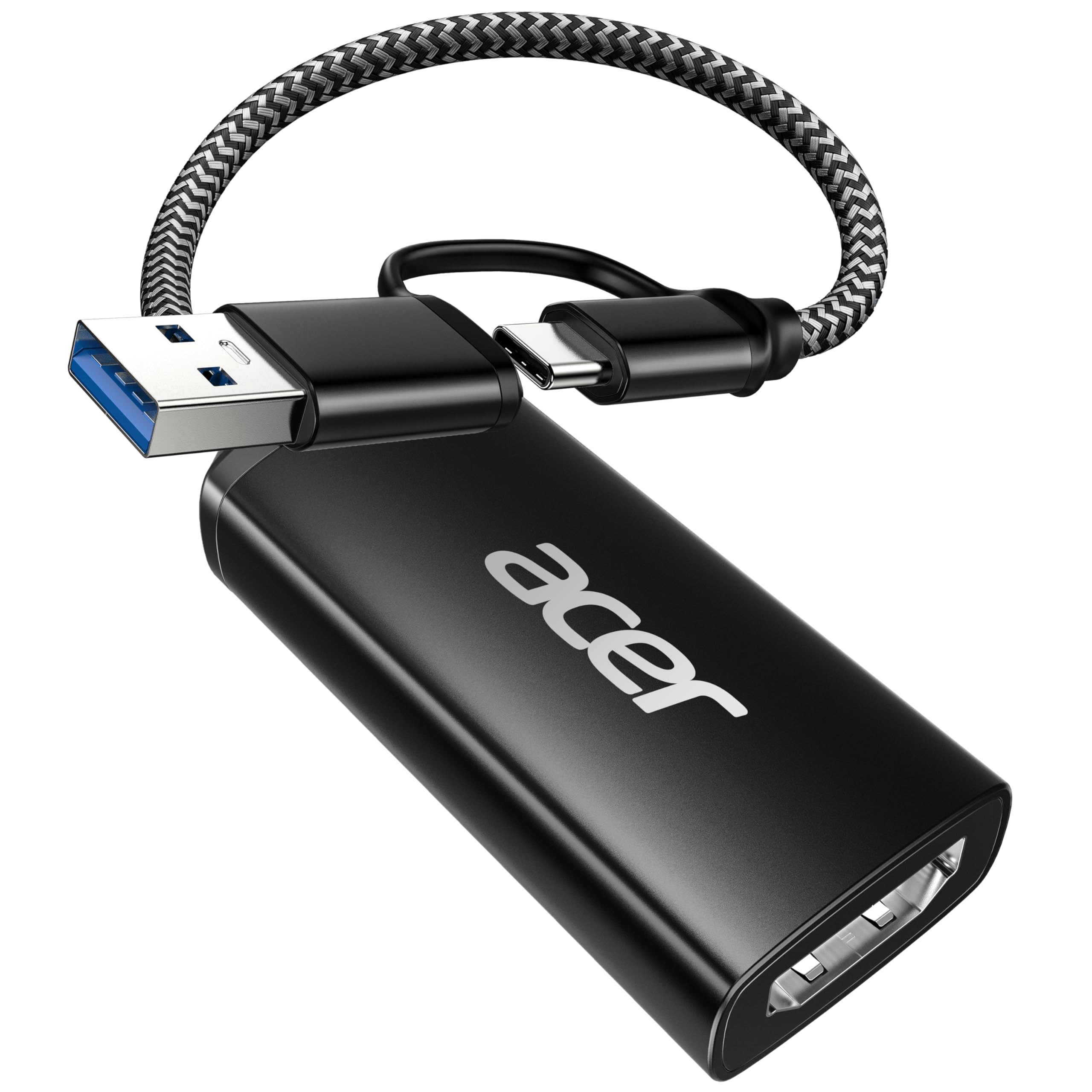
Acer's 1080p60 USB 3.0 capture card is a plug-and-play option for OBS recording, VHS capture, and event livestreaming at a budget price. It connects over USB-A or USB-C, pulls HDMI audio, and needs no driver install on Windows 11. The tradeoff is a lean port set: no HDMI loop-out and no 3.5mm mic-in or headphone jack, so the stream source must go straight into the card. That keeps the price below the full-featured Acer, which adds those ports. The compact body can run hot during long streams, a consideration for marathon sessions rather than typical single-camera events.

Pros

  • Handles OBS recording, VHS capture, and livestreaming without special configuration.
  • Connects as a UVC device over USB-A or USB-C with no driver install on Windows 11.
  • Delivers 1080p60 capture at a budget price for cost-conscious streamers.

Cons

  • No HDMI loop-out, so a second display requires an external splitter.
  • No 3.5mm mic-in or headphone jack, so streamer audio monitoring needs external gear.
Our verdict

For a single-source OBS-based event stream, this is a cost-effective entry point.

Check Latest Price
8

Entry-Level Streamers

VIXLW U168-1 1080P60

85 /100
Studio Score Strong Evidence

Key details

Audio
HDMI audio
UVC Support
UVC, no driver
Capture Output
1080p60
USB Generation
USB 3.0
Check Price on Amazon

The VIXLW U168-1 gives entry-level streamers and camera users a 1080p60 HDMI-to-USB connection at a budget-friendly price, with plug-and-play setup and no driver installation. It accepts up to 4K input and feeds 1080p60 over USB 3.0, so a camera, console, or PC can move from 30fps capture to 60fps without spending much. The tradeoff that keeps it out of top position: fast games can show a slight preview lag, and extended sessions may occasionally drop HDMI audio. For a first 1080p60 card, that is a reasonable boundary if your main goal is entry-level streaming or casual console capture rather than competitive play or long audio-critical recordings.

Pros

  • Plug-and-play 1080p60 capture from a 4K HDMI source at an entry-level price.
  • Low-cost USB 3.0 card that suits first-time streamers and casual console capture.
  • No drivers or complex setup in OBS, camera apps, or conferencing tools.

Cons

  • Fast-action games can show a slight preview lag, a boundary for players watching their own feed.
  • Extended sessions may lose HDMI audio in some cases, which matters for long recordings.
Our verdict

Best as a first 1080p60 card for casual streaming, recording a console, or repurposing a camera โ€” as long as you accept the occasional audio hiccup and don't rely on the live preview for competitive play.

Check Latest Price
9

Casual Conferencing

Extenuating 1080P30

87 /100
Studio Score Strong Evidence

Key details

Audio
HDMI audio
UVC Support
UVC, no driver
Capture Output
1080p30
USB Generation
USB 2.0
Check Price on Amazon

This ultra-budget capture card connects a Windows machine to an HDMI source without driver installation, and it works with common UVC-based conferencing and streaming tools. The 4K input accepts a high-resolution signal, but the feed that software sees tops out at 1080p30; the advertised 60fps does not match that behavior. Input lag can be noticeable in a live preview, which pushes this card toward screen sharing, video calls, and lecture capture rather than gameplay. Occasional audio gaps are acceptable for that same casual audience.

Pros

  • Plug-and-play setup: connect it to a Windows host and it appears as a UVC video device without extra drivers.
  • Entry-level price makes it a low-cost way to add an HDMI capture feed for meetings or lecture capture.

Cons

  • The advertised 60fps output is not reflected in the 1080p30 capture delivered to software.
  • HDMI audio can cut out or fail to register, so voice capture should be checked before recording.
Our verdict

For a spare travel capture device or basic meeting adapter, it gets the job done without demanding attention.

Check Latest Price

How to Choose

USB Generation

USB 2.0 tops out near 1080p30, while USB 3.0 has enough bandwidth for 1080p60. That difference shows up the moment you pan a camera or follow fast motion.

Budget listings often advertise 4K input but use USB 2.0, so the recorded file is capped at 30fps. For any camera movement or gameplay, USB 3.0 is the line between smooth footage and visible choppiness.

Capture Output

Capture output is separate from HDMI input. Many adapters accept a 4K signal, then downscale everything to 1080p30 or 1080p60 before it reaches your computer.

Check the output spec, not the input marketing. A 4K input label only matters if you pass that signal to a display; for OBS or Zoom, the capture resolution and frame rate decide what your audience sees.

Loop-Out

Loop-out sends HDMI to a monitor while the same signal goes to the computer, giving you a zero-lag preview on a separate display. That matters for console play through capture software.

Without loop-out, you watch the captured preview in OBS, where latency can accumulate. For turn-based games and interviews that is fine; for timing-heavy gameplay, a loop-out port is the cleaner choice.

Audio Handling

HDMI audio travels in the same cable, but budget cards often drop or crackle when handing it off to the OS. A 3.5mm mic-in bypasses that by feeding a separate mic directly into the capture stream.

If you record commentary or camera audio, mic-in and headphone monitoring matter more than an extra HDMI port. Test audio before a live session; it is the most common issue in cheap capture cards.

UVC Compatibility

UVC means the adapter appears as a standard webcam to Windows, macOS, and iPadOS, so OBS, Zoom, and QuickTime pick it up without custom drivers. That is what makes setup genuinely plug-and-play.

Non-UVC cards often depend on vendor software and specific host ports, which complicates switching between devices. A UVC card behaves the same across laptops, desktops, and most tablets.

Frequently Asked Questions