9 Best Uber Dash Cams of 2026: Coverage That Settles Ride Disputes

The best Uber dash cams for rideshare drivers who need cabin IR, side-window evidence, and recording you can trust through a full shift.

Rideshare disputes rarely start with what happens in front of the windshield. They usually involve a passenger door, a back-seat exchange, or a gesture the front camera cannot see. That is why an Uber dash cam needs to be chosen as an evidence system, not a front camera with an inward lens.

Full-time drivers also face a quieter problem: loop recording and Wi-Fi are marketed as set-and-forget, but not every unit overwrites cleanly or keeps a connection through a shift. The practical difference is whether the footage is there when a passenger files a claim.

This guide sorts the trade-off that matters most: 4K front sharpness versus wider passenger-side coverage. For rideshare evidence, a camera that records both doors and the cabin is more valuable than an extra line of plate detail, and a dependable overwrite system matters more than either.

1

Best Overall for Rideshare
IIWEY N6 360° 4CH

88 /100
Studio Score Strong Evidence

Key details

Storage
128GB included, 256GB max
Cabin IR
8 IR lights
Channels
4-channel, front/rear/sides
Wi-Fi / Parking
Wi-Fi 6, 48H parking mode
Check Price on Amazon

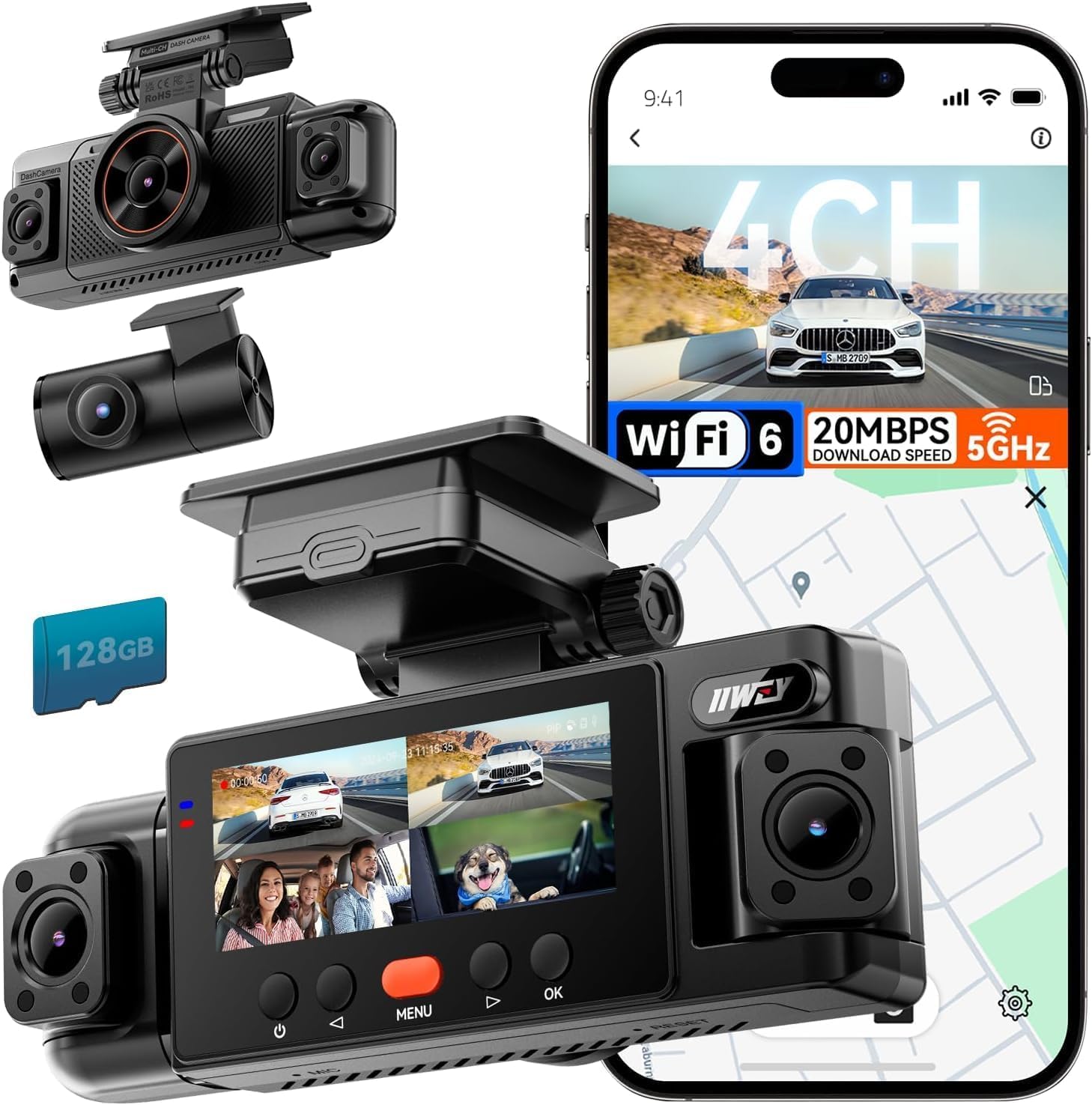
The IIWEY N6 captures front, rear, both side/cabin views, and the interior in one 1080P system, with 8 IR lights and a 128GB card in the box. The four-channel layout is the reason to pick it over a front-and-interior model: the side cameras cover both passenger windows, which is where door dings, exit disputes, and passenger-side incidents show up. A front-and-rear road camera, by contrast, records the car but not the conversation or the door swing.

During a long shift, loop recording and G-sensor behavior stay predictable: regular footage overwrites itself, and impact-triggered clips are set aside instead of being erased. The IR cabin lights keep a dark back seat readable without blowing out faces. Night footage leans more toward identifying body position and hand movement than reading a far-off plate — the right trade for rideshare evidence. The 170-degree front and rear lenses cover both bumpers and enough roadside context to settle a he-said-she-said at an intersection.

Install follows the usual multi-cam pattern, and the included 128GB card works from the first power-on, so there is no accessory stop before a shift. The supercapacitor adds heat tolerance for a cabin left in the sun, and 48-hour parking mode covers overnight events when wired appropriately. The side cameras have adjustable arms, so their aim can be set once and left alone.

This is a full-time rideshare camera for drivers who want passenger-door evidence without adding separate interior or side units. It is not for buyers who insist on 4K front sharpness; the front feed is 1080P per channel. If your focus is the cabin and both door lines, this is the coverage shape that fits.

A 4K front camera can resolve more plate detail, but it cannot see a passenger reach for the door handle. For rideshare evidence, the N6's coverage shape is the deciding factor. GPS tracking and 48-hour parking mode round out the package at a mid-range price, and the four-channel timeline makes it easier to answer the question at the center of a rideshare dispute: who did what, and from which seat. That is the context a driver needs when a fare disputes a charge or an insurance claim asks for proof.

Pros

  • Crystal-clear four-channel video covers front, rear, and both passenger doors for rideshare disputes.
  • Included 128GB card and loop/G-sensor basics work out of the box before the first shift.
  • Eight IR lights keep the cabin readable at night for after-dark rideshare trips.
  • 360° coverage with GPS and parking-mode support at a mid-range price for full-time drivers.

Cons

  • A 4K-only shopper should expect less distant plate detail from the 1080P front feed.
  • Phone preview requires manually enabling Wi-Fi in the menu each session; it switches off after about five minutes.
Our verdict

The N6 records both passenger doors, the road ahead and behind, and the cabin in a single timeline — exactly the evidence a rideshare driver needs when a dispute goes personal.
Check Latest Price
2

Premium Cabin-Focused Choice

Vantrue N2X 2.7K Cabin

86 /100
Studio Score Strong Evidence

Key details

Storage
512GB max, card not included
Cabin IR
4 IR LEDs
Channels
2-channel, front/cabin
Wi-Fi / Parking
5G WiFi
Check Price on Amazon

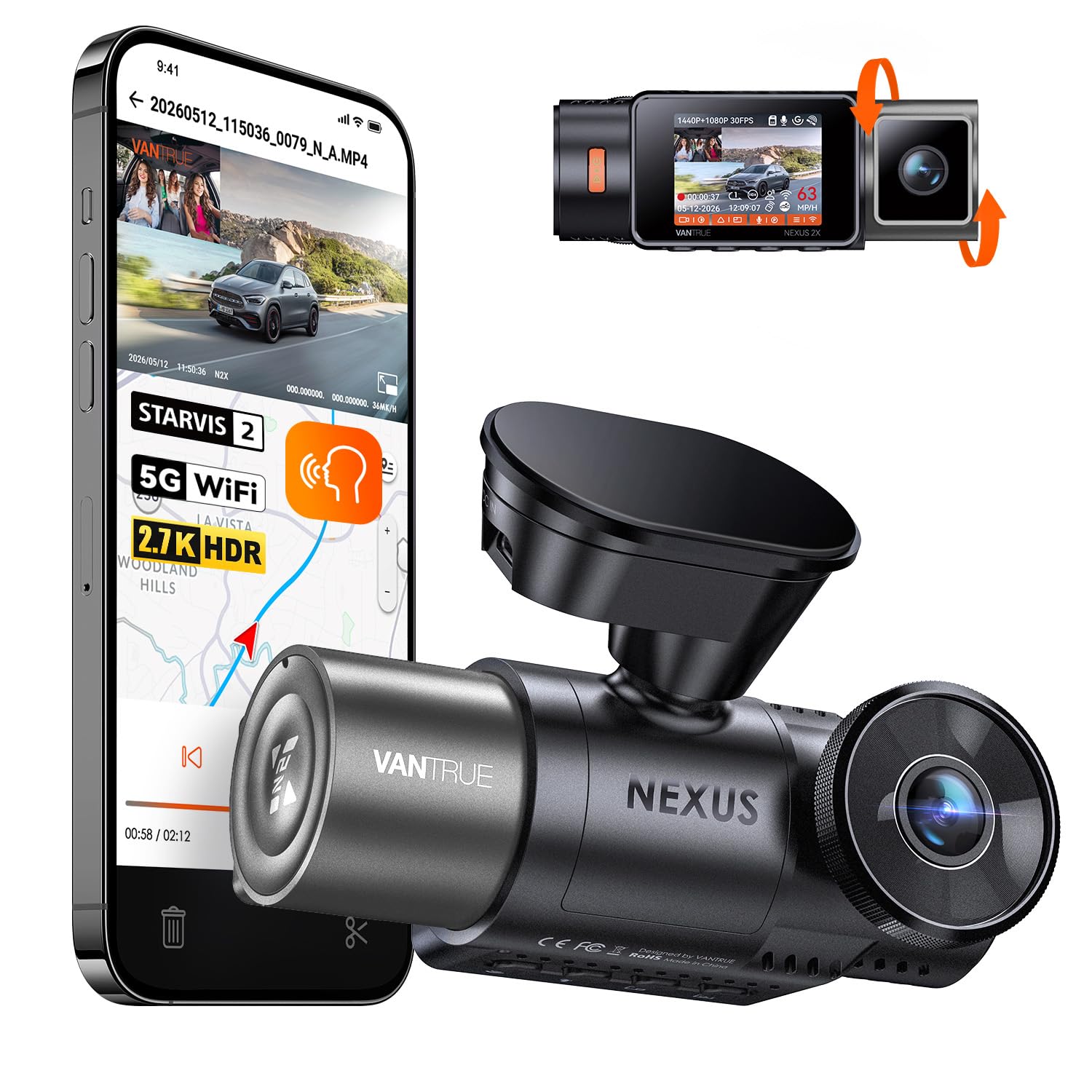
The N2X uses a STARVIS 2 front sensor to pair 1944p recording with a 1080p cabin channel and 4 IR LEDs, giving night-shift rideshare drivers a camera aimed at the road ahead and the passenger seat. The 2.7K front resolution keeps detail high while leaving enough sensor bandwidth for 60fps capture, a combination that favors plate reads before a car leaves the frame.

The magnetic mount holds position during hard braking, and installation follows a clear printed guide. In hot climates, extended sun exposure can shut the camera down when the windshield is exposed for long periods; drivers who park in shade or use a sun shield won't hit that boundary.

This is aimed at full-time Uber and Lyft drivers who work after dark and want cabin IR without a rear-window channel. For a driver whose income depends on what happens inside the cabin, the IR LEDs matter more than a second road camera. Voice commands and the compact mount suit drivers who need to stay low-key. The premium price doesn't include a rear camera or memory card, and the Wi-Fi connection can drop on some units; treating the SD card as the primary way to pull footage avoids the worst of it.

Pros

  • Low-light front footage holds plate detail without the motion blur of slower frame rates.
  • Magnetic mount holds position during quick stops and rough pavement.
  • Setup follows a clear printed guide and takes a few minutes.
  • Cabin-focused build quality holds up to daily rideshare use.

Cons

  • App-based transfers can stall, making SD-card removal the workable route for pulling clips.
  • Prolonged sun exposure can shut the camera down in hot climates, a boundary for uncovered parking.
Our verdict

Night-shift rideshare drivers who want front-plate capture and cabin IR in a compact unit should put the N2X on the short list; it's not the answer for drivers who need rear-window coverage.

Check Latest Price
3

Best 4K Triple-Channel Value

TERUNSOUl FW983A 4K 3CH

91 /100
Studio Score High Confidence

Key details

Storage
128GB included, 512GB max
Cabin IR
165° cabin starlight
Channels
3-channel, front/cabin/rear
Wi-Fi / Parking
5.8GHz WiFi, parking mode
Check Price on Amazon

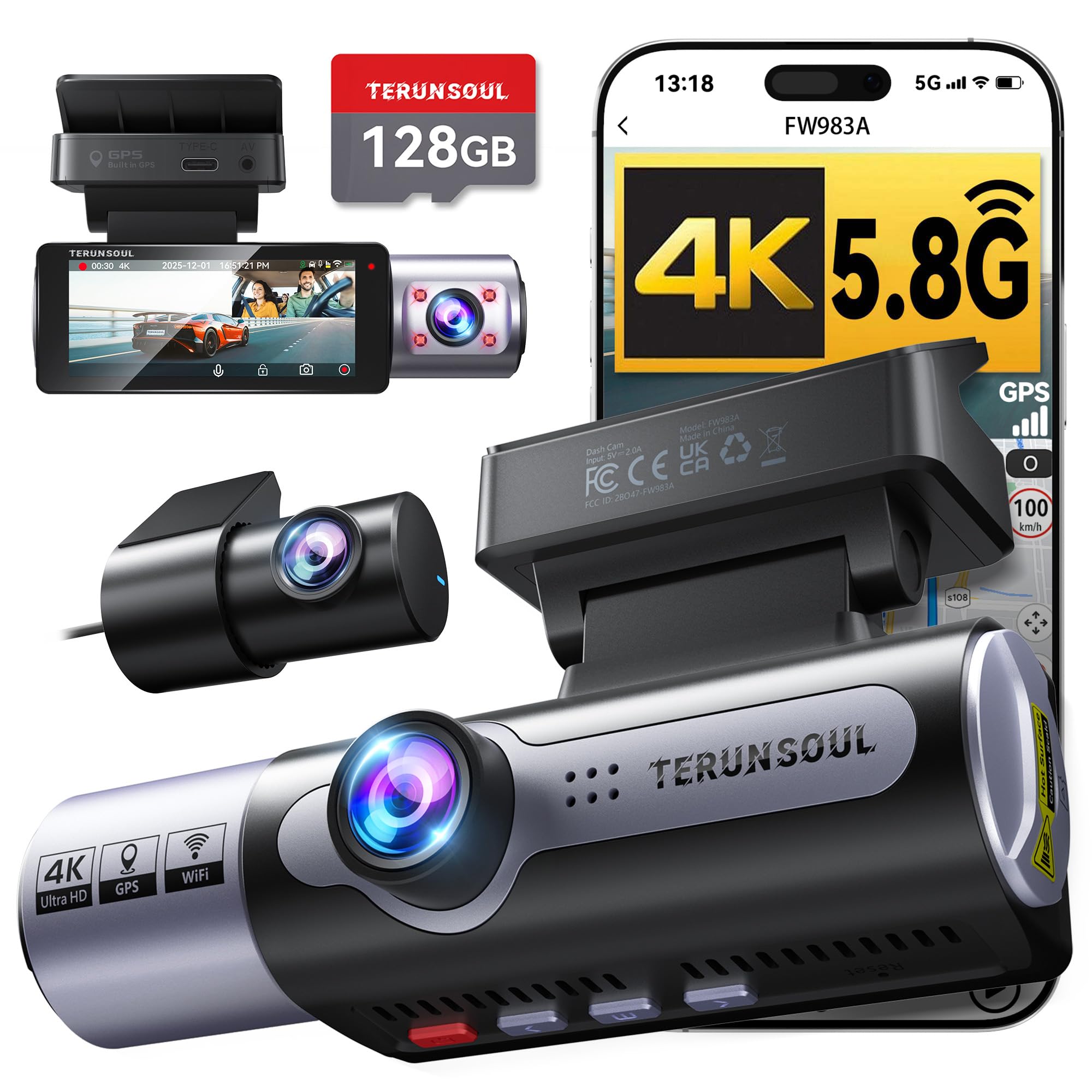
The FW983A records 4K front, 1080p cabin, and 1080p rear channels in a single dash cam package, so rideshare drivers get passenger-compartment and tailgate evidence without buying separate cameras. GPS is built in, the 128GB card comes in the box, and the slot accepts up to 512GB. Unlike the top pick's 360° spread, this three-channel layout focuses on the road ahead, the cabin, and what is behind the vehicle.

Front footage stays detailed in low light, and the cabin camera's 165° field with starlight night vision keeps late-shift passenger activity visible. Installation is quick enough for a single cable-management session, and the 5.8GHz Wi-Fi moves clips without pulling the card. G-sensor and parking-mode hardwire support round out the feature set for a driver who wants incident protection beyond the basic trip recording.

This is for rideshare drivers who want a 4K front camera with cabin and rear coverage at a mid-range price. Wi-Fi and app pairing can take a few attempts at first setup, but the camera keeps recording normally while you reconnect. The bundled storage and GPS cover the essentials without accessory upgrades, which matters when a shift runs long and you do not want to swap cards mid-route.

Pros

  • 4K front footage holds detail in low light, helping late-night plate and face capture.
  • Installation is quick, with cable routing that suits a single afternoon.
  • Bundle includes a 128GB card and GPS, saving separate purchases.
  • Cabin and rear channels cover passenger behavior and tailgate events.

Cons

  • Side-door activity is outside the three recording angles.
Our verdict

For rideshare drivers who want a 4K front plus cabin and rear without paying for a four-channel system, this is the value-oriented choice.

Check Latest Price
4

Best App-Connected 4K Triple

70mai T800E 4K 3CH

88 /100
Studio Score Strong Evidence

Key details

Storage
64GB included, 512GB max
Cabin IR
Switchable IR + HDR
Channels
3-channel, front/cabin/rear
Wi-Fi / Parking
Wi-Fi 6, parking monitor
Check Price on Amazon

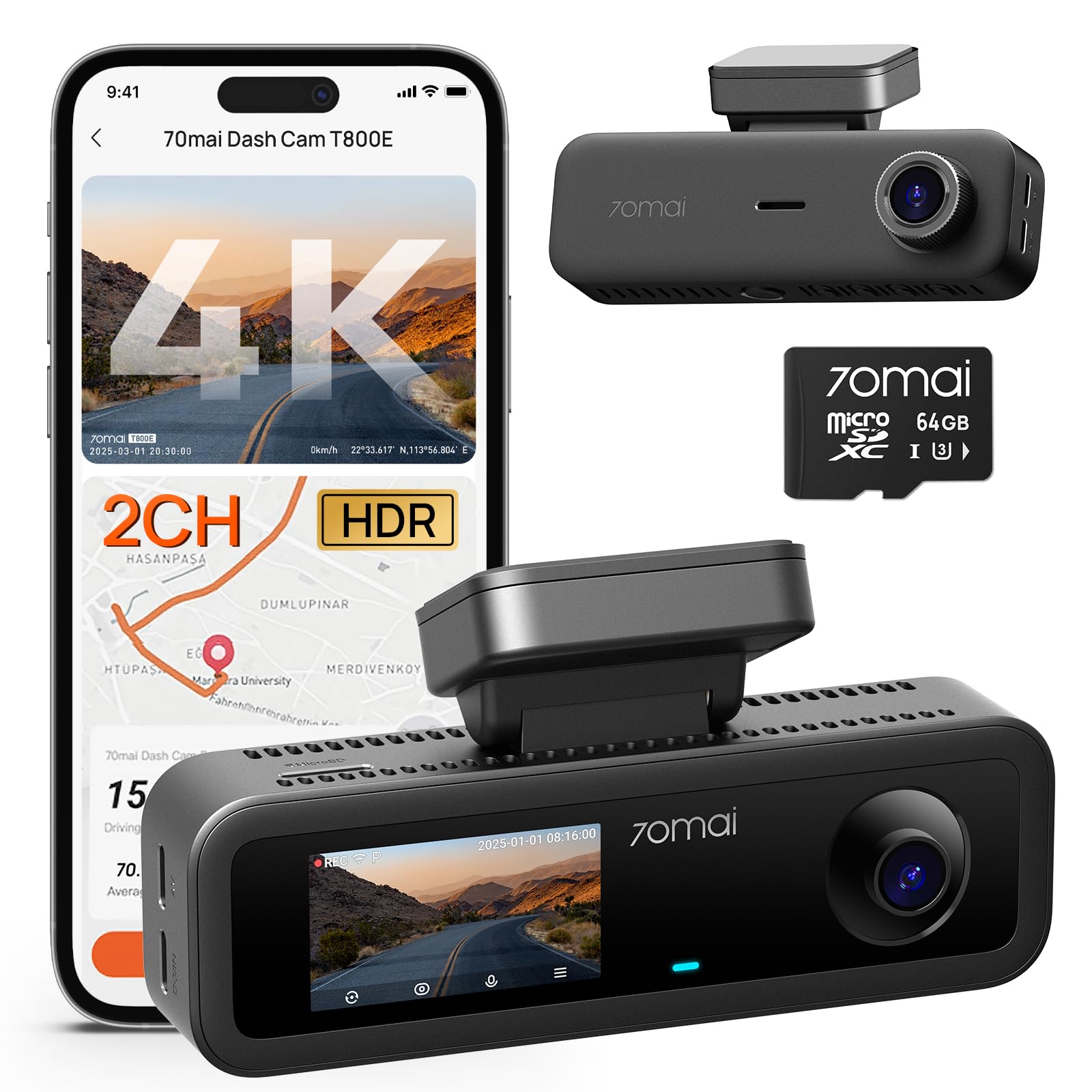
The 70mai T800E records three channels in one app-native package, and the rear channel is the difference from the front/cabin-only T800E. Voice commands and Wi-Fi 6 make clip pulls quicker when you need to hand footage to a passenger or law enforcement.

The cabin camera's switchable IR and HDR handle both night rides and daytime glare, while GPS stamps speed and location onto clips. The supercapacitor is a better fit for cabin heat than battery-based models.

Installation is ready out of the box with a 64GB card included and the phone app guiding setup. Running the rear cable takes a few extra minutes to tuck, but the payoff is rear-window context that a front/cabin-only unit cannot offer.

This is for tech-friendly rideshare drivers who want front, cabin, and rear evidence and prefer app/voice controls. Wi-Fi/app disconnects can interrupt transfers, and the included 64GB card is tight for a full shift's worth of 4K front footage, so a card reader and a larger card are practical add-ons.

💡 Switch the cabin camera to HDR in daylight and IR at night — the toggle keeps passenger faces visible in both conditions.

Pros

  • Strong overall quality and feature set for a triple-channel dash cam.
  • Easy install and ready out of the box with a 64GB card included.
  • Sharp 4K front video for clear plate detail in daylight.
  • Voice control and Wi-Fi 6 speed up clip retrieval from the phone.

Cons

  • Cabin and rear channels record at 1080p, so the 4K label applies to the front lens only.
  • On-camera menus are workable, but adjusting settings takes more steps than the app.
Our verdict

The T800E's rear channel makes it the sensible 3-channel upgrade over the 2-channel version for rideshare drivers who need rear-window context.

Check Latest Price
5

Compact 4K + IR Choice

COOAU D30S 4K Cabin

87 /100
Studio Score Strong Evidence

Key details

Storage
256GB max, card not included
Cabin IR
4 IR LEDs, STARVIS 2
Channels
2-channel, front/cabin
Wi-Fi / Parking
Wi-Fi, 24H parking mode
Check Price on Amazon

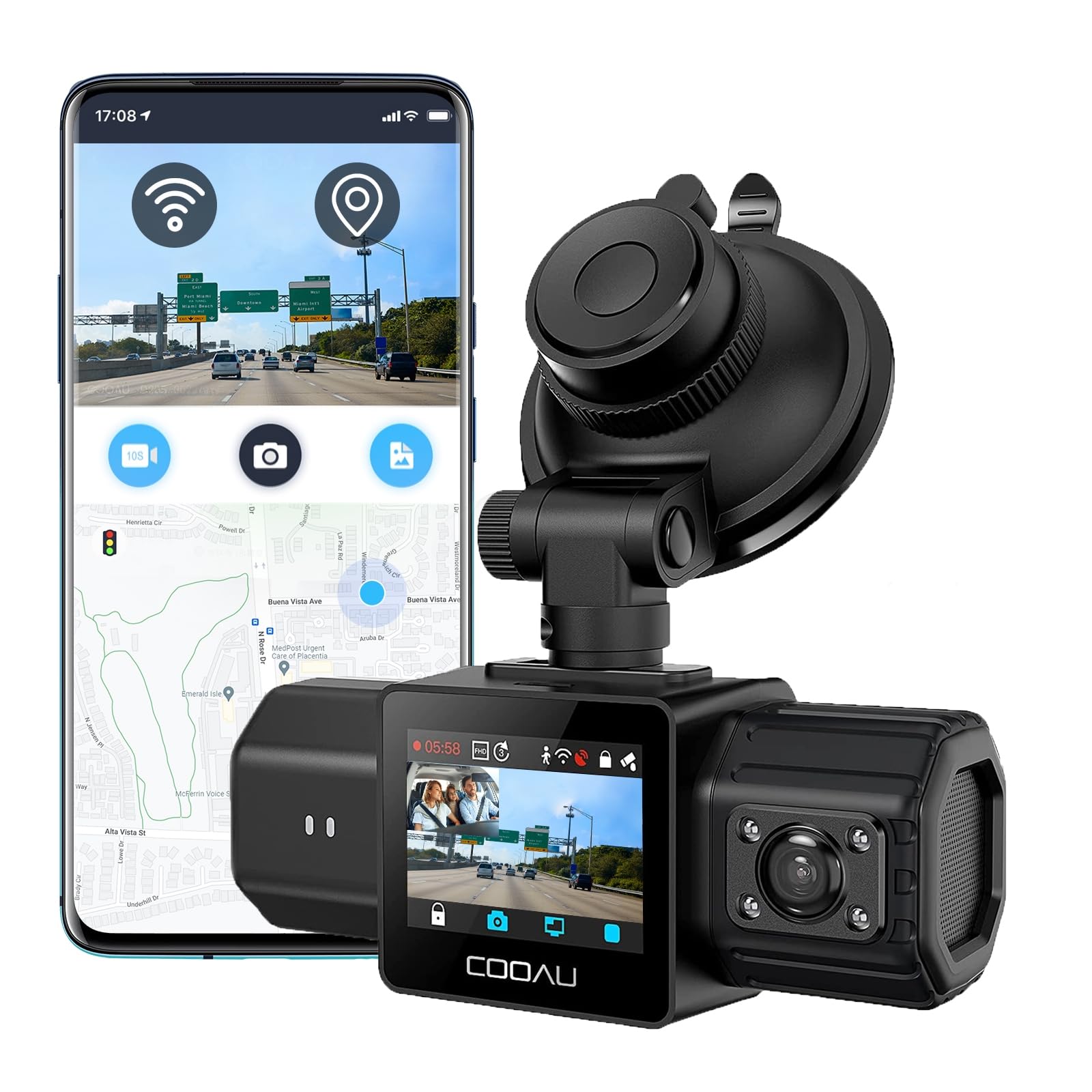
The COOAU D30S packs a 4K front lens, STARVIS 2 cabin sensor, GPS module, and supercapacitor into a body compact enough to hide behind the rearview mirror. The front channel captures 4K when running solo or 2.5K with the cabin camera in dual mode, and the 2-year warranty is a meaningful addition for drivers who use the camera daily for work.

Footage quality holds up in both bright sun and low-light streets, with cabin IR LEDs that read faces without flattening them. Low-light front captures remain usable for identifying vehicles and road context, which matters for night shifts.

The GPS stamp logs route and speed for trip context. The supercapacitor avoids the battery-swelling risk of lithium packs when a car bakes in summer heat, and the card slot accepts up to 256GB for multiple shifts of front and cabin loop footage.

Full-time Uber or Lyft drivers who want GPS-logged front and cabin evidence without a rear camera are the natural audience for this unit. Wi-Fi/app pairing can be finicky, so keeping an SD card reader handy makes file transfers painless. The premium price buys front sharpness, cabin low-light clarity, and a longer warranty than COOAU's 2.5K front/cabin value model. If 360° coverage of both door windows matters more than front sharpness, the four-channel top pick covers more angles.

💡 Keep a card reader in the glove box for fast SD-card transfers between rides.

Pros

  • 4K front footage with sharp daylight detail and readable low-light captures
  • Compact, well-built body that tucks behind the rearview mirror
  • Cabin IR LEDs keep passenger faces readable in dark interiors
  • Setup takes only a few minutes

Cons

  • Wi-Fi/app pairing can be finicky for moving footage from the camera
  • Occasional lockups have been noted in individual units
Our verdict

The D30S is the focused front/cabin pick for drivers who want GPS-logged evidence and a 2-year warranty in a compact unit. Rideshare drivers who need rear-window or side-door angles already have a reason to choose the four-channel top pick.

Check Latest Price
6

Budget 3-Channel Starter

SUVCON J06 3CH Dash Cam

82 /100
Studio Score Strong Evidence

Key details

Storage
32GB included
Cabin IR
4 IR LEDs
Channels
3-channel, front/cabin/rear
Wi-Fi / Parking
24H parking monitor
Check Price on Amazon

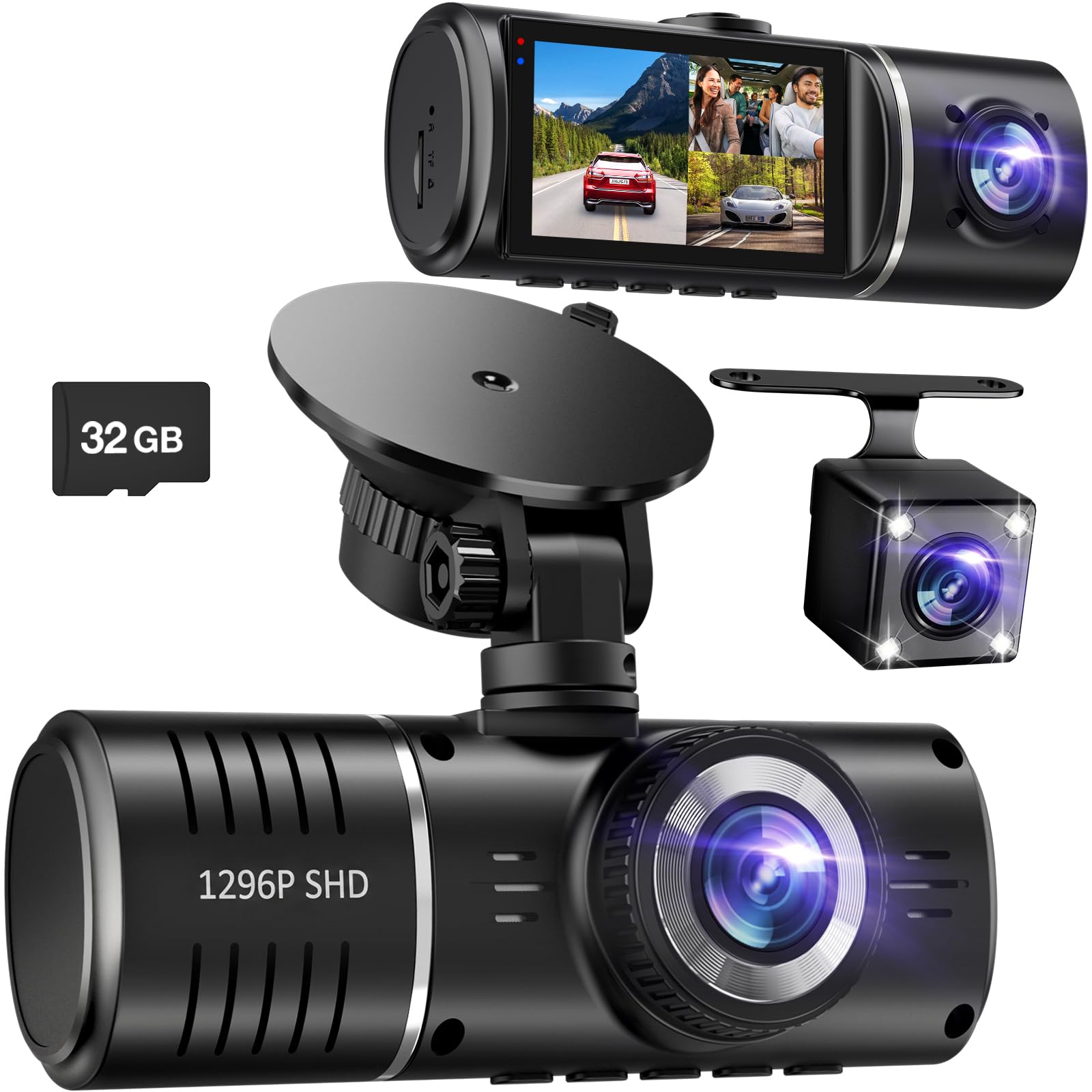
The SUVCON J06 puts front, cabin, and rear coverage in one entry-level package, and the included 32GB card means you can start using it immediately. For part-time rideshare work, the cabin camera's four IR LEDs provide in-car visibility at night, and the 1296p front lens produces footage that handles everyday disputes. The rear cam adds a perspective that front/cabin-only units don't have.

Daytime clips from the 1296p sensor are sharp enough to read behavior and lane context, and the cabin view stays usable in low light. The 32GB card is sized for short shifts; you will be clearing it on a regular basis rather than leaving the camera to run indefinitely.

This is the right fit for budget-conscious rideshare drivers who want three angles, cabin IR, and parking-monitor coverage without a big upfront spend, and who will check footage regularly. Loop-recording overwrite can be inconsistent, and some units can stop recording or drop the rear-camera feed, so this is not a full-time Uber/Lyft workhorse. Drivers who demand 4K front-plate clarity or guaranteed continuous recording should look higher in the price range.

💡 Format the included card every few weeks and confirm new clips are recording before each shift.

Pros

  • Three cameras cover front, cabin, and rear with a 32GB card in one entry-level bundle.
  • Setup is quick and the controls are simple enough for a DIY install.
  • Footage stays clear across all three angles for everyday rideshare use.
  • Build quality feels appropriate for the price, so it holds up to normal daily handling.

Cons

  • Storage management is manual, so clearing the 32GB card becomes part of the routine.
  • Unit-to-unit build consistency can vary, so a quick check of all three feeds after install is worthwhile.
Our verdict

For part-time rideshare drivers, this is a cost-effective way to get cabin and rear coverage; full-time continuous recording belongs to a higher-priced camera.

Check Latest Price
7

GPS Cabin Value

COOAU D20 2.5K Cabin

86 /100
Studio Score Strong Evidence

Key details

Storage
256GB max, card not included
Cabin IR
4 IR LEDs
Channels
2-channel, front/cabin
Wi-Fi / Parking
Wi-Fi, 24H parking mode
Check Price on Amazon

The D20 pairs a 2.5K front camera with an IR-lit cabin view, built-in GPS, and Wi-Fi at a mid-range price. The 4 IR LEDs and F1.8 cabin lens cover the back seat for rideshare shifts, and mounting plus daily use are easy to pick up without a manual. Front footage stays clear for road context and driver verification, though 4K rivals pull more detail from distant plates. App behavior can be frustrating when Wi-Fi pairing disconnects or does not complete; on-camera menus are less polished but work for changing settings, and once configured, loop recording and 24H parking monitor run without the app. It lacks the D30S's top-tier sensor, which keeps this a cost-effective front/cabin option rather than a 4K flagship.

Pros

  • Solid build and clean finish handle daily rideshare use without feeling cheap.
  • Underprices 4K cabin cameras while keeping GPS, Wi-Fi, and an IR cabin view.
  • Front 2.5K footage stays clear for road context and driver checks.

Cons

  • 2.5K front sensor captures less detail than 4K rivals on far-away plates.
  • App pairing can disconnect or not complete; on-camera controls are the workaround.
Our verdict

The D20 fits rideshare drivers who want GPS and an IR cabin cam without paying the 4K premium, provided they prefer on-camera menus over app control.

Check Latest Price
8

4K Front/cabin

70mai T800E 4K 2CH

87 /100
Studio Score Strong Evidence

Key details

Storage
64GB included, 512GB max
Cabin IR
1080P interior enhanced
Channels
2-channel, front/cabin
Wi-Fi / Parking
Wi-Fi 6
Check Price on Amazon

The T800E front/cabin bundle pairs a sharp 4K front camera with a 1080p cabin cam that has IR low-light enhancement, so rideshare drivers get clear road and passenger-area coverage in one windshield unit. Wi-Fi 6, voice control, GPS, and a 64GB card are included, which trims setup friction. The honest limit is the 2-channel shape: it records forward and inside, not what happens behind the car, so the 3-channel T800E above it is the more complete rideshare evidence option.

Pros

  • 4K front footage captures sharp road detail for incident evidence.
  • Cabin IR camera covers passenger interactions after dark.
  • 64GB card is included and setup is quick out of the box.

Cons

  • Cabin video caps at 1080p, so passenger faces are less detailed than the 4K front road view.
  • The included 64GB card is light for long 4K recording sessions; heavier shifts may call for a larger card.
Our verdict

For front/cabin-only rideshare drivers, this 4K front and IR cabin package delivers strong evidence coverage without the cost of channels you won't use.

Check Latest Price
9

4K Triple Coverage

REDTIGER F17 4K 3CH

89 /100
Studio Score Strong Evidence

Key details

Storage
64GB included
Cabin IR
4 IR lights
Channels
3-channel, front/cabin/rear
Wi-Fi / Parking
5GHz/2.4GHz WiFi, parking monitor
Check Price on Amazon

The F17 delivers the triple-channel evidence setup rideshare drivers want: a STARVIS 2 4K front camera, 1080p cabin and rear lenses, GPS, triple parking monitor, and a 64GB card out of the box. Video quality is the highlight, with sharp front detail and usable cabin footage from four IR lights. The catch is consistency. Wi-Fi pairing can be fiddly when CarPlay or Android Auto is active, and occasional units can shut down or overheat while driving — a real boundary for full-time rideshare drivers who need uninterrupted recording. For supervised or part-time rideshare use, where you can check the camera between trips, the F17 is a capable and well-priced bundle. It trails the top rideshare picks on predictability.

Pros

  • Sharp 4K front video with STARVIS 2 keeps plates and signs readable in good light during daytime drives.
  • Triple-channel bundle with 64GB card covers front, cabin, and rear angles in a single purchase.
  • Mounting and cable routing go quickly, so a driver can finish installation before the first trip.

Cons

  • Wi-Fi pairing can be fussy with CarPlay or Android Auto active, making file transfers slower to start.
  • A full-time rideshare shift is the wrong setting for a camera that can shut down or overheat mid-drive without warning.
Our verdict

The F17 fits occasional rideshare and family drivers who can monitor recording between trips; full-time Uber/Lyft work warrants a steadier performer.

Check Latest Price

How to Choose

Cabin Camera and IR Night Vision

Cabin IR depends on the sensor and lens as much as the number of LEDs. A starlight-class sensor with fewer IR LEDs can produce a clearer dark-cabin image than an older sensor with more LEDs.

Mount the camera so the cabin lens is not blocked by the rear-view mirror. You want a clear view of the front seat and the passenger-side footwell, where rideshare incidents start.

Channel Count and Coverage

A front-only dash cam is a blind witness. Rideshare disputes usually involve the rear door or passenger seat, so channel count decides what evidence exists. Two-channel cameras cover front/cabin; four-channel units add rear and side-door views.

More channels mean more data and more heat. Four-channel cameras write to one card continuously, so a supercapacitor and an endurance card matter more on long shifts.

Front Resolution and Sensor Quality

Front resolution matters at distance, but at night sensor quality matters more than raw pixels. A 1080P STARVIS 2 sensor can read plates better than an older 4K sensor in low light.

Higher resolution creates larger files that fill cards faster. For rideshare, 4K front is useful but not worth sacrificing cabin IR or dependable loop recording.

Storage and Loop Recording

An included 64GB card fills quickly on an eight-hour shift. When the card is full, the camera depends on loop recording to overwrite old footage.

Not every camera overwrites reliably. Some stop recording when the card fills, which defeats the purpose of a dash cam. Use a high-endurance card and format it inside the camera periodically.

Wi-Fi and Parking Mode

Wi-Fi makes clip access easier, but many cameras only enable Wi-Fi when manually triggered and some disconnect when Android Auto or CarPlay is active. Keep a card reader as a fallback.

Parking mode usually needs a separately sold hardwire kit; without one, the camera loses power when the car is off. Add that cost and install time before relying on 24/7 parking coverage.

Frequently Asked Questions