9 Best Photo Backup Device for Travel 2026: No-Laptop SD Offload

Which travel backup devices actually protect camera cards and phone libraries without a laptop, and which ones struggle when it matters.

Travel photos live on two kinds of cards: a mirrorless camera's SD card and a phone's internal storage. Neither is safe on the road, and carrying a laptop just to offload files defeats the point of a light kit.

The portable backup market has grown around that problem, but the marketing often promises more than the hardware delivers. Apps stall, drives fail to connect, and some devices only work with a narrow set of devices.

The practical divide is simple: phone-first travelers need a no-app drive that native file managers can read, while camera shooters need an SD-card offload path that does not depend on a laptop. Matching the device to your actual workflow matters more than capacity or price.

1

Best Overall for Traveling Photographers

NEWQ Filehub AC750

80 /100
Studio Score Strong Evidence

Key details

Capacity
External storage
Connectors
SD, USB, Wi-Fi
App Dependency
Browser or app
Check Price on Amazon

The Filehub AC750 is built around a specific job: moving camera and drone SD-card files to a USB drive or SSD without a laptop. It reads SD and USB sources, connects over dual-band Wi-Fi, and writes to external storage from the app or a browser. Since a browser works, a laptop, phone, or tablet can drive the same backup process without installing anything. The backup path stays the same regardless of what you plug in: the card goes in the SD slot, the destination drive goes in the USB port, and the unit handles the file transfer in the background.

Travel-router mode adds real utility in hotels and airports. A paid Wi-Fi connection can be shared with up to five devices, and dual-band support keeps the unit useful on older and newer network gear. The backup can run in the background while a phone and tablet stay online, which matches the actual rhythm of a travel day better than a single-purpose card reader. Sharing the same connection across devices also avoids buying Wi-Fi access for one gadget at a time.

The intended buyer is a travel photographer or drone pilot who shoots on memory cards and wants those files moved to a USB SSD without carrying a computer. That buyer should accept two limits: wireless backups are slow for large cards, with a 28GB transfer running roughly 40 minutes after the card finishes indexing, and Wi-Fi behavior can be finicky with some drives, to the point that one-touch copy may not trigger on every SSD. The end-of-day offload is where this workflow fits.

For phone-only photo backup, a direct-connect stick is the simpler tool. This hub matters when camera memory cards are in the kit; if the trip is phone-only, the wireless setup adds friction without adding a card slot that would get used. It is a purpose-built travel hub, not a general-purpose flash drive, and that distinction matters when choosing between categories.

The port layout is minimal: one SD slot and one USB port, plus a one-touch copy button. That simplicity is welcome in a camera bag, especially when the rest of the kit already includes cables and chargers. Photographers who already own a USB SSD get the most from this unit, so the hub becomes a bridge between cards they already shoot and storage they already trust.

Pros

  • Offloads camera and drone SD cards to any USB drive or SSD with no laptop in the chain.
  • Dual-band Wi-Fi shares a hotel or airport connection with up to five devices while the backup runs.
  • Browser-based access means a laptop, phone, or tablet can manage files without installing an app.
  • Wireless file management performs smoothly once the unit and storage device are connected.

Cons

  • Requires a separate USB drive or SSD for backups, so the total travel kit gains one more device.
  • SD and USB compatibility can vary, so a particular card or drive may not be recognized.
Our verdict

For travel photographers and drone pilots who already own a USB SSD, the Filehub AC750 is the laptop-free link between camera card and external storage; phone-only shooters should choose a direct-connect stick instead.
Check Latest Price
2

Best Phone-Centric Backup Drive

AUAMOZ 512GB Dual Drive

82 /100
Studio Score Strong Evidence

Key details

Capacity
512GB
Connectors
USB-C, Lightning, USB-A
App Dependency
No app
Check Price on Amazon

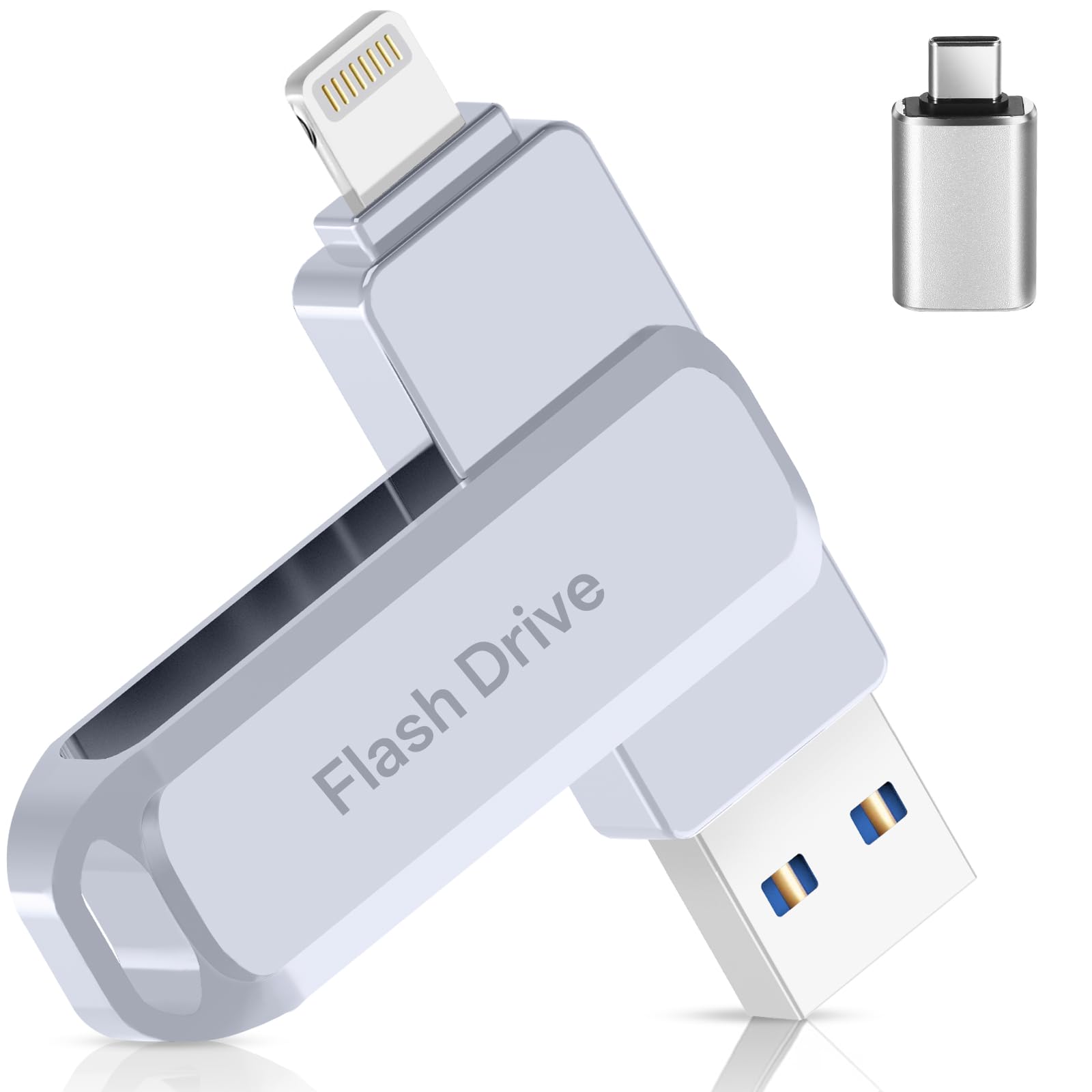
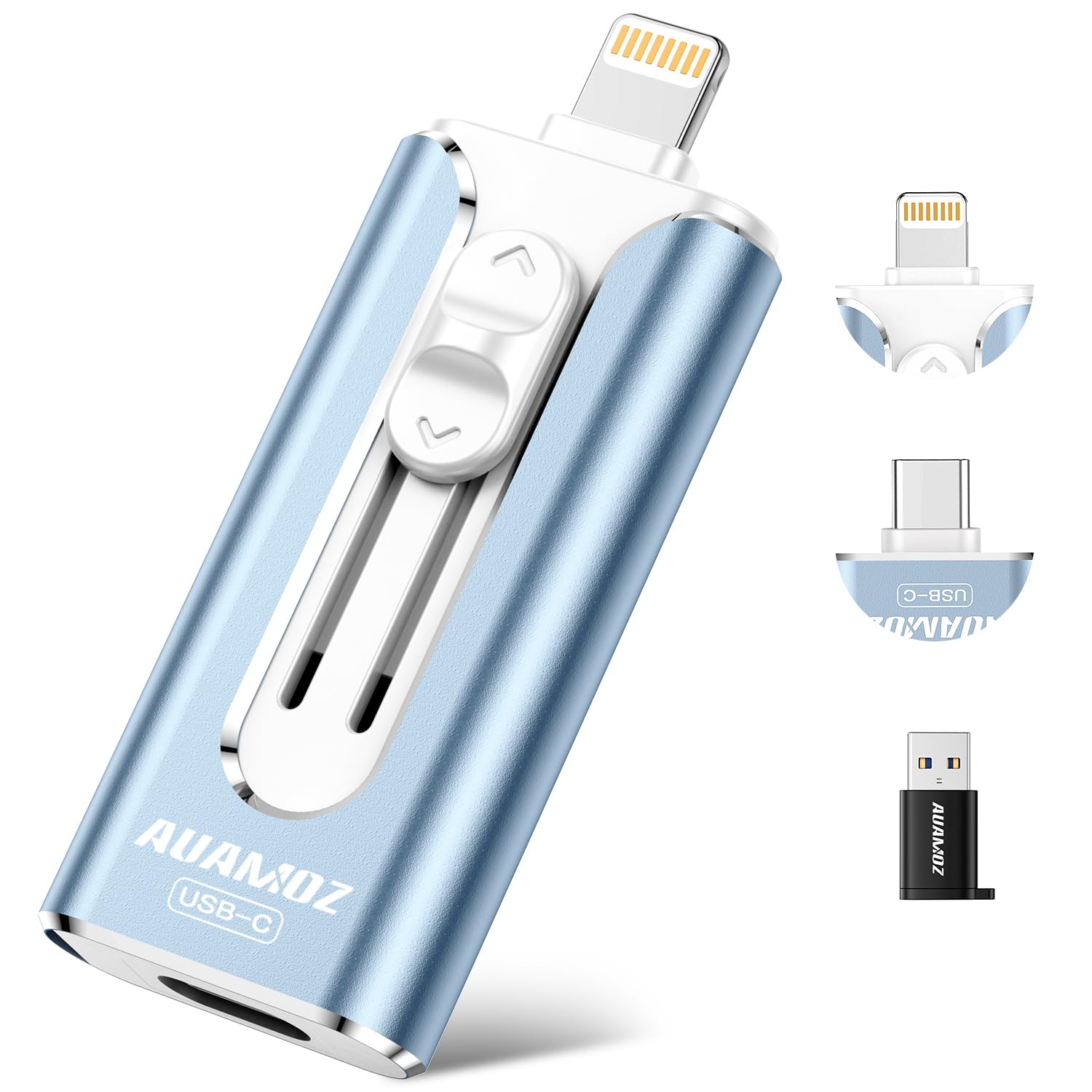
The AUAMOZ delivers the highest practical no-app capacity in this lineup: 512GB of flash storage that plugs into an iPhone or iPad through the native Files app and into Android through OTG file managers. That direct native access removes the companion-app step that trips up other designs, and the Lightning, USB-C, and USB-A adapter combo covers a mixed-device trip without extra cables.

At the listed 30 MB/s read and 15 MB/s write, the drive is a capacity play rather than a speed demon. High-res phone photos and short clips move fine, but a 512GB library dump will take long enough that it makes sense to copy in folders or batches. That pace, combined with the no-app native access, makes this a practical travel companion for ongoing offloads rather than a one-shot archive device.

The buyer this works best for is a phone-heavy traveler who wants 512GB in a pocket-size stick and prefers native Files/OTG access over a companion app. iCloud photos must be downloaded to the device before they can be moved, and bulk transfer sessions can disconnect or stall, which makes this drive better suited to incremental offloads than to one massive archive job. Budget-conscious creators shooting high-res phone photos and videos fit here; camera users who need standalone SD-card offload should take the wireless hub in this set instead.

💡 Move photo libraries in smaller batches and confirm the destination before removing anything from the phone.

Pros

  • 512GB of built-in flash capacity holds a long trip's phone photos and video without cloud uploads.
  • Native Files/OTG access means no proprietary app to install, log into, or troubleshoot.
  • Lightning, USB-C, and USB-A connections cover iPhone, Android, PC, and Mac travel setups.
  • At a budget-friendly price, the construction feels more substantial than the price point suggests.

Cons

  • A single Files copy action can cap a selection at around 25 photos on some iPhone/iPad setups.
  • On certain iPhone/iPad setups the drive may not appear in the Files app, leaving the copy unable to start.
Our verdict

The AUAMOZ covers phone-only travel backup with 512GB and native Files/OTG access; SD-card shooters should take the wireless hub in this set.

Check Latest Price
3

Most-Proven Mainstream Phone Stick

Techkey 256GB MFi Drive

88 /100
Studio Score Strong Evidence

Key details

Capacity
256GB
Connectors
Lightning, USB-A, USB-C
App Dependency
iOS app
Check Price on Amazon

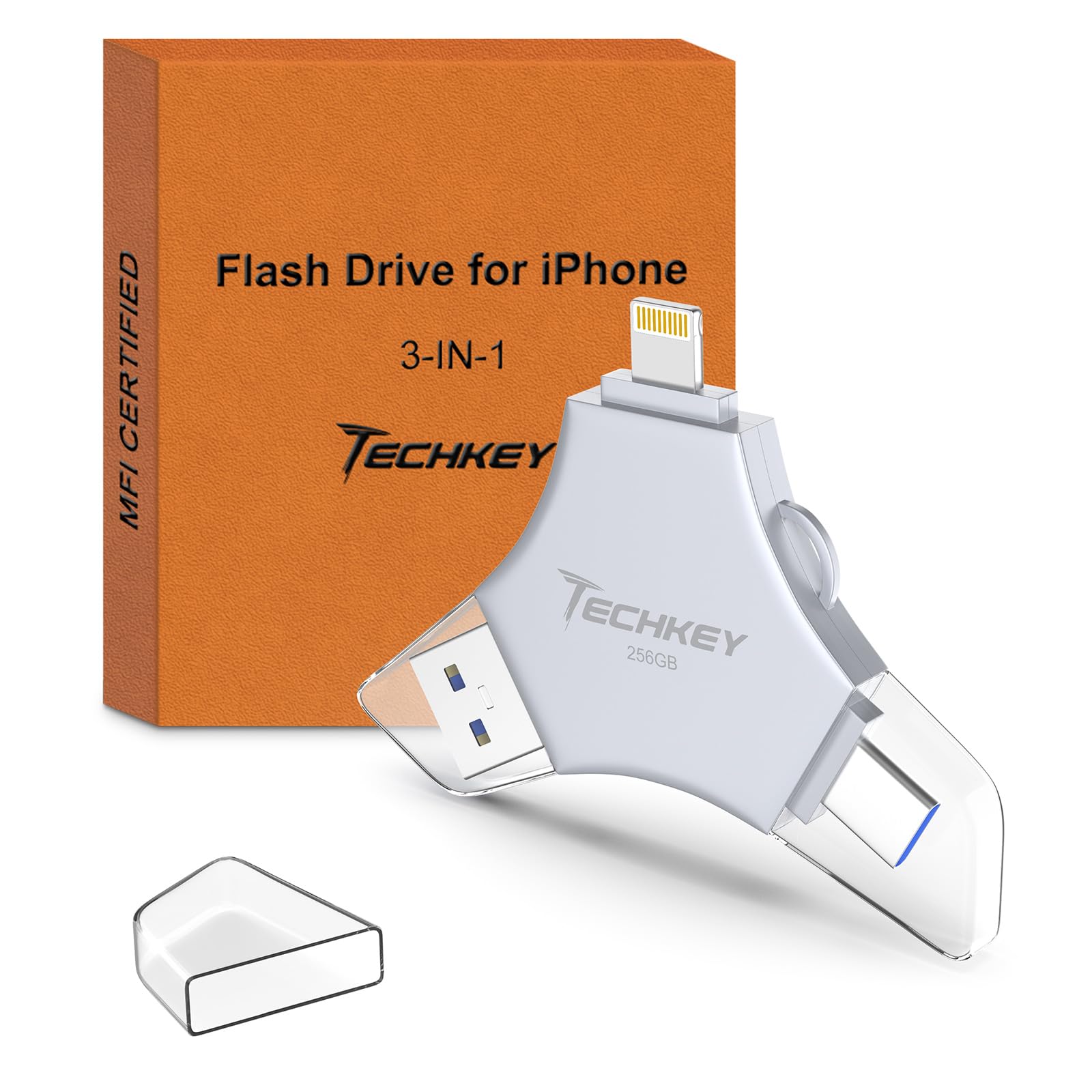
The Techkey 256GB MFi Drive is a phone-first backup stick with MFi certification and a connector set that spans Lightning, USB-C, and USB-A. It carries the broadest buyer consensus in this auto-backup group, giving it an edge over no-name sticks when travel photos are on the line.

iPhone and iPad backups run through the Techkey companion app instead of iOS native Files. Travelers who refuse proprietary companion apps should pick a no-app alternative from this comparison; travelers comfortable with an app-based one-tap backup will get what they expect. Android and PC use bypasses the app entirely and behaves like a standard USB stick. Camera users who need to offload SD cards directly are better served by the wireless SD hub in this set — this drive has no card reader.

The triple-connector layout also makes the drive easy to pass between devices: pull photos off an iPhone, hand it to an Android phone, or plug into a laptop for final sorting. For phone-only travelers, that is the entire backup kit — no cable adapter, no external reader, no cloud upload waiting.

Pros

  • MFi-certified Lightning connector plus USB-C and USB-A covers iPhone, iPad, Android, and PC without adapters.
  • Android and PC access through native file managers means no companion app is required outside iOS.
  • The buyer consensus behind this drive makes the compatibility gamble easier to accept.

Cons

  • Listed 40 MB/s read/write handles photo dumps but can make long video transfers a time commitment.
  • A 256GB ceiling can feel tight on a multi-week 4K-heavy trip; casual phone-photo travelers will have more headroom.
Our verdict

Techkey's 256GB MFi Drive is the budget-friendly phone-travel backup for travelers who want mainstream capacity, three connectors, and an easy pack-and-go routine.

Check Latest Price
4

Best Auto-Backup for Mixed Devices

JSL JDTDC 128GB Auto Backup

86 /100
Studio Score Strong Evidence

Key details

Capacity
128GB
Connectors
Lightning, USB-C, Micro-USB, USB-A
App Dependency
iStore Pro
Check Price on Amazon

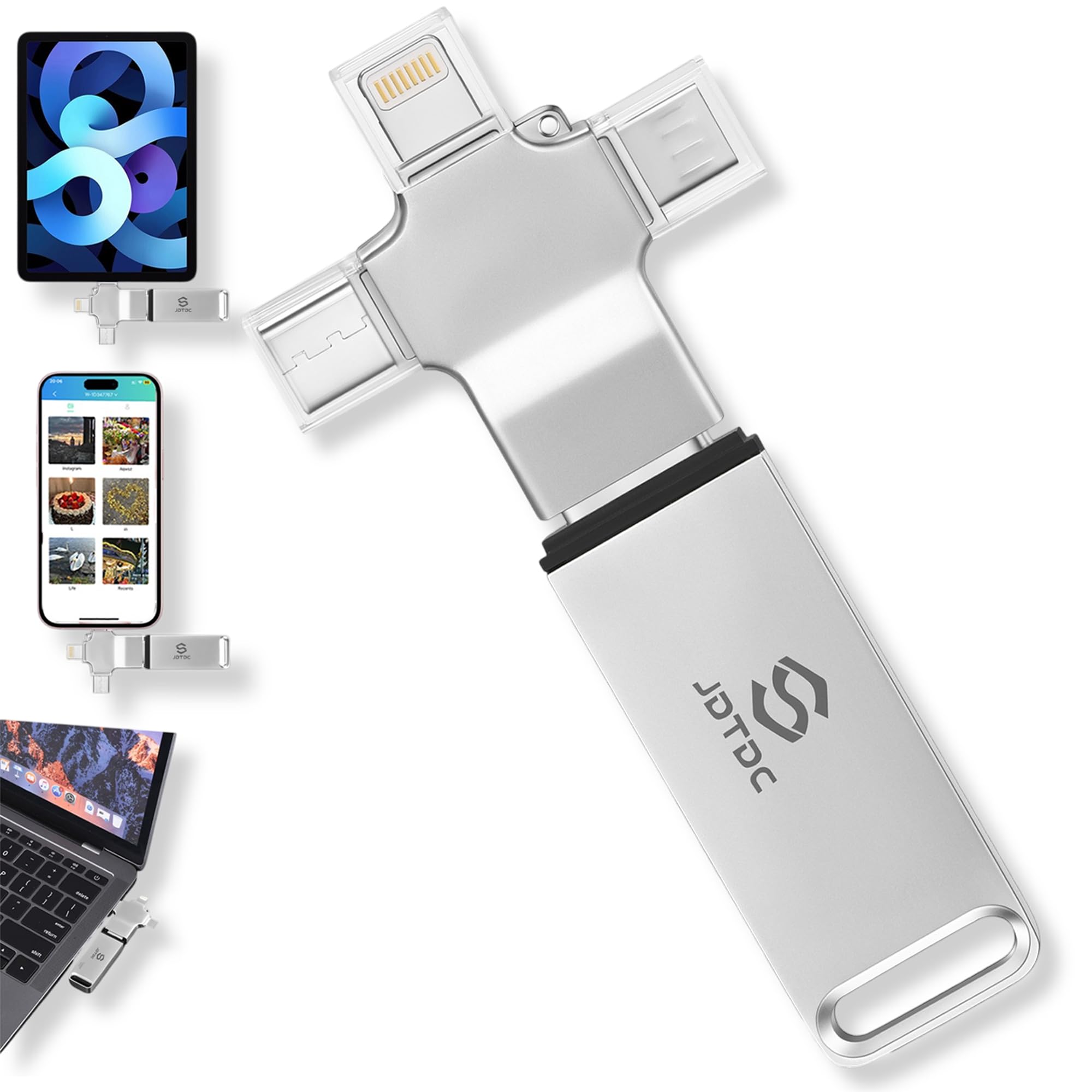
The JSL JDTDC combines the broadest connector set among these auto-backup sticks with one-click phone and computer backup automation. Lightning, USB-C, Micro-USB, and USB-A plugs let one drive move photos from a current iPhone, an Android handset, or a Windows laptop without adapters. For a household that mixes phone standards, that removes the laptop from the daily backup routine.

Backup sessions run through the iStore Pro app. On current iPhones and iPads, the flow is short: pick the photos or videos you want, confirm the copy, and duplicate skipping prevents already-stored files from being written again. For casual snapshot backup, 128GB is enough to hold several trips' worth of phone photos before offloading to a computer. The drive feels solid in a backpack, and the lifetime warranty backs the drive.

This stick suits a less-technical traveler who wants one backup device for everyone in the family and will follow the app flow. Older iPads running iOS 10.3 or earlier and some Android devices may be unable to run the required iStore Pro app, so verify device support before relying on it for a trip. Within the supported range, the duplicate-skip routine and lifetime warranty keep vacation photos off a phone and in one place. High-volume shooters who need 256GB or SD-card offload should move up to a larger drive or the wireless hub.

💡 Install the iStore Pro app and run one practice backup at home before traveling.

Pros

  • Four connectors cover Lightning, USB-C, Micro-USB, and USB-A in one travel stick.
  • The iStore Pro app makes backup a simple one-click routine on current iPhones and iPads.
  • Solid build quality handles the wear of a packed bag.

Cons

  • Folder-selection controls inside the app can behave differently from the printed manual.
  • Large camera-roll backups can copy slowly, so a full dump may take longer than expected.
Our verdict

For mixed-phone families, the JSL JDTDC turns vacation photo backup into a plug-in routine that doesn't require a laptop.

Check Latest Price
5

Best for High-Volume Shooters

NEWQ 1TB Phone HDD

83 /100
Studio Score Strong Evidence

Key details

Capacity
1TB
Connectors
USB-A, USB-C
App Dependency
Direct connect
Check Price on Amazon

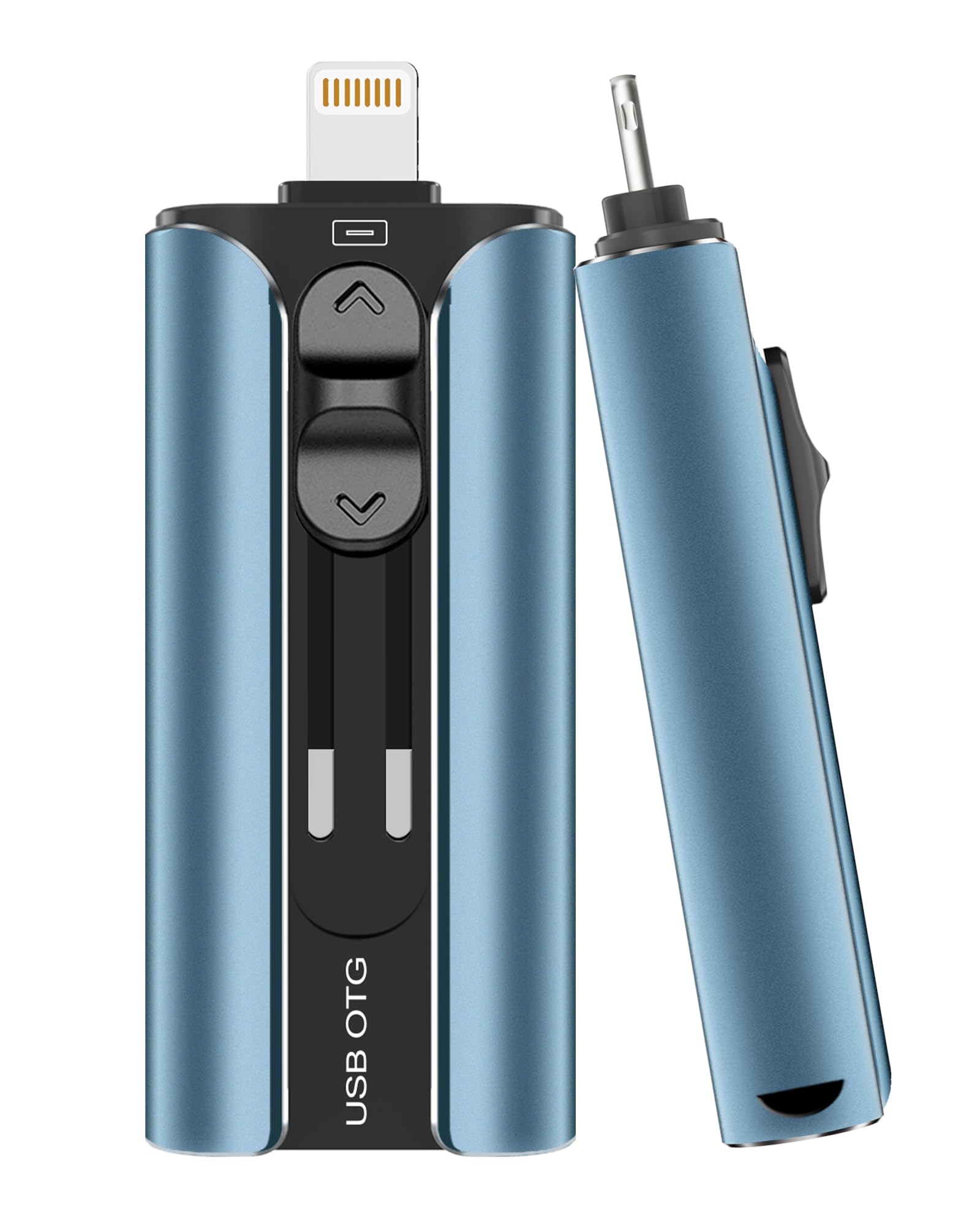
The 1TB direct-connect hard drive is the only option in this set that clears the 512GB ceiling of flash-stick backups, so a long travel day of 4K/RAW clips can be offloaded in one connection instead of juggling cards or files. No cloud subscription or laptop is required, and the one-touch backup button moves the full phone library without menu digging.

USB-A and USB-C connectors cover iPhone, iPad, Android, Mac, and Windows, and the drive handles simple phone-to-computer transfers across that mix. For shooters coming back to a hotel room after a heavy day, the workflow is connect the drive, tap backup, and keep shooting the next day.

This is best for traveling shooters and families who treat one large drive as the shared home for phone and computer backups. The 2.5-inch HDD chassis is heavier and less pocketable than flash sticks, so it belongs in a camera bag pocket rather than a jeans pocket; it also suits high-volume RAW/4K work where a 128GB or 256GB stick forces constant housekeeping. Shooters with SD cards should note that this drive has no card slot — the wireless hub in this set covers that workflow.

Pros

  • 1TB direct-connect capacity clears large 4K/RAW shoots without cloud uploads
  • Phone and computer backup in one device simplifies transfer after a travel day
  • USB-A and USB-C connectors plus the one-touch backup button cover mixed households without adapters

Cons

  • The 2.5-inch HDD chassis adds noticeable bulk and weight compared with backup sticks, which matters for pocket carry
Our verdict

One large direct-connect drive that removes the capacity ceiling for phone and computer backup on long trips; carry it in a camera bag, not a pocket.

Check Latest Price
6

Best Budget 4-In-1 Flash Drive

ROSPE 256GB MFi Drive

82 /100
Studio Score Strong Evidence

Key details

Capacity
256GB
Connectors
Lightning, USB-C, Micro-USB, USB-A
App Dependency
iOS app
Check Price on Amazon

The ROSPE 256GB MFi Drive is a budget-friendly 4-in-1 stick built around quick photo/video transfers and a keychain-ready body. The retractable Lightning connector tucks away when clipped to a bag, and the included USB-A adapter plus USB-C and Micro-USB ends make it easy to move files to a laptop without extra cables.

Using the companion iOS app, routine camera-roll backups are quick, and 256GB is enough for a multi-week trip without relying on cloud uploads. The keychain loop and compact shell keep the drive attached to a backpack strap, and the retractable tip keeps the connector from snagging in a packed pocket.

Speeds are competitive for the price tier: the stick lists 80 MB/s reads and 40 MB/s writes, which handles a batch of video clips without turning the transfer into a long wait. Handing files to a laptop via USB-A is just as direct, so the drive serves as both a phone backup and a simple file shuttle.

This is an iPhone/iPad-first accessory. Android devices, especially Samsung phones, may not recognize it despite OTG claims, and unit-to-unit quality can vary, so a quick test backup before a long trip is worth doing. For its intended iPhone/iPad use, the interface stays quick and the keychain form is easy to live with.

💡 Break a large backup into smaller batches before starting.

Pros

  • Easy to use and quick for typical photo/video transfers
  • Large 256GB capacity in a keychain-sized body keeps a full travel library close
  • Retractable Lightning connector and keychain loop make the stick easy to keep on a bag

Cons

  • iPhone transfers route through the companion app, adding a step for users who prefer native Files access.
  • Bulk transfers can stall or drop on some units, which makes a large backup a session that needs oversight.
Our verdict

For iPhone/iPad-first travelers, the ROSPE 256GB is a cost-effective way to keep a travel photo library on a keychain instead of a cloud queue.

Check Latest Price
7

No-App Budget Buyers

EATOP 256GB Dual Drive

80 /100
Studio Score Strong Evidence

Key details

Capacity
256GB
Connectors
USB-C, Lightning, USB-A
App Dependency
No app
Check Price on Amazon

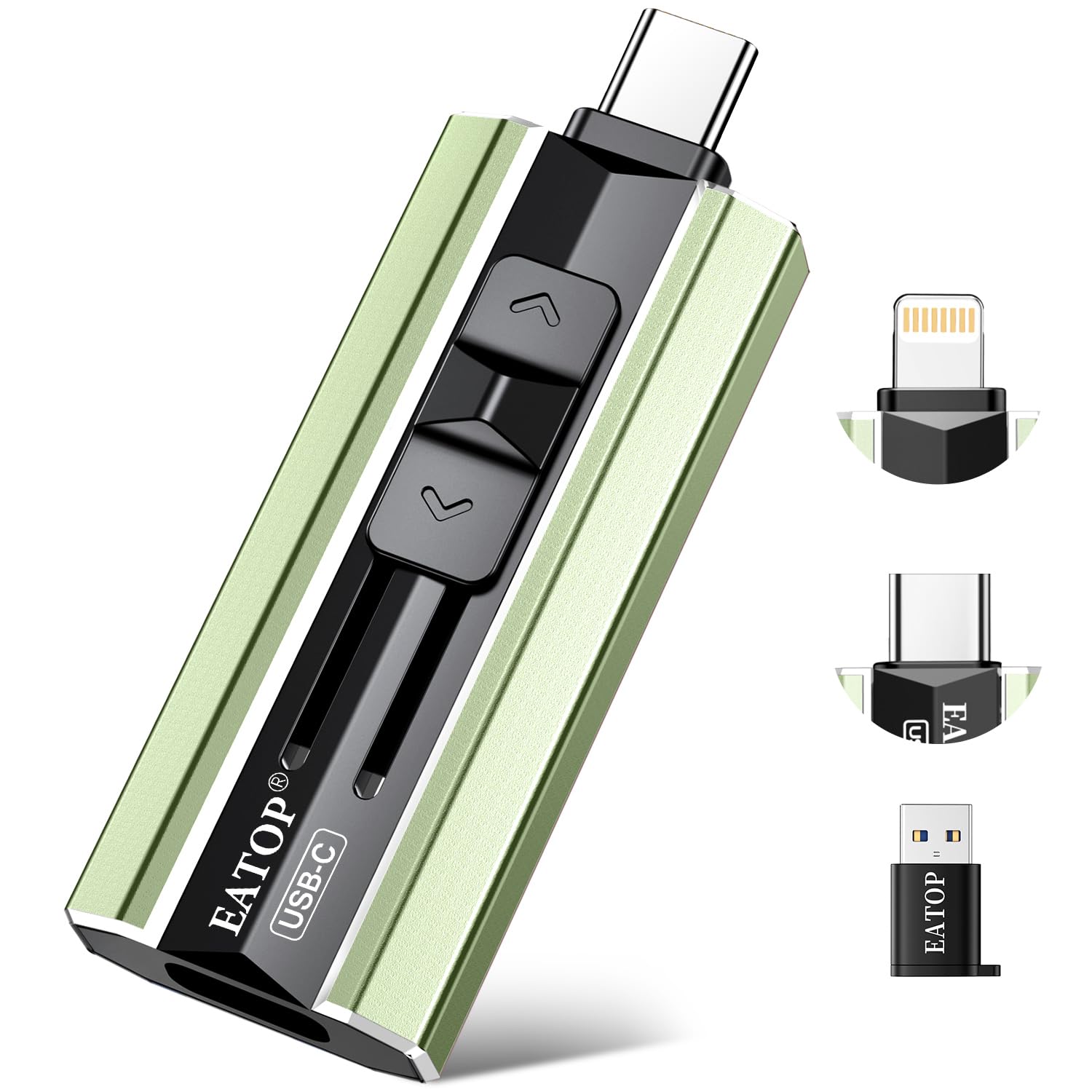
This is the budget 256GB twin of the no-app 512GB travel drive in this comparison. It mounts through the native Files app on iPhone/iPad and through OTG File Manager on Android, so there is no proprietary backup software to install. For a traveler whose backup task is offloading a phone photo library, this is a low-friction tool. The boundary is real: some iPhones/iPads do not recognize the drive even when listed as supported, and bulk transfers can slow down. What holds it back from a higher slot in this set is the 256GB ceiling, not the workflow. Casual phone-photo dumps remain within its comfort zone.

Pros

  • Solid construction with a quality feel for a budget-priced travel drive.
  • No-app setup: mounts in native Files on iPhone/iPad and OTG File Manager on Android.
  • Pocketable 256GB capacity is a strong match for phone-only photo backup on a budget.

Cons

  • No SD-card reader, so camera-card offloads require a separate hub or laptop.
  • The native Files workflow is manual: photos move only when you open Files and copy them, with no one-touch backup.
Our verdict

This is the low-cost no-app option when a phone-only traveler needs 256GB of pocketable backup at a budget price.

Check Latest Price
8

High-Capacity MFi Buyers

Qemoa 512GB MFi Drive

83 /100
Studio Score Strong Evidence

Key details

Capacity
512GB
Connectors
Lightning, USB-C, USB-A
App Dependency
iOS app
Check Price on Amazon

A 512GB MFi stick with 80 MB/s read and 40 MB/s write listed speeds is a strong capacity-for-price pairing for travel photo backup, and the body feels dense enough for a bag. The connector set covers Lightning, USB-C, and USB-A devices, while the listed speeds and encryption option give budget-minded creators a one-stick travel kit. The boundary that keeps it out of a top-tier slot is software: iPhone offloads run through the Qemoa app, so buyers who want a native Files/OTG process need one of the no-app drives in this set. Capacity and speed still carry the appeal for phone-first travel backups.

Pros

  • 512GB plus MFi certification and 80/40 MB/s listed speeds makes a strong capacity-for-price pairing.
  • Build quality in the reviewed unit feels dense and tidy, with no obvious flex.

Cons

  • Formatting overhead leaves roughly 484GB usable rather than the full 512GB.
  • Micro-USB-only phones and tablets need a separate adapter because the connector set skips micro-USB.
Our verdict

For a creator who wants one 512GB MFi stick for long trips and works mostly from a phone, this is a cost-effective backup option.

Check Latest Price
9

Casual Gift Buyers

ThePhotoStick Omni 32GB

83 /100
Studio Score Strong Evidence

Key details

Capacity
32GB
Connectors
Lightning, USB-C, Micro-USB, USB-A
App Dependency
ThePhotoStick app
Check Price on Amazon

ThePhotoStick Omni brings a solid four-connector build to travel backup, and its no-cloud workflow is simple for Android or PC users with compact phone libraries. It can plug into Lightning, USB-C, Micro-USB, and USB-A ports, which makes it a convenient option on a trip where no laptop is available. The automatic workflow is genuinely hands-off once the app connects. But the connection is not guaranteed on every iPhone or Android device, and setup may require more patience than a casual gift-giver expects. At 32GB with a premium price tag, it is a small-capacity choice when higher-capacity sticks cost less, so it fits short trips and modest libraries better than heavy travel-media transfers.

Pros

  • Solid hardware feel gives the stick a more durable travel presence than bargain alternatives.
  • Four connectors cover Lightning, USB-C, Micro-USB, and USB-A for cross-device travel.
  • Offline storage works for moderate phone photo libraries without cloud dependency.

Cons

  • Phone backups run through the ThePhotoStick app, adding an app-based layer to every transfer.
  • Large libraries can stall automatic backup or stretch the transfer into a long process.
Our verdict

Its natural place is a gift box for an Android/PC relative who wants a simple offline backup on a short trip.

Check Latest Price

How to Choose

Usable Capacity

Advertised capacity and usable capacity are not the same. A 256GB drive may format down to roughly 238GB, and some budget sticks have shown far larger gaps, with buyers reporting a 256GB unit exposing only about 56GB.

For travel, estimate your actual photo volume. A 32GB stick holds only a few days of mirrorless RAW files, while 256GB suits a two-week phone-heavy trip and 512GB covers most hybrid shooting. Confirm the real formatted capacity after purchase and run a test transfer before relying on it.

Connector Set

Connectors define which devices you can back up without an adapter. Lightning covers older iPhones, USB-C covers modern phones, iPads, and many cameras, and USB-A remains the standard for laptops and card readers.

A 4-in-1 stick with Lightning, USB-C, Micro-USB, and USB-A covers nearly every device in a mixed household. The trade-off is physical size and moving parts; retractable or cap-based designs add a small mechanical failure risk, so prioritize a connector layout that matches the devices you actually carry.

App Dependency

The largest practical difference between backup drives is whether they require a proprietary companion app. Drives that appear as standard storage in Apple's Files app or Android File Manager avoid the most common failure point: an app that cannot see the drive, stalls mid-transfer, or stops being supported.

App-based drives can add useful features like auto-backup, duplicate skipping, and encryption. Those features come with a dependency: if the app fails to recognize a drive or a device runs an older OS, backup stops entirely. Native file access is the more dependable path for most travelers; app-based workflows make sense when you want automation enough to accept that risk.

Transfer Speed

Listed read and write speeds describe the flash memory at its peak, not the real-world throughput over Lightning or Wi-Fi. A stick rated at 80 MB/s read and 40 MB/s write will move a 10GB video library in a few minutes over USB-C, but the same job over a wireless hub can take 40 minutes.

Bulk operations are where speed becomes obvious. Copying 5,000 phone photos at 15 MB/s can feel unacceptably slow, and large transfers are more likely to disconnect. If you shoot 4K video or long bursts, favor faster write speeds and direct connections over wireless convenience.

SD Card Reader / No-Laptop Offload

For camera users, the key capability is offloading an SD card without a laptop. A dedicated wireless hub like the Filehub reads the card and writes to attached USB storage over its own Wi-Fi network, so you can back up a day of shooting while you eat dinner.

The hidden trade-off is time and reliability: indexing a large card can crawl, and wireless transfer of a 28GB card can take roughly 40 minutes. A direct card reader with USB-C or Lightning is faster and more dependable, but it requires a phone or tablet as the destination, and it doesn't backup to an external drive on its own.

Frequently Asked Questions