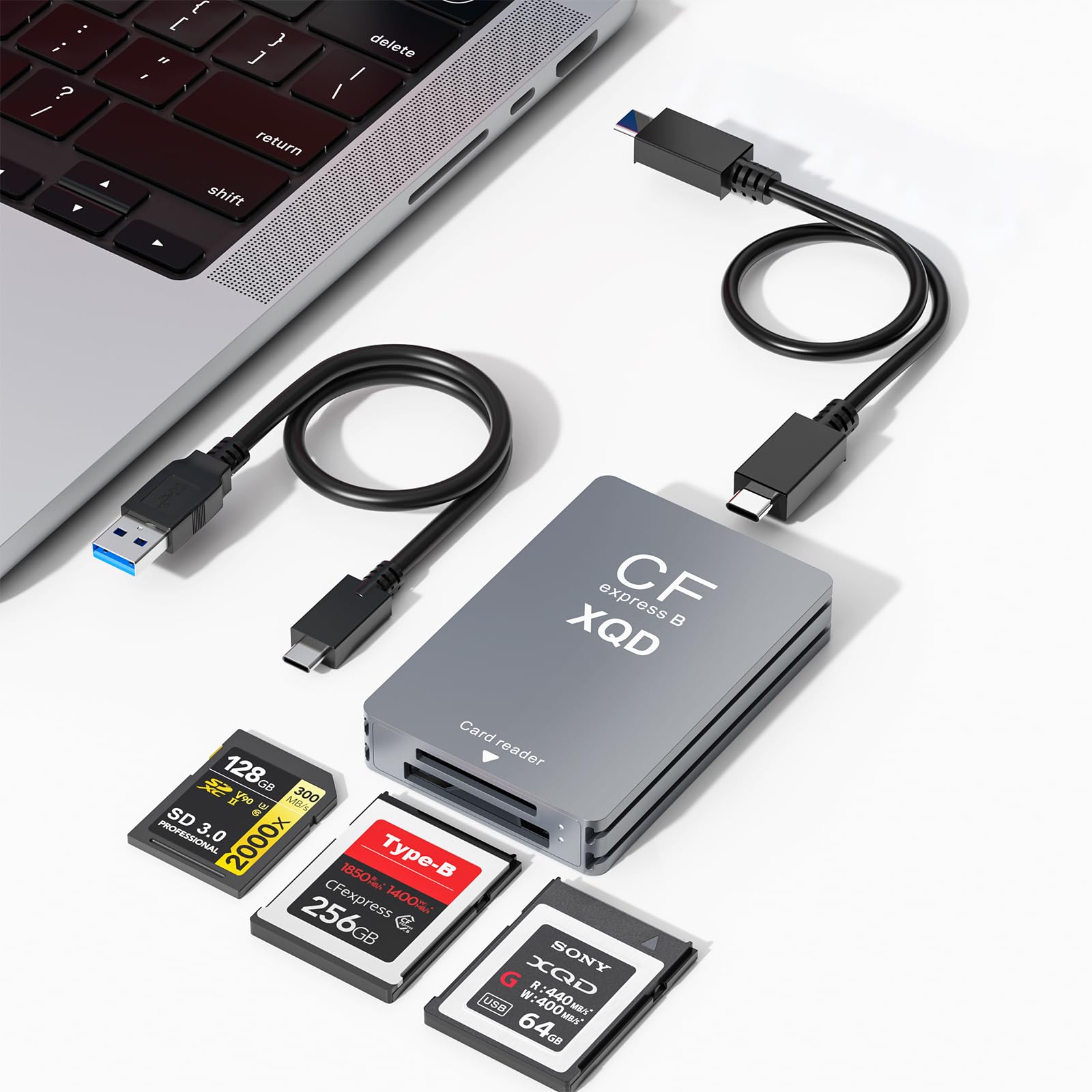
9 Best CFexpress Card Reader of 2026: Match Speed to Your Cards

Find a CFexpress reader that actually matches your camera's card format and your computer's port speed, without overpaying for bandwidth you cannot use.

A CFexpress card reader should be the fastest part of your offload workflow. In practice, the speed printed on the box is only half the story: the card format inside your camera and the port on your laptop decide whether you actually get 10Gbps, 40Gbps, or something far slower.

Heat is the category's quiet catch. High-speed readers pull enough power to run warm during sustained transfers, and some stay warm even when idle. That is not a reason to avoid them, but it is a reason to choose a reader that handles thermals without stalling mid-offload.

The right reader matches the card you shoot and the port you already own. Those two factors matter more than any other specification.

1

Best Overall

BENFEI CFexpress Type B

90 /100
Studio Score High Confidence

Key details

Slots
1
Interface
USB 3.2 Gen 2
Cable Design
Captive 2-in-1 USB-C/USB-A
Card Formats
CFexpress Type B
Check Price on Amazon

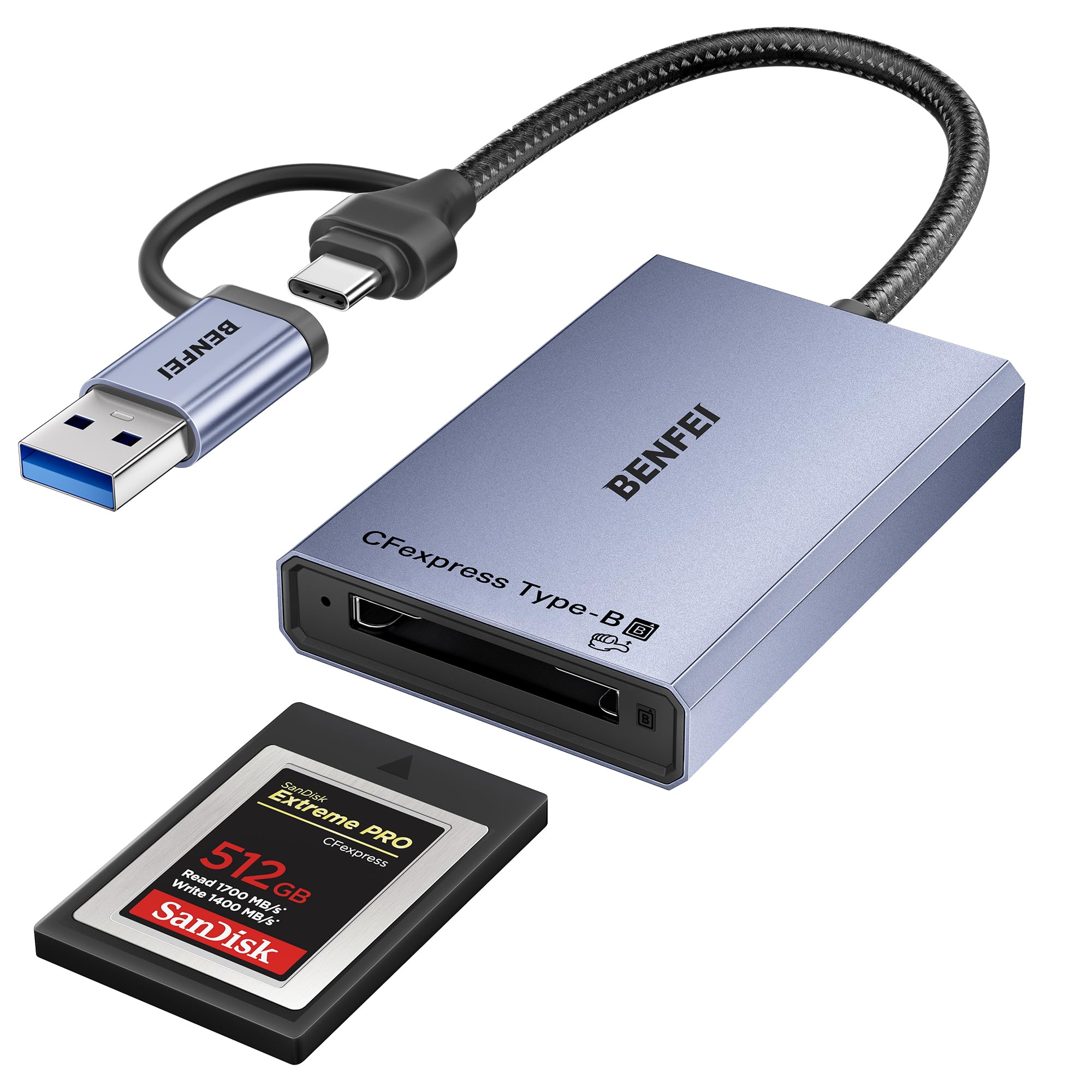
The BENFEI CFexpress Type B reader delivers the full USB 3.2 Gen 2 10Gbps rate, so a full card of compressed raw files moves to a current laptop in seconds rather than minutes. It works as a class-compliant device on Windows, macOS, Linux, and Android, which removes the driver-hunting step before a shoot. The dual USB-C and USB-A connectors also cover a modern USB-C laptop and an older USB-A desktop without carrying a separate adapter.

The two-in-one cable and compact aluminum body make this an easy item to keep in a gear pouch alongside cards and batteries. Build quality reads denser than the price suggests, and the 18-month warranty is a useful buffer at this budget tier, covering more than the standard 12-month window. This extra coverage suits a reader that gets packed and unpacked between jobs.

This is a Type B-only reader, so SD, XQD, and CFexpress Type A shooters will need a different device. For photographers who already own a primary dock, however, it works well as a travel or backup reader. Host compatibility and long-term durability can vary between units, which is why the secondary-role advice matters more than the low price tag. A photographer who offloads cards for hours every day should plan on a more expensive primary reader instead.

The 10Gbps ceiling suits typical CFexpress Type B cards and matches the practical limits of a USB connection. If you shoot CFexpress 4.0 and work on a USB4 or Thunderbolt machine, a faster USB4 reader will cut offload time noticeably, but it will also cost several times more. For everyone else, the BENFEI simply avoids paying for bandwidth the host cannot use.

On location, the USB-C end plugs into an Android phone or tablet for quick backups, while a tethered workstation can use the USB-A end. No adapter means one less item to forget on a shoot.

Pros

  • Full 10Gbps offloads keep large CFexpress Type B transfers short.
  • Plug-and-play operation is smooth on current Windows and macOS builds.
  • Aluminum body gives the reader a dense, travel-friendly feel.
  • Dual USB-C/USB-A connectors work with modern and older hosts without an adapter.

Cons

  • The attached cable is short for towers that sit under a desk.
  • Card seating can be inconsistent; a card may eject unexpectedly or feel tight to seat.
Our verdict

The BENFEI covers fast Type B offloads, dual connectors, and warranty coverage at a price that leaves room for a better primary dock.

Check Latest Price
2

Fastest for USB4 Workflows

OWC Atlas USB4 CFB

87 /100
Studio Score Strong Evidence

Key details

Slots
1
Interface
USB4 40Gbps
Cable Design
Included USB4 cable
Card Formats
CFexpress Type B
Check Price on Amazon

OWC Atlas runs at 40Gbps and posts close-to-published speeds when paired with CFexpress 4.0 media, making it the fastest option here for moving large RAW and 8K files. Plug-and-play behavior on both Mac and PC means no driver installs or repeated reconnects during a long offload.

The Atlas is for USB4/Thunderbolt shooters who offload big CFexpress Type B workloads daily and want the transfer itself to take as little time as possible. Full 40Gbps appears only when the host is USB4/Thunderbolt and the card is CFexpress 4.0.

The fanless, bus-powered body stays composed during sustained transfers, and the bundled USB4 cable has a more solid feel than the thin cords included with entry-level readers. Hybrid shooters juggling SD alongside Type B will still need a second reader.

Pros

  • Delivers close-to-published 40Gbps speeds with CFexpress 4.0 cards.
  • Plug-and-play on Mac and PC with no connection issues.
  • Fanless, bus-powered body runs cool during long offloads.

Cons

  • Single-slot format requires manual card swaps during multi-card shoots.
  • Older USB-C ports cap transfers at USB 3.x rates, leaving the 40Gbps bandwidth unused.
Our verdict

Paired with a CFexpress 4.0 card on a USB4/Thunderbolt laptop, this reader keeps offload time to a minimum without thermal babysitting.

Check Latest Price
3

Best Dual-Slot Value

Lexar RW520 CFB/SD

85 /100
Studio Score Strong Evidence

Key details

Slots
2
Interface
USB 3.2 Gen 2
Cable Design
Captive USB-C with USB-A adapter
Card Formats
CFexpress Type B, SD
Check Price on Amazon

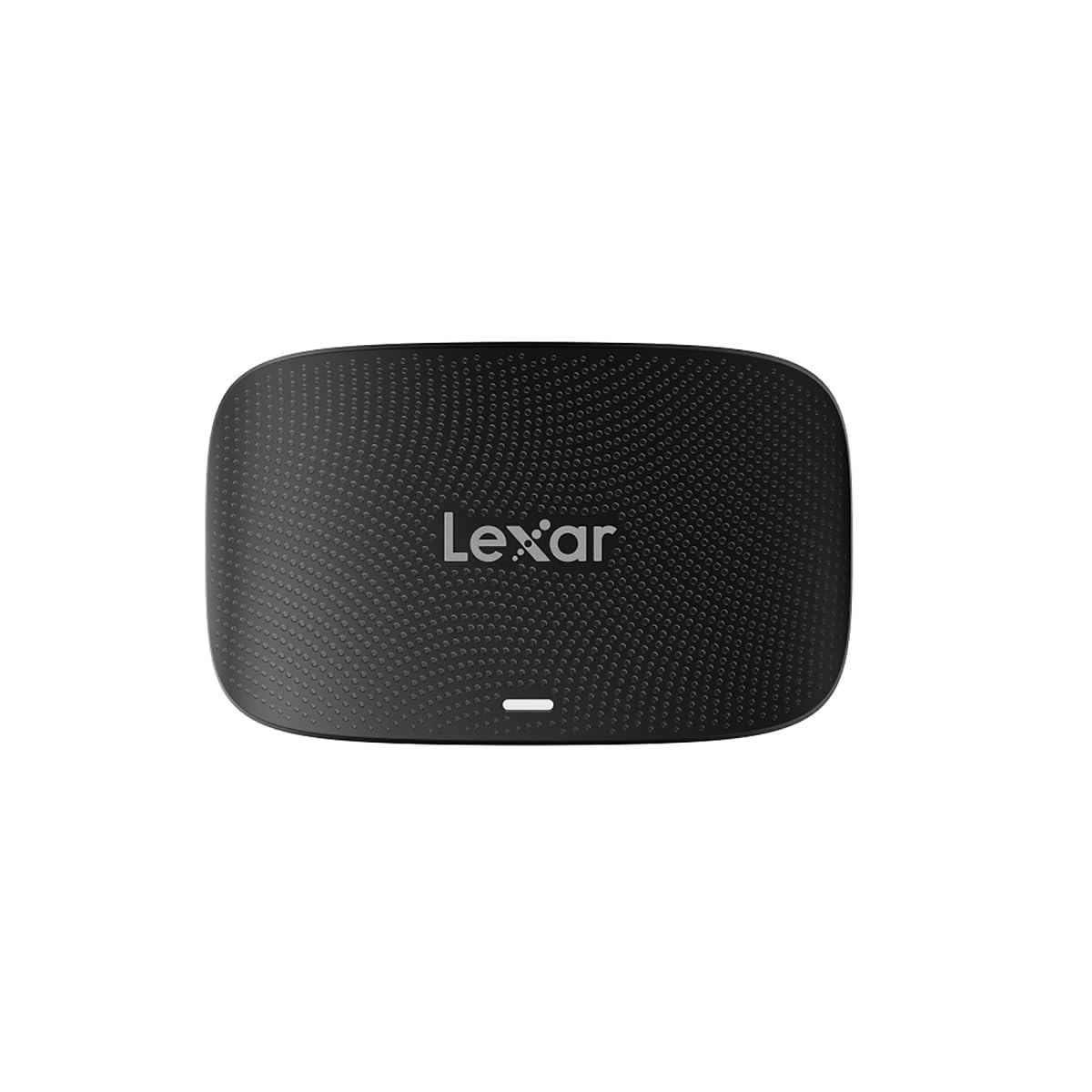
The Lexar RW520 pairs a USB 3.2 Gen 2 interface with CFexpress Type B and SD slots, so a hybrid shooter can offload both formats without carrying a second reader. It reaches the 10Gbps ceiling for Type B transfers, and SD UHS-I cards read at full speed in the second slot. The compact footprint suits a field kit, and the dual-slot layout covers the two card types a hybrid shooter is likely to carry.

Build quality punches above the price point: the reader feels solid on a desk and handles normal travel in a camera bag without issue. The card slots grip media firmly, with no wobble during insertion or removal. It undercuts the premium dual-slot option in this category without losing the two-slot layout, and it is genuinely plug-and-play on current operating systems.

This is for hybrid shooters who carry both CFexpress Type B and SD cards and want one reader rather than two. Sony Type A workflows need a dedicated reader, and the RW520 is better matched to short, focused offload sessions than to all-day tethered transfers. Some units run hot, and the bundled cable is the safest option for host recognition on certain systems.

Pros

  • Two-slot offloads for CFexpress Type B and SD cards in one compact reader.
  • Plug-and-play setup from a portable body that needs no extra software.
  • Sturdy construction gives the reader a solid feel on a desk and in transit.

Cons

  • Computer recognition can be inconsistent; a replug is sometimes needed before the reader shows up.
  • Long-term durability can vary; occasional units may stop recognizing cards or show card/plastic damage.
Our verdict

For a hybrid kit built around CFexpress Type B and SD, the RW520 delivers practical dual-slot speed without a premium outlay; Sony Type A workflows are better served by a dedicated Type A reader.

Check Latest Price
4

Premium Dual-Slot for Pros

ProGrade PG05.5 CFB/SD

90 /100
Studio Score High Confidence

Key details

Slots
2
Interface
USB 3.2 Gen 2
Cable Design
Captive USB-C
Card Formats
CFexpress Type B, SD UHS-II
Check Price on Amazon

ProGrade's PG05.5 is a dual-slot reader that treats CFexpress Type B and SD UHS-II as equal citizens. A single USB 3.2 Gen 2 connection carries both formats at 10Gbps, so full-card offloads are bounded by card speed rather than the reader. The magnetic mount is the differentiator: the reader clicks onto the included metal plate and stays put on a cart, tripod leg, or van shelf.

Offload throughput holds up in mixed-card shoots. A 200GB CFexpress card can clear in under seven minutes, and SD UHS-II cards move at the same connection speed without needing a second reader. The dual-slot layout also means there is no swapping readers between stills and video bodies. That makes the PG05.5 a practical one-cable kit for shooters who pair a CFexpress Type B body with an SD UHS-II backup.

This is a field-first tool for working photographers and videographers who need to hand cards off quickly on location. The aluminum body feels substantial in hand, and the magnetic plate turns a gear shelf into a dock. The honest tradeoff is thermal and long-term behavior: sustained transfers can make the housing hot, and long-term durability can vary between units. The value case depends on regular use of both slots and the magnetic plate; a single-format reader costs less for those who do not need them.

💡 Unplug the reader between offloads so the housing can cool; it is built for bursts, not a powered desktop dock.

Pros

  • Dual-slot speed moves CFexpress Type B and SD UHS-II cards on one cable.
  • Magnetic plate holds the reader securely on metal surfaces for one-hand card swaps.
  • Aluminum body feels solid and stable in a field kit.
  • Compatibility covers CFexpress Type B and SD UHS-II without adapters.

Cons

  • Sustained transfers warm the housing noticeably; short burst offloads work better.
  • Long-term durability can vary between units, so the two-year warranty matters.
Our verdict

A premium dual-slot reader for CFexpress Type B + SD shooters who need fast field offloads and magnetic mount convenience.

Check Latest Price
5

Best Budget Type A

BENFEI CFexpress Type A

85 /100
Studio Score Strong Evidence

Key details

Slots
1
Interface
USB 3.2 Gen 2
Cable Design
Captive 2-in-1 USB-C/USB-A
Card Formats
CFexpress Type A
Check Price on Amazon

BENFEI's Type A reader is the dedicated budget route for Sony shooters who need 10Gbps CFexpress offloads without buying into a dual-slot or SD-compatible enclosure. The 2-in-1 USB-C/USB-A connectors cover current MacBooks and older desktops on the same body, and the 18-month warranty adds a low-cost safety net at this price tier.

Offload speed depends on the card and host port; on a USB 3.2 Gen 2 connection, large batches move well ahead of what the camera's USB port can manage. Mac and Windows machines recognize the reader without extra software, which keeps the workflow simple for photographers jumping between systems. The USB-A connector matters in the field: many workstations and older desktops still lack USB-C, so the dual arrangement removes an extra dongle.

This is the right fit for a Sony shooter who carries CFexpress Type A only and wants a low-cost pipe for dumping cards in the field. Heat and connection stability vary between units: some copies run hot during sustained transfers, and occasional disconnect/reconnect loops have been noted. Treat it as an affordable secondary reader instead of a mission-critical daily driver; SD and Type B hybrids need a second device anyway.

💡 Set the reader on a hard surface for large card dumps and give it a minute to cool between batches.

Pros

  • Consistent Type A offloads on Mac and Windows without driver installs.
  • 10Gbps transfer speed moves large card batches well ahead of camera USB offloads.
  • Solid build and low entry price make it an easy spare-reader addition to a Sony kit.

Cons

  • Some units run hot during large transfers, so shorter offloads are the safer rhythm.
  • Occasional disconnect/reconnect loops can interrupt a card dump on certain hosts.
  • Durability can vary between units; rare cases of a reader no longer being recognized after months have been noted.
Our verdict

For a Type A-only Sony kit that needs a budget-friendly 10Gbps pipe, this reader is the value pick. Keep it as a secondary field reader and pair it with a dual-slot model if your workflow also touches SD.

Check Latest Price
6

Best for XQD-To-CFexpress Transition

Opluz CFB/XQD/SD 3-in-1

89 /100
Studio Score Strong Evidence

Key details

Slots
2
Interface
USB 3.2 Gen 2
Cable Design
Detachable USB-C + USB-A cables
Card Formats
CFexpress Type B, XQD, SD
Check Price on Amazon

One reader covers CFexpress Type B, XQD, and SD at 10Gbps with detachable cables and an 18-month warranty, making it the natural bridge between XQD-era cameras and current Type B bodies. The eight-slot hub in this guide casts a wider net, but this reader stays compact by covering only the formats that matter for that transition.

Buyers on the XQD-to-CFexpress Type B path — a D850 or D500 shooter adding a Z8 or Z9, for example — get one device that accepts old XQD cards and new Type B cards while SD remains available for a second slot. That fits event and wedding work where both card families show up on the same job. Sony Type A shooters need a dedicated Type A reader; full-time daily professional use sits beyond what this product's durability profile has demonstrated.

RAW files open without extra software, and the build quality holds up for regular location work. The two-slot layout keeps the footprint small in a camera bag, while a damaged cord can be replaced without retiring the reader. The included USB-A cable also keeps an older laptop in the workflow without an adapter.

Pros

  • CFexpress Type B, XQD, and SD in one compact reader body.
  • Build quality holds up for regular location work.
  • RAW files open without extra software or driver setup.

Cons

  • A 10Gbps ceiling holds CFexpress 4.0 cards to USB 3.2 Gen 2 speeds, even on USB4 hosts.
  • The XQD and CFexpress Type B slot is shared, so those two formats cannot transfer simultaneously.
Our verdict

This is the most direct 10Gbps bridge for shooters carrying XQD and CFexpress Type B together, with SD support still in the same compact reader.

Check Latest Price
7

Budget USB4 Type B Users

Sabrent USB4 CR-U4XB

82 /100
Studio Score Strong Evidence

Key details

Slots
1
Interface
USB4 40Gbps
Cable Design
Detachable USB-C
Card Formats
CFexpress Type B
Check Price on Amazon

It moves large Nikon Z9/Z8 files at USB4-class speeds and undercuts the OWC flagship on price, with a detachable USB-C cable that makes packing easier. It runs on both Mac and Windows without platform friction. The reason it sits below the OWC flagship is thermal behavior: leaving it powered can create enough chassis heat that unplugging after a session is the practical default. That tradeoff is manageable for a CFexpress Type B shooter who wants near-max offload speed without paying flagship pricing.

Pros

  • Moves Nikon Z9/Z8 and large-file offloads at USB4-class speed for less than the OWC flagship.
  • Works across Mac and Windows with a detachable USB-C cable that is easier to pack and replace.

Cons

  • Type B-only reader leaves Sony Type A shooters and SD-card users needing a second device.
  • Peak throughput requires a USB4/Thunderbolt host and CFexpress 4.0 cards; older cards settle into USB 3.2-class transfer.
Our verdict

For a Nikon or Canon CFexpress Type B shooter on a USB4/Thunderbolt host, this is the cost-effective way to get near-flagship offload speed without the OWC premium.

Check Latest Price
8

Sony Type A + SD Shooters

Lexar RW530 CF-A/SD

86 /100
Studio Score Strong Evidence

Key details

Slots
2
Interface
USB 3.2 Gen 2
Cable Design
Captive USB-C
Card Formats
CFexpress Type A, SD UHS-II
Check Price on Amazon

This dual-slot reader pairs CFexpress Type A with SD UHS-II support in a compact, solidly built body. Type A transfers reach up to 900MB/s over USB 3.2 Gen 2, while SD UHS-II cards move at speeds that clear large photo sets without forcing a long wait. The mid-range price keeps the convenience of two formats from carrying a premium price.

Heat during large transfers and occasional unit-to-unit inconsistency weaken the value story. Long offloads warm the reader and the card inside, so anyone who regularly dumps hundreds of gigabytes at once or worries about heat reaching pricey Type A media will feel the boundary. That, plus the need to confirm a specific card is recognized before a paid job, keeps this below the dedicated Type A pick as the default Sony option. For shooters who want one travel reader for Type A and SD UHS-II, the tradeoff is manageable when large sessions are broken into smaller ones.

Pros

  • Large photo transfers from Type A and SD UHS-II cards finish quickly over a 10Gbps link.
  • Compact, solid body slides into a camera bag without adding bulk.
  • One reader covers both CFexpress Type A and SD UHS-II, simplifying a Sony kit.

Cons

  • Sustained transfers can heat the reader and the card inside, so large backup sessions need monitoring.
  • Unit-to-unit behavior can vary, with some cards not recognized on the first connection.
Our verdict

For Sony shooters who want a single compact reader for Type A and SD UHS-II, this fits well as long as large offloads stay moderate and each new card gets a test run before a paid job.

Check Latest Price
9

Multi-Format Studio Workflows

Rytaki Pro 8-Slot Hub

84 /100
Studio Score Strong Evidence

Key details

Slots
8
Interface
USB 3.2 Gen 2
Cable Design
Captive 2-in-1 USB-A/USB-C
Card Formats
CFB, CFA, XQD, SD, TF, etc.
Check Price on Amazon

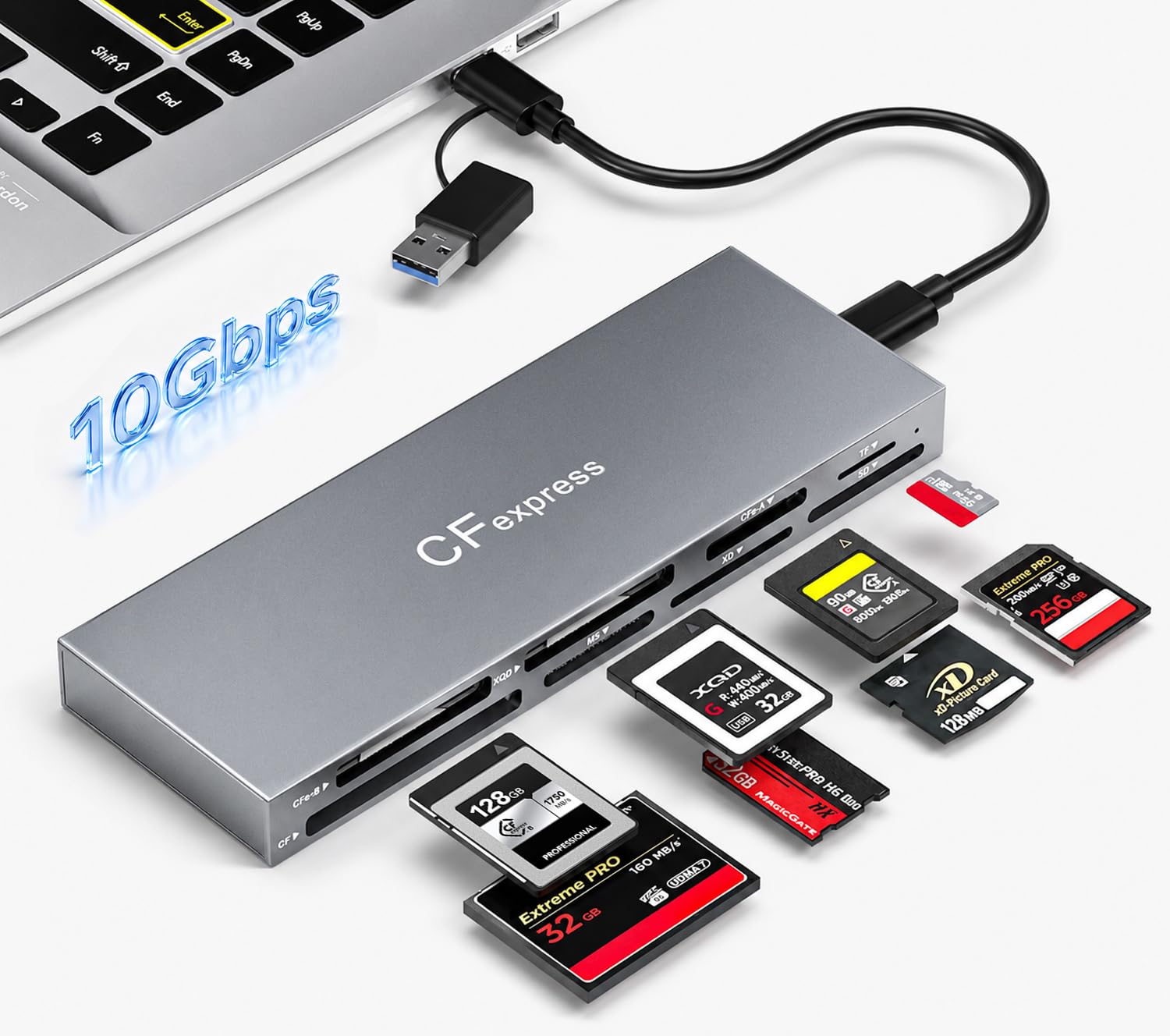
The Rytaki Pro reads CFexpress Type B/A, XQD, SD, TF, MS, XD, and CF from a single aluminum hub, so a photographer juggling a CFexpress body and legacy cards can offload everything without carrying separate adapters. The included 2-in-1 USB-A/USB-C cable removes the host-connector guess. For those who need that reach, it collapses a drawer of adapters into one box. The practical boundary is format scope: it only makes sense for a workflow that genuinely needs several card types on one connection.

Pros

  • Eight slots read CFexpress Type B/A plus legacy formats through one USB 3.2 Gen 2 connection.
  • Aluminum alloy chassis holds up on a studio desk or in a field kit.

Cons

  • For a CFexpress-only kit, the eight-slot hub costs more than a dedicated reader.
  • All slots share one 10Gbps link, so simultaneous offloads are capped by the bus, not the cards.
Our verdict

Keep this hub on the desk when the card ladder spans CFexpress and legacy formats; it earns its space in a multi-card workflow.

Check Latest Price

How to Choose

Card Format Support

CFexpress Type B and Type A are physically different. Type B is roughly the size of an XQD card and is used by Nikon, Canon, and Fujifilm bodies, while Type A is smaller and used by Sony. A Type B slot will not accept a Type A card, and vice versa.

If you also carry SD UHS-II cards, a dual-slot reader saves you from carrying a second reader. The trade-off is that dual-slot readers are usually larger and cost more than single-format models.

USB Interface and Real-World Speed

USB 3.2 Gen 2 tops out at 10Gbps, which is enough to saturate most CFexpress 2.0 cards. USB4 jumps to 40Gbps, but only if your computer has a USB4 or Thunderbolt port and your card is a CFexpress 4.0 model. On an older USB-C port, a USB4 reader simply runs at USB 3.x speeds.

Check your camera's card generation before paying for USB4. If you shoot CFexpress 2.0 cards, a 10Gbps reader costs less and gives you nearly the same offload time.

Number of Slots

A single-slot reader is smaller and cheaper, but it cannot offload two cards at once. A dual-slot reader lets you copy a CFexpress card while ingesting an SD card, which matters for event shooters and hybrid photo/video workflows.

If you only ever use one card format, single-slot is the simpler choice. If you juggle two formats throughout a shoot day, the extra slot is worth the price and bulk.

Cable and Connector Design

Some readers have a captive cable, which keeps the connector from being lost but can be short for desktop setups. Others use a detachable cable, so you can swap in a longer or higher-quality USB-C cable when needed.

The connector matters too. A reader with both USB-C and USB-A gives you flexibility across laptops, desktops, and older hubs. Some readers are picky about cables, so a detachable design is safer for long-term use.

Thermal Behavior

High-speed readers generate heat during sustained transfers. Aluminum shells conduct that heat to the outside, which makes the reader feel hot but actually helps cool the card and controller. Plastic-shell readers may feel cooler but can retain heat internally.

If you regularly offload 200GB or more in one sitting, look for a reader with a solid thermal reputation. Expect the case to be warm afterward — that is not necessarily a defect, but a reader that stalls or disconnects under load is a problem.

Frequently Asked Questions