8 Best Slide Viewer of 2026: Find 3X Models That Eject Smoothly

Best slide viewer picks for sorting 35mm slides: bright 3X models that eject warped mounts without sticking, plus portable 2X options for casual sharing.

Many illuminated slide viewers share the same few body designs, and every listing promises a bright screen and easy ejection. The real differences show up after a few boxes: which one clears warped cardboard mounts cleanly, which one keeps faces readable at arm's reach, and which one still works when the batteries start to sag.

The useful choices come down to magnification, power flexibility, and the slide path. A 3X desktop model with a sliding tray and USB backup suits a pile of old slides; a 2X handheld with instant pressure activation fits casual sharing at a table. Pick the viewer that matches how you actually sort and view your collection.

If you plan to preview negatives, know that an optical viewer shows them as negatives, not positive prints. That distinction matters more than brand names, because near-identical models perform differently once slides are in hand.

1

Best Overall

DIGITNOW 3X Slide Viewer

89 /100
Studio Score Strong Evidence

Key details

Power
USB or 4 AA
Backlight
Daylight LED
Compatibility
2x2 slides, 35mm film
Magnification
3X
Check Price on Amazon

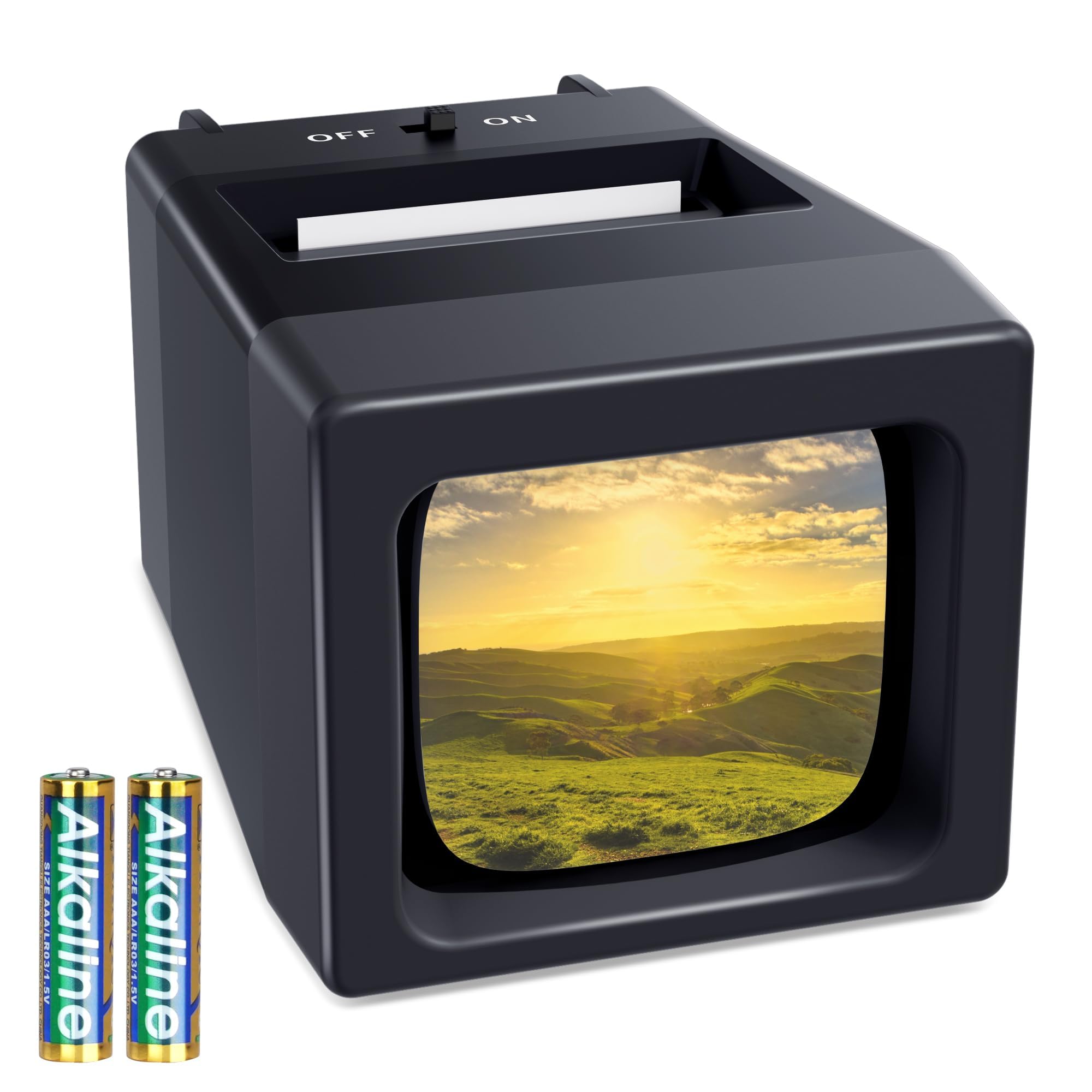
At 3X magnification, the DIGITNOW is bright enough to show focus, exposure, and surface dirt on a mounted slide before you decide whether to keep it. The daylight LED spreads evenly across the viewing window, so a slide doesn't look clear in the center and muddy at the edges. That consistency is what makes this a sorting tool rather than a novelty viewer. The 3X level is a practical middle ground: enough detail to make keep-or-discard calls without needing a loupe or a separate light table.

The sliding tray sets the rhythm: load a 2x2 mount, push it under the lens, trigger the eject button, and move on. That cycle is fast enough for a high-volume session, where the goal is deciding quickly which slides are worth scanning or re-taking. USB power handles a long afternoon at a desk, while the included AA batteries let you move the setup to a table without a cord. The dual-power layout also means there is no charging wait; batteries work, USB works, and both are ready when you need them.

This is the viewer for a grandparent, family historian, or archivist going through old slide trays at a table. It is not a scanner; its job is to make mounted slides easy to look at before deciding what to keep or scan. The controls are minimal enough that a family member can pick it up without a manual.

Slides in good condition pass through the tray cleanly. The honest tradeoff is that a warped or bent cardboard mount can resist ejection; standard mounts don't need intervention, but damaged ones can slow you down.

At a mid-range price, this avoids the usual category compromises: the backlight is strong enough for a bright image, the power options cover both outlet and battery use, and the controls stay focused on the sorting task. Buyers comparing similar 3X desktop viewers are really choosing between tray smoothness and backlight behavior, and this one handles both well. For a family memory session, it works as a low-key display: load a slide, pass the viewer around, and move to the next one. It won't replace a scanner, but it will cut down the time you spend in front of one.

๐Ÿ’ก If a slide catches on ejection, hold the eject button and ease the mount out from the top; tweezers help with badly bent mounts.

Pros

  • Bright 3X view shows focus and exposure clearly when sorting slides.
  • Sturdy build and controls hold up through repeated tray loading.
  • Sliding tray moves through mounted slides quickly for high-volume review.
  • Dual USB/AA power works for long desk sessions and outlet-free tables.
  • Mid-range price delivers the optical and power features that matter most.

Cons

  • Requires a tabletop surface, so it won't work as a pocket-size travel viewer.
  • Color negatives appear without inversion, leaving final-color preview to a scanner or editing tool.
  • Warped or bent slide mounts can resist ejection and need a gentle assist.
Our verdict

For tabletop slide sorting, this is the practical choice: bright 3X optics, dual power, and a tray that keeps the process moving.

Check Latest Price
2

Best Value 3X

DigitConvert 3X Slide Viewer

87 /100
Studio Score Strong Evidence

Key details

Power
USB or 4 AA
Backlight
Daylight LED
Compatibility
2x2 slides, 35mm film
Magnification
3X
Check Price on Amazon

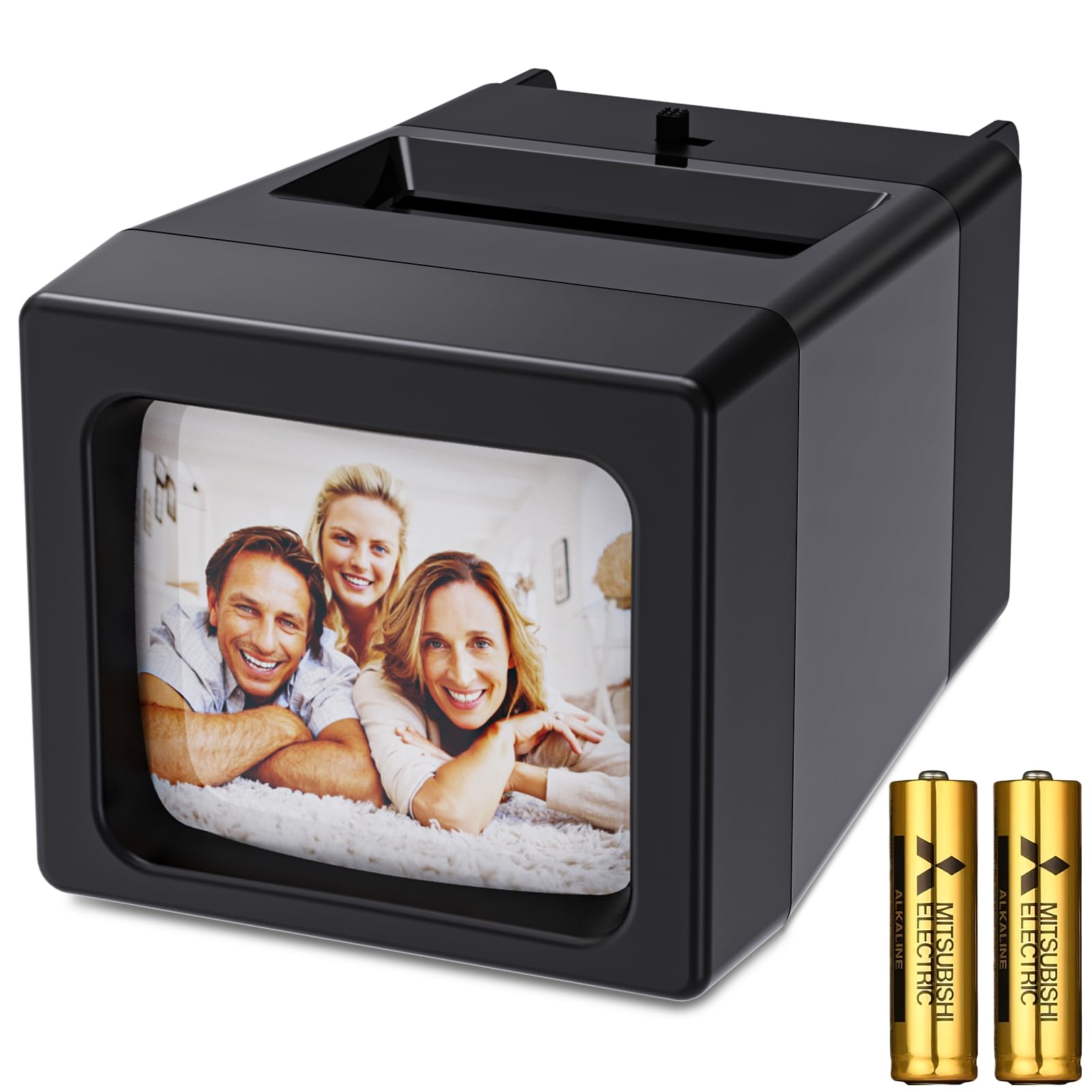
The DigitConvert 3X viewer delivers a full-size desktop slide-sorting experience comparable to the top overall pick: 3X daylight LED magnification, a sliding tray, and clear viewing for 2x2 mounted slides and 35mm film. The USB cable and four AA batteries are in the box, so the first sorting session starts without extra purchases. It also undercuts the top overall pick on price while keeping the 3X magnification and power flexibility.

The LED backlight is bright enough to judge exposure and sharpness, and the 3X lens brings out grain and mount details in a way a flat light pad cannot. The quick-eject button advances slides with a single motion, and the dual power setup works at a desk or near an outlet.

This is the value pick for slide sorters who want the familiar M203-style 3X layout at a lower price. It fits buyers sorting 2x2 mounted slides and 35mm film before digitizing, and it works best when the discard tray is cleared as you go. The slide release can hang if that tray is overfilled, so keeping the exit path open is part of the sorting routine.

Pros

  • Complete power kit in the box, so the viewer is ready for the first slide.
  • Setup and operation are simple enough for a first-time slide sorter.
  • Bright 3X lens and daylight LED make slide colors, grain, and exposure easy to assess.
  • Build quality comes across as above its budget price.

Cons

  • Full-size body needs a table, so it is not a pocket travel viewer.
Our verdict

The value route into the M203-style 3X slide sorter: full power kit, bright LED, and a lower price than the top overall pick.

Check Latest Price
3

Best Handheld/Portable

Porta Slide PS-E2 Handheld

85 /100
Studio Score Strong Evidence

Key details

Power
2 AA, not included
Backlight
Pressure-activated LED
Compatibility
2x2, 35mm mounted slides
Magnification
2X
Check Price on Amazon

The Porta Slide PS-E2 is a palm-size, pressure-activated viewer for mounted 2x2 slides, made in Europe and powered by two AA batteries. It is light enough to hold one-handed on a table or in transit, and the 3.5-inch screen keeps the package cord-free. For casual sharing, this is the low-fuss portable in the lineup.

Slides placed in the viewer show enough color and brightness to identify faces, locations, and event details. The pressure-activated LED gives usable illumination without hunting for a separate switch, and the included microfiber cloth keeps the screen dust-free. This is an honest viewer for short sessions, not a substitute for a larger backlit surface.

Two AA batteries are not included, so the first viewing session starts with a fresh pair. Once powered, the viewer works without setup: slide in, look, set aside. Battery-only operation has a travel benefit: there is no cord or charging dock to pack.

This is for sharing a handful of slides on a tabletop or carrying a viewer on a trip, not for high-volume sorting or 3X inspection. At 2X, a 35mm frame stays close to its original slide size, and the viewing window is not much larger than the mount. Buyers expecting a large magnified picture should look at the desktop 3X viewers.

๐Ÿ’ก Use the included microfiber cloth to keep the window dust-free before judging slide sharpness.

Pros

  • One-handed operation makes quick checks easy on a table or in transit.
  • Sits at a budget-friendly price for a simple travel viewer.
  • Slide colors and detail remain easy to judge in ordinary room light.
  • No-frills operation handles basic slide viewing without extra modes.

Cons

  • Two AA batteries are not included, so first use requires a separate purchase.
  • The small 3.5-inch window means no large-picture effect; a 35mm slide stays near actual size.
Our verdict

For travelers and casual tabletop sharing, this battery-powered viewer is a budget-friendly way to see mounted slides without cords or a charging dock.

Check Latest Price
4

Best Budget 2X

DigitPro 2X Slide Viewer

86 /100
Studio Score Strong Evidence

Key details

Power
2 AAA included
Backlight
Daylight LED
Compatibility
2x2 slides, 35mm film
Magnification
2X
Check Price on Amazon

The DigitPro 2X Slide Viewer is a palm-size, one-hand device with included AAA batteries and a daylight LED. It sidesteps the tray and ejection mechanics of the desktop 3X units in this roundup, so loading a mounted slide takes seconds.

The daylight LED is bright enough for casual viewing in normal room light, and the 2X lens presents a mounted slide at close to its original size. That makes it easy to verify the main elements of a frame without hunting for a dark space. There is little to learn: the slide goes in, the light stays on, and the image appears without any setup or calibration.

This is for the traveler or the nostalgic viewer checking a handful of slides, not for someone sorting an entire archive. The 2X magnification and battery-only power limit long sessions; a USB-powered 3X desktop viewer is a better fit when the goal is dense, detailed sorting.

At the entry-level price, the included batteries and daylight LED cover the basics without extra purchases. For a quick look at composition, color, and slide condition, the DigitPro is enough to decide which slides deserve a scanner or projection next. Slides worth a closer look can move to a higher-power viewer later.

Pros

  • Takes seconds to load and view a slide, with no tray or eject lever to fuss with.
  • Bright daylight LED gives a clear, casual-quality view without a dark room.
  • Entry-level price includes batteries and covers basic viewing needs without overspending.

Cons

  • Battery-only operation means no AC/USB option for extended tabletop sorting sessions.
  • The 2X optic is modest for fine-detail inspection; dense negatives will test its limits.
Our verdict

For a few slides on the fly or at the kitchen table, this budget-friendly viewer gives you the bright, simple look you want without investing in a desktop 3X rig.

Check Latest Price
5

Brand-Loyalists' Pick

Kodak 3X Slide Viewer

85 /100
Studio Score Strong Evidence

Key details

Power
Battery, DC cable optional
Backlight
Daylight LED backlit
Compatibility
2x2 slides, 35mm film
Magnification
3X
Check Price on Amazon

The Kodak 3X Slide Viewer separates itself from generic 3X options with dedicated slots for mounted 35mm slides and uncut film strips, plus a daylight LED panel that brings the magnified image into clear view. The body sits comfortably in hand, and the slide slot, film input, and eject button are all positioned for one-handed screening without hunting around the case.

The quick-eject button is easy to reach, and the film input handles uncut negatives without a separate adapter or tray. Battery power keeps the unit portable for travel, while the optional DC cable suits longer tabletop sessions when you do not want to depend on AA cells.

The buyer profile is a Kodak loyalist who wants a familiar brand name for quick checks of a modest stack of well-kept slides in a dimmer room, not an archivist working through thousands of warped or cardboard mounts. The backlight reads as modest in bright light, the ejection path can grab stiff mounts, and the premium price pays for the badge rather than a performance advantage. Quick checks are exactly the job this viewer was built for; the name, rather than raw performance, is what this purchase buys.

๐Ÿ’ก Plug in the optional DC cable for extended sessions so battery level does not get blamed for a dim backlight.

Pros

  • Drop-in slide viewing is clear and simple.
  • Strong overall ability to check mounted slides quickly.
  • 3X magnified image works well for screening.
  • Handy for quick sorting without setup.

Cons

  • Backlight may look dim even with fresh batteries, and the switch can feel flaky.
  • Slides with thick or warped mounts may stick during ejection and need a manual pull.
Our verdict

This is the right buy when the Kodak logo matters as much as the viewing experience and the stack is modest enough to finish in one sitting.

Check Latest Price
6

Budget 3X Buyers

CAMEDAFLX SV-3 3X

82 /100
Studio Score Strong Evidence

Key details

Power
USB or battery
Backlight
Daylight LED
Compatibility
2x2 slides, 35mm film
Magnification
3X
Check Price on Amazon

The CAMEDAFLX SV-3 delivers the standard M203-style 3X slide experience at a budget-friendly price, with a daylight LED and USB/battery power that let you sort mounted slides away from a wall outlet. For buyers working with well-conditioned 2x2 slides, this is a cost-effective way to check focus, dust, and composition before deciding what to scan. The SV-3 trails the top M203-style picks for high-volume or mixed-media workflows, so the price advantage matters most when mounted slides are the main job and occasional film checks are secondary.

Pros

  • 3X magnification and daylight LED make mounted slides easy to inspect.
  • USB or battery power keeps sorting going when the outlet is occupied.
  • The body feels sturdy enough for routine tabletop use at a budget price.

Cons

  • Negative strips display as enlarged negative frames, so film previews cannot be judged as positive images.
  • A warped or oversized slide mount can hang in the eject path and need manual coaxing to clear.
Our verdict

For slide-first sorting on a budget, the SV-3 fits; choose the top M203-style picks if film negatives are a regular part of the workflow.

Check Latest Price
7

USB Slide Screening

DGODRT 3X USB Viewer

84 /100
Studio Score Strong Evidence

Key details

Power
USB included, battery optional
Backlight
LED backlight
Compatibility
2x2 slides, 35mm film
Magnification
3X
Check Price on Amazon

The DGODRT 3X USB Viewer pairs a genuine glass lens with an LED backlight and 3X magnification, so well-mounted 35mm slides look clear on a small desktop screen. USB power keeps it ready next to a computer or powered hub, and the single slide slot makes quick screening simple.

Slide ejection can hang on warped or thick cardboard mounts, sometimes requiring a gentle nudge to clear the path. Negative preview shows reversed colors, so faces and scenes are hard to recognize. That pair of limits keeps it below the desktop 3X leaders for archive-heavy sorting, but for slide-first buyers with standard mounts and a USB port nearby, this is a cost-effective auxiliary viewer.

Pros

  • Clear 3X view with a genuine glass lens and LED backlight suits quick slide sorting.
  • Easy single-slot operation keeps casual screening simple.
  • Cost-effective 3X viewing with USB power for slide-first buyers.

Cons

  • Negative previews show reversed colors, so negative-film checking is limited to composition only.
  • Slide ejection can catch on warped or thick mounts, requiring a nudge to clear the slot.
Our verdict

Fits slide-first casual screening when the slides are flat and a USB port is close; skip it for negative preview or heavily warped archives.

Check Latest Price
8

Spec-Based Budget Buyers

DigitConvert 2X Viewer

87 /100
Studio Score Strong Evidence

Key details

Power
2 AAA included
Backlight
Daylight LED
Compatibility
2x2 slides, 35mm film
Magnification
2X
Check Price on Amazon

The DigitConvert is a palm-size 2X optical viewer: drop a 2x2 mounted slide into the slot, and the daylight LED lights the frame using included AAA batteries. The 2X view is enough for casual checking of 35mm slides and negatives, and the high-strength plastic body fits in a drawer or travel bag. This is a strictly spec-based budget buy โ€” the price matches the magnification, size, and light source, so real-world ejection and brightness behavior is not the basis for this recommendation. It is an also-consider in this lineup; it sits below the 3X value pick on capability and fits casual, single-slide checks.

Pros

  • Included AAA batteries and a daylight LED get the first slide view going without extra purchases.
  • Palm-size high-strength plastic body is easy to handle over a slide box or hand around a table.
  • Accepts 2x2 mounted slides, 35mm films, and negatives for a quick visual check.

Cons

  • 2X magnification keeps the image near original slide size, limiting close inspection of fine detail.
  • The small viewing window makes sorting through a large slide collection slower than a 3X desktop viewer.
Our verdict

Use it when the job is a fast visual confirmation, not when the job is a review session.

Check Latest Price

How to Choose

Magnification

A 2X viewer enlarges a slide just enough for a quick look, but faces stay small and fine text is hard to read. A 3X viewer fills more of the window with the image, which matters when you are deciding whether a slide is sharp enough to keep. For a stack of old family photos, 3X cuts down squinting and speeds up sorting.

The trade-off is size: the stronger lens and larger backlight make 3X units heavier and more tabletop-oriented. A 2X handheld fits in a bag and works for a nostalgic moment at the dinner table, but it will leave you wanting more magnification for serious archive work.

Power

Battery-only viewers are easy to move around, but brightness drops as the cells drain, and the light can look weak halfway through a session. USB/battery models keep the LED consistent when plugged in, and they still work on fresh batteries away from a desk.

The hidden cost of USB flexibility is cord dependency: if you choose a USB-only design, you need a port nearby for long sessions. A dual-power viewer avoids that by giving you both options, which is why it suits high-volume sorting better.

Eject Mechanism

The most common frustration in this category is a slide that sticks on the way out. Warped or cardboard mounts catch on the edge of the eject slot, and forcing them can bend the mount and make the next slide worse.

Look for a sliding tray with a dedicated eject button and enough clearance around the exit. Insert slides one at a time, and if a mount is visibly curled, ease it out instead of pushing it through.

Backlight

Backlights are described the same way on every listing, but actual panels differ in brightness and evenness. A weak LED makes dense slides look muddy, and an uneven panel leaves bright edges that distract from the image. Daylight LEDs are consistently brighter than older bulb designs.

The trade-off is power draw: a brighter backlight drains batteries faster, which makes USB power valuable in longer sessions. If most of your viewing happens near a desk, a plugged-in viewer keeps the light stable from the first slide to the last.

Compatibility

Most viewers accept 2x2 mounted slides and 35mm film strips, but accepting film and showing it usefully are different things. Negatives come through as negatives, with reversed tones and colors, so they cannot serve as positive previews.

If your goal is to check slides, compatibility is simple. If your goal is to read negatives as positives, you need a scanner or a converter with color inversion, not an illuminated optical viewer.

Frequently Asked Questions