8 Best Photo Printers of 2026: Prints That Last, Setup That Works

Find the best photo printer for your actual workflow — from pocket 2x3 stickers to 13x19 portfolio prints — without trading print quality for connectivity or consumable costs.

Most dedicated photo printers now produce prints that look good in a product photo. The differences that surface after a few weeks are wireless pairing, paper feeding, and the price of replacement media. Those factors determine whether a printer becomes a hobby or a drawer ornament.

This guide focuses on the decisions that shape everyday output: matching print size to how you share photos, choosing dye-sub for durability or inkjet for larger sizes, and calculating what a printer really costs after the starter pack runs out.

The right printer depends less on resolution specs and more on which limitations you can live with. A pocket sticker printer and a 13x19 exhibition printer serve different workflows, and each one is a good purchase only when the trade-off fits your habits.

1

Best Overall

Canon SELPHY CP1500

88 /100
Studio Score Strong Evidence

Key details

Connectivity
Wi-Fi, USB, SD
Max Print Size
4 x 6 in
Print Technology
Dye sublimation
Check Price on Amazon

The SELPHY CP1500 prints 4x6 dye-sub photos without a phone: the 3.5-inch LCD handles direct printing from a memory card or a connected Canon camera. Postcard-size prints finish in about 41 seconds, and the dye-sub process lays down a protective overcoat so album and passport prints resist smudging and fingerprints. Wi-Fi, USB, and memory-card input give it more connection paths than the app-only mini printers in this category.

Output stays sharp for everyday keepsakes, and the compact body fits on a desk or moves between rooms without the footprint of an office all-in-one. The built-in screen also makes the printer less dependent on the app, which helps when you just want a quick print. At about 16 oz, it is easy to store in a drawer or carry to a family gathering.

This is for home users who want a dedicated 4x6 printer for albums, wedding table prints, passport photos, and gift prints. Canon camera owners can print directly over Wi-Fi, and the memory card slot covers phone-less workflows. The SELPHY does not replace a desktop all-in-one; it is a photo-only companion. If 5x7 or larger prints are the goal, this isn't the machine.

Compared with pocket Zink printers, this one produces standard 4x6 prints rather than 2x3 stickers, and the protective overcoat is closer to a conventional photo finish. It also skips document printing entirely, which keeps the workflow focused on photos rather than office tasks.

The tradeoff sits in setup expectations, not the print engine. Wireless connection can drop and replacement paper and ribbon are separate purchases, so the USB and memory-card fallbacks plus a media budget are part of owning it. For a single-purpose 4x6 printer, that is a boundary rather than a reason to avoid it.

Pros

  • Sharp dye-sub prints with a protective coat that resists smudging.
  • Simple setup and app control for home users.
  • 4x6 postcard prints finish in about 41 seconds.
  • Compact body moves between rooms or stores easily.
  • Overall output stays consistent for everyday keepsakes.

Cons

  • Color balance can lean green or washed out on certain paper and profile settings.
  • No battery in the box, so portable printing needs an AC outlet.
Our verdict

The right compact 4x6 printer for home users who want phone-free album and passport printing, with the LCD and dye-sub output carrying the value.
Check Latest Price
2

Best Value 4X6 Bundle

Liene M100 4x6

89 /100
Studio Score Strong Evidence

Key details

Connectivity
Wi-Fi hotspot, USB-C
Max Print Size
4 x 6 in
Print Technology
Thermal dye sublimation
Check Price on Amazon

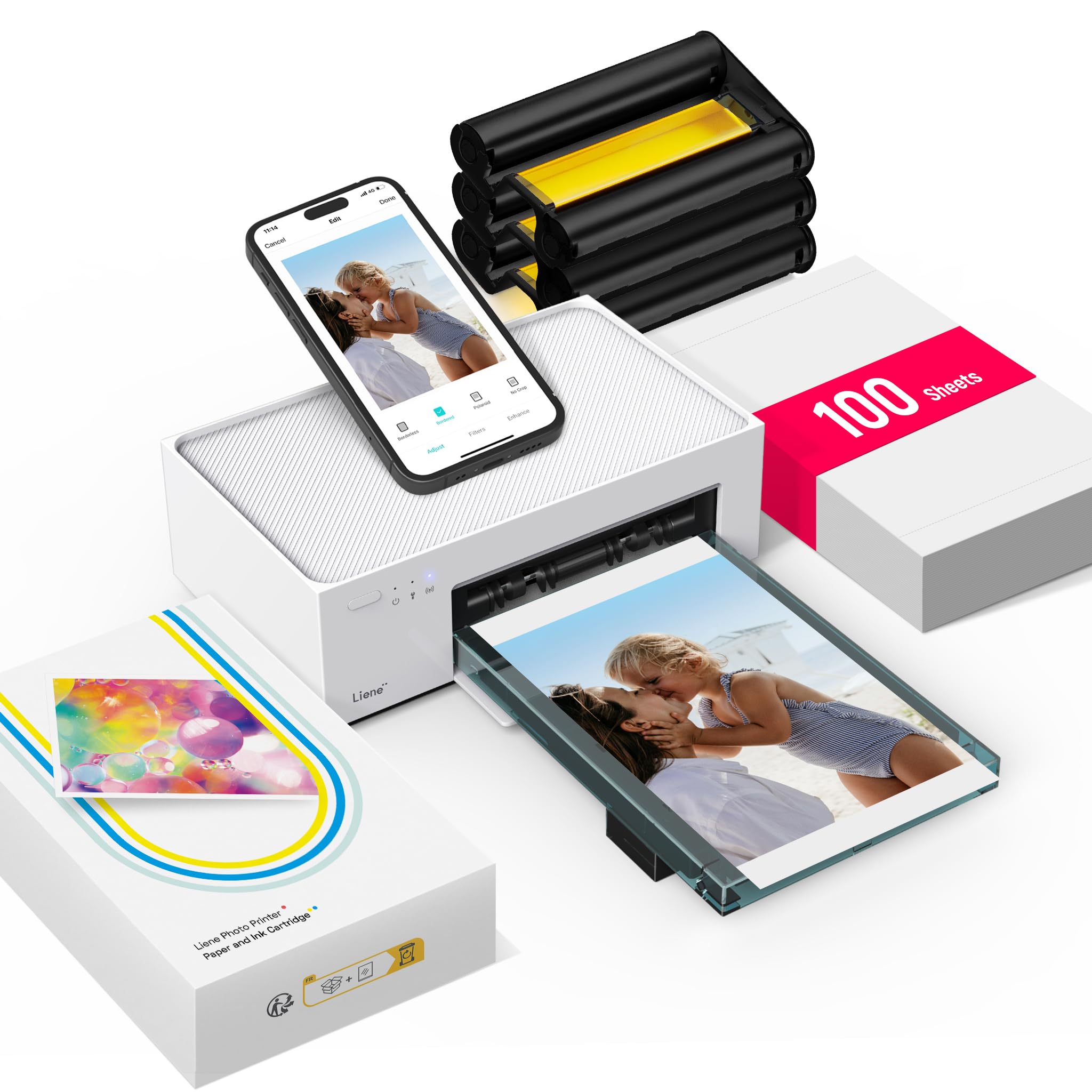
The M100's strongest opening argument is its complete 4x6 kit: 100 sheets and three color cartridges in the box, so the per-print cost is obvious before the first refill. The top pick in this category counters with a built-in LCD and more predictable behavior, but the Liene gets a new buyer to finished prints sooner with less initial shopping.

Dye-sub output is vivid and clear, with color that reads as lab-processed rather than typical home inkjet. The companion app handles photo selection and simple edits cleanly, and a 4x6 print is generally done in about two minutes.

This is for families and casual photo-keepers who want a complete starter package and are comfortable running the whole workflow from a phone. Wi-Fi setup and unit-to-unit consistency vary between units, so it is not a daily high-volume printer; the bundled media makes it a strong value for short-burst sessions.

💡 If the first wireless connection drops, switch to USB-C for that session and re-pair before the next batch.

Pros

  • Complete starter kit: 100 sheets and three color cartridges in the box, so first-time buyers can print immediately.
  • Photo quality is vivid and clear, with dye-sub output that looks lab-processed rather than inkjet.
  • Companion app handles phone photo selection and editing cleanly for typical smartphone workflows.
  • Prints finish in about two minutes, quick enough for small project sessions.

Cons

  • Wi-Fi pairing can require repeated attempts, especially on the first connection.
  • Paper-feed consistency can vary between individual units, so a sheet may need reseating occasionally.
Our verdict

For the buyer who wants a complete 4x6 starter kit with vivid dye-sub prints, the M100 delivers the clearest value in this group. Choose it for casual album projects; if wireless consistency and daily-batch endurance matter more, the top pick is worth the extra cost.

Check Latest Price
3

Best Compact Print Quality

Epson PictureMate PM-400

89 /100
Studio Score Strong Evidence

Key details

Connectivity
Wi-Fi, USB
Max Print Size
4x6, 5x7
Print Technology
Inkjet
Check Price on Amazon

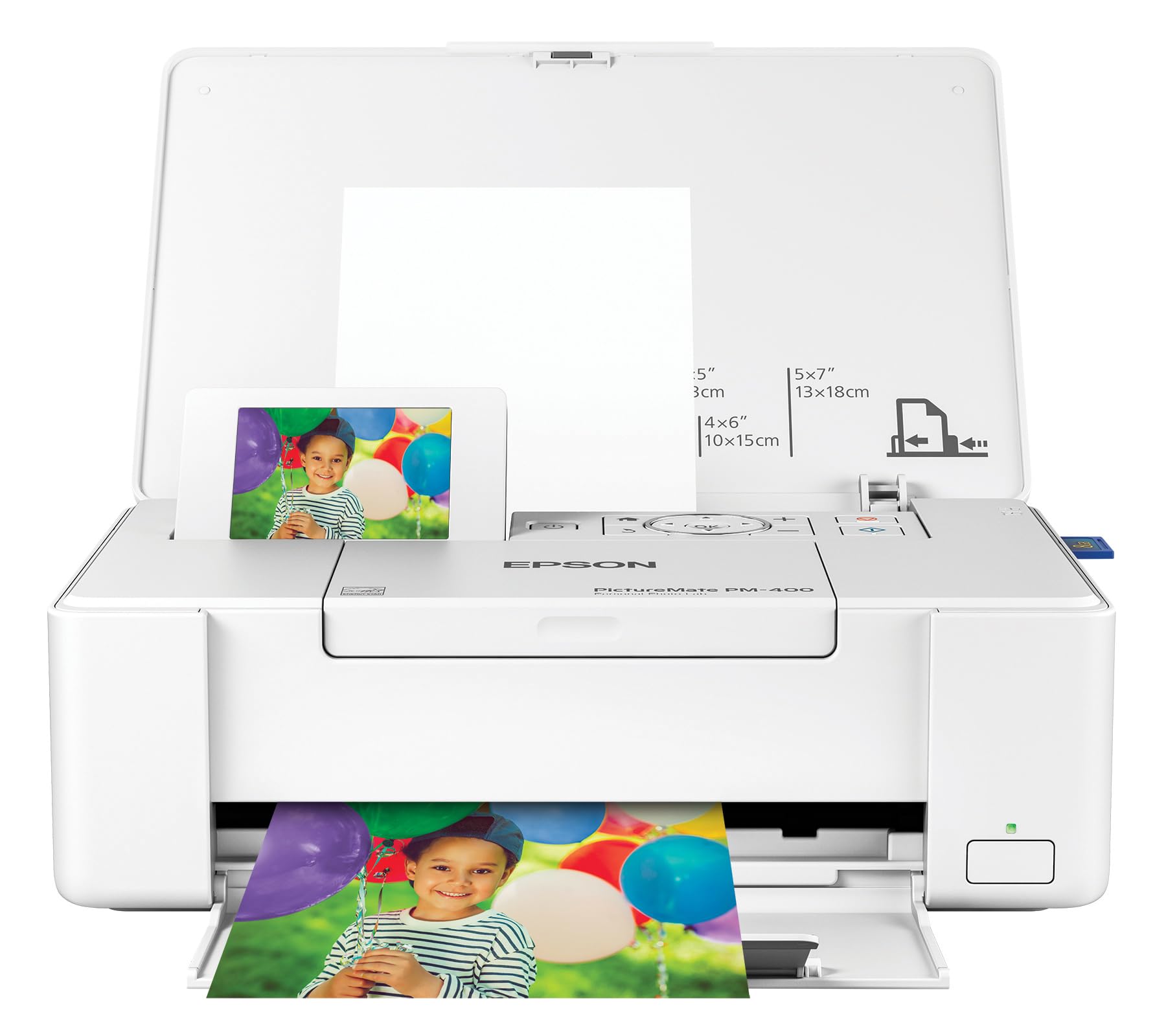
Lab-quality 4x6 prints in about 36 seconds, with 5x7 support on top, separate the PM-400 from pocket-size photo printers. The inkjet engine keeps skin tones natural and landscape colors steady on glossy or matte paper, and the 50-sheet input handles a full batch without reloading. For event photographers, that means a finished print can be handed over while the next guest is still choosing frames.

The workflow is built around the Epson app and an SD-card slot. Both get you to a print quickly, and the SD slot keeps a queue moving without relying on a phone. That fits a party table or a family album session better than a phone-only printer, and it makes the PM-400 useful for on-site photo booths where speed matters more than tweaking every setting.

Event photographers and photo hobbyists who print for albums and projects are the right audience. This is not a strict-budget pick, and it is not a replacement for 2x3 sticky mini-print devices. The trade-off sits in the consumable aisle: paper-and-ink costs are premium, and the initial Wi-Fi setup can take a retry before the connection holds.

Pros

  • Prints come out looking professionally finished rather than like home inkjet output.
  • Full-bleed 3.5x5, 4x6, and 5x7 sizes cover the formats photo enthusiasts actually print.
  • The app and SD-card workflow make printing simple from a phone or directly from a camera card.
  • At about 36 seconds per 4x6, the print queue moves at a pace that suits events.

Cons

  • Wi-Fi setup can be confusing, and the connection may need a retry before it holds.
  • Ongoing paper-and-ink costs are premium, so the per-print price adds up over time.
Our verdict

When true color and fast 5x7 output are the job requirements, this compact printer fits.

Check Latest Price
4

Best Enthusiast 13X19 Printer

Canon PRO-200S

81 /100
Studio Score Strong Evidence

Key details

Connectivity
Wi-Fi, USB, Ethernet
Max Print Size
13 x 19 in
Print Technology
8-color dye-based inkjet
Check Price on Amazon

The PRO-200S puts an eight-color dye-based ink system behind true 13x19 output, which gives it a color range the six-color 13x19 inkjet in this lineup cannot match. For photographers who print gallery work at home, that extra color depth shows up in large prints with accurate skin tones and smooth transitions.

Borderless printing runs from 3.5-inch squares up to 13x19, so portfolio sheets can be printed without trimming. The 3.0-inch LCD keeps paper and ink settings visible on the printer, and Wi-Fi, USB, or Ethernet connect it to a studio desk without demanding one particular setup.

Semi-pro output consistency is a clear step up from consumer photo all-in-ones. Large sheets hold fine detail even in shadow areas, and switching between glossy and matte media is easier when you can set paper type directly on the printer.

The right buyer is a fine-art photographer or print-maker who wants 13x19 portfolios and gallery prints at home. This is not a casual 4x6 printer: ink is a recurring cost, and driver or network setup can frustrate less technical users. The payback is finished work you can sign and hang.

Pros

  • Consistent output quality suits photographers building a portfolio at home.
  • Accurate, rich 13x19 prints with fine detail and smooth color transitions.
  • Borderless printing from 3.5x3.5 up to 13x19 removes the need to trim portfolio sheets.

Cons

  • Eight separate cartridges means more replacements to track and swap for anyone used to a simple dye-sub kit.
  • Feeding thick 13x19 art paper can take more than one attempt before the tray accepts a sheet.
Our verdict

For photographers who already judge output on a color-calibrated display, the PRO-200S is the large-format step that turns color-managed files into gallery-ready prints.

Check Latest Price
5

Best Budget 4X6 Starter

HPRT CP4100 4x6

88 /100
Studio Score Strong Evidence

Key details

Connectivity
Wi-Fi hotspot
Max Print Size
4 x 6 in
Print Technology
Dye sublimation
Check Price on Amazon

Shipping with 108 sheets and two ribbons, the HPRT CP4100 makes the first 4x6 print run a complete package rather than a starter body that needs immediate refills. The dye-sub engine turns out clear, vibrant photos, and the companion app can attach an AR video clip to a print for family events.

The built-in Wi-Fi hotspot gives phones a direct connection path when no shared network is available, which is useful in temporary spaces. The included ribbons match the 108 sheets, so the full bundle prints without a separate ink purchase, and the printer's footprint stays small enough for a shelf or side table.

This is a budget-first 4x6 option for households that value the complete kit and the AR extra over the top pick's standalone LCD workflow. The tradeoffs are real: iPhone pairing can be finicky, and paper feed can vary between units, so buyers who need the smoothest connection or heavy daily output should consider the more established model. For weekend prints, event keepsakes, and families who like the video-link novelty, the CP4100 covers the essentials without a big upfront media spend.

💡 Attach the video clip in the HPRT app before printing; AR playback is tied to that exact print.

Pros

  • Printer quality and build: easy to use, compact footprint, and a design that fits a shelf or event table.
  • Print quality: clear, vibrant, lab-like color from the dye-sub process.
  • AR video prints add a playback layer that other 4x6 dye-subs don't offer.

Cons

  • iPhone app pairing can take a few attempts before a connection sticks.
  • Paper feed can vary between units, with occasional jams or misfeeds in longer sessions.
Our verdict

The CP4100 gives budget-focused 4x6 buyers a complete first kit and a fun event-photo extra; the top pick remains the default for those who want the most settled overall experience.

Check Latest Price
6

2X3 Sticker Prints

Liene Pearl N200 Pro

88 /100
Studio Score Strong Evidence

Key details

Connectivity
Bluetooth
Max Print Size
2 x 3 in
Print Technology
Thermal dye sublimation
Check Price on Amazon

Dye-sub 2x3 stickers with richer color accuracy and better durability than Zink's adhesive paper. The Pearl N200 Pro targets journalers and crafters who want photo-quality mini stickers without the blue cast of Zink. Color accuracy stands out for a pocket printer, and the bundle of 50 sheets plus five cartridges gets you started. Bluetooth pairing can be mixed, so occasional reconnects are part of the workflow. The format is fixed at 2x3, which is why this sits behind broader 4x6 picks; it is a sticker specialist, not a general photo printer.

Pros

  • Sharp, vivid 2x3 stickers from dye-sub, so prints hold color better than adhesive Zink paper.
  • Color accuracy punches above the pocket-size class, with no blue cast.
  • Bundled media and cartridges add value for a mid-range mini printer.

Cons

  • Premium price over entry-level Zink sticker printers, so budget-focused buyers pay more for color accuracy.
  • A full charge prints roughly 27 stickers, so all-day event use needs a power source.
Our verdict

If your project list is stickers, this is the mini printer that makes them look worth keeping.

Check Latest Price
7

High-Volume 13X19 Prints

Epson ET-8550

81 /100
Studio Score Strong Evidence

Key details

Connectivity
Wi-Fi, USB
Max Print Size
13 x 19 in
Print Technology
EcoTank 6-color inkjet
Check Price on Amazon

The ET-8550 is a large-format inkjet whose cartridge-free ink bottles keep per-print costs low across 13 x 19 output. The six-color Claria system produces large prints with strong color depth, and the unit also covers copy and scan without adding a second device.

That all-in-one scope is why it sits outside the dedicated photo-printer group: photo-only buyers inherit scanner hardware and menus they don't need. Mainboard or paper-feed problems can appear, and ink smearing or streaking is possible on some media. For a high-volume studio that wants large photos plus copy/scan in one machine, the ink economics make those tradeoffs acceptable.

Pros

  • 13 x 19 prints carry strong color depth from the six-color Claria system.
  • Cartridge-free ink bottles keep per-print costs low for high-volume printing.
  • Filling the integrated ink tanks takes minutes and removes cartridge swaps.

Cons

  • Ink smearing or streaking can appear on certain media, so paper choice matters.
  • Mainboard or paper-feed issues can interrupt a print job and create troubleshooting downtime.
Our verdict

For a studio that prints large photos in volume and needs copy/scan, the ET-8550's ink economics outweigh its possible paper-feed and smearing issues. Photo-only buyers are better served by a dedicated compact photo printer.

Check Latest Price
8

Pocket Sticker Prints

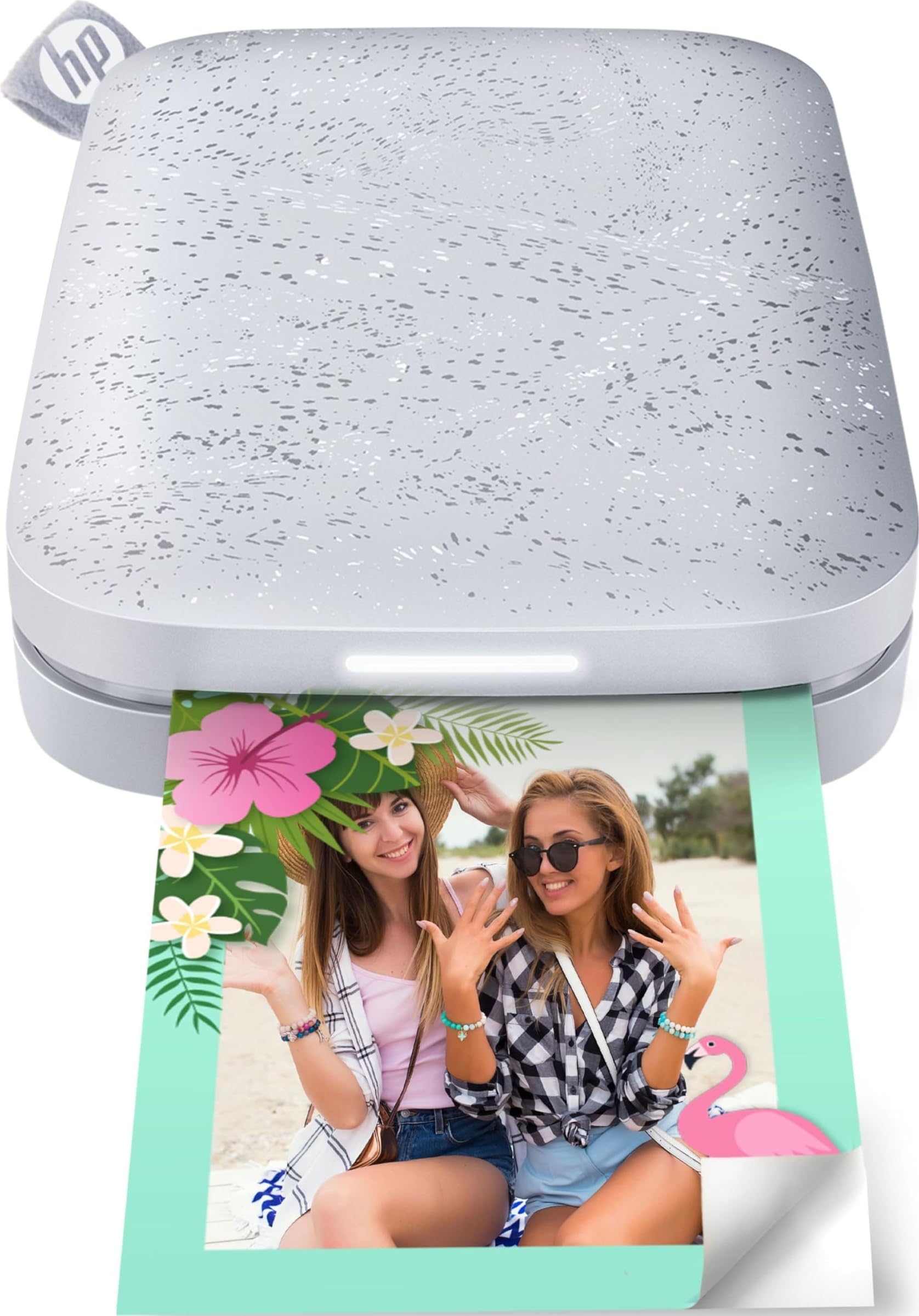
HP Sprocket 2nd Ed.

91 /100
Studio Score High Confidence

Key details

Connectivity
Bluetooth 5.0
Max Print Size
2 x 3 in
Print Technology
Zink zero-ink
Check Price on Amazon

The HP Sprocket 2nd Edition puts app-driven 2x3 sticky prints in your hand quickly, and it has a natural pull for teens and party tables. Bluetooth 5.0 handles the phone connection, and because Zink Zero-Ink paper carries the color, there are no cartridges to swap. Print color can drift between batches, and replacement Zink sheets are costly for such a small print. That positions the Sprocket as a social-media and scrapbook accessory rather than a serious photo printer. For sticker projects, the instant physical output is the whole point.

Pros

  • Phone-first setup means a photo can reach sticky 2x3 paper in a couple of taps.
  • Slim body with Bluetooth 5.0 packs easily for trips, parties, and events.
  • Zink Zero-Ink paper removes cartridge swapping; the paper carries the color layers.

Cons

  • Only accepts 2x3 sticky-backed paper, so 4x6 prints need another device.
  • A unit may not power on at an event, so checking it before you leave is worthwhile.
Our verdict

Buy the Sprocket for a teen, a travel journal, or a party table where instant 2x3 stickers are the point. Treat it as the fun print-and-share option in this lineup.

Check Latest Price

How to Choose

Maximum Print Size

Print size is the first filter because it locks in the technology. Compact dye-sub printers can only output the width of their ribbon-and-paper pack, usually 2x3 or 4x6. Going to 5x7 or 13x19 requires an inkjet with a wider paper path and more ink coverage.

Think about where the print will live. A 4x6 dye-sub suits albums, fridge magnets, and passport photos. A 5x7 or 13x19 inkjet fits wall frames and client proofs.

Print Technology

Dye-sub printers use a heated ribbon to diffuse dye into a protective layer, so prints come out dry, water-resistant, and resistant to fingerprints. The tradeoff is a smaller gamut and a fixed maximum size.

Inkjet printers spray liquid ink in many colors, giving wider color range and larger sizes, but the print heads can clog between uses and coated paper matters. Zink printers activate dye crystals inside the paper, which makes them portable and ink-free but less color-accurate and less archival.

Connectivity

Wi-Fi and Bluetooth are the most common sticking points in this category. Many printers create their own Wi-Fi hotspot, which means your phone leaves your home network during printing; others require the printer and phone on the same network. Bluetooth pairing is usually simpler but can drop when the app updates or another device tries to connect.

If you print from a camera or need reliable output at events, look for a printer with an SD card slot, USB port, or a built-in screen. Those physical fallbacks avoid app dependence.

Bundled Supplies

Starter packs make a printer look far cheaper than it is. A bundle with 100 sheets and several cartridges can lower the first-year outlay, but the moment those consumables run out you are exposed to the manufacturer's replacement pricing.

Check the yield: a ribbon cartridge can contain a set number of prints. If the paper and ribbon are sold together, you cannot use one without the other. That co-dependent packaging is the hidden constraint.

Ongoing Consumable Cost

Replacement media, not the printer body, sets the real cost of ownership. Dye-sub consumables are usually sold as a ribbon-and-paper bundle, so a jammed sheet can effectively waste one print from the count. Zink printers skip ribbons but price each sticky sheet like a premium item. Photo inkjet printers consume color ink quickly, especially for borderless prints with frequent cleaning cycles.

Before choosing, confirm that replacement packs are in stock and reasonably priced where you live. A cheaper printer that needs hard-to-find consumables is a poor value no matter its hardware.

Frequently Asked Questions