4 Best NVR of 2026: Find the One That Actually Matches Your Cameras

An NVR is only as useful as its camera compatibility. This guide helps camera owners choose the right recorder for their brand, storage, and channel needs.

The first hurdle is camera compatibility, not resolution. Most NVRs in this range only recognize their own brand's cameras, so a recorder that supports 12MP still won't help if your cameras come from another manufacturer. Higher resolution only looks good if the camera sends that signal in the first place.

Price tags hide a second issue. A no-HDD NVR can look like a deal until you add a surveillance drive, and a 'PoE NVR' may not actually include PoE ports. The real cost is the combination of recorder, storage, and switching.

The practical move is to start with the cameras you already own or plan to install, then choose an NVR from that same ecosystem. When the brand matches, setup stays simple and the features that matter—recording, playback, remote viewing—work as expected. Channel count and HDD bays only matter after that compatibility is in place.

1

Best Overall

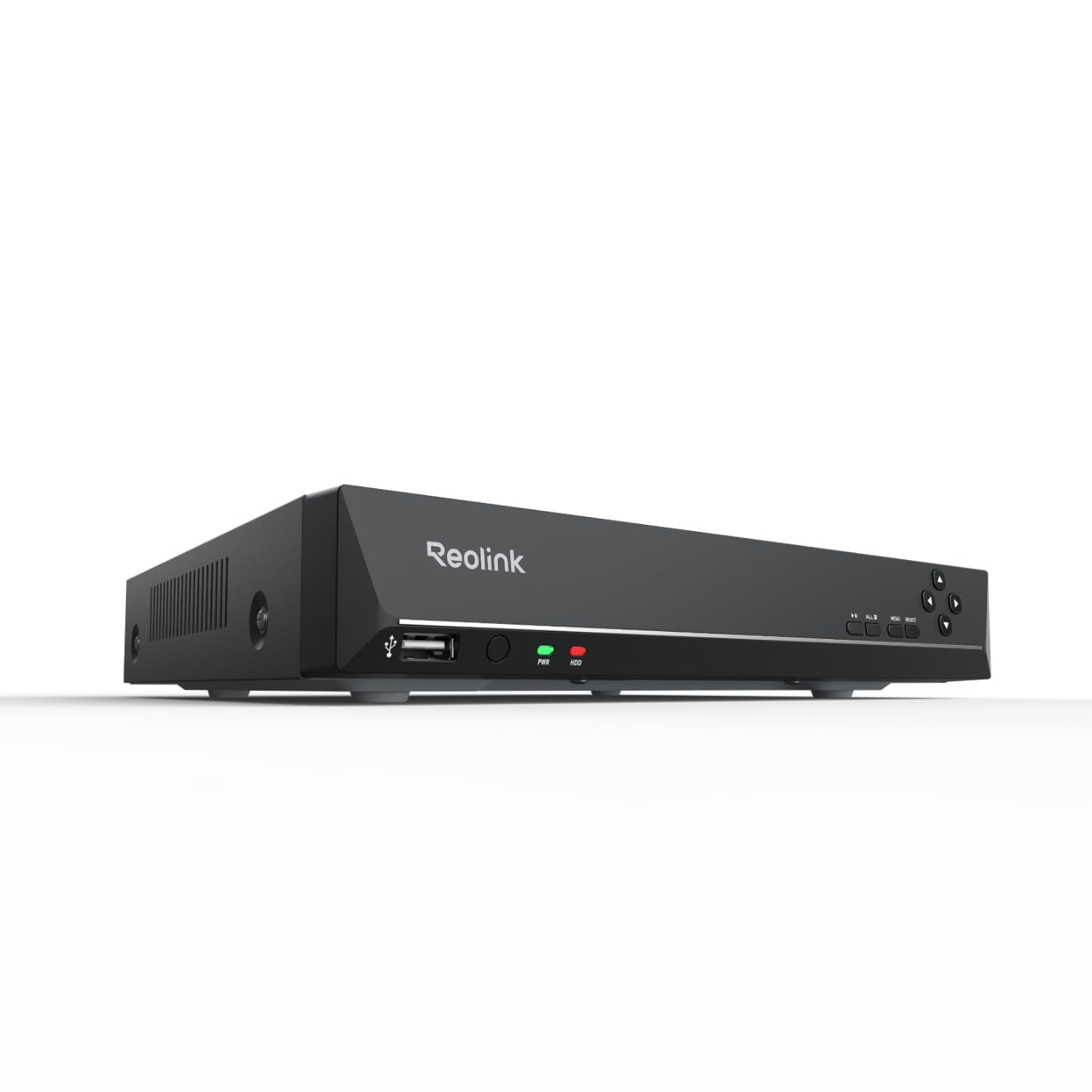
Reolink RLN8-410 8CH NVR

88 /100
Studio Score Strong Evidence

Key details

Storage
2TB HDD included
PoE Ports
8 PoE ports
Compression
H.264/H.265
Channel Count
8 channels
Check Price on Amazon

Eight PoE ports and a preinstalled 2TB drive make this Reolink recorder the only option in this group that records immediately after unboxing. Cameras plug directly into the back panel, clips land on the included hard drive, and the bundled app handles local and remote playback without a subscription. For someone building a camera system from scratch, that removes two common hidden costs before the first recording: the PoE switch and the storage drive.

Daily operation is low-friction for Reolink PoE camera owners. The NVR detects connected cameras, assigns channels, and keeps recording on its own schedule, so a phone or computer is only needed when reviewing footage. Daylight images from compatible Reolink cameras are sharp and well-resolved, and the eight-port back panel keeps the entire system on one unit rather than a collection of separate adapters. The app also makes clip export simple, which matters when a specific timestamp has to be pulled quickly.

Compatibility is a boundary rather than a flaw: this recorder works with Reolink cameras only, so mixed-brand or ONVIF setups need a different NVR. For a Reolink owner with up to eight cameras, the RLN8 removes the guesswork from buying a recorder, drive, and switch separately. The main tradeoff is long-term durability: units can vary, and some owners have noted issues after extended use, so a warranty check is worth doing before you commit.

The value argument comes down to a single upfront payment. Reolink's app is free, there is no monthly fee, and the bundle includes the two things other NVR listings may make you buy separately: a PoE switch and a hard drive. That makes the higher asking price an all-in cost rather than the beginning of a parts list, which is exactly what an out-of-box starter should be.

Pros

  • Solid build quality with a durable feel that holds up in normal continuous use.
  • Plug-and-play setup with Reolink PoE cameras gets channels recording quickly, with no separate switch.
  • Complete package value: recorder, eight PoE ports, and 2TB storage in one box, no subscription required.
  • Clear daylight images with sharp resolution on compatible Reolink cameras.

Cons

  • The eight-channel ceiling and single drive bay limit local growth; larger setups need the 16-channel Reolink model or an eSATA enclosure.
  • Long-term durability can vary between units; occasional issues after extended use have been noted.
Our verdict

For Reolink owners with up to eight cameras, this is the one NVR that can run the day it arrives.
Check Latest Price
2

Best 16-Channel Reolink

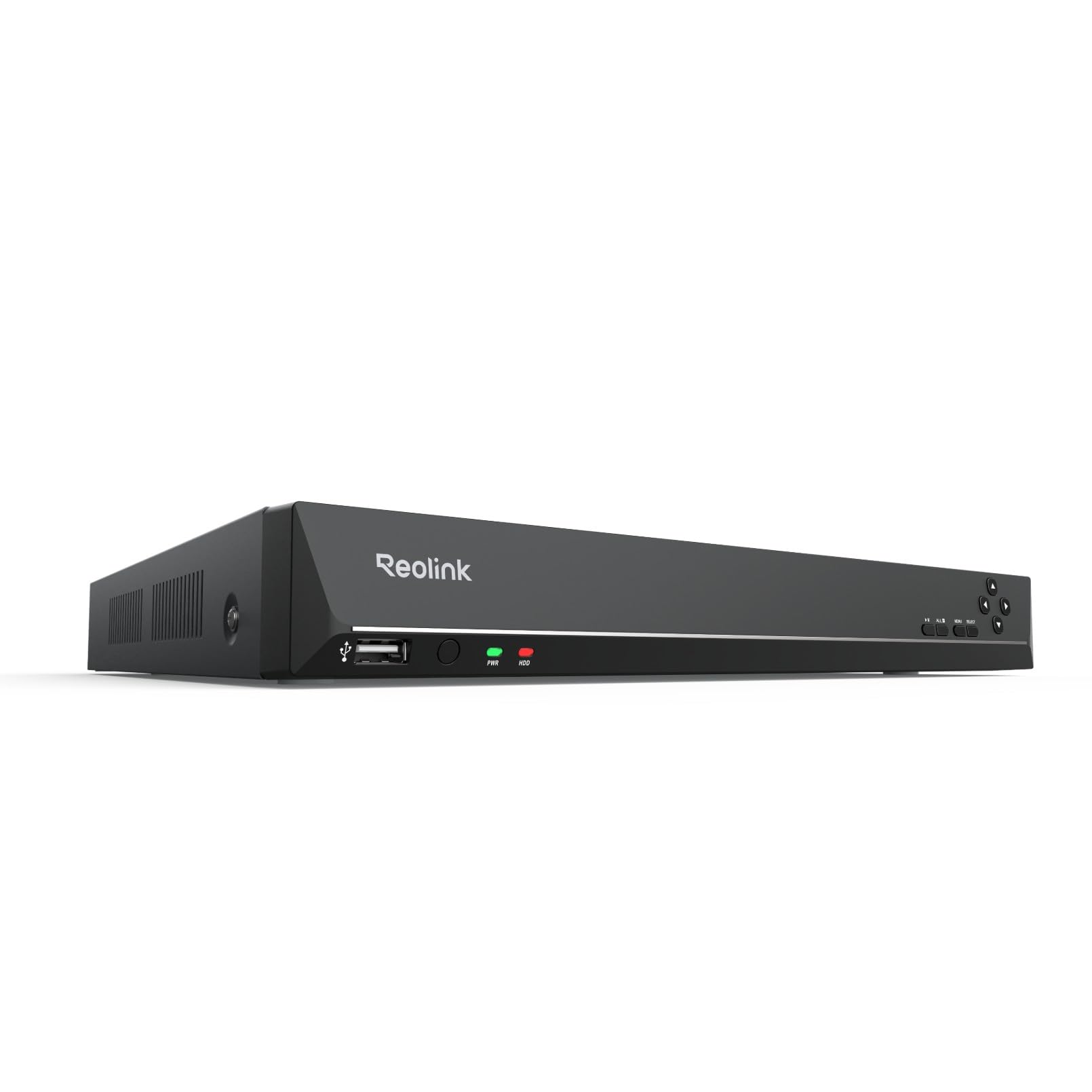
Reolink RLN16 16CH NVR

84 /100
Studio Score Strong Evidence

Key details

Storage
No HDD, 2 bays
PoE Ports
16 PoE ports
Compression
H.264/H.265
Channel Count
16 channels
Check Price on Amazon

Sixteen built-in PoE ports and two HDD bays make this Reolink recorder the step up for installations that have outgrown the 8-channel starter. It feeds 16 cameras without a separate PoE switch, and the second bay gives room for larger or mirrored storage. Setup follows Reolink's usual path: connect cameras, open the app, and channels appear with little fuss.

The right buyer is already using Reolink cameras and plans to expand to 9-16 PoE channels, including a small business or a larger home moving up from an 8-channel unit. The built-in PoE switch removes the cost and clutter of a separate 16-port switch. Connection stability can vary between units in long-running installations, so a stable network environment helps.

Video quality in playback is clear, and the interface makes clip review uncomplicated. For the channel count and storage flexibility, the price sits in mid-range territory once the built-in switch and dual bays are factored in.

Pros

  • Setup is quick through Reolink's app and interface.
  • Recorded footage is clear and sharp during playback, making clip review useful.
  • Strong mid-range value for a 16-channel recorder with built-in PoE and dual bays.
  • Menus and app screens keep clip search and playback intuitive.

Cons

  • In a quiet room, the cooling fan can be audible; this unit suits a closet or utility area more than a bedroom.
  • No hard drive is included, so an HDD purchase is required before recording can start.
Our verdict

Built-in PoE and dual HDD bays give a 16-camera Reolink build room to grow without a separate switch.

Check Latest Price
3

Budget 8-Channel Pick

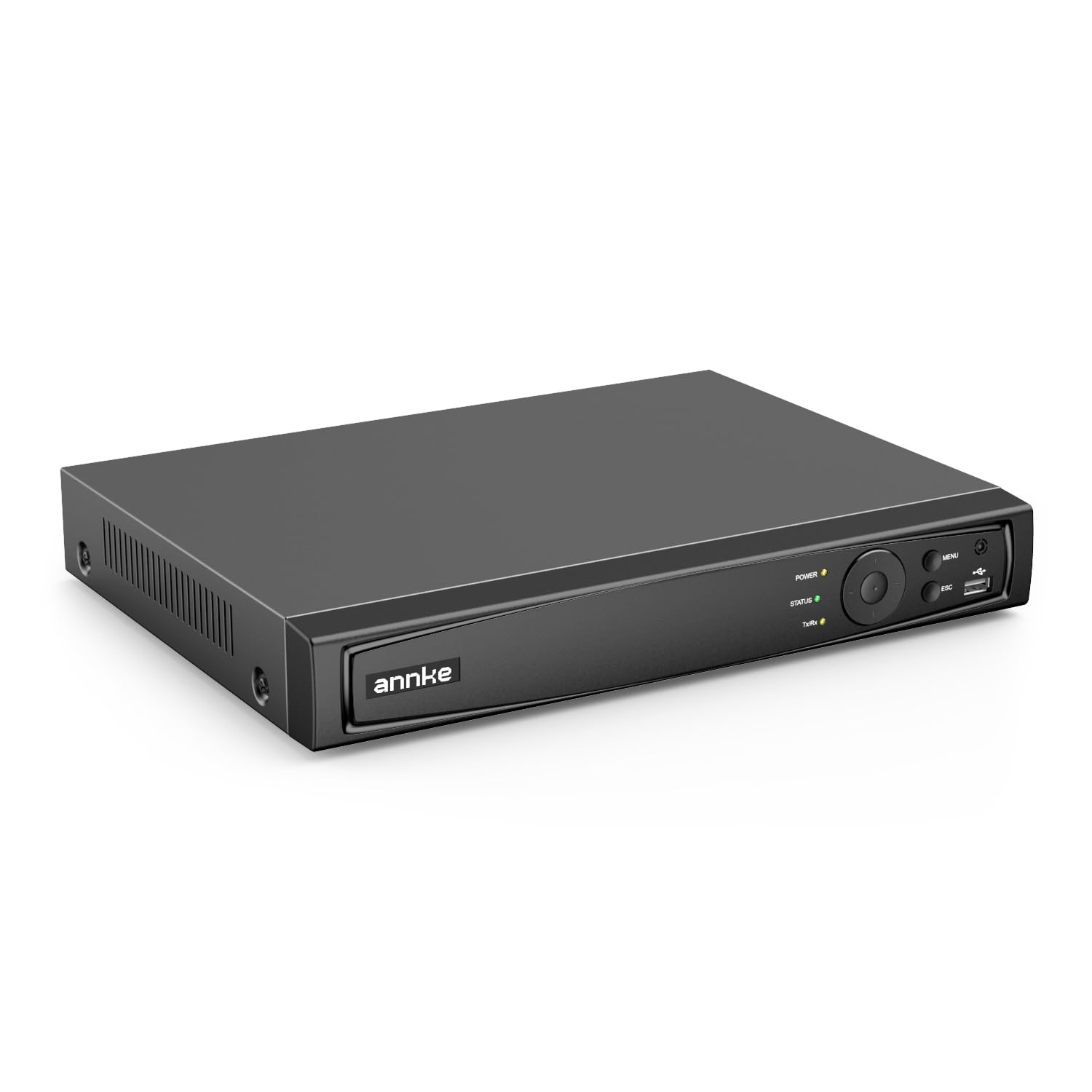
Annke 8CH 12MP PoE NVR

78 /100
Studio Score Established

Key details

Storage
No HDD, 2 bays
PoE Ports
8 PoE ports
Compression
H.265+
Channel Count
8 channels
Check Price on Amazon

The ANNKE 8CH 12MP PoE NVR is the lowest-cost way to run an eight-channel ANNKE camera system when the cameras and a surveillance HDD are already on hand. Dual full-size HDD bays and H.265+ compression stretch that drive further, and the built-in PoE switch keeps cable runs simple. This is not a complete out-of-box system; it ships without storage and only pairs with ANNKE cameras.

The ideal buyer is an ANNKE owner replacing an older recorder or expanding to eight channels without buying new cameras or a drive. Budget-minded DIYers who manage remote viewing through ANNKE's mobile or desktop apps will get the most from it; those apps cover live view, playback, and alarm alerts.

Setup follows the usual ANNKE pattern: scan the QR code, let the NVR find cameras on the PoE ports, and add storage. Home users can finish the first camera in minutes, and no port-forwarding is required for remote access, which removes a common entry barrier for an economy recorder.

💡 Assign static IPs to each PoE camera during setup; reserved addresses help maintain stable channel assignments.

Pros

  • Entry-level price brings in eight PoE channels and two full-size HDD bays.
  • QR-code onboarding gets cameras online quickly without network configuration.
  • Active alarm triggers add practical alerts once the recorder is configured.
  • H.265+ compression reduces file sizes, so an existing drive holds more footage.

Cons

  • Chrome and Mac browser access can be inconsistent for live viewing and playback.
  • IP conflicts or sync drops can interrupt a channel until the camera reconnects.
Our verdict

For ANNKE owners with a spare drive, the entry price and dual HDD bays make this the low-cost way to get eight channels recording.

Check Latest Price
4

Best for Anpviz/Hikvision-Style Setups

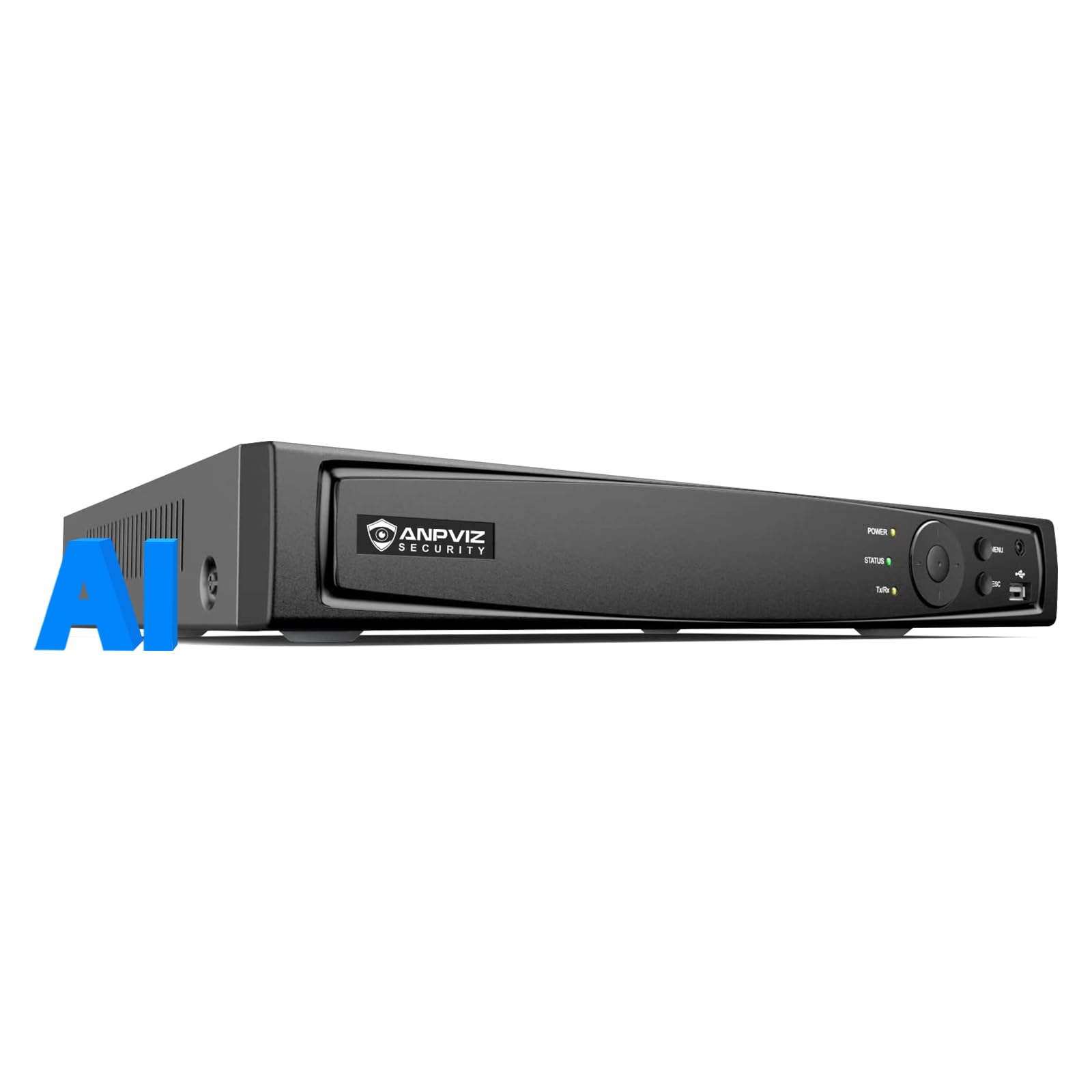
Anpviz 8CH AI PoE NVR

84 /100
Studio Score Strong Evidence

Key details

Storage
No HDD, up to 8TB
PoE Ports
8 PoE ports
Compression
H.265+
Channel Count
8 channels
Check Price on Amazon

The Anpviz 8CH AI 12MP PoE NVR is the budget 8-channel recorder for buyers who already own Anpviz cameras. Camera recognition is fast, and the unit settles into steady daily operation without a long camera-detection ritual. It uses Hikvision-style menus, so the learning curve depends on your history with that ecosystem.

Recording is H.265+ with support for up to 8TB, and eight built-in PoE ports power the cameras directly. There is no bundled hard drive, which keeps the entry price down for owners who already have storage.

Buyers who want a standalone recorder for Anpviz cameras and are comfortable with Hikvision-style setup are the right fit. The tradeoff: the manual may not match the on-screen menus, the web interface can be quirky, and occasional IP conflicts may require a camera restart. Those who want a polished consumer app or mixed-brand support should look elsewhere.

Pros

  • Anpviz cameras are recognized quickly and the recorder runs steadily through normal daily use.
  • Fast setup for buyers already familiar with Hikvision-style recorder menus.
  • Budget-friendly entry price for an 8-channel H.265+ recorder, especially without a bundled drive.

Cons

  • Manual and web interface can be confusing; the printed guide may not match the on-screen menus.
  • IP conflicts can occur when multiple Anpviz cameras share a PoE switch, requiring a camera restart.
Our verdict

For Anpviz camera owners who are comfortable with Hikvision-style setup, this is the cost-effective way to add 8-channel PoE recording.

Check Latest Price

How to Choose

Channel Count

Choose a channel count that covers your cameras plus at least one spare slot. An NVR cannot record more cameras than its channel rating, so exceeding it means a second recorder or a full replacement.

Higher channel counts also demand more HDD capacity and bandwidth. For a typical six-camera home, 8 channels is enough; 16 makes sense when covering multiple buildings or entries.

PoE Ports

Built-in PoE ports send data and power over one ethernet cable, removing the need for a separate switch. The catch is that the recorder's PoE budget is shared, so high-draw PTZ cameras can exceed it.

Without built-in PoE, add an external switch and extra cabling. That setup gives more placement flexibility, but it turns a one-box install into a small shelf of components.

Storage

An NVR with an included drive records as soon as cameras are connected. A no-HDD unit needs a separate surveillance-rated drive built for 24/7 writes, not a standard desktop drive.

HDD bays set your storage ceiling. Two bays let you add a second drive later without replacing the first, which matters when running eight cameras at high resolution.

Camera Compatibility

Most budget and mid-range NVRs only discover their own brand's cameras automatically. Third-party cameras may connect through ONVIF, but motion triggers and smart alerts often disappear when brands are mixed.

Confirm the camera model list before buying. Matching brands lets the NVR assign IP addresses and PoE power automatically; mixing brands adds manual configuration and loses features.

Compression

Compression controls how many days of footage fit on a drive. H.265 and H.265+ roughly double the storage efficiency of H.264.

Compression is set at the camera level. A recorder with H.265+ support does nothing for older cameras that only output H.264.

Frequently Asked Questions