8 Best Non-DJI Drone of 2026: Match Specs to Real Flights

The best non-DJI drones for camera buyers who want 4K, a real gimbal, and sub-250g portability without inflated flight-time surprises.

Most non-DJI camera drones now claim the same headline numbers: 4K video, sub-250g body, long range, 30-plus minutes. The gap between promise and real flight usually shows up in battery endurance and live-view range. Treat those numbers as starting points, not guarantees.

The first decision is weight class. A sub-250g airframe avoids FAA registration and slips into a daypack, but it has less mass to resist wind. A heavier drone with a 3-axis gimbal produces steadier footage in stronger air, but you register it and carry a larger case. Choose the class that matches where you fly most.

Camera stabilization is the other dividing line. A 3-axis mechanical gimbal holds the shot steady when the drone moves and the wind blows; electronic stabilization works best during slow, gentle flight. Between weight, battery count, and gimbal type, these specs determine whether a non-DJI drone feels like a camera tool or a toy.

1

Best Overall

Potensic ATOM 2

90 /100
Studio Score High Confidence

Key details

Range
10 km
Video
4K HDR video
Weight
249g
Battery
96 min total
Check Price on Amazon

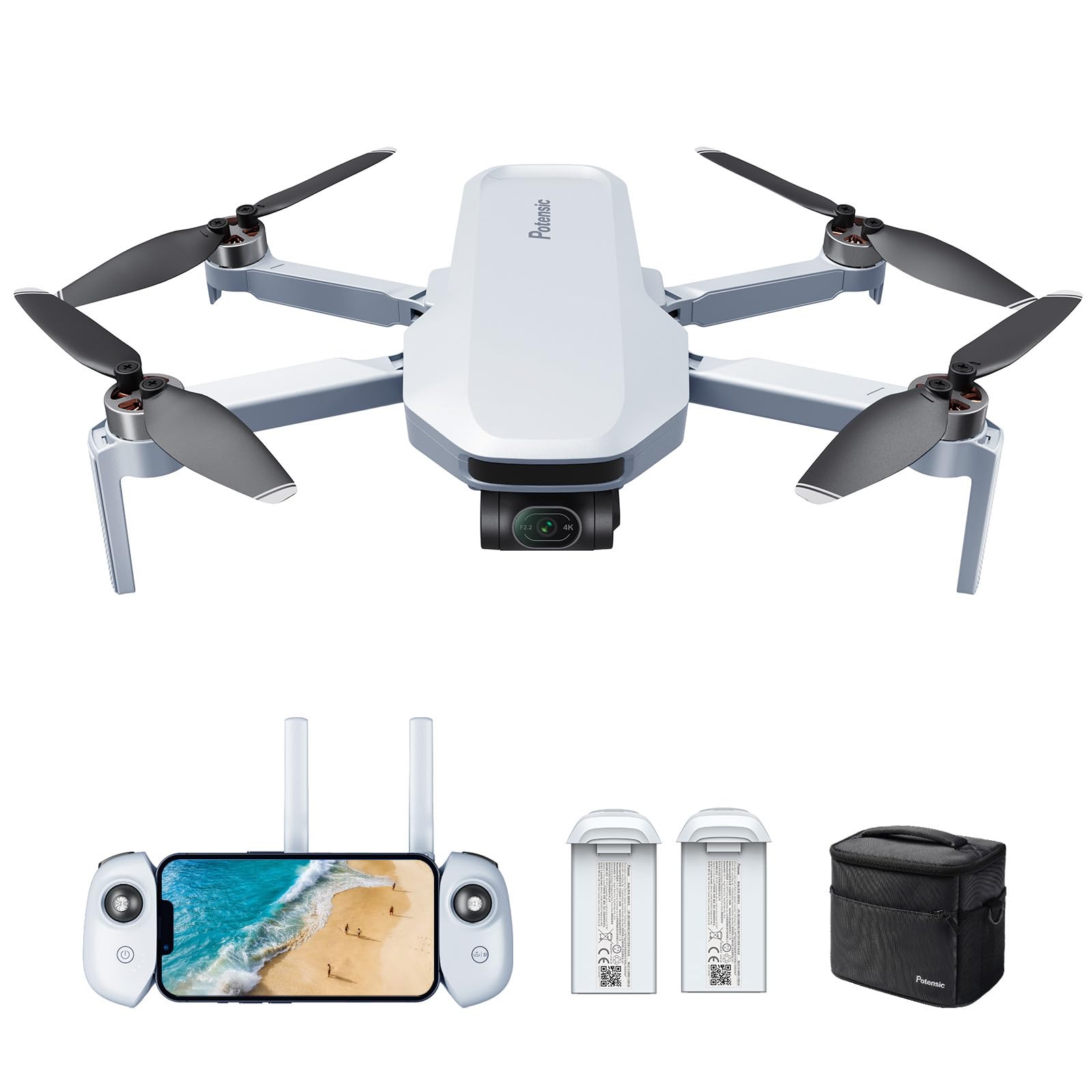
Potensic's ATOM 2 is the rare sub-250g drone that does not force a choice between camera quality and feature depth. It records 4K/30 HDR video, reads 48MP stills from an 8K sensor, steadies the view with a 3-axis mechanical gimbal, and writes vertical video from the full sensor instead of a central crop. The package sits at a mid-range price, which puts it closer to a current Mini-class camera drone than to a beginner quad with a camera bolted on.

The imaging core holds up in mixed light. HDR pulls highlight detail without the oversharpened look that shows up in cheaper electronic-stabilization drones, and the gimbal keeps horizons level in moderate wind. The three-battery kit totals 96 minutes of flight time, so a location shoot can run through several takes without landing back at the car after the first pack. AI track and QuickShots cover the shot types that usually need a second operator or manual stick work, and the 10km transmission leaves the drone connected across open fields.

The ATOM 2 fits content creators and travelers who want a camera drone that is easy to pack and does not require heavier registration classes. It is not for strict budget buyers who only need basic 4K, as the advanced tools push the price above entry-level models. Firmware updates and a solid GPS lock need to be part of the routine, especially when using automated return.

For a travel or social-video workflow, the extra money over the entry-level gimbal drone in this set is easier to justify than for someone who only wants a casual flyer. It buys AI night mode and a software suite that raises the ceiling beyond basic 4K, while the compact body keeps the packing list short.

๐Ÿ’ก Confirm a clear GPS lock and updated firmware before relying on auto-return.

Pros

  • Flagship-level sub-250g feature set at a mid-range price.
  • HDR 4K video, 8K stills, and a 3-axis gimbal that keeps the frame level in wind.
  • AI tracking, AI night, vertical video, and QuickShots create a complete creator toolbox.

Cons

  • No obstacle-avoidance or 360-degree sensing; this is a camera-first drone for open sightlines, not autonomous indoor flight.
  • Return-to-home and app behavior can be inconsistent on some units; keep firmware current and confirm GPS lock.
Our verdict

The ATOM 2 is the closest non-DJI package to a current Mini-class camera drone: real gimbal stabilization, HDR color, vertical capture, and AI tools in a 249g airframe.
Check Latest Price
2

Best Value Gimbal

Potensic ATOM

91 /100
Studio Score High Confidence

Key details

Range
6 km
Video
4K/30fps
Weight
249g
Battery
64 min total
Check Price on Amazon

The Potensic ATOM delivers a true 3-axis mechanical gimbal, 4K/30fps video and GPS in a 249g body that stays in the under-250g class. It is the value-focused counterpart to the newer Atom 2, which adds longer transmission range and AI-assisted controls; those extras are secondary for a first gimbal drone. The original ATOM gives smooth footage without a higher price tag.

The target buyer is a beginner who wants gimbal-stabilized 4K without paying DJI prices. Flight controls are easy to pick up, and the light frame travels well. Battery durability and self-discharge have been noted, so the second battery should be treated as a backup that needs occasional monitoring rather than a long-term workhorse.

Pros

  • True 3-axis gimbal plus GPS in a 249g frame suits first-time flyers and travelers.
  • Beginner controls make takeoff, hovering and return simple to learn.
  • Value price brings 4K and 12MP stills without the DJI premium.

Cons

  • No vertical social-media video or 8K stills; this is a horizontal-first camera.
  • Single-battery endurance lands around 30 minutes; longer sessions require swapping packs.
Our verdict

For a first camera drone on a budget, this is the gimbal-and-GPS choice without the feature-chasing extra cost.

Check Latest Price
3

Best Built-In Screen

Ruko U11MINI 4K RC3

88 /100
Studio Score Strong Evidence

Key details

Range
20,000 ft
Video
4K/30fps
Weight
248g
Battery
64 min total
Check Price on Amazon

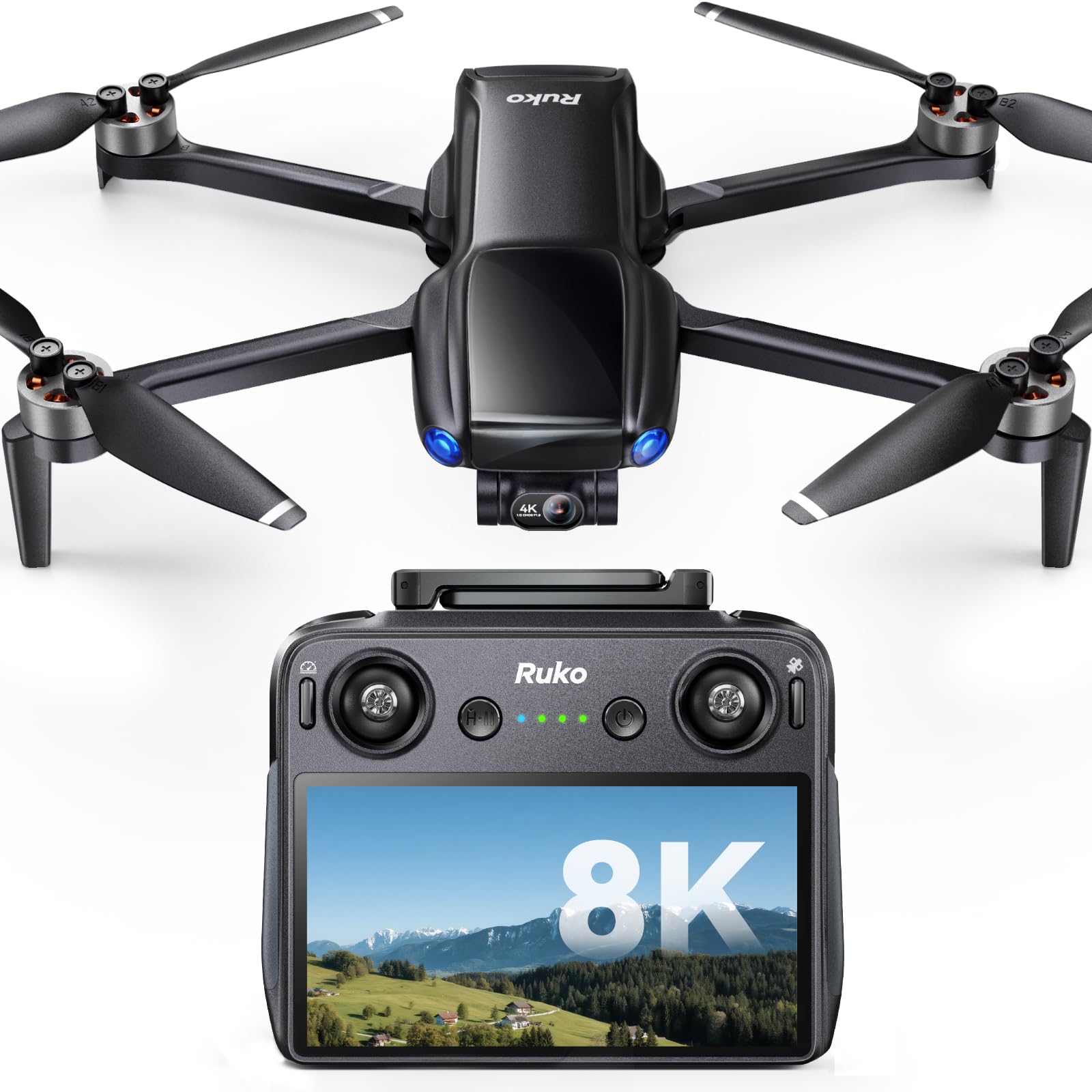
Built into the controller, the 5.5-inch touchscreen sets the U11MINI 4K RC3 apart from phone-tethered rivals. Live view and flight settings stay on the handset, so there is no phone compatibility check or cable connection before launch. The 248g body remains in the sub-250g travel class while carrying a 3-axis mechanical gimbal and a 4K camera, making this a complete self-contained package for pilots who prefer not to depend on a phone mid-flight.

This model suits pilots who prioritize a tether-free smart-screen workflow over the broader feature set of the category's top pick. Battery and controller charging QC is the weakest area; some units show charging faults, so a quick check of the kit on arrival is worthwhile. It is premium-priced, so budget-focused buyers should look to entry-level options in the group. Buyers who already prefer a standard phone-app routine can skip this one; the screen controller is the point.

๐Ÿ’ก Charge both batteries fully and test the controller before the first serious shoot.

Pros

  • Built-in 5.5-inch touchscreen removes phone setup and keeps the flight routine self-contained.
  • The 3-axis gimbal and 4K camera hold steady footage in a 248g airframe.
  • The controller-and-kit bundle offers clear value for buyers committed to a smart-screen workflow.

Cons

  • Per-battery run times may fall short of the advertised numbers.
  • Occasional hover or takeoff anomalies have been noted; first flights belong in open, unobstructed space.
Our verdict

For pilots who want a phone-free kit, this smart-screen controller with a sub-250g gimbal drone is the one to carry.

Check Latest Price
4

Best 4K/60 Spec

Skyrover S1

84 /100
Studio Score Strong Evidence

Key details

Range
7.45 miles
Video
4K/60fps
Weight
249g
Battery
40 min per battery
Check Price on Amazon

The Skyrover S1 delivers the highest video specs per dollar in this sub-250g group: 4K/60fps capture, 8K/48MP stills, and a 3-axis mechanical gimbal in a 249g airframe. A forward-facing sensor adds obstacle protection that is uncommon at this price point, and the gimbal holds the horizon steady during clipped, deliberate moves. The controls are forgiving enough for newer pilots to focus on the shot instead of fighting the sticks.

This model suits spec-first travelers who want DJI Mini-class image quality without the DJI label. The obstacle-avoidance system is forward-only, so side and rear clearance is on the pilot; the 249g weight keeps it easy to pack and in the lighter travel class. Pilots who work within that limit get a lot of camera for the money. That combination is rare at this price and weight.

Pros

  • 4K/60fps video and 8K/48MP photos exceed the usual 4K/30 ceiling in this weight class.
  • 3-axis mechanical gimbal and forward obstacle avoidance are included at a mid-range price.
  • Beginner-friendly controls get new pilots airborne without a steep learning curve.

Cons

  • Hard impacts may be less forgiving than heavier drone shells, so flying close to obstacles deserves care.
  • Runtime can land below the 40-minute claim in wind or with aggressive throttle use.
Our verdict

For spec-hunters, the S1 is the sub-250g value pick for 4K/60fps and gimbal-stabilized stills.

Check Latest Price
5

Best High-Altitude Heavy-Lift

Bwine F7GB2 Pro

85 /100
Studio Score Strong Evidence

Key details

Range
โ€”
Video
4K UHD
Weight
550g
Battery
75 min total
Check Price on Amazon

The Bwine F7GB2 Pro is the heavy-lift option in this non-DJI group: a 550g airframe with a 2000m altitude rating, a 3-axis gimbal, and FAA Remote ID compliance. That weight pays off over open property, where the frame cuts through gusty wind and the 4K UHD camera holds a level horizon. Pilots covering large terrain from a fixed launch point get steady footage without fighting drift.

This is for property inspectors, landowners, and pilots whose work happens at altitude on wide, windy sites. Phone pairing and app connection can be frustrating before launch, and the 550g weight requires FAA registration โ€” reasonable trade-offs for a platform that keeps a gimbal level in air that pushes lighter drones around. It rewards a buyer who plans around a heavier setup rather than a pack-away model.

Pros

  • Smooth 4K UHD footage with a 3-axis gimbal that holds the horizon in wind.
  • Robust build quality that holds up across field use and frequent setup.
  • Good value for a heavier, high-capability drone with three batteries and Remote ID.

Cons

  • At 550g, this is not a pocket travel drone; it needs a dedicated carry case and launch space.
  • Flight time can run shorter than the advertised estimate when climbing or flying in wind.
Our verdict

For high-altitude property flyers, the stabilization and wind resistance justify this heavier platform over a lighter travel drone.

Check Latest Price
6

Proven Beginner Workhorse

Ruko F11PRO 2

89 /100
Studio Score Strong Evidence

Key details

Range
10,000 ft
Video
4K/30fps
Weight
357g
Battery
70 min total
Check Price on Amazon

The Ruko F11PRO 2 is a beginner-friendly 4K gimbal drone with dependable flight behavior and a sturdy frame. A real 3-axis mechanical gimbal keeps 4K/30fps footage steady, while 6K photo mode gives stills more headroom than the video spec alone suggests. GPS-assisted positioning makes first flights predictable, and the controls respond smoothly without feeling toy-like. This is one of the easier non-DJI camera drones for getting steady footage without fiddling with settings.

This fits first-time adult pilots and family or property use where portability is less critical. The 357g body requires FAA registration, and it won't slip into a pocket like the sub-250g travel options in this group. Real-world battery life and live-view transmission can fall short of the headline numbers, so plan for shorter sessions and a conservative flying radius.

Pros

  • GPS-assisted flight and smooth controls give new pilots a short, forgiving learning curve.
  • The 3-axis gimbal keeps 4K/30fps footage steady in conditions that would blur EIS-only cameras.
  • The two-battery kit covers a casual session, and the overall package reads as strong value.

Cons

  • The standard controller needs a phone for the live view, so the kit is less self-contained than screen-equipped models.
  • The camera records landscape 4K only, so vertical social-media clips require cropping.
Our verdict

The F11PRO 2 is the no-drama pick for a first gimbal drone: steady footage, easy flight, and a mid-range price that fits a first drone budget.

Check Latest Price
7

Remote ID Buyers

Gleesfun G11PRO

85 /100
Studio Score Strong Evidence

Key details

Range
โ€”
Video
6K photo, 4K/30fps
Weight
357g
Battery
70 min total
Check Price on Amazon

Gleesfun G11PRO delivers 6K photos, 4K/30fps video, a 3-axis gimbal, and built-in FAA Remote ID compliance at a fair price. Footage is clean and the 357g frame holds steady in moderate wind, easing beginner control. The companion app can crash or throw errors during startup, and that app behavior is why it sits below stronger runner-up picks. FAA registration applies at this weight. Buyers who want Remote ID and gimbal stability without a premium price fit here.

Pros

  • Clear 4K footage and solid build quality give the G11PRO a more expensive feel.
  • The gimbal stays steady in moderate wind, and beginner controls are easy to learn.

Cons

  • For travel pilots who want a pocketable sub-250g drone, this airframe sits outside that class.
Our verdict

This is the gimbal drone for buyers who prioritize Remote ID compliance and stable footage as hard requirements.

Check Latest Price
8

Casual Beginners

Holy Stone HS175G

84 /100
Studio Score Strong Evidence

Key details

Range
800m
Video
4K EIS
Weight
249g
Battery
60 min total
Check Price on Amazon

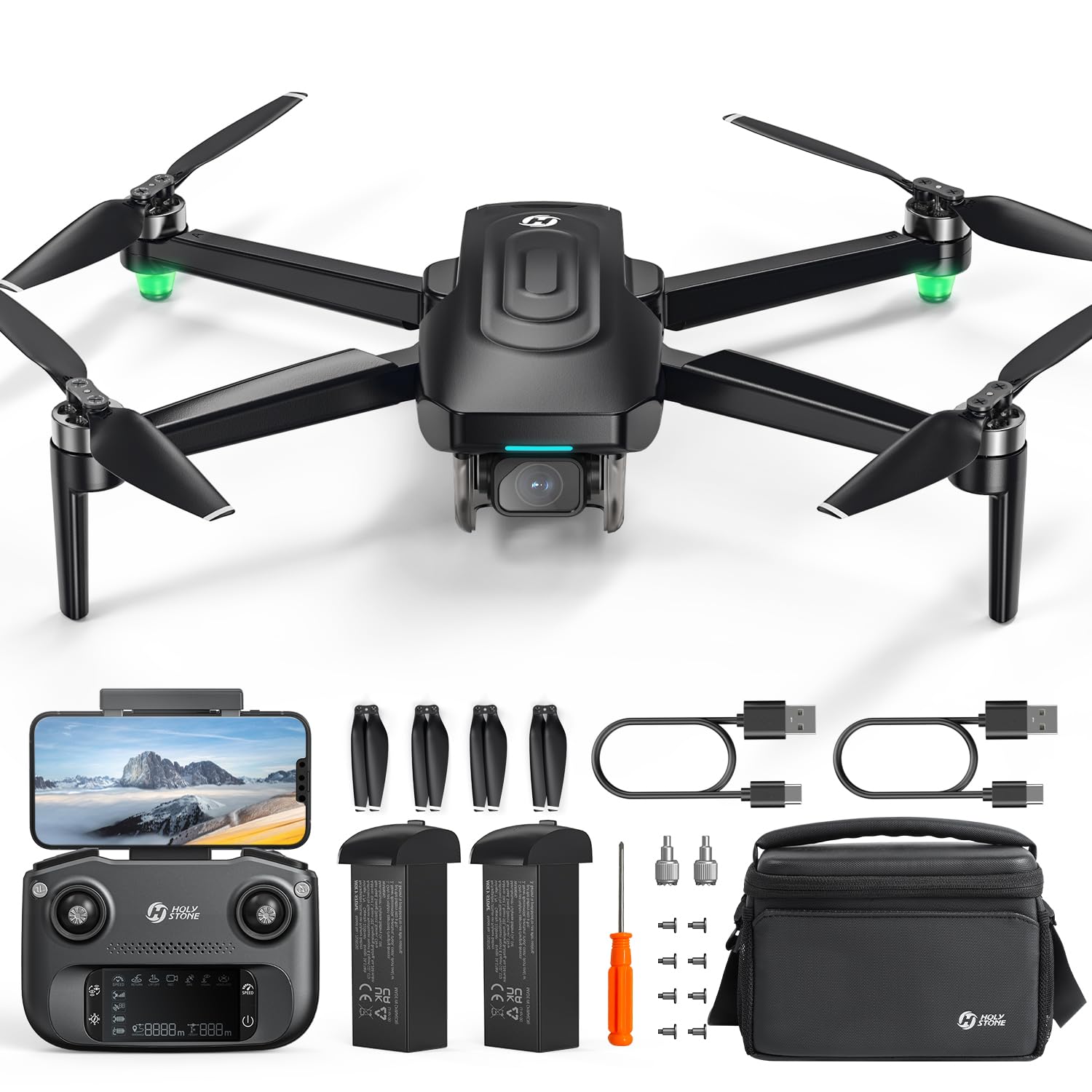
The Holy Stone HS175G is a sub-250g GPS drone with 4K EIS and a two-battery bundle promising 60 minutes of total flight time โ€” the cheapest way into the camera-drone class. Setup is easy and controls are beginner-friendly. Reliability is mixed: flight-control consistency can vary between units, and 4K output can look soft. Electronic stabilization is not a substitute for a gimbal, so the HS175G suits casual family flights rather than footage for close inspection. Those limits keep it below gimbal-equipped rivals, but the price of entry is low.

Pros

  • Beginner-focused controls and easy setup make this a welcoming first GPS drone for a family.
  • Sub-250g body plus two batteries gives 60 minutes of total flight time in the budget tier.

Cons

  • After a hard landing, crash durability can vary; the HS175G is a beginner drone, not a crash-proof toy.
Our verdict

A low-cost first GPS drone for families who want a 4K-class experience, provided they accept EIS footage and keep early flights close by.

Check Latest Price

How to Choose

Stabilization: Gimbal vs EIS

A 3-axis mechanical gimbal uses small motors to hold the camera level while the airframe pitches, rolls, and yaws. It corrects each movement in real time, which is why it remains the standard for smooth aerial video in wind or during aggressive turns. EIS, or electronic image stabilization, crops the image after capture and shifts that crop to counter motion. It works for gentle shooting but can soften detail and show artifacts during fast pans or strong gusts.

Decide whether you plan to cut shots into a real project or just record a family afternoon. If the footage must look stable without a gimbal, a mechanical 3-axis system is the safer choice.

Weight and Registration

Takeoff weight is the legal line that determines whether you need FAA registration. Under 249g keeps a drone in the recreational no-registration category for personal use and makes it easier to pack for travel. That convenience often comes with a smaller airframe, which is more affected by wind and can limit battery size.

Above 250g, you take on registration and the rules that come with it, but you gain mass that resists wind and can support a larger camera and longer endurance. The right choice depends on where you fly: travel and casual flights favor light models; exposed, windy locations favor heavier ones.

Video Specs

4K resolution describes the capture size, not the actual level of detail. Two 4K drones can produce visibly different footage because of sensor size, bitrate, lens quality, and how stabilization crops the frame. A larger sensor with a high bitrate will beat a smaller sensor that has been heavily cropped by EIS.

Frame rate matters when there is movement. 30fps is fine for slow pans and static shots; 60fps creates smoother motion when following a subject, panning quickly, or capturing action. If you post to social media, also check whether the drone can shoot vertical video natively, because cropping a horizontal file loses a large part of the sensor.

Transmission Range

Listed range is measured in ideal conditions: flat terrain, open air, and minimal Wi-Fi congestion. Real flights involve trees, buildings, weather, and controller position, all of which reduce signal strength. Systems that use a dedicated transmission protocol with multiple bands hold up better than simple Wi-Fi links.

Treat the advertised range as a theoretical maximum, not a promise. The more useful number is how the link behaves at the distances you actually plan to fly, which is usually a few hundred meters for most recreational users.

Battery Count and Flight Time

Many kits quote total flight time by adding up every included battery. If a drone ships with two batteries and the box says 70 minutes, that means roughly 35 minutes per battery in perfect conditions. Real hover and video recording, along with wind and low temperatures, push that number down further.

Check how many batteries are included before measuring claimed endurance. A three-battery kit with shorter per-pack runtime can give you more time in the air than a two-battery kit with a bigger advertised figure.

Frequently Asked Questions