12 Best Microphone Boom Arm of 2026: Ones That Hold Their Position

Find a microphone boom arm that fits your desk, supports your mic, and keeps tension after months of daily use.

A microphone boom arm has one real job: stay exactly where you put it. For desk video work, that means the mic holds its position in frame, stays out of the way, or stays close to your mouth without drooping.

The first things to go on many arms are the tension springs and the desk clamp. You can re-tighten a loose joint, but a worn spring or stripped clamp is the sign to move on. Matching the arm to your mic weight and desk edge from the start avoids that cycle.

There is also a trade-off between smooth, quiet movement and raw holding power. A stiffer arm can lock down a heavy broadcast mic; a smoother arm feels better in daily use but often has a lower weight ceiling. Pick for your setup, not the spec sheet.

1

Best Overall

Rode PSA1+

94 /100
Studio Score High Confidence

Key details

Max Load
2.65 lb / 1.2 kg
Desk Clamp
Check Price on Amazon

Movement is where the PSA1+ stands apart: the arm glides into position with a controlled, damped feel and stays exactly where you leave it. The powder-coated steel frame and neoprene sleeves feel substantial, and the integrated USB/XLR routing keeps cables hidden without pinching. That combination makes positional changes quiet enough for live recording, and the 0.9 m reach covers standard desk layouts without needing a floor stand. The arm responds predictably whether the mic sits near the clamp or at full extension.

The standard 3/8-5/8 thread fits standard broadcast-mic mounts, and damped springs isolate the mic from the small vibrations that cheaper arms transmit during adjustment. The neoprene covers keep the cable path contained along the arm, so there is no loose cord swinging during movement.

The 1.2 kg ceiling and premium price define its fit: voice-over artists, podcasters, and streamers who want one long-term arm and will keep the mic-and-mount combo under that weight. Strict budget buyers should look at lower-priced arms instead. For anyone working inside that range, the PSA1+ is the option that stays silent, stays put, and stays in service across daily repositioning.

Pros

  • Silent, controlled movement keeps mic adjustments from becoming part of the recording.
  • Sturdy powder-coated steel holds SM7B-class mics in place without sag.
  • Integrated cable routing keeps USB and XLR lines inside the arm and out of the way.

Cons

  • The cable sleeves or elbow can develop an audible squeak during movement on some units.
  • Very heavy mic plus shock-mount rigs above 1.2 kg fall outside the rated working range.
Our verdict

Choose the PSA1+ when silent positioning and long-term build are the priority. It is the arm to beat for professional podcast and voice-over desks.
Check Latest Price
2

Budget Champion

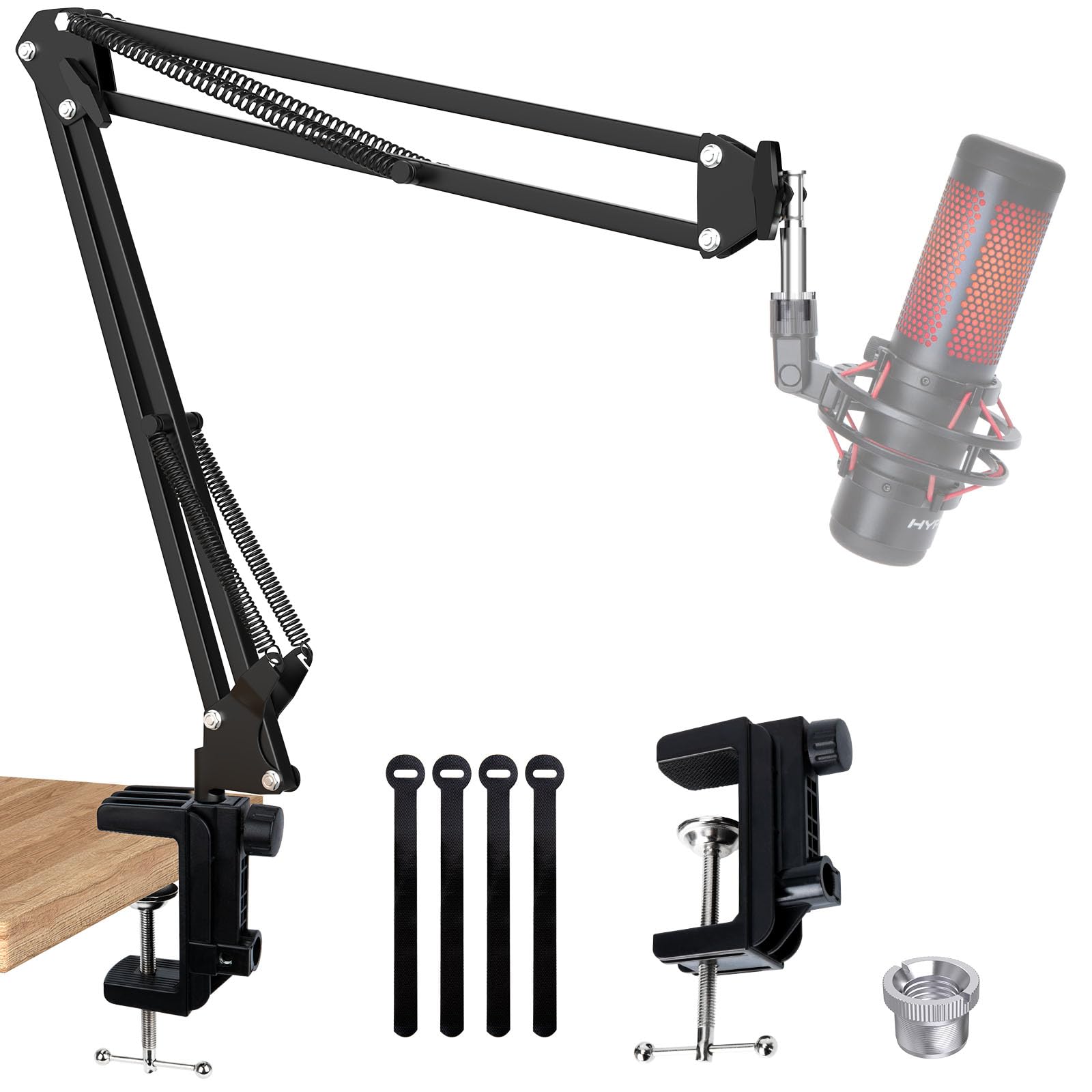
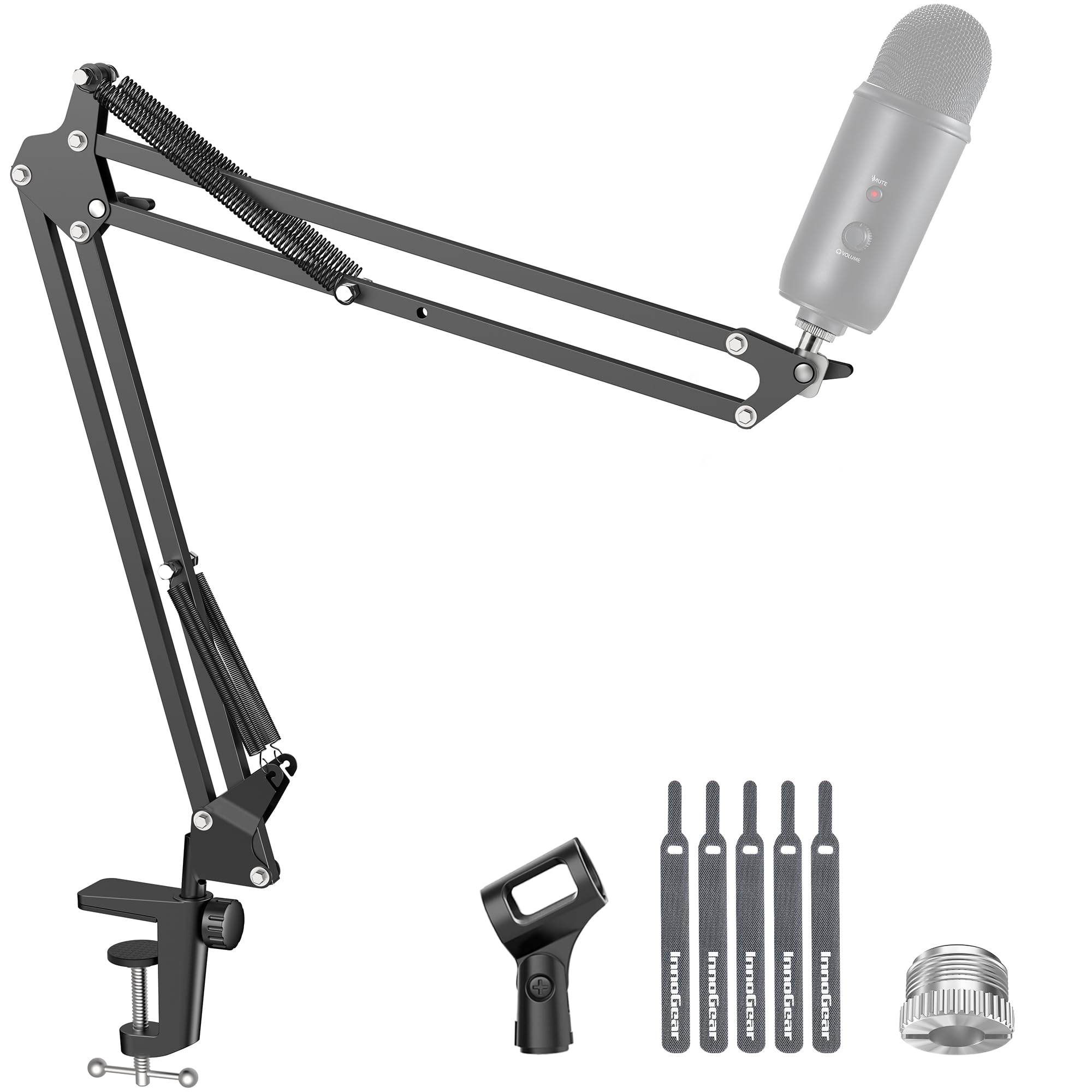
InnoGear Boom Arm

91 /100
Studio Score High Confidence

Key details

Max Load
3.3 lb / 1.5 kg
Desk Clamp
Up to 2 in
Check Price on Amazon

The InnoGear goes for raw capacity over refined movement: it keeps Blue Yeti and HyperX-class mics in position, while the top pick offers silent damped articulation.

Best for first-time streamers and podcasters on a budget with standard flat desks, and for anyone comfortable re-tightening the spring tension as the arm settles over time.

Pros

  • 3.3 lb rated load covers Blue Yeti and HyperX-class mics.
  • Setup is fast, with 3/8 in and 5/8 in threads for common mics.
  • 360° base and 270° mic adapter offer flexible positioning.

Cons

  • Clamp grip depends on a flat desk edge; thick, curved, or lipped surfaces may hold less firmly.
Our verdict

This is the value starting point for heavy USB mics on a tight budget.

Check Latest Price
3

Best Low-Profile

Elgato Wave Mic Arm LP

93 /100
Studio Score High Confidence

Key details

Max Load
4.4 lb / 2 kg
Desk Clamp
Check Price on Amazon

Magnetic cable covers and anti-torsion metal keep this low-profile arm tucked below the monitor sightline, while the joints move smoothly through a 360° horizontal and 90° vertical range and hold position during normal use. It supports separate broadcast mics up to 2 kg without adding visual clutter to a webcam setup.

Streamers who value a clear monitor and webcam view are the right fit; the low-profile geometry trades away maximum overhead reach. This is a standalone boom arm for a separate mic, not a bundled kit. With mics near the 2 kg ceiling, the pivot can develop a gradual sag, and periodic re-tightening is the maintenance that keeps it in place.

Pros

  • Low-profile geometry keeps the mic below monitor and webcam sightlines.
  • Magnetic cable covers hide cabling without clips and keep the desk tidy.
  • Anti-torsion metal build keeps the arm from twisting when you nudge the mic.

Cons

  • With mics near the 2 kg ceiling, the pivot can develop sag; periodic re-tightening is required.
Our verdict

For a desk setup where monitor and webcam sightlines matter, this arm keeps a clean, adjustable mic position without crowding the frame.

Check Latest Price
4

Best for Heavy Mics & Long Reach

Samson MBA38

91 /100
Studio Score High Confidence

Key details

Max Load
5 lb / 2.27 kg
Desk Clamp
C-clamp up to 2 in
Check Price on Amazon

With a 38-inch reach and 5 lb capacity, the Samson MBA38 holds heavy broadcast mics like the SM7B and MXL 990 in place with minimal sag. Solid steel construction and internal springs make it rigid even at full extension, and the included C-clamp fits thick desk edges up to 2 inches. That reach and load rating beat the smoother top pick on paper.

This is a set-and-forget arm for wide desks and static podcast or voiceover positions, where you park a heavy mic once and let the rigid joints hold it. Articulation is stiff and there is no user tension adjustment, so if you want smooth one-finger repositioning or a compact footprint, the 38-inch reach will work against you.

💡 Support the arm near the joint when repositioning; firm pressure is expected, so use deliberate, steady movements.

Pros

  • 38-inch reach and 5 lb capacity keep heavy mics like the SM7B and MXL 990 locked in place.
  • Solid steel build with internal springs gives a rigid feel at a mid-range price.
  • Works out of the box with a C-clamp that fits desks up to 2 inches and a flange mount included.

Cons

  • Articulation is stiff and lacks user tension adjustment, so repositioning takes firm force.
Our verdict

Set a heavy mic once and leave it: the MBA38's extended reach and rigid joints earn their keep on wide desks.

Check Latest Price
5

Best Weighted Base / No Clamp

InnoGear Weighted Base Stand

92 /100
Studio Score High Confidence

Key details

Max Load
4.4 lb mid-extension
Desk Clamp
No clamp
Check Price on Amazon

The InnoGear weighted-base arm skips the C-clamp entirely, resting on a heavy powder-coated base that anchors a separate mic on glass and frameless desks. Telescoping height from 11 to 15.8 inches plus 3/8- and 5/8-inch threads make it easy to place over an amp or drum kit.

Buyers with non-clampable desks get a stable alternative to traditional boom arms, plus the portability to switch between guitar amp and drum sessions. The plastic cable clips are fragile, and full extension with heavier mics holds best when the load stays centered over the base.

Pros

  • Heavy five-pound base secures mics without a desk clamp.
  • Telescoping boom adds height and reach for amp and drum miking.
  • Budget-friendly price for a clamp-free desktop boom.

Cons

  • Cable routing is basic; hidden-cable setups need a separate management solution.
Our verdict

For desks that can't be clamped, this is the rare weighted-base arm that keeps a dedicated mic within reach at a fair price.

Check Latest Price
6

Best Low-Profile Value

FIFINE BM88 Low Profile

93 /100
Studio Score High Confidence

Key details

Max Load
3.3 lb / 1.5 kg
Desk Clamp
0.8–2.4 in thick
Check Price on Amazon

The BM88 is the low-profile arm that keeps the desk clear: all-metal construction, hidden cable routing, and a compact silhouette. It undercuts pricier low-profile arms while handling common USB and XLR mics up to 1.5 kg, and the 29-inch reach covers typical desks. The clamp fits 0.8 to 2.4 inch edges, so standard desks work.

This suits streamers with a lighter USB or XLR mic and a clampable desk; heavier broadcast mics should move to a higher-capacity arm. Buyers who want zero long-term maintenance should look elsewhere, though: the tension hardware can loosen or strip on some units, and droop may appear after months.

💡 If the arm starts to drift, tighten the joint screws a little; that usually restores stiffness.

Pros

  • Metal body and hidden cable routing deliver a clean low-profile look without the premium price tag.
  • Setup is simple enough for a first-time streamer to mount a mic and route cables quickly.
  • Thread options cover FIFINE, Shure, and HyperX mics without adapters, so common USB and XLR capsules mount directly.

Cons

  • Tension and clamp hardware can loosen or strip on some units, so the arm may droop after months.
Our verdict

For a tidy low-profile desk built around a lighter mic, the BM88 delivers clean cable routing and a metal arm without the usual premium markup.

Check Latest Price
7

Ultra-Budget Light Mics

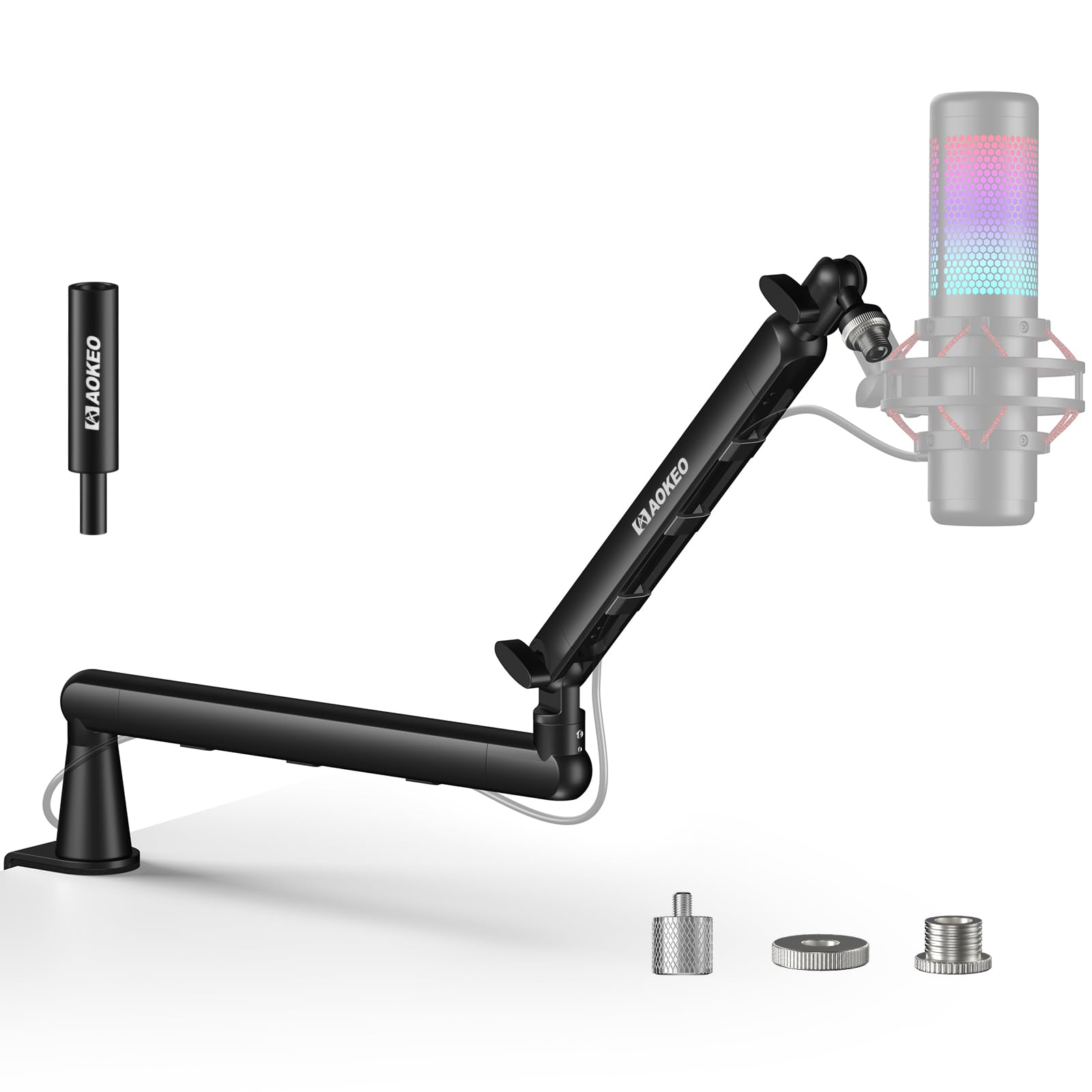
Aokeo AK-35 Boom Arm

88 /100
Studio Score Strong Evidence

Key details

Max Load
4 lb / 1.8 kg
Desk Clamp
Up to 2.3 in
Check Price on Amazon

This ultra-budget scissor arm gets light and medium mics off the desk with 3/8 and 5/8 threading for common mounts. The clamp holds a small condenser once it is tightened properly. Durability and clamp consistency vary; some units develop joint or clamp issues after light use, which is why it sits behind the InnoGear budget champion for long-term use.

Pros

  • Budget-friendly entry into an adjustable desk arm for light and medium mics.
  • Holds lightweight mics securely after a careful clamp setup.

Cons

  • Frequent repositioning with heavier mics can exceed the arm's stable range.
Our verdict

For a light USB or XLR mic that stays in one position, this remains a low-cost way to free up desk space.

Check Latest Price
8

Low-Profile USB Mics

Aokeo AK-55 Low Profile

89 /100
Studio Score Strong Evidence

Key details

Max Load
4.4 lb / 2 kg
Desk Clamp
Fits tables under 7 cm
Check Price on Amazon

Aokeo's AK-55 is a steel low-profile arm rated for 2 kg, with a clean modern look that suits tidy desk setups. It handles light-to-midweight USB mics without the visual bulk of a scissor boom. The mic-end pivot is best suited to lighter capsules, which makes this a mid-range low-profile option rather than a broadcast-weight arm.

Pros

  • Highly adjustable for a low-profile arm, so the mic can be positioned around tight desk layouts.
  • Steel build and included thread adapters make this a cost-effective low-profile pick.

Cons

  • With a heavier mic at full extension, the mic-end pivot can allow the boom to drift out of position.
Our verdict

A light-to-midweight USB mic on a tidy desk is the right fit for this arm.

Check Latest Price
9

Light USB Mics

FIFINE CS1 Boom Arm

90 /100
Studio Score High Confidence

Key details

Max Load
Desk Clamp
Up to 2 in
Check Price on Amazon

The foldable metal arm handles light USB mics at a budget-friendly price. The C-clamp can slip on smooth desk edges and tension knobs resist fine adjustments; heavy dynamics like the Shure SM7B are outside its intended range. That tradeoff keeps it a secondary option for casual streamers.

Pros

  • Good build quality for the price, with a metal scissor arm and standard thread sizes.
  • Setup is quick and the foldable shape makes it easy to store.

Cons

  • Users who frequently change mic position will find the hold less predictable.
Our verdict

Fits casual streamers who want a low-cost foldable arm for a light USB mic.

Check Latest Price
10

Beginners, Light Mics

Amazon Basics Boom Arm

88 /100
Studio Score Strong Evidence

Key details

Max Load
3.3 lb / 1.5 kg
Desk Clamp
Up to 2 in
Check Price on Amazon

The Amazon Basics Boom Arm is a complete starter bundle: pop filter, windscreen, and clip for light USB mics. Its 3.3 lb rating covers beginner setups at the lowest entry point in this guide. The desk connection may become unstable with use, and sturdiness trails better budget arms — keep it to occasionally repositioned setups rather than daily professional work.

Pros

  • Complete starter bundle includes pop filter, windscreen, and clip for a first mic setup.
  • 3.3 lb capacity and metal-alloy build handle light USB mics without strain.

Cons

  • Tension screws may let the arm sag under heavier mics.
Our verdict

Use this when the mic is light, the desk edge can accept a clamp, and the priority is getting a complete first setup for the lowest cost.

Check Latest Price
11

HyperX-Class Mics

SUNMON Boom Arm

89 /100
Studio Score Strong Evidence

Key details

Max Load
3.1 lb / 1.4 kg
Desk Clamp
Up to 1.89 in
Check Price on Amazon

Dual suspension springs and a low entry price make this a natural fit for lightweight HyperX QuadCast and SoloCast mics. The clamp is the weak link; it can loosen on thicker desk edges, and the arm's stability can degrade with heavy mics or constant repositioning. That keeps it behind the safer all-round budget arm for demanding daily use.

Pros

  • Fits HyperX QuadCast and SoloCast mics without needing extra adapters.
  • Easy desk clamp setup with dual springs for a quick first install.

Cons

  • Clamp can loosen on thick desk edges and stability may degrade with heavy mics or frequent repositioning.
Our verdict

Works best for light HyperX setups on standard desk edges; choose a sturdier budget arm if you move the mic often.

Check Latest Price
12

Flat Desks

UBeesize Boom Arm

90 /100
Studio Score High Confidence

Key details

Max Load
3.3 lb / 1.5 kg
Desk Clamp
Up to 2.5 in
Check Price on Amazon

Aluminum-alloy construction and a broad clamp range give this standalone boom a competitive spec sheet at a mid-range price. The catch: listed buyer comments appear tied to another product variant, so real-world handling is unconfirmed. This suits buyers who shop from specs and use flat desks up to 2.5 inches thick.

Pros

  • Aluminum construction keeps the mount rigid on flat desk edges.
  • Multi-axis rotation helps position a separate mic without shifting the clamp.

Cons

  • Mics at or above the rated load call for a heavier-duty arm.
Our verdict

A sensible spec-first option for lightweight mics on flat desks when you are comfortable judging the arm from published specs.

Check Latest Price

How to Choose

Weight Capacity

Rated capacity is not a simple number. A 3.3 lb arm can support a Blue Yeti near the base, but at full extension the same load puts more stress on the pivot and springs.

Use the manufacturer rating as a ceiling, not a target. If your mic plus shock mount weighs 1 lb, a 3.3 lb arm gives you useful positioning margin. If you are near the limit, keep the arm folded closer to the base.

Desk Clamp Fit

C-clamps only get full grip on flat, square edges. A curved or lipped edge reduces contact, so the clamp works loose even when the screw feels tight.

Measure the actual desk edge before buying. The spec may say up to 2 in, but a rounded edge needs a clamp with a deeper throat or rubber pads.

Reach and Extension

Reach and capacity interact through leverage. A 38-inch arm at full extension puts far more torque on the clamp than the same arm halfway in.

Consider desk depth and where your mic needs to sit. Short arms are fine for a close-talking podcast setup; long arms are for broadcast mics at a distance.

Articulation and Smoothness

Smooth movement comes from damped springs and machined joints. Stiff arms rely on internal springs without dampening and are harder to position one-handed.

If you adjust your mic often, choose an arm with accessible tension controls near the pivot. If you set it once and leave it, stiffness is acceptable and often buys more stability.

Cable Management

Built-in channels and magnetic covers improve the look but add material to the joints. That extra bulk can limit rotation, especially on low-profile arms.

Cable clips do not stop strain at the pivot. A loose cable loop pulling on the mic end can shift the arm, so keep slack routed close to the arm rather than hanging free.

Frequently Asked Questions