6 Best Fujifilm GFX100 II Accessories of 2026: Fit, Protect, Adapt

Find the GFX100 II accessories that fit this specific body, from screen protectors to lens adapters, without compatibility guesswork.

The GFX100 II is a specialized camera, and its accessory market follows a similar pattern: small protective pieces are inexpensive, while lens adapters push into premium territory. The catch is compatibility. A screen protector made for the GFX100S can leave the rear LCD exposed, and an adapter listing that promises autofocus may not deliver it with your specific Canon lens.

What separates a useful purchase from a wasted one is matching the accessory to the exact body and the lenses you already own. A good fit on the GFX100 II means the articulating screen still closes, the hot shoe cover stays put, and an adapted lens communicates when it should.

This guide focuses on accessories with model-specific fit and dependable everyday behavior: screen protection that doesn't interfere with the LCD, adapters that make the most of adapted glass, and small items that simply do their job.

1

Best Overall GFX100 II Accessory

ULBTER GFX100 II Protector

91 /100
Studio Score High Confidence

Key details

Pack Contents
2 LCD, 2 top PET
Build Material
Tempered glass
Camera Compatibility
GFX100 II only
Check Price on Amazon

ULBTER covers both displays on the GFX100 II with one kit: a 0.3mm 9H tempered-glass panel for the rear LCD and PET film for the top status screen. Alignment aids on the backing hold the glass squarely while you lower it into place, removing the guesswork that usually comes with flat screen guards. Clarity is rated at 99.99% HD, and the rear panel keeps fine text and image review crisp without a hazy layer. The two top films are cut for the small status LCD rather than relying on a generic rectangle, so the camera's control layout stays unobstructed.

Once installed, the rear glass sits flush with the screen edge, so the articulating LCD closes normally. Touch response comes through the 0.3mm layer without added pressure, and the 9H coating handles the grit a camera screen meets in a bag. The top PET film follows the small status display closely enough that the control panel does not look overdressed, and it keeps the readout free of light scratches on polished plastic.

This kit is for photographers who own the GFX100 II specifically and want rear-screen scratch protection before the camera starts working hard. GFX100S and GFX100 owners need a different protector because the screen cutouts differ. This is a body-specific part, not a universal Fujifilm accessory. Adhesion consistency is the variable to watch: some units hold every edge cleanly, while others may show a lifted corner after a day or two. The first 48 hours are the right time to inspect the install and press down anything that looks raised.

The two-glass/two-film layout provides a spare rear panel and a spare top film, so a dusty first install or later replacement does not force another order. The spare also helps if the rear protector takes a direct scratch after months of service; swapping in the second panel is less expensive than a repair-shop visit. The extra kit is a practical buffer against a bad first attempt.

Installing the rear panel takes under a minute once the LCD is clean. The alignment aid holds the glass in place while trapped air is worked toward the edges, and the 0.3mm thickness leaves enough clearance for the articulating screen to fold back into its recess. Once the protector is down, finger smudges wipe off with a dry pass.

๐Ÿ’ก Clean the screen thoroughly before applying and press each edge firmly after the glass is seated; dry, even contact helps the bond settle.

Pros

  • Alignment aids make positioning simple, so the glass seats flat on the first try.
  • GFX100 II-specific cut keeps the articulating rear screen closing normally.
  • 9H hardness and 0.3mm thickness protect the rear LCD without dulling touch response.
  • Two rear glass panels and two top films provide a spare set for an imperfect first install.

Cons

  • The top-screen layer is PET film rather than glass, so the status display gets scratch protection but not hard-impact resistance.
Our verdict

A GFX100 II owner who wants rear-glass and top-film coverage without a fight at install has found the right kit.
Check Latest Price
2

Best Canon EF Lens Adapter

VILTROX EF-GFX II Adapter

82 /100
Studio Score Strong Evidence

Key details

Pack Contents
โ€”
Build Material
Aluminum alloy, copper plating
Camera Compatibility
GFX mount cameras
Check Price on Amazon

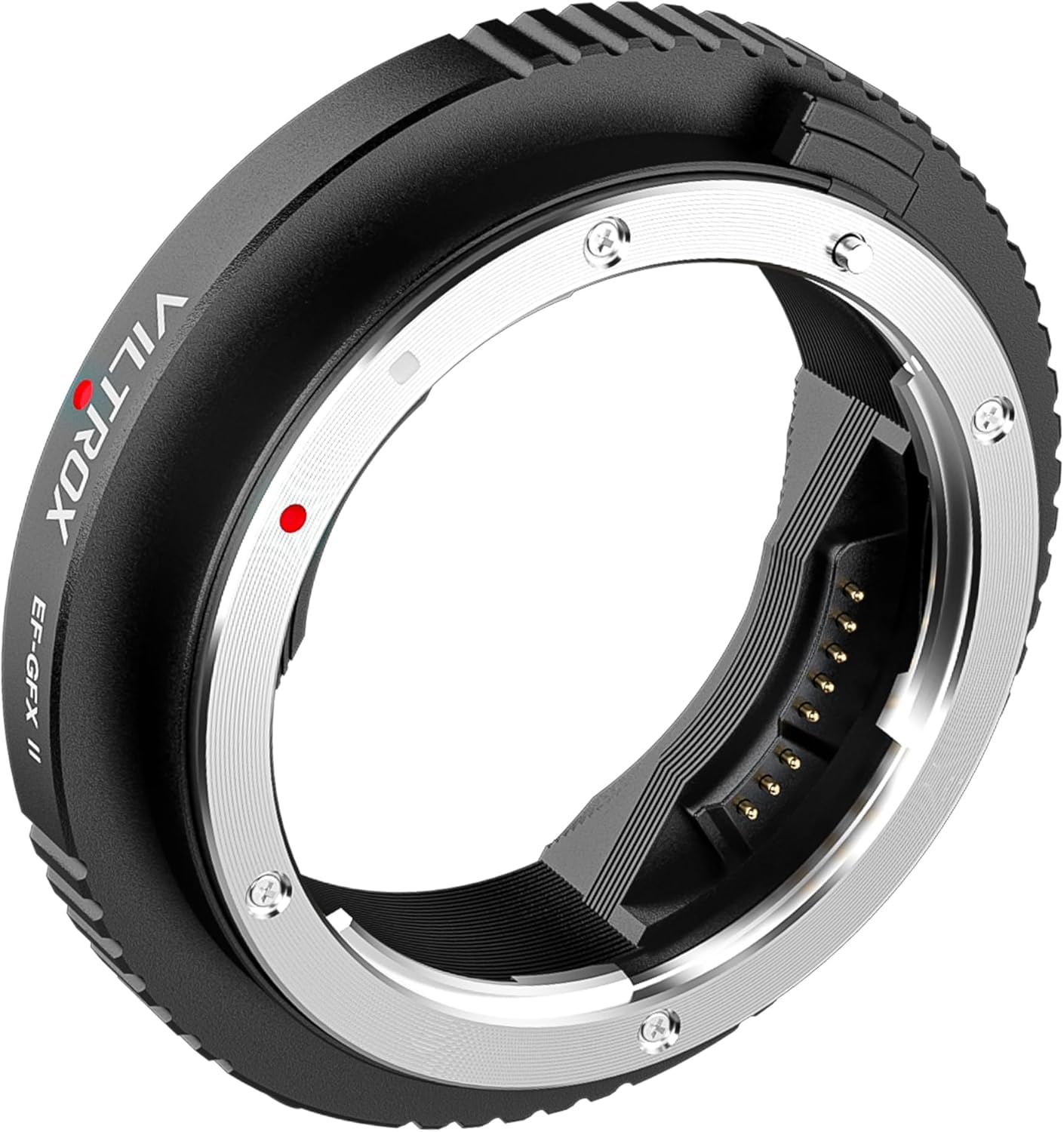
This is the only electronic EF-GFX adapter in this accessory set, pairing Canon EF/EF-S lenses with a GFX100 II while adding autofocus, EXIF data transfer, and a USB-C port for firmware updates. The manual PL-to-GFX adapter in the roundup serves cine glass without electronics, but this one is the bridge for photographers who want to keep EF lenses functional on the medium-format body.

The body is machined aluminum alloy with copper-plated contacts, so an adapted Canon lens feels firmly seated rather than wobbly. That rigidity becomes useful with heavier EF zooms. Image-stabilized EF lenses are supported, and firmware can be updated without sending the adapter back. Autofocus speed is lens-dependent rather than fixed by the adapter.

This adapter suits Canon EF/EF-S photographers migrating to GFX100 II who need autofocus and EXIF data instead of a pure manual ring. It is not for PL/cine lens users who need a manual adapter, and it does not promise native GFX autofocus speed. Autofocus and electronic contact behavior are lens-dependent; some EF lenses may produce intermittent connection warnings. That variable behavior is the tradeoff to accept when relying on adapted autofocus in a fast workflow.

๐Ÿ’ก Reseating the lens can restore the connection after a 'lens not attached' warning.

Pros

  • Machined aluminum-alloy body with copper-plated contacts keeps EF lenses firmly seated.
  • Autofocus and EXIF metadata pass through, so adapted EF/EF-S lenses keep electronic communication with the GFX100 II.
  • USB-C firmware updates allow compatibility fixes without replacing the adapter.

Cons

  • On some Canon EF lenses, autofocus can slow down or hunt instead of locking cleanly.
  • Electronic contact can drop mid-shoot and show a 'lens not attached' warning on the GFX100 II.
Our verdict

Canon EF/EF-S owners migrating to the GFX100 II who need autofocus and EXIF data get a practical bridge here, and the premium price buys a metal build plus firmware updates.

Check Latest Price
3

Best PL/Cine Lens Adapter

VILTROX PL-GFX Adapter

81 /100
Studio Score Strong Evidence

Key details

Pack Contents
โ€”
Build Material
Aluminum alloy, stainless steel
Camera Compatibility
GFX100/100S/50R/50S
Check Price on Amazon

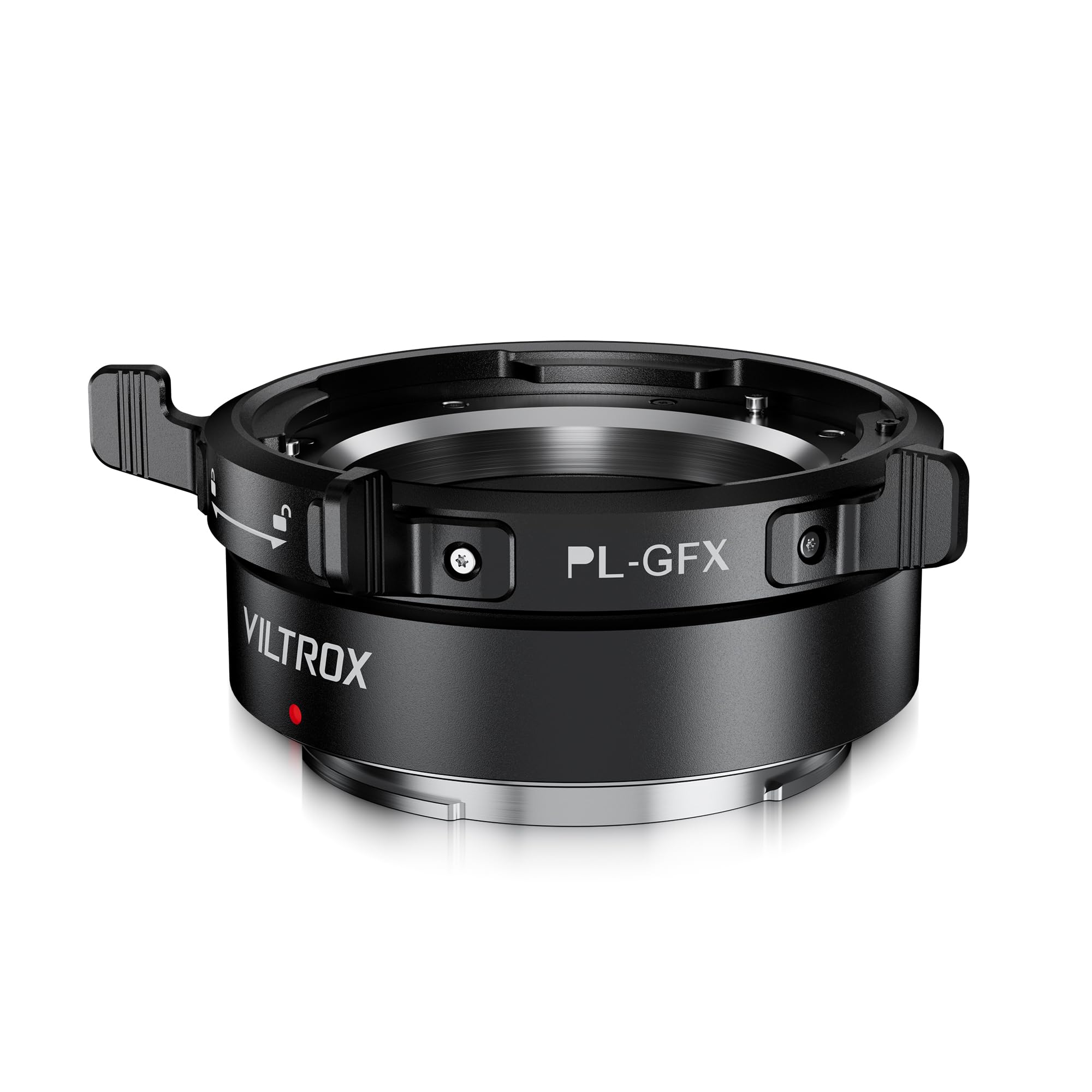
The VILTROX PL-GFX adapter is a manual bridge for PL cine lenses on Fujifilm GFX bodies, built around a rotary lock buckle and a 1/4-inch tripod mount. The aluminum alloy and stainless steel body holds the lens rigidly, and the dust-proof rubber sealing ring keeps debris away from the GFX sensor. On compatible PL glass, the adapter preserves image sharpness without introducing electronic interference.

On a GFX100 II, this works as a lens-extension system: set aperture on the lens, pull focus manually, and treat the camera as a digital back. The lack of electronic contacts means no EXIF data and no body-driven aperture control, which is expected for a manual adapter rather than a hidden issue.

This is for cine/video operators and photographers who already own PL or vintage manual glass and want to use it on a GFX body without adding electronic layers. It is not for Canon EF shooters who expect autofocus, or for buyers who need EXIF and body-driven iris. On some PL lenses, mounting can be very tight before the rotary lock engages, and some versions keep the tripod collar fixed despite the removable-mount claim; check both against your specific lens before buying.

๐Ÿ’ก Seat the PL lens squarely and let the rotary lock do the final pull when you feel resistance.

Pros

  • Preserves sharpness with compatible PL glass and keeps the optical path free of electronic filters.
  • Rotary lock and 1/4-inch tripod mount support heavier PL lenses without strain on the GFX bayonet.
  • Dust-proof rubber sealing ring protects the sensor during lens changes on location.

Cons

  • Tripod collar can be fixed on some versions, limiting compact setups that depend on removing it.
  • Mounting on certain PL lenses can require significant force before the rotary lock engages.
Our verdict

For PL-glass owners who work manually, this adapter is a practical, mid-range bridge to the GFX100 II; it suits planned shoots better than fast run-and-gun work.

Check Latest Price
4

Budget Screen Protector Bundle

JJC GFX100 II Screen Protector

81 /100
Studio Score Strong Evidence

Key details

Pack Contents
2 LCD, 4 small films
Build Material
Tempered glass
Camera Compatibility
GFX100 II only
Check Price on Amazon

JJC's kit covers the GFX100 II's main LCD and top small screen with two tempered-glass protectors and four small-screen films at an entry-level price. That is more spare coverage than the top pick's kit, and the extra films allow a second attempt if the first install goes wrong. The cutouts match the GFX100 II's screen area without overhanging the edges.

This kit is specific to the GFX100 II body; it will not line up on the GFX100S or GFX100. Bubble-free installation is not guaranteed; air bubbles or edge lifting can occur, so the right buyer is a budget-focused owner who wants both screens covered and a spare film waiting. The priority is low cost and full coverage rather than an immaculate first application. Anyone who demands a one-time flawless install should consider the top pick's alignment aids.

Routine handling shows the 9H layer's usefulness: the protector resists scratches from normal use, the anti-fingerprint finish keeps the screen cleaner between wipes, and the small-screen films fit the upper display. The glass does not interfere with taps and swipes, so added protection does not change daily operation.

๐Ÿ’ก Clean the GFX100 II's screens, align the top edge first, and press from the center outward to seat the glass.

Pros

  • Cutouts align with the GFX100 II's main and small screens, so the glass sits within the frame.
  • Touchscreen stays responsive with the tempered glass installed.
  • 9H glass shields the display from normal scratches and scrapes.

Cons

  • Bubble-free application is not guaranteed; air bubbles or edge lifting can appear.
Our verdict

This is the kit to pick if you prioritize spare films and low price over a one-and-done install on your GFX100 II.

Check Latest Price
5

Best Hot Shoe Cover Value

JJC 2-Pack Hot Shoe Cover

91 /100
Studio Score High Confidence

Key details

Pack Contents
2 covers
Build Material
ABS plastic
Camera Compatibility
Fujifilm X/GFX
Check Price on Amazon

The JJC two-pack slides into the GFX100 II hot shoe with the same factory-fit feel as the cover that ships on the camera, and the ABS shell keeps the electrical contacts sealed from dust and incidental moisture. Fit is consistent across both units, so the second cover can sit in a bag or lens case until the first one is misplaced.

Two covers matter more than one if you shoot the GFX100 II without a grip and remove the shoe cover to mount a flash or trigger. The exposed contact slot collects dust quickly, and having a spare in the bag means a lost cover is not a trip-stopper. The plain black profile sits flush enough that it does not change how the camera handles in a bag.

This is the right purchase for a GFX100 II owner who wants a functional spare at a budget price and does not care about metal finishing. Buyers who want the look of an engraved aluminum cover should look at the machined-metal option in this set instead; the JJC cover is intentionally plain ABS. It also suits Fujifilm shooters who frequently misplace small accessories and want a cover kept permanently in the camera bag.

Pros

  • Fits the GFX100 II shoe snugly and stays in place once installed.
  • The second cover solves the lost-factory-cover problem without a trip to the store.
  • Low-profile black shell blends with the camera and keeps dust off the contacts.

Cons

  • Plain ABS construction has no metal finish or engraved style.
Our verdict

For GFX100 II owners who tend to set the factory cover down and walk away, this two-pack is the low-cost spare that keeps the shoe covered.

Check Latest Price
6

Metal Shoe Cover

SmallRig Hot Shoe Cover

86 /100
Studio Score Strong Evidence

Key details

Pack Contents
1 cover
Build Material
Aluminum alloy
Camera Compatibility
Fujifilm X/GFX
Check Price on Amazon

The SmallRig hot shoe cover adds a machined aluminum plate with an engraved Fujifilm motif and soft silicone pad to the GFX100 II's accessory shoe, giving the camera a more considered, premium look. The metal finish blends with the body and the build feels solid in hand. Fit can be loose on some bodies, so the cover may slide out or sit slightly off; that keeps it below the simpler ABS two-pack for anyone who wants a locked-in seat. The engraved FUJIFILM branding is also visible, so owners who prefer an unmarked accessory should weigh that before buying. For GFX100 II owners who want the top plate to look as finished as the rest of the camera, this is the stylish pick.

Pros

  • Metal finish blends with the camera body for a clean, premium look.
  • Solid aluminum construction with a soft silicone pad feels well made.

Cons

  • The engraved FUJIFILM branding is visible, which may bother owners who prefer an unmarked cover.
  • Fit can be loose on some bodies, letting the cover slide out or sit slightly off-center.
Our verdict

The SmallRig cover fits a specific buyer: someone who wants the GFX100 II's hot shoe to look as considered as the body, and who is willing to confirm the fit before relying on it in transit.

Check Latest Price

How to Choose

Camera Compatibility

The GFX100 II has a different rear housing and articulating screen from the GFX100S and GFX100. Screen protectors are cut to a specific glass edge, so a protector made for the GFX100S will not cover the GFX100 II LCD correctly. Lens adapters must also seat against the GFX flange; a mount built for another system can leave the lens at the wrong registration distance.

Screen Protector Adhesion

Tempered glass relies on a thin silicone adhesive layer across the whole surface. The adhesive requires a clean screen and a slow, even press from the center outward; any dust speck creates a bubble because rigid glass will not conform around debris. That is why alignment aids matter more than the glass hardness.

A top-screen PET film is more forgiving during installation because it bends, but it also scratches sooner than glass. For the main LCD, glass is the better everyday choice; for the small top panel, PET is acceptable.

Lens Adapter Electronics

Electronic adapters use gold-plated contacts to pass aperture, autofocus, and EXIF signals between the camera and lens. The GFX100 II treats an adapted EF lens as a GFX lens, so the adapter must translate Canon EF communication into Fujifilm GFX protocols. That translation is why firmware updates matter: a newer Canon lens may need a newer adapter firmware version before it will communicate at all.

Autofocus speed is still limited by the lens motor. Ring-type USM lenses focus quickly, while older micro-motor lenses may hunt more on the larger GFX sensor. If a lens does not focus at all, check the adapter firmware before assuming the hardware is faulty.

Build Materials and Mounting

Adapter material controls flex and thermal expansion. Aluminum alloy is light and stiff enough for stills, but stainless steel and copper plating hold tighter tolerances when heavy cine glass is attached. A tight mount is safer than a loose one, because any play at the flange shifts the optical plane and softens the image.

Dust sealing matters just as much: a rubber gasket prevents grit from reaching the sensor during lens changes. For hot shoe covers, ABS plastic matches the factory part, while metal adds weight and a different retention feel.

Multi-Pack and Spares

Multi-packs exist because small accessories are easy to lose and screen protectors are easy to ruin during installation. Two LCD films and one top-screen film cover the most common issue: a misaligned first attempt. Extra small-screen films matter less for durability than for practice, because the top PET film scuffs quickly.

A two-pack of hot shoe covers solves the lost-cover problem without adding bulk. A single premium metal cover makes more sense if you value appearance over redundancy.

Frequently Asked Questions