8 Best Epson Printers of 2026: Low Ink Costs, Fewer Wi-Fi Drops

Find the best Epson printers for home, office, or photo work by focusing on ink system, paper handling, and Wi-Fi behavior — not just the sticker price.

Epson's EcoTank printers are the rare category where the long-term cost math actually works: a set of ink bottles can outlast a stack of cartridges. But the savings come with a catch. The cheapest tank models often trim the parts that make a printer feel dependable: paper handling, automatic duplexing, and stable wireless.

That means the real choice is less about tank versus cartridge and more about which trade-offs fit your week. A low entry price and low ink costs only help if the printer stays connected and feeds paper cleanly when you need it. Pick on price alone and you can end up with a machine that saves on ink but costs time and patience.

For photographers, the deciding factor is wide-format output and color quality; for offices, it is the paper path and connectivity. Know which one drives your purchase and the spec sheet starts to make sense.

1

Best Overall

Epson EcoTank ET-3950

82 /100
Studio Score Strong Evidence

Key details

Max Media
Letter / legal
Ink System
EcoTank bottles
Print Speed
18/9 ppm
Paper Handling
ADF, auto duplex, 250 sheets
Check Price on Amazon

The ET-3950 gives a home office a complete toolkit: ADF, auto duplex, Ethernet, and EcoTank bottle refills in one mid-priced all-in-one. Print quality holds up across everyday text, color documents, and occasional photos, with black text that stays crisp and color graphics that look clean. The 18 ppm black-and-white speed keeps routine paperwork moving, and the output comes out ready for everything from school forms to client handouts. It sits in the strongest spot in Epson's current tank lineup for buyers who want office features without stepping up to a Pro model or adding fax hardware.

The running-cost story is the main event. The ink reservoir carries enough for months of regular printing, which matches what owners see in routine use: ink levels barely move between refills. A full set of bottles delivers far more pages than the cartridge machines at a similar upfront price, and the tank system removes the need to swap cartridges mid-project. Setup benefits from the wired LAN port, giving a network drop a clear path that avoids the wireless variables found in some homes and small offices.

Home offices that print daily and want low per-page costs fit this model better than the entry-level EcoTanks without an ADF. Wireless behavior can vary with router placement, so a desk near the router or an Ethernet cable removes the variables. If 13x19 output is your focus, the wide-format photo EcoTank in this lineup is the better match; this one stays in the standard-paper lane. Buyers who only need occasional prints can save money with a simpler EcoTank, but they give up the office workflow features this model brings.

The automatic document feeder is the productivity upgrade over budget tank models: a stack of multi-page documents scans or copies unattended, and the duplexer turns out two-sided handouts without manual page flipping. The 250-sheet tray holds enough for a week of small-office output, and the replacement bottles are inexpensive enough that the per-page cost stays low even when the kids run off school projects. This is the model to pick when a budget tank printer saves money upfront but forces you to babysit every scan and flip each page by hand.

Compared with the fax-equipped EcoTank sibling, the ET-3950 trades the phone-line hardware for a lower price and the same core ADF, duplex, and ink-tank advantages. Compared with the Pro-tier models, it gives up the larger paper capacity and faster print engine while keeping the low running costs that make EcoTank attractive. For a home office that prints daily, that midpoint is the right size.

Pros

  • Print quality is strong across text, color documents, and photo prints for an all-in-one.
  • EcoTank bottles keep per-page costs low; ink levels stay put for months in routine use.
  • ADF, auto duplex, and Ethernet cover office basics without the fax markup.
  • Mid-range pricing sits below Pro-tier EcoTanks while keeping the same bottle-ink system.

Cons

  • Color documents move at 9 ppm, so bulk color work takes longer than black-and-white.
  • Wi-Fi can be inconsistent in some setups; the Ethernet port is the steadier route.
Our verdict

For a home office that prints daily, the ET-3950 is the right midpoint between entry-level tank savings and Pro-tier office features.

Check Latest Price
2

Budget EcoTank Pick

Epson EcoTank ET-2800

82 /100
Studio Score Strong Evidence

Key details

Max Media
Letter
Ink System
EcoTank bottles
Print Speed
10/5 ppm
Paper Handling
100 sheets, simplex
Check Price on Amazon

The ET-2800 is the lowest-cost route into Epson's EcoTank bottle-ink system, and that is its reason to exist. Households that print a mix of text documents, school forms, and color project pages get sharply defined text and acceptable casual color output. The bottle ink is inexpensive to replace and lasts well beyond a cartridge, which is the main draw for a budget desk. That per-page math makes it the starting point for anyone who prints light but is tired of cartridge restocking.

Setup through the companion app is smooth for phone-first households, and filling the ink tanks is less messy than swapping cartridges because each bottle is color-coded. The tank layout keeps the footprint compact, and the paper path is simple enough for a homework stack. None of this is office-class, but it is well matched to a desk that feeds it a few pages at a time.

This is for students and families who want the lowest per-page ink cost in exchange for a deliberately simple feature set. There is no ADF, fax, or automatic two-sided printing, so multi-page scans and duplex documents mean hands-on work. Wireless behavior and long-term durability can vary between units, so buyers who need guaranteed office uptime should look at the better-equipped EcoTank above.

Pros

  • Bottle-ink refills are inexpensive and long-lasting, keeping per-page costs low.
  • App-based setup and simple ink filling get new users through the first pages without a PC.
  • Text output is sharp, and color work suits school projects and casual photos.

Cons

  • Black-and-white pace tops out at 10 ppm, so longer documents sit in the queue longer.
  • The 100-sheet input tray needs refills during multi-page projects.
Our verdict

For a light home workload, the ET-2800 offers the lowest entry price into EcoTank ink savings and keeps per-page costs low.

Check Latest Price
3

Best for Photo & Wide-Format

Epson EcoTank Photo ET-8550

81 /100
Studio Score Strong Evidence

Key details

Max Media
13x19 in
Ink System
6-color EcoTank Photo
Print Speed
16/12 ppm
Paper Handling
Auto duplex, 100 sheets
Check Price on Amazon

The ET-8550 is a true 13x19 six-color photo EcoTank, and the color depth it brings to portfolio prints is what makes it worth the premium price. Vivid color rendering, fine detail, and a wide color gamut put it ahead of cartridge photo printers in the same size class. The wide-format EcoTank with ADF and fax leans toward creative-business workflows, but this model is better matched to photographic output.

This is a printer for photographers and small studios who need low-cost large-format output, not for general office documents. The paper path is photo-oriented, so mixed document tasks feel secondary. Buyers should expect high-quality photo mode to take several minutes per large sheet and the occasional heavy paper to need a nudge through the rear feed.

Ink filling is a simple bottle-by-bottle process, and the six tanks sustain hundreds of prints before a refill. The printer handles glossy, matte, and fine-art stock well, which is where its cost-per-print advantage shows up most. For a batch of 13x19 prints, the savings versus cartridge ink accumulate quickly for anyone selling their work.

Plain-paper tasks are possible but not the main event. A document-focused EcoTank is faster for text and scanning, and the ET-8550's photo-tuned color profile is wasted on routine emails and forms.

💡 Load 13x19 photo stock in the rear feed and keep the front tray for plain paper.

Pros

  • Six-color 13x19 photo prints have a wide color gamut and strong detail on glossy and fine-art paper.
  • Bottle-ink economics make large-format printing affordable for portfolio and small-batch sales.
  • Ink filling and wireless setup are simple enough to get running without a long learning curve.

Cons

  • In a client-facing studio, high-quality 13x19 prints take minutes each, so batch work needs scheduling.
  • Heavy photo media can occasionally misfeed or skew in the rear path, making large cardstock runs need supervision.
Our verdict

For photographers who put image quality ahead of document speed, the ET-8550 turns wide-format photo printing into a low-cost habit instead of a cartridge-buying event.

Check Latest Price
4

Best for Small Business / High Volume

Epson EcoTank Pro ET-5800

85 /100
Studio Score Strong Evidence

Key details

Max Media
Letter / legal
Ink System
EcoTank Pro bottles
Print Speed
23/12 ppm
Paper Handling
500 sheets, ADF, fax, duplex
Check Price on Amazon

Near-laser speed and a 500-sheet paper path define this Pro-tier EcoTank. It prints 23 ppm in black and 12 ppm in color, includes automatic duplex, fax, and an automatic document feeder, and supports two 250-sheet trays plus a rear feed. Bottle ink keeps per-page costs far below cartridge alternatives, so high-volume offices get speed and low running costs in one machine. Speed stays consistent on long runs, and there are no cartridge swaps mid-project.

The two 250-sheet trays reduce refill stops during multi-page jobs, and the rear feed can handle envelopes and cardstock without disrupting loaded paper. Different paper sizes can stay loaded at once, which suits offices that switch between letterhead and plain paper. The front panel guides ink filling clearly, and the ink bottles are keyed to the tanks, which lowers the chance of a mess during setup.

This is for small and growing offices with daily multi-page jobs, where each day's printing is measured in reams rather than single pages. Teams running daily document workflows with scanning and faxing will get the most from it. Ethernet is included for fixed workstations, while mobile devices can connect over Wi-Fi. It is not a low-volume home printer or a tight-upfront-budget purchase.

💡 Keep plain paper in the two main trays and use the rear feed for envelopes and cardstock.

Pros

  • Near-laser print speed keeps multi-page jobs moving without long waits.
  • Bottle ink holds per-page costs down and lasts a long time.
  • Two 250-sheet trays plus rear feed reduce refill stops.
  • Setup is easy, with clear instructions and simple ink filling.

Cons

  • Wi-Fi can drop in some network environments, affecting wireless jobs.
  • Paper jams can interrupt long runs in some cases.
Our verdict

The ET-5800 fits an office that prints continuously; light duty doesn't need this much machine.

Check Latest Price
5

Best Fast Office Cartridge Value

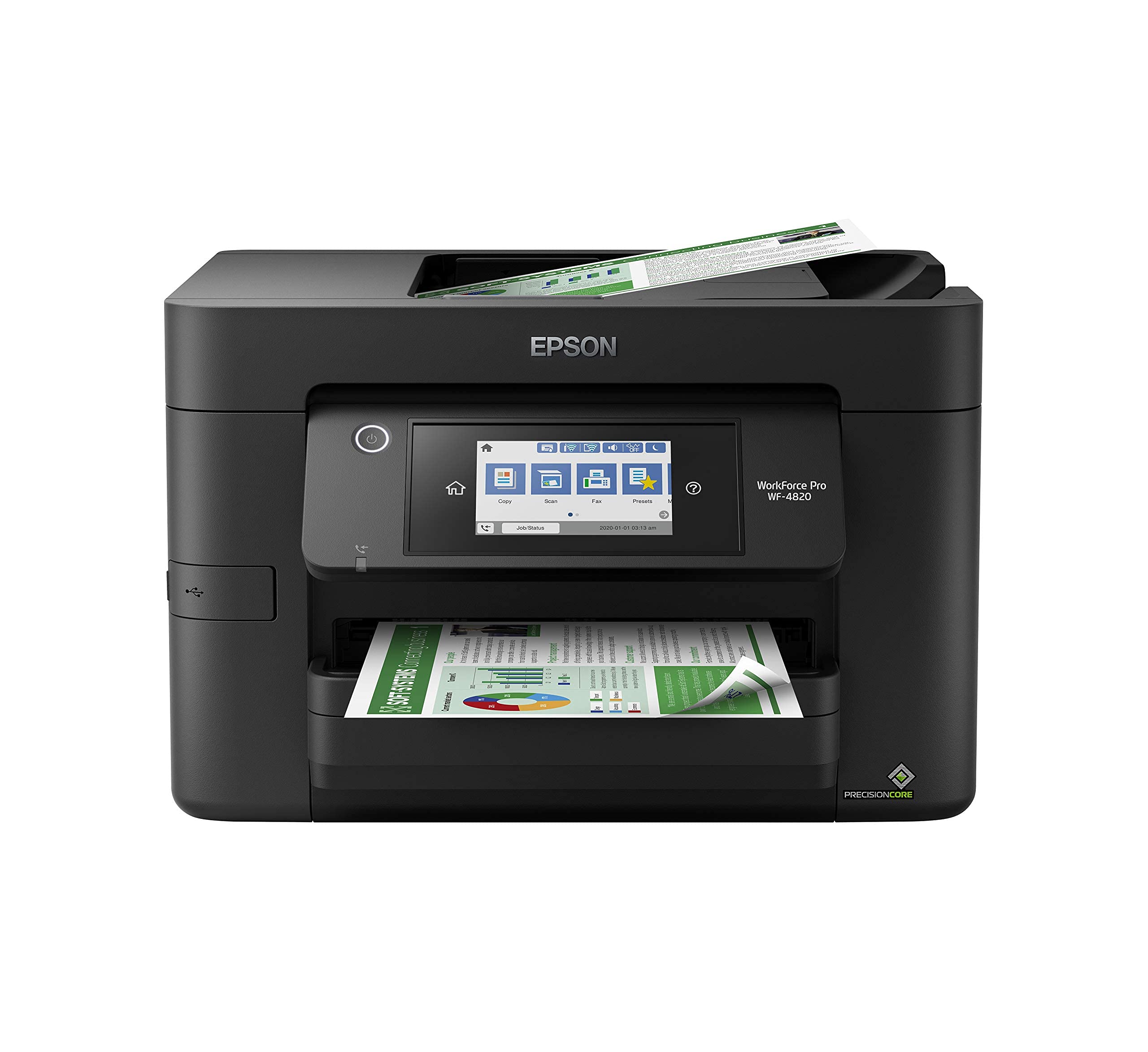
Epson WorkForce Pro WF-4820

81 /100
Studio Score Strong Evidence

Key details

Max Media
Letter / legal
Ink System
Cartridge, DURABrite Ultra
Print Speed
25/12 ppm
Paper Handling
ADF, duplex, 250 sheets
Check Price on Amazon

The WF-4820 pairs 25 ppm black output with a 35-page ADF, automatic duplexing, and a touchscreen — a lot of office workflow for a budget-friendly cartridge printer. What it trades for that low entry price is the per-page economy of the EcoTank models in this roundup.

Print quality holds up on plain paper thanks to DURABrite Ultra pigment inks, which resist water smudges and keep text sharp. The 250-sheet cassette handles routine letter-size loads, and the ADF simplifies multi-page scanning without standing over the machine.

This is the right fit for a home office or small team that wants fast copy/scan/print without the upfront cost of a tank model. Genuine-ink costs are the long-term tradeoff, so it suits low-to-moderate volumes. A buyer chasing the lowest cost per page should start with the EcoTank in this roundup instead.

Wi-Fi and paper feed feedback is mixed, which matters more to a busy office than to a solo user who can reconnect and reload when needed. That boundary is worth understanding before purchase, but it does not erase the speed and workflow advantages at this price.

Pros

  • Fast 25 ppm black output with quick first page for a cartridge printer.
  • Auto duplex and a 35-page ADF make multi-page print/copy/scan jobs simpler.
  • Budget-friendly entry point for office-grade features without the tank upfront cost.

Cons

  • Multi-page scan jobs can stall when the ADF picks up mixed or curled stock.
  • During a long wireless print job, the connection can drop and require reconnection.
  • Owners who try third-party cartridges can hit a refusal wall, leaving genuine ink as the safe path.
Our verdict

For an office that puts speed and workflow first, this is the cartridge all-in-one to start with.

Check Latest Price
6

Best Home Auto-Duplex EcoTank

Epson EcoTank ET-2980

80 /100
Studio Score Strong Evidence

Key details

Max Media
Letter
Ink System
EcoTank bottles
Print Speed
15/8 ppm
Paper Handling
Auto duplex, 100 sheets
Check Price on Amazon

Automatic two-sided printing at a mid-range EcoTank price separates the ET-2980 from entry-level tank models, and the bottle-ink system keeps per-page costs low once the included starter inks run out. That makes it a convenient fit for households printing school packets and permission slips throughout the school year, without the waste of one-sided drafts.

Rated speeds of 15 ppm monochrome and 8 ppm color are ordinary for a home tank printer, and the machine actually hits that pace in normal use. The output is the stronger story: text stays crisp on plain paper, copies remain readable, and color pages hold up well for school projects and family snapshots. Photo paper adds a bit of pop, though no one should expect a dedicated photo printer's depth.

This is a home-first all-in-one for households that want automatic duplexing without an ADF, fax, or large touchscreen. The small control display is workable if you start jobs from a phone or computer, and an occasional jam in the duplex path is the tradeoff for two-sided convenience at this price. Either way, the paper tray and ink system fit a household printing rhythm rather than a high-volume office.

Pros

  • Auto duplex prints both sides without manual page-flipping.
  • Print and copy quality stays clean for ordinary documents and photos.
  • EcoTank bottle refills cut per-page ink costs compared with cartridge printers.

Cons

  • The 100-sheet input tray suits short runs; longer jobs need a reload.
  • Wi-Fi can be inconsistent, and the lack of Ethernet leaves USB as the only wired option.
Our verdict

A practical home EcoTank for families that value auto duplex and low ink costs over office extras.

Check Latest Price
7

Wide-Format Sublimation

Epson EcoTank ET-15000

85 /100
Studio Score Strong Evidence

Key details

Max Media
13x19 in
Ink System
EcoTank bottles
Print Speed
17/9 ppm
Paper Handling
ADF, fax, dual trays
Check Price on Amazon

The ET-15000 pairs true 13x19 output with ADF, fax, and two paper trays in one EcoTank body, giving sublimation shops and craft businesses a rare wide-format all-in-one. Bottle-ink economics keep large creative runs affordable, and the paper path accommodates projects that smaller tank printers cannot touch. The tradeoff is mechanical: paper jams can happen, phantom error codes can interrupt a job before paper is loaded, and durability varies between units. That keeps it from being a general office workhorse, but for creative professionals who also need scanning and faxing, the feature mix still deserves a look.

Pros

  • True 13x19 printing with low-cost bottle ink is tough to match in an all-in-one.
  • ADF, fax, and dual trays make it a workflow fit for sublimation businesses.

Cons

  • Paper jams and phantom error codes can interrupt wide-format jobs.
  • Durability can be uneven under heavy use, so long-term ownership is a gamble.
Our verdict

Choose it when 13x19 creative output and tank-ink economics matter more than flawless office behavior.

Check Latest Price
8

Standard-Size Photo

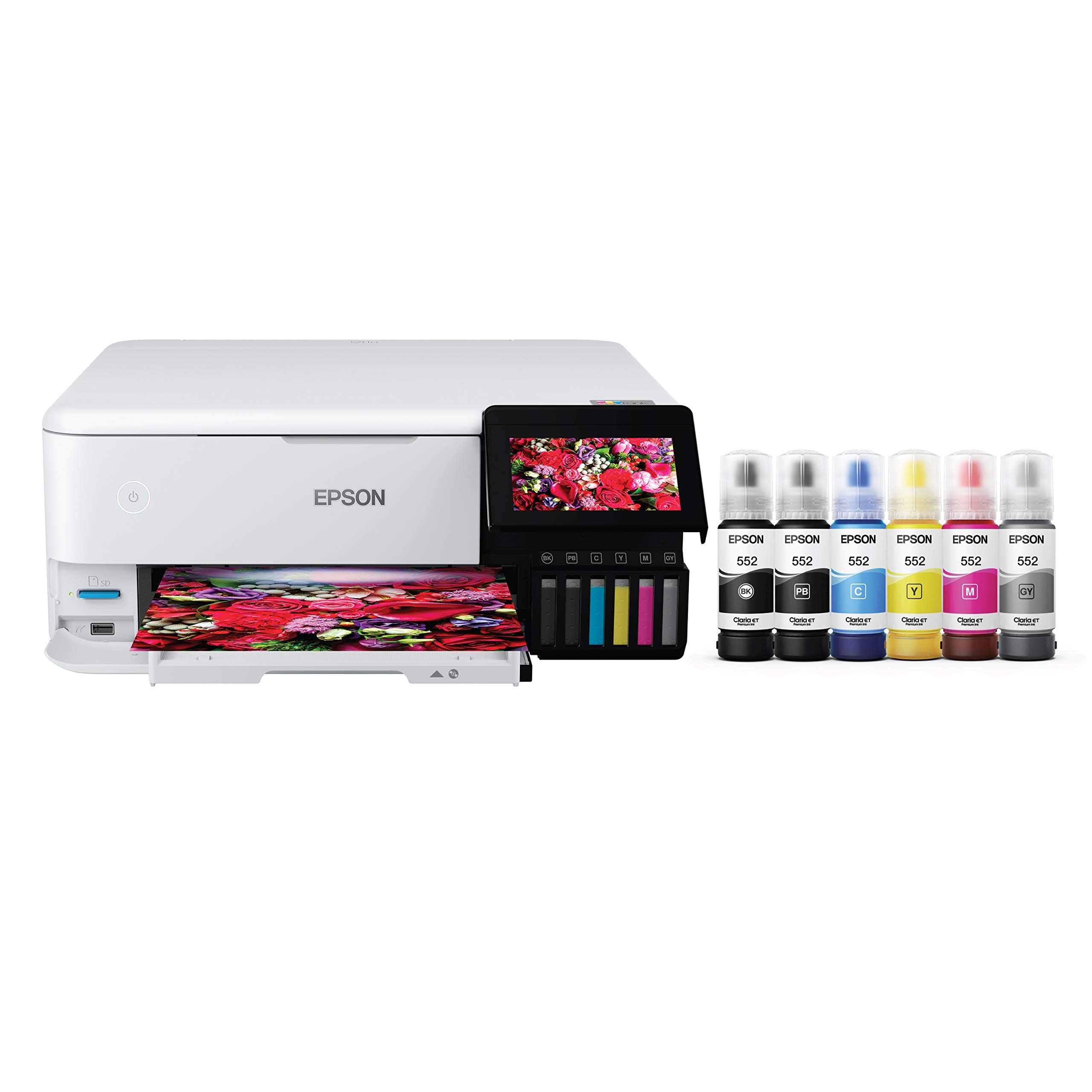
Epson EcoTank Photo ET-8500

82 /100
Studio Score Strong Evidence

Key details

Max Media
8.5x11 in
Ink System
6-color EcoTank Photo
Print Speed
16/12 ppm
Paper Handling
Auto duplex
Check Price on Amazon

The ET-8500's six-color EcoTank inks turn out richly saturated borderless prints on standard photo paper, and the built-in CD/DVD tray adds a craft-friendly option that other tank printers skip. The 13x19 language in the listing does not match the hardware: the paper path tops out at 8.5x11, so wide-format work belongs on the true wide-format photo EcoTank in this lineup.

Durability and wireless behavior vary by unit, which matters less for a lower-volume photo setup than for an office workload. It suits photographers and crafters who want low ink costs without needing a general-purpose document workhorse.

Pros

  • Six-color EcoTank ink produces vivid, detailed borderless 8.5x11 photos.
  • Bottle refills keep ongoing costs well below cartridge photo printers.
  • Built-in CD/DVD printing suits crafters and small-batch media projects.

Cons

  • Wireless transfers can need reconnection, and durability can vary between units.
  • The paper path tops out at 8.5x11, so 12x12 and 13x19 sheets won't fit despite the listing.
Our verdict

This fits the home photography workflow that centers on borderless 8.5x11 prints and CD/DVD projects.

Check Latest Price

How to Choose

Ink System: Bottles vs Cartridges

EcoTank models use refillable bottles that cut cost per page dramatically, while cartridge models carry a lower upfront price but require repeated genuine-ink purchases. That upfront gap is the main reason budget buyers choose cartridges without realizing the long-term cost.

The hidden trade-off is ink enforcement: several Epson cartridge printers refuse third-party cartridges and can block black-and-white printing when a color cartridge is low. If you choose a cartridge model, budget for full-price ink from day one.

Paper Handling: ADF, Duplex, Capacity

An automatic document feeder matters if you regularly scan or copy multi-page stacks; automatic duplexing cuts paper use on two-sided jobs. The 100-sheet trays on budget EcoTanks are fine for occasional home printing but force frequent reloading in a busy office.

The hidden cost is mechanical: ADF and duplex paths add moving parts, and lower-priced models tend to show jams in those paths. Match tray capacity and feeder features to your weekly volume, not your occasional big project.

Maximum Media Size and Wide-Format Reality

Most Epson printers handle letter or legal size, while the ET-8550 and ET-15000 accept true 13x19 media. Some listings imply wide-format support that the paper path cannot deliver, so verify the model before trusting product copy.

For photographers, 13x19 means portfolio prints without outsourcing; for offices, the feature adds cost and footprint for no benefit. Buy wide-format only if you actually plan to print it regularly.

Print Speed and Real-World Throughput

ISO ppm figures describe black-and-white draft output, not full-color or duplex throughput. A 10 ppm EcoTank can take several minutes for a high-quality photo, and a fast cartridge printer will still feel slow if it drops offline.

The trade-off is structural: the fastest office models are mostly cartridge-based, while tank printers trade raw speed for low running costs. Choose speed for multi-page daily jobs and tank economics for steady but less urgent volume.

Wireless Reliability and Mobile Printing

Wi-Fi drops are the most common Epson complaint across the lineup. A model with Ethernet lets you bypass Wi-Fi completely, which matters in an office with a crowded network or a printer far from the router.

Mobile printing adds another variable, and AirPrint support is inconsistent across models. If phones and tablets are your main print sources, use wired networking as a fallback or plan to reconnect through the Epson app.

Frequently Asked Questions