8 Best All-In-One Printer for Home Office 2026: Low-Cost Pages

Find the best all-in-one printer for home office use by focusing on cost-per-page and wireless reliability, not marketing specs.

Most home-office printer frustration starts after the first ink or toner replacement, not during setup. The numbers that matter — cost per page, wireless stability, and whether the paper handling matches your workflow — only become clear once the printer is living on your desk. This guide focuses on the machines that keep working instead of the ones that create a second job.

A full-featured color inkjet with fax and an automatic document feeder is tempting, but that convenience often shows up alongside flaky Wi-Fi and costly cartridges. A monochrome laser drops color and fax in exchange for faster text, lower running costs, and fewer connection surprises. The trade-off is simple: pay for the features you will actually use, not the ones that sound useful in the spec sheet.

1

Best Overall for Home Office

Brother DCP-L2640DW

85 /100
Studio Score Strong Evidence

Key details

Fax
No
Output
Monochrome
Auto Duplex
Yes
Running Cost
Low per page
Check Price on Amazon

The Brother DCP-L2640DW prints sharp black text at 36 pages per minute, and the 50-sheet ADF pulls a stack of multi-page documents through with minimal interaction. Auto-duplex flips pages for two-sided prints automatically, and the 250-sheet input tray holds a full ream between refills. For a home office that runs on text-heavy jobs, this is the strongest office value in the monochrome laser all-in-one class.

Setup is guided through the front panel or mobile app, and the LCD walks through the network connection. Once running, common tasks — copying a contract, scanning a client file, printing a double-sided draft — stay within a few button presses. The ADF handles a 20-page job smoothly, and the output tray holds up to 120 sheets, so long runs do not need constant attention.

Toner economics are where this model separates from color inkjets. A mono drum-and-toner setup lowers per-page cost well below what color all-in-ones manage, and the high-capacity toner option stretches time between replacements. A single high-yield toner cartridge can cover hundreds of pages, so per-page math stays predictable for a small office that prints daily. That makes the printer a better long-term financial fit for a high-volume B&W office, even when the upfront price of a color inkjet is lower.

This is the right machine for a B&W-dominant home office that prints documents, scans contracts through the ADF, and wants automatic duplex without paying for color. There is no color engine and no built-in fax; color-critical projects or fax-dependent desks belong with a color all-in-one. For the mono-document buyer, those omissions are easy boundaries to work around.

Print consistency holds up across long runs: text stays sharp from the first page to the last, and the laser engine does not show the streaking that can appear on budget inkjets after heavy use. The compact footprint fits a desk corner, and the front-loading paper path makes refills simple. The two-line LCD and dedicated buttons are basic, but they get you to copy, scan, and menu settings quickly. This is a low-maintenance document printer for an office that wants output quality without ink management.

Pros

  • Sharp, clean laser text and fast 36ppm document printing keep big jobs moving.
  • Easy setup and strong value for high-volume B&W printing without a steep learning curve.
  • Fifty-sheet ADF and auto-duplex handle multi-page scans and double-sided prints automatically.
  • Low per-page toner cost keeps high monthly print volumes from becoming a budget problem.

Cons

  • Wi-Fi can be finicky on mixed networks; devices may lose detection after a router change.
  • Durability can vary between units; some may develop mechanical issues after a few months.
Our verdict

For a high-volume B&W home office, this is the printer that balances 36ppm text, a 50-sheet ADF, automatic duplex, and low per-page toner costs in one machine.


Check Latest Price
2

Best Color Inkjet with Fax

Canon PIXMA TR8620a

82 /100
Studio Score Strong Evidence

Key details

Fax
Yes
Output
Color
Auto Duplex
Yes
Running Cost
Moderate per page
Check Price on Amazon

The TR8620a keeps the full home-office feature set — print, scan, copy, fax, 20-sheet ADF, and auto-duplex — in a color inkjet that doesn't need a second desk. That combination is uncommon among compact color all-in-ones at this price tier, and it's the reason fax-dependent color users land here instead of on the monochrome laser at the top of the roundup.

This is aimed at home offices that still send or receive faxes and want color without moving up to a larger business-class machine. Setup is approachable, and print quality is solid for documents and photos. The trade-off sits in wireless behavior: Wi-Fi drops can occur and may require a reconnect, so a USB cable is worth having for jobs that can't be interrupted. Very high monthly volume is outside its lane.

The ADF genuinely simplifies multi-page copying and scanning, and the compact footprint leaves room for other office gear. On longer runs, speed and paper feed consistency can vary, so batch jobs are better started with a buffer. The full 4-in-1 package remains the main draw at a price that undercuts color laser alternatives with similar fax and duplex functions.

💡 Keep a USB cable connected for long jobs, and use Wi-Fi for lighter everyday printing.

Pros

  • Covers every home-office function — print, scan, copy, fax
  • Documents and photos come out clean enough for everyday client materials and personal prints.
  • Setup is clear enough for a non-technical home office to get through without outside help.

Cons

  • Long print jobs can run slower than rated, and paper feed consistency may vary on multi-page runs.
  • Wi-Fi connections can drop mid-job, leaving the printer paused until reconnected.
Our verdict

For fax-dependent home offices that want color, this compact inkjet delivers the full set of office functions; occasional wireless upkeep is part of the package.

Check Latest Price
3

Best for High-Volume Color Printing

Epson EcoTank ET-2800

82 /100
Studio Score Strong Evidence

Key details

Fax
No
Output
Color
Auto Duplex
No
Running Cost
Low per page
Check Price on Amazon

The Epson EcoTank ET-2800 uses refillable bottle ink instead of cartridges, and that changes the math for high-volume color printing. Each bottle set is rated for up to 4,500 black pages or 7,500 color pages, so the per-page cost stays far below cartridge-based rivals. Print, scan, and copy functions cover the everyday basics for a home or student workflow. The refill process is contained: each color has its own tank, so you top up only the color that runs out.

Color output is well suited to home documents, school handouts, and casual photos, with clear text and vivid color. The 10 ppm black / 5 ppm color pace is modest, but acceptable for family and student workloads rather than a busy office queue. Charts and graphics come through with enough saturation to matter for schoolwork or light side-business printing.

The fit is a household, student, or light home office that prints color regularly and wants to avoid cartridge refills. Large color jobs are where the bottles shine, so the ideal owner prints at least a few pages a week rather than once a month. No automatic duplexing and a real reliability risk are the boundaries: this is best suited to color-heavy users who can handle manual page flipping, not an office that expects default two-sided output.

Pros

  • Refillable ink bottles keep per-page costs far below cartridge models.
  • One bottle set prints thousands of pages before replacement.
  • Color documents and casual photos come out clear and vivid.

Cons

  • No fax or automatic document feeder; multi-page scans and copies require manual page placement.
  • Wi-Fi setup can be fussy; the connection may require reconnects.
Our verdict

For color-heavy households, the ET-2800 delivers high-volume color printing at costs cartridge models cannot match.

Check Latest Price
4

Best Color Laser 4-In-1

Brother MFC-L3720CDW

82 /100
Studio Score Strong Evidence

Key details

Fax
Yes
Output
Color
Auto Duplex
Yes
Running Cost
Moderate per page
Check Price on Amazon

The Brother MFC-L3720CDW covers the full small-office document cycle: print color reports, scan multi-page contracts, copy, and fax from the same frame. Business-class color laser output plus a 50-sheet ADF and auto-duplex make it the most complete color option in this roundup. It doesn't try to be the cheapest monochrome printer here; the appeal is one box that handles color documents from start to finish.

Color output holds up well for client-facing material. Text stays clean, charts have enough saturation for internal decks, and graphics do not require coated paper. The 19 ppm engine keeps single copies or short runs moving at desk-side speed, and the 250-sheet cassette covers a few days of moderate output without constant refills. Setup from the front panel is quick enough for a first-time laser buyer.

This is built for a home office or small team that prints color documents regularly and needs fax or duplex scanning in the same footprint. Before buying, check high-capacity toner yield and replacement pricing, because supply costs decide the long-term value here. If your workflow is almost entirely black-and-white text, the monochrome top pick in this lineup wins on per-page economics. Color for proposals, marketing collateral, or product documentation is where this machine pays for itself.

Pros

  • Color laser prints keep charts and presentation pages sharp, with no inkjet dry time.
  • Fax, 50-sheet ADF, and auto-duplex bring office-copier workflow to a desktop color laser.
  • 19 ppm output handles everyday document runs without slowing down a small team.
  • Front-panel setup and the 250-sheet tray get the machine into daily use with little fuss.

Cons

  • Driver and toner-recognition quirks can surface on older systems or with non-OEM cartridges.
  • Wireless connections can drop during longer print jobs, so a USB fallback is worth having.
  • Replacement toner is pricey, and starter cartridges can deplete sooner than budget plans expect.
Our verdict

Choose this Brother when color is a daily requirement and the top pick's monochrome-only engine won't cover your document flow.

Check Latest Price
5

Best-Rated Monochrome Laser

HP LaserJet Pro 3101sdw

88 /100
Studio Score Strong Evidence

Key details

Fax
No
Output
Monochrome
Auto Duplex
Yes
Running Cost
Low per page
Check Price on Amazon

The HP LaserJet Pro 3101sdw is a mono laser that runs through black-and-white office work at 35 pages per minute, and the 50-sheet automatic document feeder plus automatic duplexing keep multi-page copying and scanning hands-free. Ethernet, USB, and Wi-Fi are all on board, so the printer fits a desk that needs more than a wireless-only connection. Print quality is crisp on text-heavy pages: contracts, invoices, and forms come out clean and legible without the ink smudge of a budget inkjet.

Print quality is the strongest part of the daily experience: dense black text, no waiting time between pages. The 35ppm engine keeps small-team queues moving, and the 50-sheet ADF plus auto-duplexing mean a 40-page document can be scanned, copied, or printed two-sided without someone standing over the machine. Setup is minimal for a networked laser; once the toner is in, the printer appears on Wi-Fi and the front panel covers the essentials without a manual.

This HP suits home offices and small teams that print lots of black-and-white documents and do not need color or fax. If fax or color is part of your daily workflow, a color all-in-one is the better fit. The 3101sdw is a print-scan-copy tool, not a color or fax hub. Because street pricing varies, confirm the current price before committing to this model.

💡 A wired connection is the more stable choice for a permanent desk position.

Pros

  • Crisp black text on business documents with sharp edges and clean halftones.
  • Minimal setup and clear daily operation for non-technical users.
  • 35ppm speed keeps small-team queues moving.

Cons

  • Wi-Fi connectivity can be intermittent in some environments.
Our verdict

Put the 3101sdw on your shortlist when daily output is black-and-white documents and a simple print-scan-copy flow is what you need.

Check Latest Price
6

High-Volume Business Office

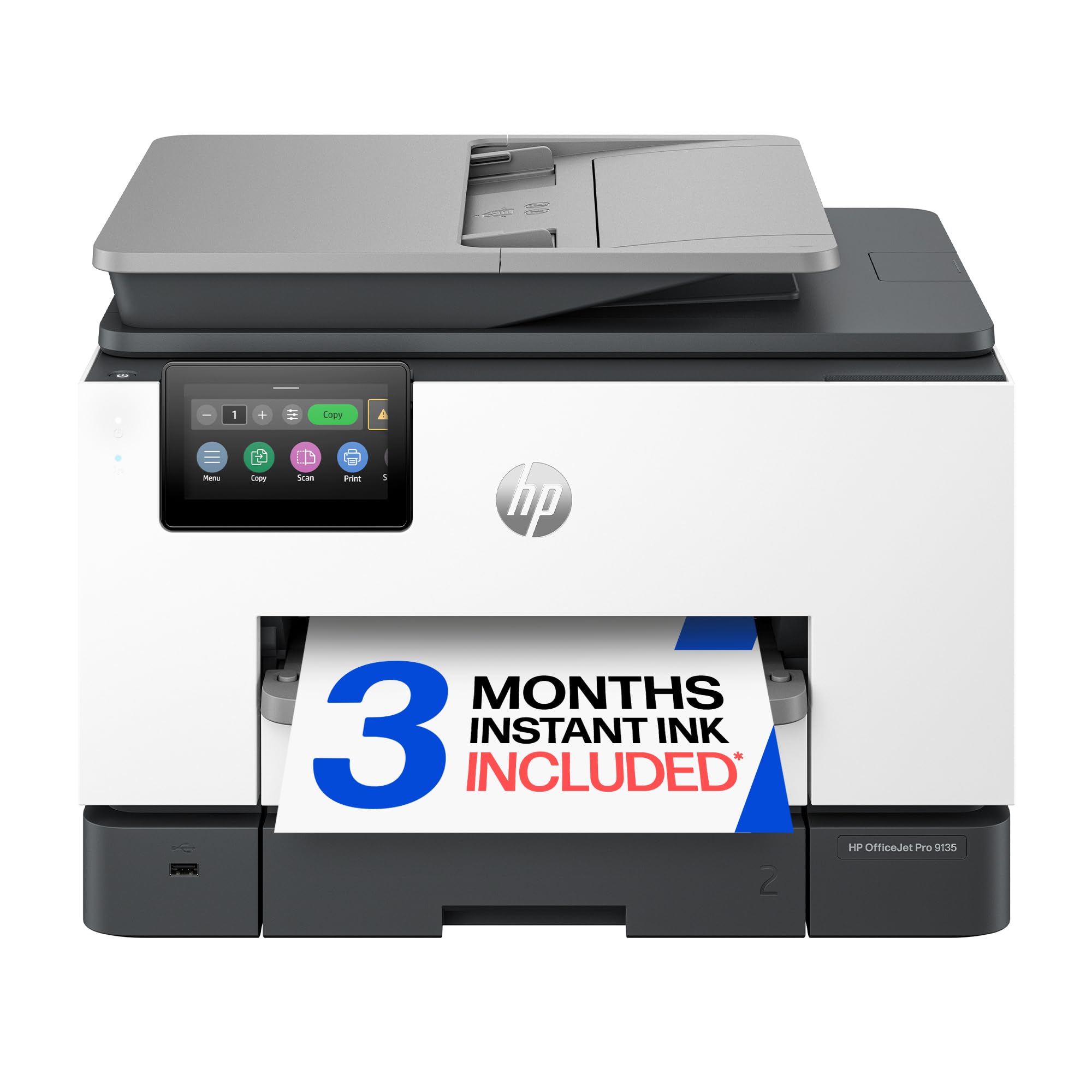
HP OfficeJet Pro 9135

77 /100
Studio Score Established

Key details

Fax
Yes
Output
Color
Auto Duplex
Yes
Running Cost
Moderate per page
Check Price on Amazon

This HP OfficeJet Pro 9135 is a color inkjet that behaves like a business copier: dual 250-sheet trays, single-pass duplex scanning, fax, and automatic two-sided printing cover the high-volume document workflow that most home-office all-in-ones skip. It suits a growing office that prints color by the ream and needs to scan double-sided stacks quickly. The catch is where it sits in the lineup: it carries a premium price that only pays off at high monthly volume, and print speeds can lag behind the rated figures. If your office print volume is modest, the monochrome laser alternatives in this roundup offer easier economics.

Pros

  • Dual 250-sheet trays, single-pass duplex scanning, and fax give it real office-grade paper handling.
  • Print quality and setup are strong points for a workgroup inkjet.

Cons

  • In a quiet home office, the printer's operational noise can be noticeable.
  • Wireless setup can be bumpy, and occasional disconnects occur.
Our verdict

A high-volume home office that needs color, fax, and duplex scanning will get real use from this printer; modest-volume users should pick a monochrome laser instead.

Check Latest Price
7

High-Volume Color Office

Canon MF665Cdw

78 /100
Studio Score Established

Key details

Fax
Yes
Output
Color
Auto Duplex
Yes
Running Cost
Moderate per page
Check Price on Amazon

The Canon MF665Cdw delivers fast color laser output: 26ppm, fax, auto-duplex, and a 50-sheet duplex ADF cover the full small-office document workflow. Color prints come out crisp enough for client-facing materials, and high-capacity toner options improve the economics for offices that print color in volume. The main trade-offs sit at the edges: first-time software setup is more involved, and Wi-Fi can drop on certain routers - a USB connection removes both concerns. It is not the default for general home-office buyers because color and fax are not universal needs and the setup details add friction. For a high-volume color-laser/fax household, the speed and output make the extra configuration worthwhile.

Pros

  • Fast 26ppm color laser output keeps multi-page presentations and client documents moving.
  • Fax, 50-sheet duplex ADF, and auto-duplex handle the office document workflow in one unit.
  • High-capacity toner options cut the cost per page for offices with heavy color volume.

Cons

  • First-time software installation can take longer than a plug-and-play inkjet, especially over Wi-Fi.
  • Wi-Fi can drop on some routers, so a wired USB connection is the surest way to keep it on the network.
Our verdict

Home offices that print color presentations regularly and need fax in the same machine will get the most value from this laser.

Check Latest Price
8

Budget Office Fax

Epson WF-3823

83 /100
Studio Score Strong Evidence

Key details

Fax
Yes
Output
Color
Auto Duplex
Yes
Running Cost
Moderate per page
Check Price on Amazon

The WF-3823 delivers the office checklist that budget inkjets usually skip: fax, 35-sheet ADF, automatic duplexing, Ethernet, and a 250-sheet tray. Print speed reaches 21 ppm black and 11 ppm color, which is quick for this class. The trade-off is that the printer is tied to Epson cartridges; replacement carts can be rejected, making third-party ink a risky choice. In wireless-heavy environments, connection drops may require a manual reconnect. None of this affects a buyer who wants a low-cost fax/ADF/duplex machine and is willing to use Epson-brand ink. It is not the choice for photo output or for buyers who want ink-tank running costs.

Pros

  • Office feature set at a budget price: ADF, fax, auto-duplex, Ethernet, and 250-sheet tray.
  • Black print speed of 21 ppm with easy setup and a compact footprint suits a small office desk.

Cons

  • In a busy wireless environment, the connection can drop and require a manual reconnect.
  • The printer can reject non-Epson cartridges, so the supply path is effectively Epson-only.
Our verdict

Best for a budget home office that needs fax, ADF, and auto-duplex and is willing to stay on Epson ink and accept the occasional Wi-Fi reconnect.

Check Latest Price

How to Choose

Print Technology

Laser printers fuse dry toner with heat, so text stays crisp and never smudges. Inkjets spray liquid ink through nozzles that can clog when idle; tank models use refillable reservoirs but rely on the same printheads.

For invoices, contracts, and labels, a monochrome laser is the most predictable choice. If you need color, an inkjet or tank printer is cheaper upfront but works best with regular use.

Color vs. Monochrome

Color printing layers multiple inks or toners on every page, which adds moving parts and raises cost per page. A monochrome printer uses one toner pass, so running costs stay low and predictable.

If most of your printing is text, color capability is a convenience tax, not a feature.

Automatic Document Feeder

An automatic document feeder pulls a stack of pages through the scanner one by one. Without it, multi-page scanning becomes a manual page-by-page chore.

For contracts and client forms, a 50-sheet ADF saves real time; a 20-sheet ADF suits light home offices. A duplex ADF captures both sides without flipping the stack.

Automatic Duplexing

Automatic duplex routing sends pages through the printer twice without user action. Manual duplex means flipping each page in the right order.

For double-sided reports, auto-duplex is worth confirming at purchase and cuts paper use roughly in half.

Fax Capability

Built-in fax adds a modem, phone-line connection, and extra controls, which costs money and desk space even if you rarely fax.

Only pay for fax when you exchange documents with offices that still use dedicated machines. Otherwise, a print-scan-copy model is simpler.

Running Costs and Yields

The purchase price is a fraction of total ownership cost. Replacement inks and toners are priced by yield, and page yield tells you how many pages you get before the next buy.

An entry-level printer with expensive supplies can outcost a premium model with low-cost toner within a year. Check cost per page before the first cartridge runs dry.

Frequently Asked Questions