9 Best Digital Photo Frames in 2026: Frames That Fit Your WiFi

The best digital photo frames fit your WiFi, app, and room size, so family photos reach the screen without setup headaches.

Most of the digital photo frames on sale today share similar 10-inch screens and similar mounting options. The differences that determine whether a frame becomes a daily part of the living room or gets unplugged in a month are the app, the WiFi radio, and how the frame handles ongoing family sharing. This guide treats those details as the main event, not the specs on the box.

Budget frames often run on 2.4GHz-only WiFi and rely on third-party apps with batch-upload limits. Larger frames add presence but introduce new trade-offs in wall space, control method, and price. None of these are deal-breakers if the frame matches the room and the person using it.

The right digital photo frame should make sending a photo from your phone as simple as a text message. Start with your network setup and the recipient's comfort level, then let screen size follow.

1

Best Overall

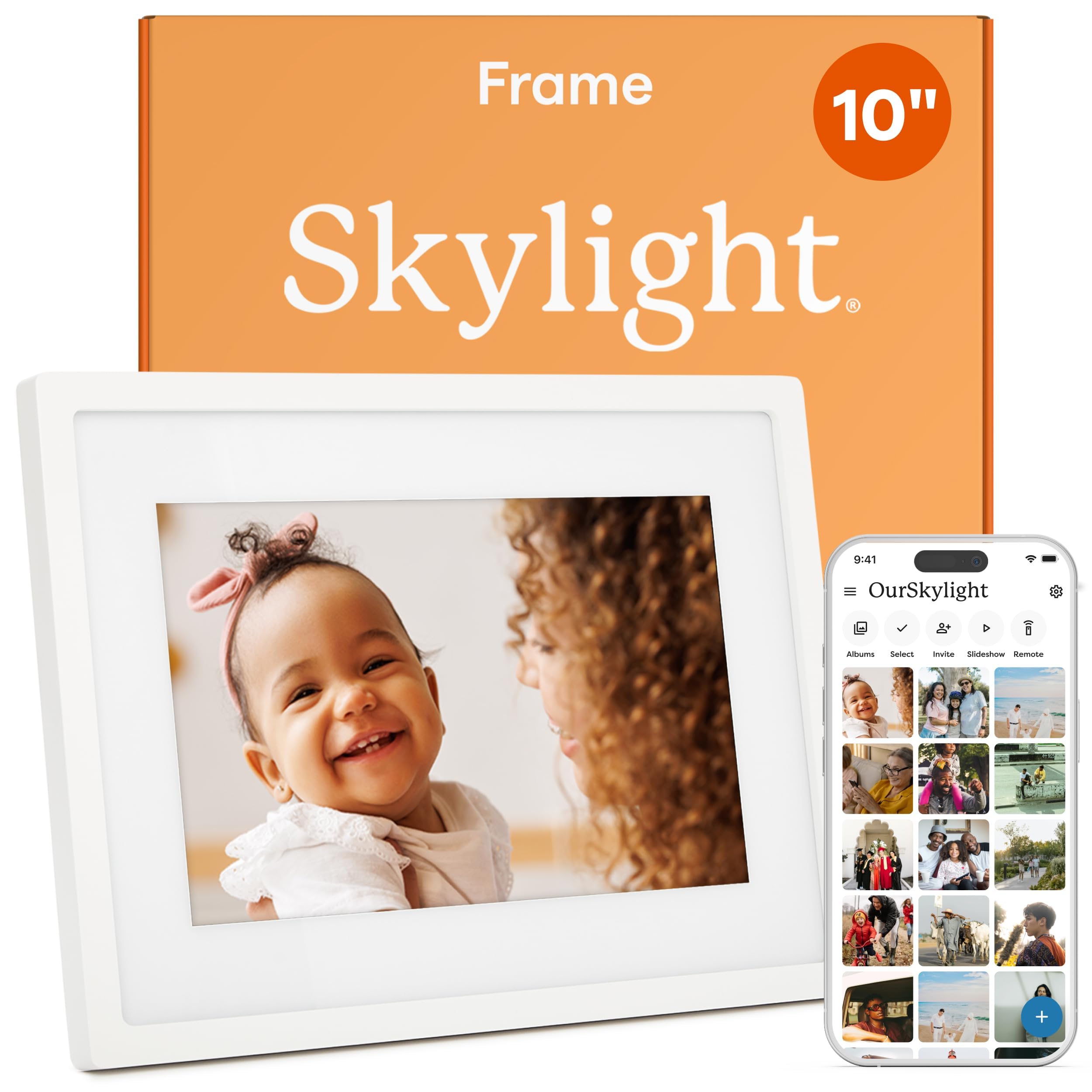
Skylight 10 WiFi Frame

95 /100
Studio Score High Confidence

Key details

Display Size
10in 1280x800 touch
WiFi Support
Wi-Fi
App Ecosystem
Skylight app, email
Control Method
Touch
Check Price on Amazon

The Skylight 10 combines a 10-inch touchscreen with one of the more complete sharing systems in this category. The Skylight app lets family members send photos directly to the frame in a few taps, and each frame also gets a unique email address. That second path matters because it means a sender on any phone, tablet, or computer can contribute without installing anything or creating an account. Photos are processed in the cloud, so the sender does not need to worry about format conversions before passing along a batch of images. The interface is designed around a phone-centric household, but the email option covers relatives who prefer not to install another app.

Gift Mode is the standout feature for distance families. You can set up the frame with photos before handing it over, and the recipient only needs to plug in and join WiFi. Once online, grandparents can watch new images appear from adult children without managing accounts or syncing cables. The 10-inch 1280x800 touchscreen is sharp enough for everyday snapshots, and the frame keeps a cloud copy of the library, so storage capacity is never the reason a photo fails to arrive.

This frame suits buyers who want a low-friction WiFi frame for non-technical recipients, especially grandparents or long-distance families. The entire sharing model puts the upload burden on the sender, so the recipient just watches the screen. If you need a very large display for a big living room, or want to load photos from an SD card, this is not the model for you; the Skylight's cloud-first design is built around WiFi delivery rather than local storage.

At a mid-range price, the Skylight sits between no-name budget frames and large premium displays. The extra money shows up in the app ecosystem and the responsiveness of the touchscreen, which is what keeps family members actually using the frame after the first week. It also supports offline viewing, so the existing photo library remains visible even when the network is unavailable. That mix of cloud delivery and local playback is unusual in the 10-inch category.

The on-frame controls are minimal: swipe to move between photos, tap a menu to adjust slideshow settings. This low learning curve is a big part of why it succeeds as a gift for someone who has never owned a smart frame. The touch response is quick enough that it does not feel like a budget tablet, and the menu layout is simple enough to navigate without a manual.

Pros

  • Gift appeal lands with grandparents and long-distance families.
  • Setup takes minutes even for a non-technical recipient.
  • Sending photos stays simple for family members on any device.
  • The 10-inch touchscreen is easy to read for everyday photos.
  • Email delivery makes distance sharing feel immediate.

Cons

  • Connecting to some home WiFi networks can require troubleshooting.
  • Adding new photos offline is not possible; a network drop limits the frame to its existing library.
Our verdict

For a long-distance family buying a 10-inch WiFi frame, this is the easiest one to give and the easiest one to live with.
Check Latest Price
2

Best Budget 10-Inch Frame

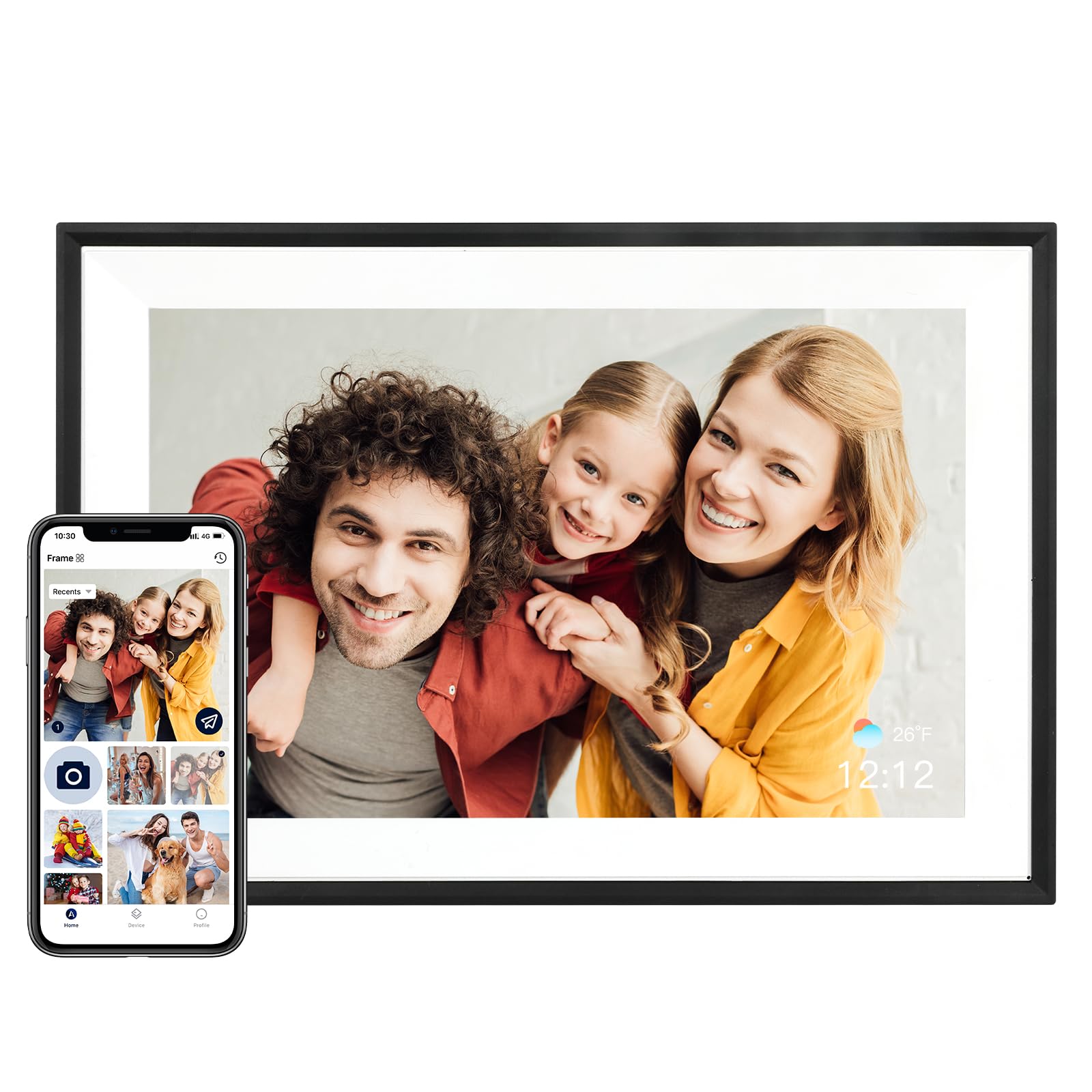
AEEZO 10.1 WiFi Frame

93 /100
Studio Score High Confidence

Key details

Display Size
10.1in 1280x800 touch
WiFi Support
2.4GHz-only
App Ecosystem
AiMOR app
Control Method
Touch
Check Price on Amazon

The AEEZO 10.1-inch frame puts a touchscreen, 32GB of local storage, and app-based photo sharing into an entry-level package. It skips the top pick's dedicated email address and cloud-library tools, but it handles the core standalone frame job without a subscription. That balance makes it a sensible first frame or a gift that doesn't demand a long learning curve.

Photos display clearly on the 1280x800 IPS screen, and the touchscreen keeps album browsing simple. The AiMOR app moves pictures from a phone in a few steps, while auto-rotate, auto-brightness, and sleep mode make the frame easy to leave on a sideboard or kitchen counter. New photos show up without any action from the person looking at the frame.

The built-in 32GB accepts a large photo library, and the microSD slot expands storage to 64GB for families who shoot a lot of video. The same simplicity that appeals to gift buyers carries over to daily use: photos appear without the recipient managing files or folders. Older albums can be loaded directly from a memory card.

This is the right call for budget-conscious gift buyers and less tech-savvy family members, especially grandparents who want a low-maintenance window into family life. The 10.1-inch size suits a dresser or counter, not a large living-room wall. The 2.4GHz-only Wi-Fi is the main setup trade-off at this price, so a 5GHz-only home network rules it out.

Pros

  • Setup and daily navigation stay simple for non-technical family members.
  • The 10.1-inch IPS touchscreen shows photos with clear, sharp detail.
  • The AiMOR app sends photos from a phone in only a few steps.
  • The frame's gift appeal lands especially well with grandparents.

Cons

  • Wi-Fi connection can be inconsistent in some home setups.
Our verdict

For a simple tabletop frame without a cloud subscription, this is the value pick in the group.

Check Latest Price
3

Best Large-Screen Value

Pastigio 15.6 WiFi Frame

90 /100
Studio Score High Confidence

Key details

Display Size
15.6in 1920x1080 touch
WiFi Support
Wi-Fi
App Ecosystem
Frameo app
Control Method
Touch
Check Price on Amazon

The Pastigio pairs a 15.6-inch 1920x1080 IPS touchscreen with Frameo app sharing and SD/USB transfer, giving it the strongest size-to-price value in this set. It does not chase the slim wall-mounted design of the premium large frame; it is built around screen area for a living-room shelf.

The larger panel is the practical payoff: photos stay legible from across a room, and the touchscreen puts slide controls directly under your finger. The 32GB internal memory holds a sizable library, while the app handles phone uploads and the SD and USB ports cover offline transfers.

This frame fits families who want a living-room centerpiece, seniors who need a bigger display, and anyone who wants both Wi-Fi and non-Wi-Fi ways to load photos. The 15.6-inch footprint requires a clear table or shelf, and long-term dependability can vary: a minority of units can shut off or restart on their own. For casual daily slideshows, that tradeoff is easier to accept than if the frame is expected to run continuously.

The overall look also fits a home setting without screaming tech, which makes it a more natural addition to a sideboard than many smaller frames. That combination of display presence and price is what separates it from budget 10-inch models.

💡 SD/USB transfer is a useful fallback for loading large photo batches without relying on Wi-Fi.

Pros

  • 15.6-inch 1080p touchscreen keeps photos sharp and readable from across a room.
  • Plug in, connect to Wi-Fi, and start sharing within minutes using the Frameo app.
  • SD, USB, and phone transfer paths make loading photos easy without a cloud account.
  • Large-screen size and simple controls make it a strong gift for older family members.

Cons

  • The 15.6-inch footprint needs a full-size shelf or table, so it is not a fit for tight spaces.
  • Occasional auto power-off or restart behavior can surface, which matters most for continuous all-day display.
Our verdict

For a family room where screen size is the priority, the Pastigio gives you the most display per dollar without requiring a subscription service.

Check Latest Price
4

Best Premium Gift Frame

Aura Carver 10.1 Frame

88 /100
Studio Score Strong Evidence

Key details

Display Size
10.1in WXGA touch
WiFi Support
Wi-Fi
App Ecosystem
Aura app
Control Method
Touch
Check Price on Amazon

The Aura Carver is the compact frame that makes multi-contributor photo sharing feel frictionless. Setup takes about a minute, each invited family member gets an easy path to upload from the Aura app, email, text, Google Photos, or iCloud, and free unlimited cloud storage removes the job of clearing out space for the next batch of photos.

Gift-givers who want a premium unboxing experience and design-conscious buyers who judge the app as much as the hardware will get the most from this 10.1-inch frame. Families with many remote contributors will appreciate that the person on the other end does not need to install a complicated portal or remember another password. The premium price pays for software polish and cloud service, not a larger screen, so anyone expecting a wall-sized display should choose the larger Aura instead. Budget-focused shoppers will get more screen for less money elsewhere, but that misses the point of the Carver.

The 10.1-inch touch display handles Live Photos and video clips up to 30 seconds, and the compact body fits a shelf or sideboard without dominating the room. The screen presents snapshots with clean color and enough sharpness that everyday phone photos don't look washed out. It is a gift-first package: the hardware is secondary to the app experience and free unlimited cloud storage.

Pros

  • One-minute setup gets photos on the frame without a manual.
  • Remote contributors can send photos through the Aura app, email, text, Google Photos, or iCloud.
  • A strong gift for grandparents, backed by premium packaging and a polished app.
  • Image presentation is clean and sharp enough to justify the premium-priced compact format.

Cons

  • Occasional display or startup hiccups can surface after extended use.
Our verdict

The Carver makes sense when the gift is meant to feel thoughtful: app polish, one-minute setup, and unlimited cloud storage justify the premium price for families that will actually use shared uploads.

Check Latest Price
5

Best Extra-Large / Commercial Display

WONNIE 21.5 WiFi Frame

89 /100
Studio Score Strong Evidence

Key details

Display Size
21.5in 1920x1080
WiFi Support
2.4/5GHz dual-band
App Ecosystem
Control Method
Remote control
Check Price on Amazon

The WONNIE's 21.5-inch 1080p IPS panel is the largest screen in this set, and the included remote control keeps navigation comfortable from across a living room or reception area. Dual-band WiFi adds flexibility for router setups, while 64GB of onboard storage and SD/USB expansion hold a deep photo library without constant culling.

Adding photos through the companion app is direct, and SD/USB playback covers locations where network transfers are awkward. The panel stays readable several feet away, which is the main reason to choose this size over a 15-inch model.

This frame fits large rooms with clear wall or table clearance and a viewing distance that makes a remote useful. The non-touch display means the remote and app are the control path, and occasional WiFi drops during app transfers are the tradeoff at this size.

💡 For phone uploads, stay near the router or use SD/USB for larger batches.

Pros

  • High visual impact and build quality make the oversized display feel like a deliberate room anchor.
  • Setup takes little time, and the app handles connection and upload steps without cable fuss.
  • Adding photos from a phone is easy, so family members can contribute without handling the frame.
  • The 1080p panel stays clear and readable when viewed from across a large room.

Cons

  • A 21.5-inch footprint requires open wall or table space, which rules out compact shelves.
  • WiFi connection can drop during app-based uploads, which may interrupt phone-only sharing.
Our verdict

For open living rooms, offices, or retail displays, the 21.5-inch WONNIE solves the distance-viewing problem with a remote and a panel large enough to matter.

Check Latest Price
6

Best Premium Large-Screen Frame

Aura Walden 15 WiFi

88 /100
Studio Score Strong Evidence

Key details

Display Size
15in anti-glare FHD touch
WiFi Support
Wi-Fi
App Ecosystem
Aura app
Control Method
Touch
Check Price on Amazon

Walden is Aura's large-display frame, built around a 15-inch anti-glare Full HD touchscreen with dual orientation and a wall mount kit. The finish reads as a framed print rather than a consumer gadget, which separates it from the compact Aura in this lineup. That makes it a strong candidate for a living room wall or a design-conscious shelf.

Setup follows Aura's familiar flow: connect to Wi-Fi and let invitees share through the Aura app without handling the frame's touchscreen. The anti-glare coating matters at this size because a 15-inch frame often sits in bright rooms, and the Full HD panel keeps photos crisp and colorful. The built-in speaker handles casual video playback without needing extra hardware.

The Walden fits design-conscious homes, large wall displays, and gift-givers who want a premium Aura experience. The price is firmly luxury, and cloud-only storage means buyers who need local SD transfers should look elsewhere. Software behavior can vary between firmware and app versions, so an occasional crop reset or interrupted slideshow is part of the trade-off.

💡 Keep the Aura app updated to minimize crop-reset interruptions after firmware changes.

Pros

  • Premium construction and finish make the frame feel like a wall-mounted piece of art rather than a digital gadget.
  • The Full HD anti-glare touchscreen delivers vivid color and sharp detail from photos and videos.
  • Setup takes minutes through the Aura app, and invited guests can send photos without touching the frame.
  • The unboxing and presentation are strong enough for gift-givers who want a premium Aura experience.

Cons

  • Cloud-only storage means no SD slot for offline transfers or local backup.
  • Firmware and app updates can reset crop choices or interrupt a slideshow.
Our verdict

Walden is the Aura to choose when a 10-inch frame would disappear on the wall and the cloud-based sharing model fits your household.

Check Latest Price
7

Entry-Level Buyers

Dragon Touch 10.1 WiFi

91 /100
Studio Score High Confidence

Key details

Display Size
10.1in 1280x800 touch
WiFi Support
2.4GHz-only
App Ecosystem
Free app
Control Method
Touch
Check Price on Amazon

The Dragon Touch 10.1 pairs a crisp 1280x800 touchscreen with an easy app, so setup and everyday use feel uncomplicated. It keeps the classic framed-picture look and gives families several upload routes: the free app, SD card, or USB. It ranks below the top budget frame because its 16GB storage fills faster and its 2.4GHz-only Wi-Fi limits compatibility with routers that do not broadcast that band. This makes it a practical gift for grandparents and budget buyers with moderate photo libraries rather than a large-format family archive.

Pros

  • Setup takes only a few minutes, so grandparents or non-techy family members can get it running without help.
  • The 1280x800 touchscreen delivers a sharp, colorful image for a frame at this price.
  • It has a real framed-photo look that makes it a welcome gift rather than a gadget.

Cons

  • Batch uploads are capped, so moving a large photo library onto the frame requires multiple smaller transfers.
  • App glitches and unit-to-unit quirks can surface; a simple restart may be needed from time to time.
Our verdict

Choose it as a gift-ready 10.1-inch frame for families that value simple uploading and a natural framed look.

Check Latest Price
8

Frameo Users

BIGASUO 10.1 Frameo

91 /100
Studio Score High Confidence

Key details

Display Size
10.1in 1280x800 touch
WiFi Support
Wi-Fi
App Ecosystem
Frameo app
Control Method
Touch
Check Price on Amazon

This 10.1-inch frame makes photo sharing easy: the officially licensed Frameo app, 32GB internal storage, and responsive touchscreen cover the essentials at an entry-level price. Setup is quick, image quality is vibrant for the class, and the app's invitation system lets multiple family members send photos without handing over the device. The trade-off is in long-term consistency: a frame may not power back on after being switched off, and WiFi can drop or refuse to connect on certain networks. Buyers on 5GHz-only routers should treat the 2.4GHz limitation as a boundary. For Frameo loyalists and families who want a low-cost contributor frame, those quirks are acceptable; anyone who prioritizes consistent long-term behavior should look toward the top-tier option.

Pros

  • Frameo app makes daily photo sharing intuitive for all ages
  • Landing well with parents and grandparents as a gift
  • Setup takes minutes and gets recipients viewing photos on day one

Cons

  • WiFi can drop or refuse to connect, and 5GHz-only networks are outside its supported range.
  • Power-on behavior can vary between units; a frame may stay dark after being switched off.
Our verdict

This is a low-cost way to get multiple family members sending photos to one Frameo screen; accept the occasional WiFi or power-on quirk.

Check Latest Price
9

Wall-Mount Installations

Humblestead 15.6 WiFi

87 /100
Studio Score Strong Evidence

Key details

Display Size
15.6in 1920x1080 touch
WiFi Support
Wi-Fi
App Ecosystem
AiMOR app
Control Method
Touch
Check Price on Amazon

The Humblestead 15.6-inch frame delivers a large, crisp 1080p touchscreen and 64GB of onboard capacity, which puts it ahead of most 10-inch frames in this comparison on both display size and storage. The AiMOR app supports Wi-Fi sharing from multiple phones, and the included wall-mount hardware makes it straightforward to install on a mantel or hallway wall. Set-up is easy and photo transfer options are broad, covering app upload, SD expansion, and USB transfer.

For families with large photo libraries, the 64GB storage is the main practical advantage, given that many mid-size frames require cloud subscriptions or microSD cards soon after setup. The touchscreen is responsive for slideshow control, and image quality holds up well at typical living-room viewing distance. That combination of screen size, storage, and mounting flexibility makes it a strong candidate for a shared family wall display rather than a small bedside frame.

The tradeoff is that durability varies between units, with some owners reporting that their frame stopped powering on after weeks or months of use. That caveat matters more for buyers who expect years of continuous wall-mount operation and less for those willing to accept a mid-range price reflecting some unit-to-unit variability. If extra storage and a large display matter more than maximum long-term certainty, this frame fits the bill; if reliability consistency is the top priority, a different large-screen pick may absorb that concern better.

Pros

  • 15.6-inch 1080p IPS touchscreen shows sharp, colorful photos from across a room.
  • 64GB built-in storage fits large photo and video libraries before needing expansion.
  • Wall-mount design suits mantels, hallways, and shared family walls.
  • Multiple upload paths via app, SD card, and USB make setup flexible.

Cons

  • In some cases the unit may stop powering on after weeks or months of use, so durability can vary between individual frames.
Our verdict

Buy the Humblestead 15.6-inch when you prioritize a large screen and generous storage at a mid-range price for a shared wall display, and you are comfortable with some uncertainty about how long that specific unit will last.

Check Latest Price

How to Choose

Display Size and Resolution

A 10-inch 1280x800 panel is the practical baseline for a bedside table or desk, and most photos look crisp at that density. A 15-inch 1080p panel reads better when the frame sits across a living room, because the larger surface lets you see details from the sofa without walking over.

The trade-off is placement. Bigger frames need solid table space or a wall mount, and their weight changes where you can hang them. A 21.5-inch frame dominates a room, so it suits offices, retail spaces, or open layouts better than a small shelf.

App Ecosystem

The app is the software layer that turns the frame from a USB photo viewer into a family sharing tool. Skylight and Aura run on their own apps and cloud accounts, while many budget frames use Frameo or AiMOR as a shared platform across brands.

Batch limits matter more than they look on paper. Many third-party apps accept only a small number of photos per transfer, so sending a full vacation album becomes a series of short uploads. A mature proprietary app smooths that workflow, though it ties the frame to one company's server.

WiFi Support

Budget frames commonly support only 2.4GHz WiFi. That band travels farther and passes through walls better, but some modern routers hide it behind a combined network name or do not broadcast it by default.

If the frame cannot see the network, setup stops before the first photo arrives. Dual-band support removes that setup variable, which is why it matters for less technical households.

Storage and Expansion

Built-in storage determines how many photos the frame can hold before someone has to delete or archive old shots. A 32GB frame holds a large library, while some budget frames ship with 16GB and start showing memory warnings sooner.

SD and USB slots add flexibility, but not every frame plays files directly from a card. Some models require importing content into internal storage first, so check the workflow if you plan to load a card once and leave it.

Control Method

Touchscreens make photo deletion and settings easy for anyone standing at the frame, but they limit where the frame can sit. A remote control suits larger displays mounted across a room, at the cost of a physical object to misplace.

App-based controls are the third factor. Most frames can be managed remotely, which keeps the frame itself simple but makes the phone software part of the daily experience.

Frequently Asked Questions

