9 Best Camera for Instagram in 2026: Picks That Make Sharing Easy

Find the right camera for your Instagram workflow — flip screens, WiFi sharing, 4K video, and dependable batteries for every budget.

Shopping for an Instagram camera in 2026 means looking past the headline numbers. Many budget cameras advertise 8K video or 96-megapixel stills, but the sensors behind those claims are small and those resolutions are often interpolated. The cameras that actually fit an Instagram workflow share a different set of specs: 4K video, a flip or rotating screen, built-in WiFi, and a battery that survives a shoot.

That gap between the spec sheet and the shooting experience is where most buyers get stuck. A cheap camera with a huge megapixel count can still deliver soft photos in low light and drain its battery in an afternoon, while a more modest camera with a larger sensor and reliable wireless transfer gets the post to your feed in minutes. The right choice comes down to how you shoot, not how many zeros the box shows.

The same budget that buys a feature-dense beginner kit could also buy a used or entry-level interchangeable-lens camera from an established brand. That trade-off between maximum specs and long-term dependability is worth weighing from the start: the best Instagram camera is the one you will actually carry, frame, and post from without fighting the gear.

1

Best Overall for Instagram Creators
DJI Osmo Pocket 3

89 /100
Studio Score Strong Evidence

Key details

Video
4K/120fps
Screen
2" rotatable
Sensor
1" CMOS
Connectivity
WiFi + Bluetooth
Check Price on Amazon

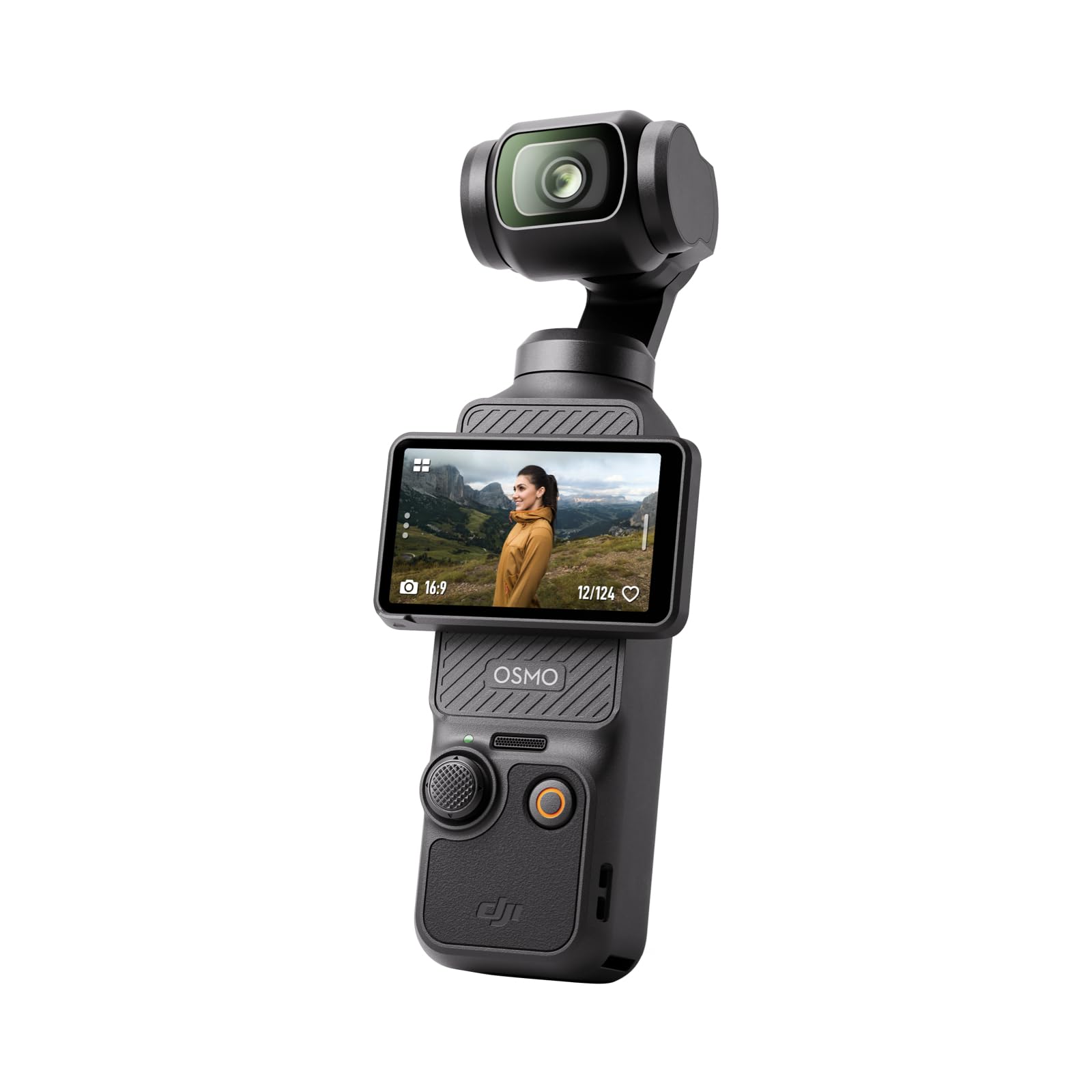
The 3-axis mechanical gimbal is the defining feature here: handheld walking shots stay level and smooth in a way other pocket cameras can't approach. The 4K/120 slow-motion mode gives short-form edits a polished look, and the 1-inch sensor keeps daylight footage crisp while holding up acceptably in low light. This removes the two practical barriers to good-looking clips: shake and muddled detail. For Instagram work, where playback happens on a phone and movement can lose a viewer quickly, that stability is the difference between an amateur clip and a finished one. The gimbal does not just reduce shake; it keeps intentional movement, like a slow walk-through, controlled and readable.

The rotating 2-inch touchscreen is the practical center of the shooting workflow. Flipping from horizontal to vertical is a physical twist rather than a menu session, so a creator can move between a YouTube clip and a Reel in seconds. The body stays small enough to disappear into a jacket pocket, which makes it more likely to actually be with you during a travel day. Pocketability is not a spec-sheet perk here; it changes how often the camera gets used. A creator who has left a larger camera in a hotel room will understand the difference.

Setup is quick enough for a first-time vlogger: power on, rotate the screen, tap record, and the gimbal handles the smoothing. WiFi and Bluetooth cover clip transfer to a phone without card removal, which keeps the editing loop short when you are posting from the field. The touchscreen also makes orientation changes obvious for anyone who has struggled with settings buried in a menu. The learning curve is short because the main controls live where a thumb expects them, and the screen's rotation gives clear feedback when you are about to record vertical.

This is a video-first tool for vloggers, travel creators, and Instagram shooters who want stabilized motion without a camera bag. It is not a high-resolution stills camera, and full-day continuous recording is not its strong suit; hardware consistency can vary between units, so a quick check on return or warranty policy is a reasonable step. For short-form motion work, that combination is hard to beat. If the goal is a polished-looking Reel or TikTok from a device that fits in a pocket, the Osmo Pocket 3 is the direct fit.

The mid-range price puts it between budget 4K cams and premium compacts, and the mechanical gimbal is what separates it from both. That positioning works for creators who value movement and speed over camera-system expandability. It is a specialized tool for a specific workflow, and the specialization pays off in clip quality rather than in a long list of camera modes.

💡 Keep a small USB-C power bank nearby; a run of short clips fits its battery, while continuous all-day recording will need a recharge.

Pros

  • Handheld 4K/120 clips stay level and smooth, so walking shots show minimal shake.
  • Small body with 3-axis gimbal stabilization makes it easy to carry for travel and daily vlogs.
  • Rotating touchscreen and quick setup get you from pocket to recording without a steep learning curve.
  • The 1-inch sensor and 4K/120 feature set deliver strong video quality in a pocket-size package.

Cons

  • The battery can run out before a long day of continuous 4K shooting is done.
  • Battery and charging hardware can vary between units, so a charging issue may surface over time.
Our verdict

A pocket-sized gimbal camera that makes handheld 4K/120 look tripod-shot in vertical or horizontal formats. For motion-first creators building a Reels or TikTok feed, this is the camera to carry.

Check Latest Price
2

Best Premium Selfie Compact

Sony ZV-1F

90 /100
Studio Score High Confidence

Key details

Video
4K
Screen
3" side flip
Sensor
1" CMOS
Connectivity
WiFi + Bluetooth
Check Price on Amazon

The Sony ZV-1F pairs a 1-inch sensor with a 20mm F2.0 lens, Sony Eye AF, and a flip-out touch screen in a pocket-friendly body. It is the self-shooting compact for creators who prefer familiar camera ergonomics over the gimbal-first handling of the top pick.

Face-forward Instagram clips are the core strength: the wide lens keeps the subject in frame, the side-articulating screen makes monitoring easy, and the larger sensor gives 4K footage clearer separation between subject and background than smaller compacts. Eye AF tracks a face without constant manual readjustment, which is the main convenience for one-person shoots. WiFi transfer moves finished clips to a phone for Instagram uploads.

The 20mm F2.0 lens works best with a close subject, so indoor vlogs and desk shots are natural fits. The flip screen and autofocus reduce the fiddling that can slow down solo creators.

This is best for beginner vloggers and younger creators who want a dedicated camera without interchangeable-lens complexity. The fixed lens means zooming is done by moving, and continuous recording can run through a single battery during a long day. For planned selfie-style sessions, the sensor and autofocus are enough to make this a worthwhile second device.

💡 A spare battery is the practical workaround for long shoot days.

Pros

  • A 1-inch sensor with a 20mm F2.0 lens delivers clean 4K and stills for self-shot content.
  • Flip-out touch screen and Eye AF keep face-focused framing easy while recording.
  • Compact body fits a bag or pocket between clips.
  • Straightforward shooting experience suits beginner vloggers and younger creators.

Cons

  • Fixed 20mm lens has no optical zoom, so framing changes require stepping closer.
  • A full day of continuous recording can run through one charge; keep a spare battery for extended shoots.
Our verdict

For creators who want large-sensor self-shooting with familiar controls, this is the compact alternative to the gimbal option in this set.

Check Latest Price
3

Best Interchangeable-Lens Starter

Canon Rebel T7 DSLR

93 /100
Studio Score High Confidence

Key details

Video
1080p
Screen
3" fixed
Sensor
APS-C CMOS
Connectivity
WiFi + NFC
Check Price on Amazon

The Canon Rebel T7 pairs a 24.1MP APS-C sensor with the EF-S lens mount, giving stills-focused Instagram accounts an expandable system rather than a sealed compact. The optical viewfinder keeps composition responsive during daylight, WiFi photo transfer gets selected shots onto a phone, and the bundle lens covers the focal lengths portrait and landscape feeds rely on. That system approach is the T7's advantage over the pocket-sized gimbal camera leading this roundup: the gimbal captures motion, while the T7 rewards anyone learning to compose a frame.

The right buyer is an aspiring photographer or student who wants to learn DSLR fundamentals while building an Instagram feed from original stills. Manual exposure, interchangeable lenses, and depth-of-field control are the lessons here, and the EF-S mount leaves room for primes and zooms as skills grow. The camera's video boundaries — 1080p, a fixed screen, and slow live-view autofocus — are real, so anyone whose Instagram output is primarily Reels or Stories should favor the gimbal-style camera in this set.

Battery life carries through a long teaching day or an afternoon walk, and the optical viewfinder means you are not draining power on an electronic finder between shots. The body feels substantial for an entry-level DSLR, matching the way students handle their first interchangeable-lens camera.

💡 Keep live view for tripod work; use the optical viewfinder for handheld shots to get the faster focus response.

Pros

  • 24.1MP APS-C sensor delivers detailed stills with room to crop before posting to Instagram.
  • Entry-level DSLR pricing puts a real interchangeable-lens system within reach.
  • First-time photographers can learn exposure, composition, and lens choice without a steep menu system.
  • EF-S lens mount opens a broad catalogue of primes and zooms for long-term growth.

Cons

  • WiFi transfer can require repeated pairing attempts on newer phone operating systems.
  • Live-view autofocus can lag behind moving subjects; the optical viewfinder is the faster option.
  • The fixed LCD and 1080p video cap keep 4K Reels and flip-screen self-shooting out of reach.
Our verdict

Portrait and landscape shooters who want to learn a real lens system will find a cost-effective starting point here. Video-first Instagram creators should continue toward the gimbal camera in this set.

Check Latest Price
4

Best Budget WiFi Creator Kit

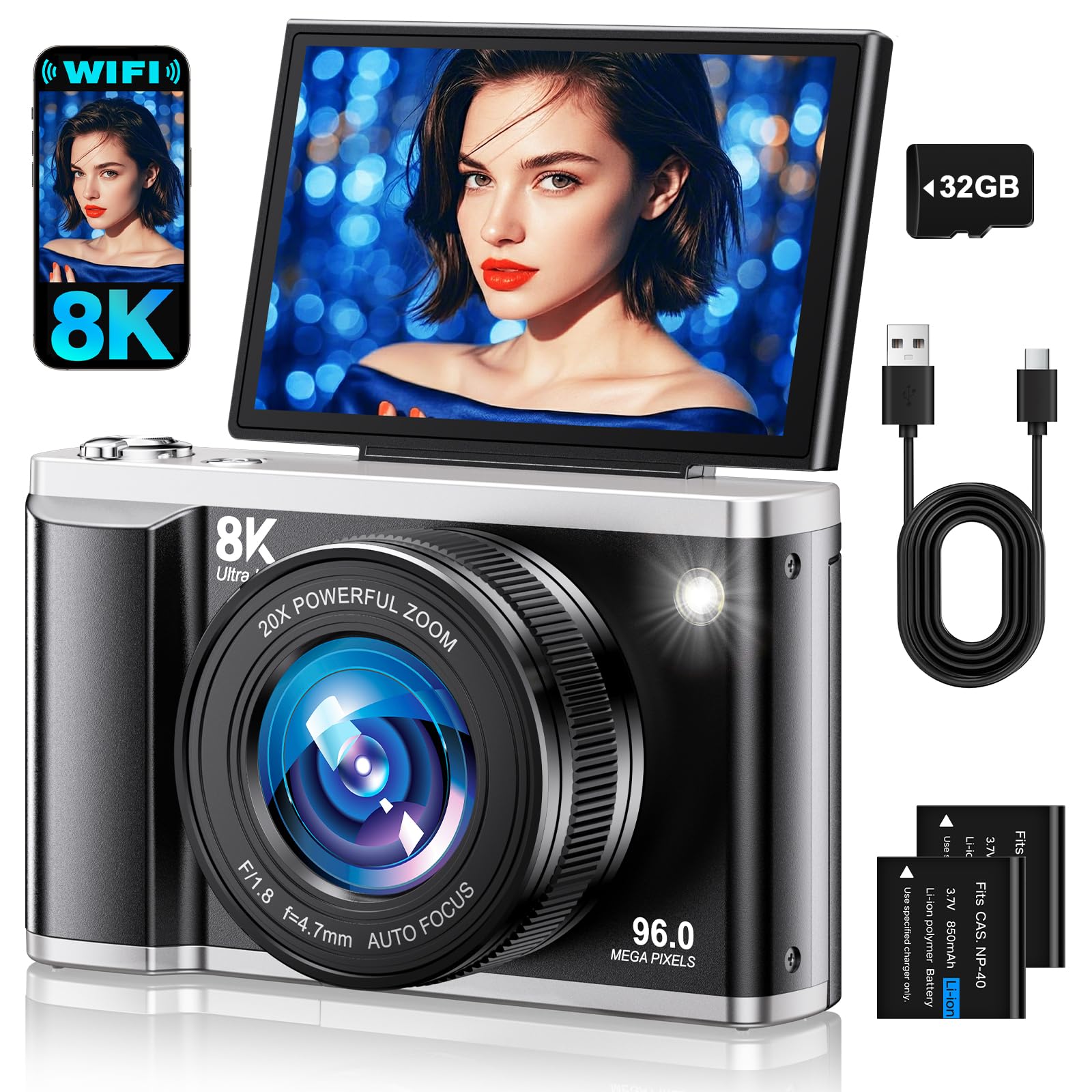
AUREAPIX 8K 96MP

86 /100
Studio Score Strong Evidence

Key details

Video
8K
Screen
3.5" flip
Sensor
1/2.3" CMOS
Connectivity
WiFi
Check Price on Amazon

The AUREAPIX is the most complete budget bundle in this set: 4K video, a 3.5-inch flip screen, WiFi transfer, fast autofocus, and a starter accessory kit all arrive in the box. Still photos are sharp and clear for the price, and the flip screen makes self-framing feel simple rather than improvised.

WiFi transfer moves finished stills to a phone in a few taps, so the camera feeds directly into an Instagram workflow. Autofocus keeps up with normal vlogging movements, and the forward-flipped screen gives a clean preview while recording. The accessory kit removes the usual step of buying extras before you can start shooting.

Budget Instagram creators, beginner vloggers, and teens get the most from this camera when they want creative filters and scene modes without moving into interchangeable-lens territory. Buyers who need optical zoom or low-light purity should pass; for everyone else, this kit covers the essentials.

Pros

  • Sharp stills and clear 4K video at a budget price
  • Full starter kit with accessories, flip screen, WiFi, and autofocus in one purchase
  • Large 3.5-inch flip screen makes selfies and vlogging easy
  • Fast autofocus and straightforward WiFi transfer

Cons

  • The 20x zoom is digital only, so long-reach shots lose detail beyond a modest range.
  • The small sensor requires good light; evening indoor shots show visible noise.
Our verdict

Budget Instagram creators who want 4K, a flip screen, WiFi, and a starter kit without separate purchases get the full workflow in this camera.

Check Latest Price
5

Best Ultra-Budget Starter Bundle

Duluvulu 4K 48MP

85 /100
Studio Score Strong Evidence

Key details

Video
4K/30fps
Screen
3" flip
Sensor
1/3" CMOS
Connectivity
USB only
Check Price on Amazon

The Duluvulu 4K 48MP pairs a 180-degree flip screen with 4K video, autofocus, and a 48MP sensor that delivers sharp stills in good light. The box also includes a 32GB SD card, so a first-time buyer can start shooting without a separate memory purchase. The 4K/30fps video mode covers basic vlogs, while autofocus handles simple close-up shots without manual fuss. This is the most complete low-cost entry point for someone graduating from a phone camera.

Teens, families, and budget travel vloggers fit this camera best. The flip screen keeps self-shooting natural, and there is no WiFi; moving files to a phone requires a USB cable, so this is a low-stakes first camera rather than a wireless workflow tool. Buyers who post from a laptop can treat the cable transfer as a minor step, not a blocker. The simple controls and compact body make it a good first step before moving up to a more advanced camera.

The two-battery kit removes the usual mid-day charging stop on travel days. The 16x digital zoom extends reach for far subjects, though maximum zoom is better for still subjects than moving ones. In bright conditions, the camera produces sharp, shareable stills and smooth 4K video for casual vlogs, so first-time owners get a capable learning tool without an overcomplicated menu. At this price, the bundle covers the essentials without pushing buyers toward a second purchase.

Pros

  • Sharp stills and 4K video hold up well in bright conditions.
  • Complete starter kit includes two batteries and a 32GB SD card.
  • 180-degree flip screen makes selfies and vlog framing easy.

Cons

  • Low-light scenes and fast action soften details; daylight and still subjects are the sweet spot.
  • Some units can shut down mid-shoot or later refuse to power on, so checking the unit early is a good idea.
Our verdict

This is the entry-level kit to pick when the priority is a complete box of camera equipment for a teen or a first-time buyer.

Check Latest Price
6

Best Pocket Simplicity for Vlogging

Canon PowerShot V10

86 /100
Studio Score Strong Evidence

Key details

Video
4K/30p
Screen
2" flip-up
Sensor
1" CMOS
Connectivity
WiFi + Bluetooth
Check Price on Amazon

Open the built-in stand, flip up the 2-inch LCD, and the PowerShot V10 turns a pocket-size body into a 4K vlogging rig. The pull-out stand is genuinely useful on tables, ledges, or the ground, which is a rare convenience in a camera this small. The 1-inch sensor and stereo mics handle face-forward clips with natural color and clear enough audio for casual Instagram posts. No lens cap or mode dial gets in the way, making this the least intimidating dedicated camera in the lineup.

WiFi and Bluetooth transfer finished clips to a phone quickly, so posting from the field is practical. The 19mm wide lens keeps the subject in frame at arm's length, and that fixed framing removes a creative decision instead of adding one. The flip-up screen is small by design, but it shows face position clearly enough for vertical Stories or horizontal feed posts.

This is the right match for a beginner or traveler who wants discreet pocket size and zero menu learning. The boundaries are a limited battery and a fixed wide lens: plan for short face-forward recordings rather than all-day shoots or close-ups of distant subjects. If photo-first image capture is the goal, the interchangeable-lens body in this set is a better fit; if your feed is mostly talking-head or walking-tour content, the V10 covers that narrower use case without extra gear.

💡 Keep the stand closed when pocketing the camera to protect the flip-up screen.

Pros

  • Built-in stand creates instant stable framing on any flat surface.
  • Natural 4K color and a wide lens flatter self-shot clips without extra setup.
  • Zero learning curve: flip the screen up and record within seconds.

Cons

  • Fixed 19mm lens has no optical zoom, so distant subjects stay small in the frame.
  • Active recording time is around two hours, which may not cover a full day of shooting.
Our verdict

For short, face-forward Instagram clips, the V10 is a premium-priced but unusually simple way to get dedicated-camera quality without a learning curve.

Check Latest Price
7

Budget Workflow

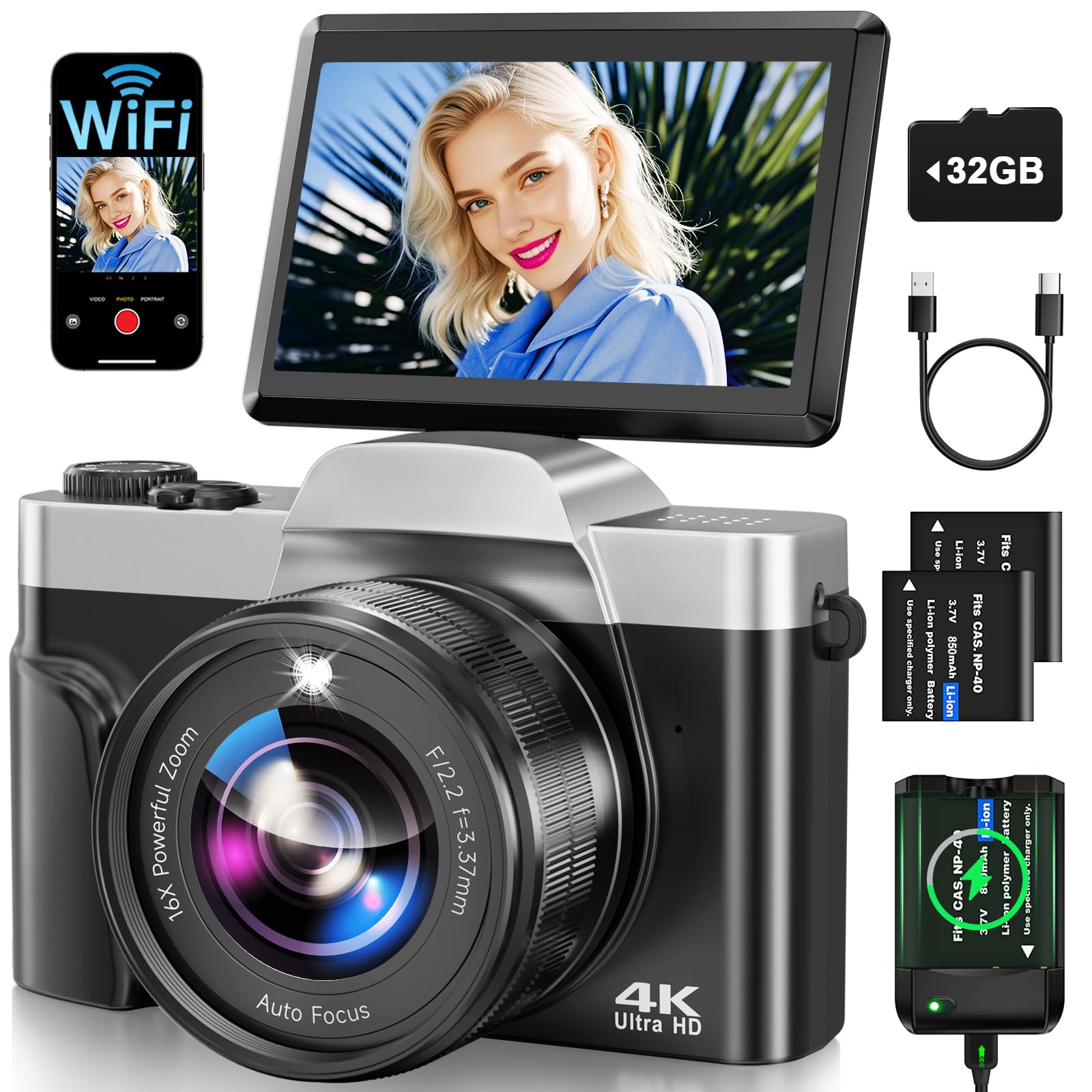
AUREAPIX 4K WiFi

83 /100
Studio Score Strong Evidence

Key details

Video
4K UHD
Screen
3" flip
Sensor
1/3" CMOS
Connectivity
WiFi
Check Price on Amazon

The AUREAPIX 4K WiFi is the no-frills value pick for budget Instagram creators: 4K capture, WiFi transfer, and a 180-degree flip screen in a beginner-friendly body. Daylight photos are punchy and sharp enough for feed posts, and wireless transfer skips the card-reader step. It differs from the 8K model through a smaller screen and more modest specs, including a 64MP CMOS and digital-only 16x zoom. Mixed indoor lighting can bring softness or color casts, so treat this as a natural-light camera. It suits teens and casual travelers who want a simple dedicated camera without a steep learning curve.

Pros

  • Vibrant, sharp daylight shots for the price
  • Simple controls get first-time owners shooting quickly.
  • WiFi transfer and flip screen shorten the photo-to-Instagram workflow.

Cons

  • The 16x zoom is digital only, so close-ups lose detail beyond the fixed lens.
  • Mixed indoor lighting can produce soft images or color casts; bright daylight is steadier.
Our verdict

For bright outdoor social posts from a first-time camera owner, this is the practical budget pick.

Check Latest Price
8

Selfie Creators

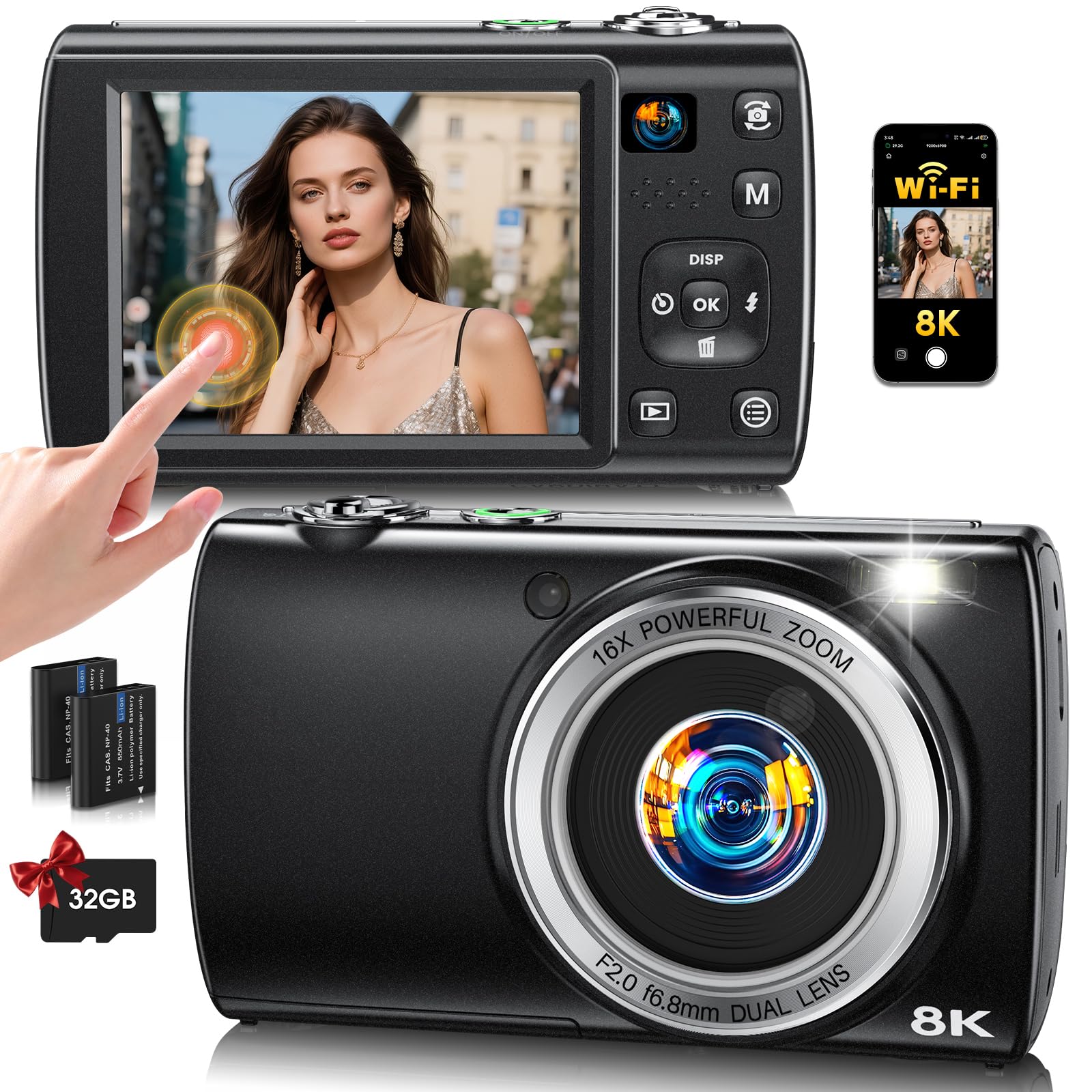
LOUM 8K Dual-Lens

88 /100
Studio Score Strong Evidence

Key details

Video
8K/15fps
Screen
2.8" touch
Sensor
48MP CMOS
Connectivity
WiFi
Check Price on Amazon

Front and rear lenses plus a 2.8-inch touchscreen make it easy to frame self-shots, and WiFi gets clips onto Instagram without cables. The body is lightweight, the included accessories add starter-kit value, and image quality punches above its budget price. The 8K label sits on a 15fps ceiling, the 88MP still mode is interpolated from a 48MP sensor, and the 16x zoom is digital only. Photographers expecting raw or high-end stills will find the stronger all-round compacts and gimbal cameras in this set a better match.

Pros

  • Image quality and sharp video hold up well for a budget camera.
  • Lightweight build makes it easy to carry while traveling or moving between shots.
  • Bundled accessories add value for a first-time creator on a budget.

Cons

  • Distant subjects lose detail once the zoom is pushed past its native range.
  • Fast motion can look choppy in the top video mode, so slow shots suit it best.
Our verdict

For selfie-first Instagram creators who prioritize a lightweight body and quick WiFi sharing, this budget dual-lens camera works as a starter kit.

Check Latest Price
9

Retro Stills

Kodak PIXPRO FZ55

89 /100
Studio Score Strong Evidence

Key details

Video
1080p
Screen
2.7" fixed
Sensor
1/2.3" CMOS
Connectivity
USB only
Check Price on Amazon

This FZ55 is a compact retro-style point-and-shoot with a 5x optical zoom and simple controls, and it produces solid casual stills at a budget-friendly price. For teens, students, or casual photographers who mainly want stills, the easy-to-use body makes it a worthwhile budget pick. The tradeoff is clear: without 4K video, WiFi transfer, or a flip screen, an Instagram workflow is limited to photo feeds and a card reader.

Pros

  • First-time buyers can get usable shots with little practice.
  • The compact retro body is light and fun to carry.
  • Still image quality holds up for casual daylight social feeds.

Cons

  • Battery capacity can fade after months of use, shortening time between charges.
  • A unit may not power on after several months of ownership.
Our verdict

For a teen or student who wants a small dedicated stills camera and accepts a photo-only workflow, this is a fair entry-level pick.

Check Latest Price

How to Choose

4K Video

4K video matters for Instagram because the platform crops and processes your footage. Shooting in 4K gives you clean, detailed frames even after Instagram compresses them to 1080p, and it lets you crop in for a tighter shot without the image turning soft.

The hidden trade-off appears on cheap cameras that advertise 4K but use a small sensor and limited processing power. These cameras often overheat, stop recording after a few minutes, or produce 4K that looks softer than a good phone's 1080p. Check whether the 4K mode is honestly usable for continuous clips, not just a menu feature.

Flip or Tilt Screen

A flip screen is the difference between framing a selfie blind and seeing your face as you record. Cameras with 180-degree flip screens are designed for solo creators, while side-articulating screens are more flexible for vlogging and low-angle shots.

The trade-off is durability and size. Hinges and ribbon cables are the most fragile parts of a compact camera, and a larger flip screen usually means a bulkier body. If you plan to shoot handheld on the move, a rotatable or side flip screen can be easier to position than a front-facing-only screen that blocks the camera's top controls.

WiFi Sharing

WiFi transfer is the feature that turns a dedicated camera into an Instagram tool. Without it, you are stuck connecting a cable or pulling the memory card and using a card reader, which adds friction to every single post.

The reality is that WiFi on budget cameras can be slow and app-dependent. Transferring a 4K clip may take a minute or more, and some apps drop the connection mid-transfer. For a smoother workflow, check whether the camera app supports background transfers or quick single-photo sharing, and consider a USB-C or Lightning card reader as a backup for large batches.

Sensor Size

Sensor size determines how much light the camera captures, which drives both low-light performance and depth of field. A 1-inch sensor found in the Sony ZV-1F or DJI Osmo Pocket 3 captures significantly more light than the tiny 1/2.3-inch or 1/3-inch sensors in budget cameras.

The trade-off is cost and bulk. Larger sensors require larger lenses and more expensive bodies, so budget cameras keep prices low by pairing small sensors with digital zoom and high megapixel counts. If you shoot mostly outdoors in good light, a small-sensor budget camera is fine; if you shoot indoors or at night, the larger sensor is worth the price jump.

Stabilization

Stabilization is what separates watchable handheld footage from shaky clips that viewers scroll past. Mechanical gimbal stabilization, like the DJI Osmo Pocket 3's 3-axis gimbal, physically counteracts hand movement. Digital stabilization crops the frame and smooths motion in software, which is cheaper but can lose sharpness and edge quality.

The practical consequence is visible the moment you walk while filming. A gimbal camera keeps the horizon steady; a digital-only camera produces a wobbly image even with steady hands. If your Instagram content is mostly static selfie-style talking, digital stabilization is enough, but for travel and moving shots, mechanical stabilization is the more reliable tool.

Frequently Asked Questions