9 Best Thermal Camera of 2026: Native Sensors That Match the Job

A practical guide to choosing a thermal camera for home, HVAC, and electrical inspections without getting fooled by upscaled sensor specs.

Thermal cameras look convincing on a spec sheet until you point one at a wall and see a soft, smeared hot spot. The usual source is an 'enhanced resolution' number that upsamples a small sensor instead of showing true detector detail.

Photographers will recognize the pattern: digital zoom does not add information, and neither does super resolution built from a 96x96 detector. What separates a useful thermal camera from a frustrating one is the native sensor, the refresh rate, and whether the workflow matches the job.

The right choice depends on where you will use it. A pocket phone dongle suits quick spot checks; a standalone handheld with its own screen and storage suits long inspections in a crawl space or panel room. Match the tool to that reality and the purchase makes sense.

1

Best Overall

TOPDON TC004

90 /100
Studio Score High Confidence

Key details

Data Export
Wi-Fi, USB, 64GB storage
Power Source
Up to 15 hrs, standalone
Refresh Rate
25 Hz
Native Resolution
256x192 native, 512x384 enhanced
Check Price on Amazon

The TC004 pairs a native 256x192 detector with 512x384 TISR enhancement, a 3.5-inch LCD, 64GB onboard storage, and Wi-Fi reporting. That combination means the image on screen is built on real detector resolution, not an interpolated 96x96 base, and the large display shows temperature differences clearly enough to work from. The 256x192 native count is the key differentiator: it resolves the kind of small cold spots and warm breakers that budget upscaled units blur together. That kind of detail avoids repeat trips.

The housing has a solid, tool-grade feel, and the 3.5-inch screen is bright enough to read in daylight. The display's size also means you can show a homeowner or client the problem area without handing over your phone. Spot measurements settle quickly and hold steady while you sweep across a wall or panel, which makes the TC004 useful for checking circuit breakers, duct leaks, and window frames in one pass. The temperature range covers residential and light commercial work, and the laser pointer plus IP54 rating handle the dust and light spray that show up on job sites.

Field workflow stays on the device. You capture images to the 64GB internal storage, then move them over Wi-Fi or USB when you are back at the desk. That removes the need to keep a phone connected during an inspection, so the phone stays in your pocket.

Home inspectors, HVAC technicians, and electricians who want one handheld for the full inspection cycle are the right fit. The upfront cost is higher than budget standalone models, so this makes sense for paid work or serious property maintenance rather than a curiosity. Occasional homeowners who only want a quick look at a baseboard can get by with a lower-priced model.

The 64GB internal storage is generous for a field tool, and it means you can work through a full property inspection without deciding which images to keep. That is enough capacity for a full day of on-site inspections. The 3.5-inch LCD also lets you review the scan on the spot instead of waiting until you are back at a computer. Saved files keep the 512x384 enhanced resolution for later review.

Pros

  • Build quality feels like a trade tool, with a solid body that holds up on job sites.
  • Temperature readings settle fast and stay consistent while scanning surfaces.
  • The 3.5-inch display shows thermal detail clearly enough to inspect without squinting.
  • Onboard storage and Wi-Fi reporting create a complete inspection workflow without a phone.

Cons

  • The 512x384 TISR mode is upscaled from the 256x192 detector, so enhanced images won't match a native 512x384 sensor.
  • The handheld body is larger than a phone dongle; it belongs in a tool bag, not a pants pocket.
Our verdict

For inspectors and technicians who want a complete handheld workflow, the TC004 is the one to get.
Check Latest Price
2

Best Value for Home Inspections

HSFTOOLS HF96

89 /100
Studio Score Strong Evidence

Key details

Data Export
PC software, 4GB storage
Power Source
Up to 11 hrs, standalone
Refresh Rate
25 Hz
Native Resolution
96x96 native, 240x240 enhanced
Check Price on Amazon

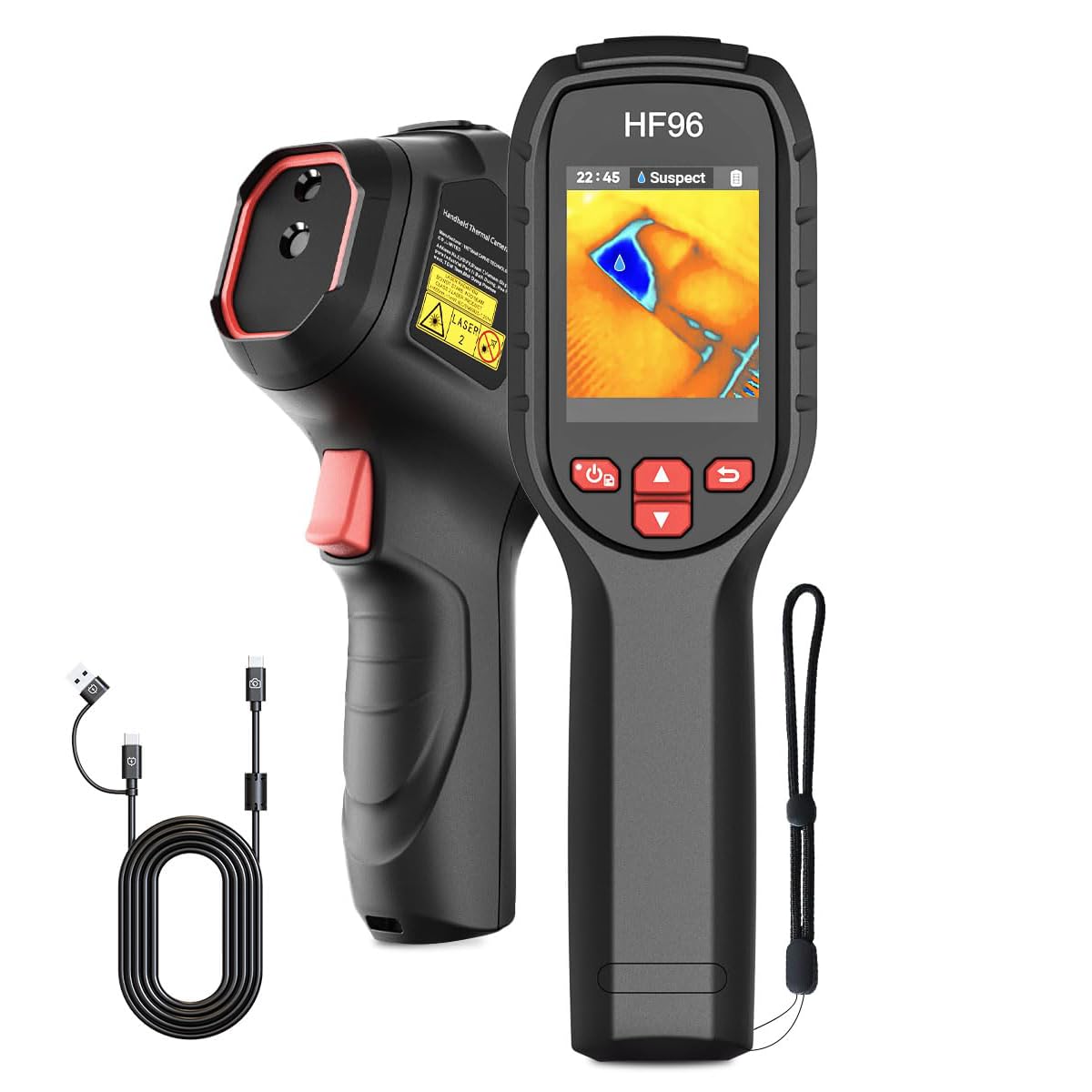
The HF96 is the value pick for home energy work, packing AI scene detection, PC software, an 11-hour battery, and a 240x240 live super resolution view into a mid-range standalone. It undercuts pricier models while covering the essential inspection cases that bring homeowners to this category: finding cold spots, tracing damp areas, and checking for overheated electrical components.

This is the right fit for homeowners doing insulation audits and leak checks, DIYers, and HVAC/electrical techs on a budget. The enhanced image is upscaled from a 96x96 detector, so fine detail is less crisp than the top pick; that tradeoff matters less when the job is identifying an uninsulated wall or an overheating junction than when documenting small components.

The 25 Hz refresh rate keeps the image fluid while sweeping, and the 11-hour runtime covers a full property walkthrough on a single charge. The laser pointer helps anchor a reading to a specific spot on a wall or breaker panel, and the -4°F to 1022°F range spans residential and light commercial fault-finding.

The 4GB internal storage and bundled PC software make report assembly simple: pull the images off, drop them into the software, and label the findings.

💡 Install firmware updates over a stable network so the AI scene features unlock on the first attempt.

Pros

  • Keeps entry cost low for home energy audits without sacrificing battery life or report software.
  • Temperature mapping is accurate enough to identify cold spots and overheated components.
  • Functions without a phone, covering insulation, leak, electrical, and automotive checks.

Cons

  • A firmware update can stall before completion, leaving the advertised AI scene features locked.
  • The small screen can make quick scans harder to interpret than on larger-display models.
Our verdict

The HF96 is the value leader for energy and insulation work, undercutting pricier models while covering the core home-inspection use cases.

Check Latest Price
3

Best Phone-Connected for iPhone & Android

TOPDON TC002C Duo

87 /100
Studio Score Strong Evidence

Key details

Data Export
App reporting
Power Source
Phone-powered
Refresh Rate
25 Hz
Native Resolution
256x192 native, 512x384 enhanced
Check Price on Amazon

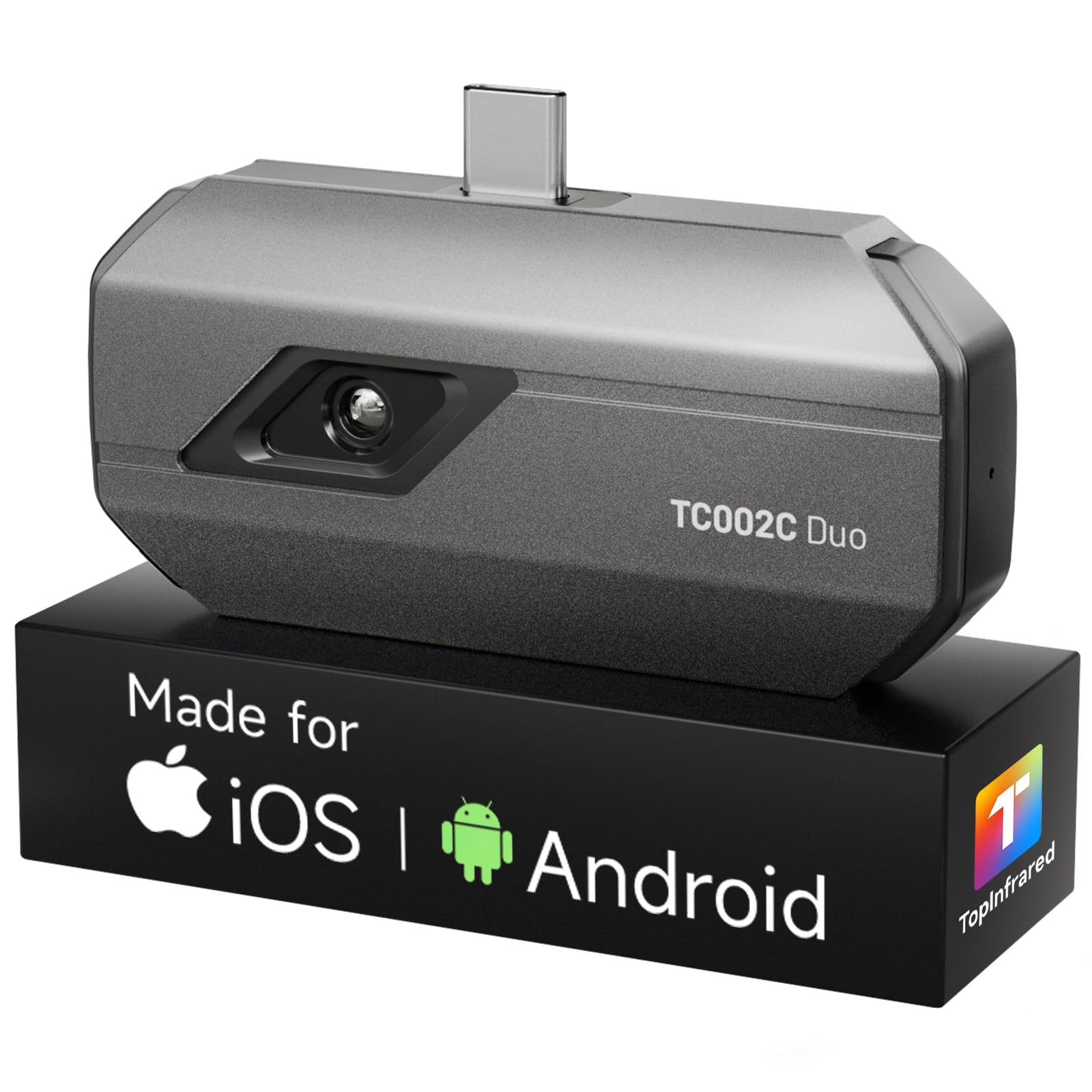
The TC002C Duo is the phone-connected route to native 256x192 thermal detail: a 30g USB-C dongle with a 25Hz refresh rate that turns an iPhone or Android into an inspection camera. For home, HVAC, and electrical checks, the image is clear enough to track a cold air leak, locate a warm breaker, or verify pipe temperatures.

The phone app handles live view, capture, and reporting, so the dongle draws power from the phone and adds no charging duty. This setup suits HVAC and electrical techs who already document on their phone and want a pocket imager. Compatibility is the boundary: Mac and Android 16 are not supported, some USB-C phones may not connect, and the 512x384 enhanced view is software interpolation rather than native detail. If you prefer a standalone screen, the top-pick TC004 is the better match.

Accuracy holds up across electrical, HVAC, and plumbing work, and the dual-lens blend makes it easier to orient the thermal image against a visible-light photo. At a premium price, it is not the cheapest way into thermal imaging, but the native 256x192 sensor and iPhone/Android support make it a cost-effective phone-first option for buyers who want more detail than the entry-level dongles.

💡 Plug the dongle directly and use a short USB-C extender if a thick phone case blocks full seating.

Pros

  • Native 256x192 thermal sensor delivers sharp, consistent readings for electrical, HVAC, and plumbing diagnostics.
  • USB-C dongle plugs into iPhone or Android and turns the phone into a complete inspection tool.
  • App is intuitive and the plug-and-play workflow gets you scanning quickly on supported phones.
  • Dual-lens clarity and native resolution make the premium price worthwhile for phone-first users.

Cons

  • The 512x384 enhanced view is software upscaling, so fine detail is softer than the native sensor.
  • Certain USB-C phones may not connect, and Mac and Android 16 are currently unsupported.
Our verdict

The TC002C Duo is the phone-connected thermal camera for buyers who want native 256x192 detail and already use their smartphone for inspection notes.

Check Latest Price
4

Best High-Resolution Professional

Thermal Master Thor002

87 /100
Studio Score Strong Evidence

Key details

Data Export
WiFi/USB transfer
Power Source
Up to 10.5 hrs, standalone
Refresh Rate
25 Hz
Native Resolution
256x192 native, 512x384 enhanced
Check Price on Amazon

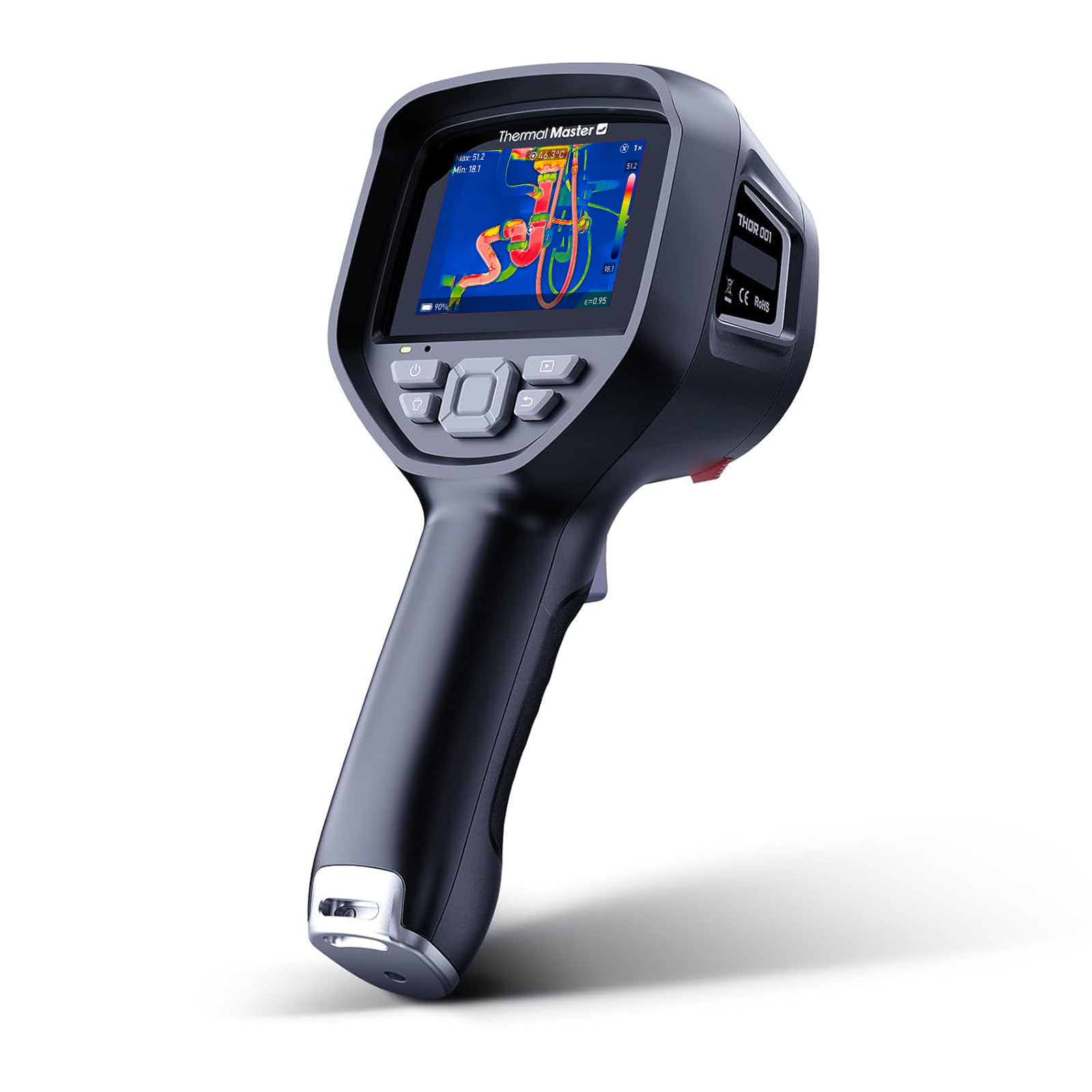
While the top pick is the default standalone for balanced field use, the Thor002 targets the documentation-heavy inspector who will use the 3.5-inch 640x480 display, 512x384 enhanced detail, and WiFi/USB transfer to build a record rather than just glance at a hotspot.

The 5000mAh battery is rated up to 10.5 hours, which supports full-day field work, and the menu design is learnable without much fuss. In electrical and HVAC checks, the large screen lets you keep your distance from live equipment while still spotting heat patterns; the 2MP visible camera records the same target for later comparison. Onboard storage covers an entire inspection route, and WiFi or USB transfer gets the files onto a computer without extra hardware.

Professional inspectors and electricians or HVAC techs who document what they find are the right audience. Accuracy control is the caveat: readings can vary between units, so verify the device against a known temperature reference before trusting its absolute numbers for a diagnosis. Anyone who only needs a quick temperature look can cover that with a lower-priced standalone or a phone-connected model. For the documentation-focused buyer, the long battery and solid feel make it a practical field tool.

💡 Pair the 2MP visible camera with the thermal view when saving an inspection record.

Pros

  • Sturdy construction and large screen hold up to field use.
  • Menu and controls are intuitive enough to use without a manual.
  • Useful across electrical, HVAC, and building inspection tasks.
  • One charge covers a full day of inspections.

Cons

  • The enhanced 512x384 image is derived from the 256x192 native detector, so fine detail can look soft.
  • Temperature readings can differ from a known reference in some units, which matters for absolute-value diagnostics.
Our verdict

The Thor002 suits the inspector who wants a dedicated field tool with a large screen and simple file transfer.

Check Latest Price
5

Best Budget Handheld

Flagfront YXI96

85 /100
Studio Score Strong Evidence

Key details

Data Export
Power Source
Refresh Rate
25 Hz
Native Resolution
96x96 native, 240x240 enhanced
Check Price on Amazon

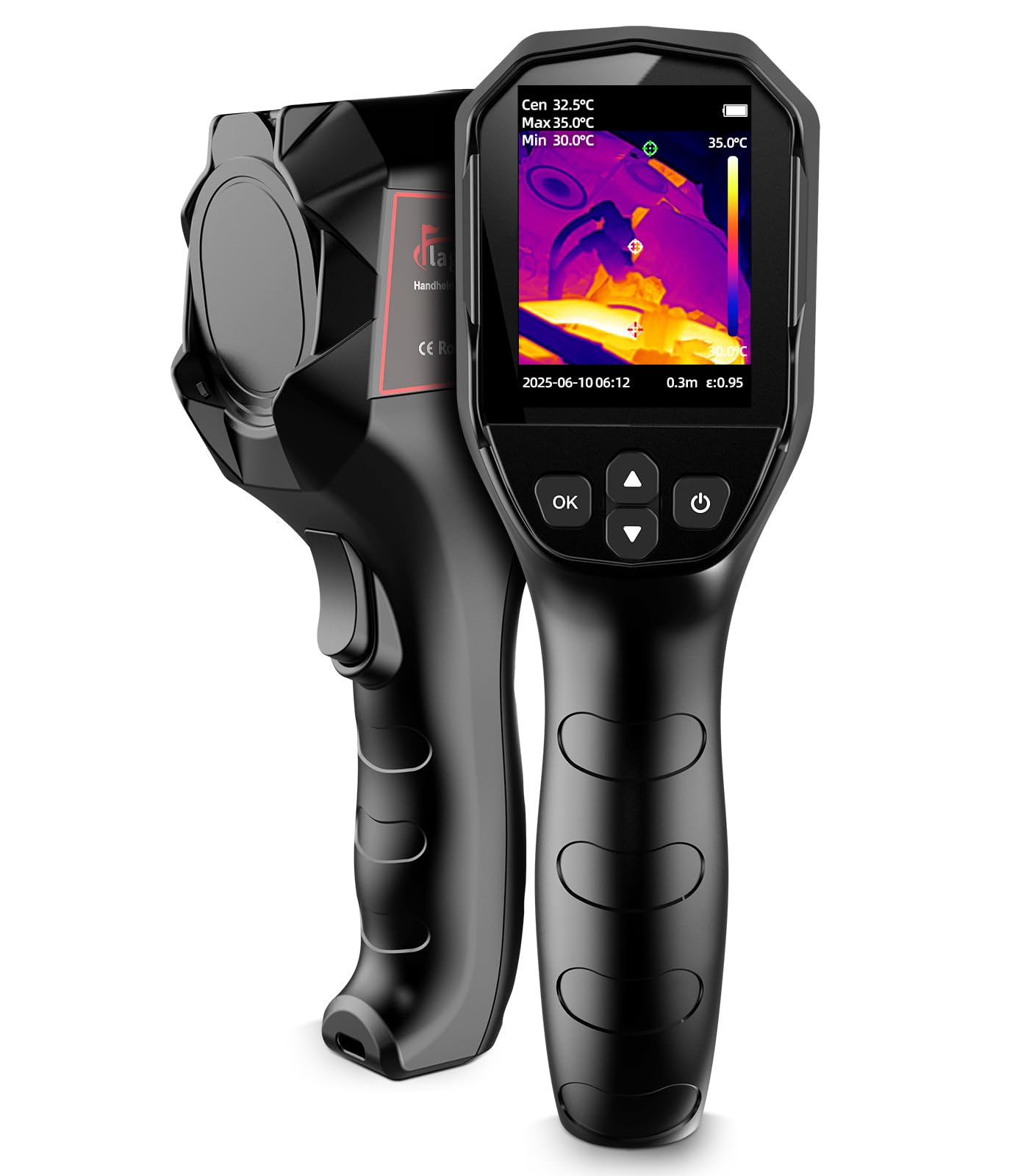
The Flagfront YXI96 puts a complete standalone thermal camera in your hand at a budget price: 25Hz refresh, a 6.6-foot drop-rated body, and a 240x240 enhanced view. It boots quickly and responds fast enough to sweep a room or scan a breaker panel without needing a phone. Compared with the higher-priced home-energy standalone, this is the more direct entry point for someone who wants a real device at the lowest practical cost.

During home heat-loss checks, electrical circuit scans, and automotive inspections, the YXI96 displays hot and cold zones with adjustable alarms and a wide temperature range. The 25Hz refresh keeps the live image fluid enough to sweep a breaker panel or trace a wall for cold spots, and the unit responds quickly after power-up. That responsiveness makes quick scans feel natural when you are checking multiple outlets or windows in one pass.

First-time thermal owners who want a budget standalone without depending on a phone are the right audience. This camera suits home, electrical, and automotive spot checks where a quick temperature difference is enough. Expect two trade-offs: the lens flap can drop down and cover the lens mid-scan, and image clarity is acceptable for broad hot/cold zones rather than fine diagnostics.

Pros

  • Budget buyers get a complete standalone thermal scanner with 25Hz refresh and a drop-rated body.
  • Covers electrical circuits, heat loss, and automotive checks without needing a phone.
  • Wide temperature range with hot/cold spot detection and alarms.
  • Fast startup and simple menus get you scanning quickly.

Cons

  • Image clarity is soft for large-area scans; fine text and small parts won't be sharp.
  • The lens flap can drop down and block the lens, so you may have to hold it back.
Our verdict

The YXI96 is the budget standalone to start with for everyday home, electrical, and automotive spot checks.

Check Latest Price
6

Best Budget Phone Camera

GOYOJO GW192A

83 /100
Studio Score Strong Evidence

Key details

Data Export
App reporting
Power Source
Phone-powered
Refresh Rate
Native Resolution
192x192 native
Check Price on Amazon

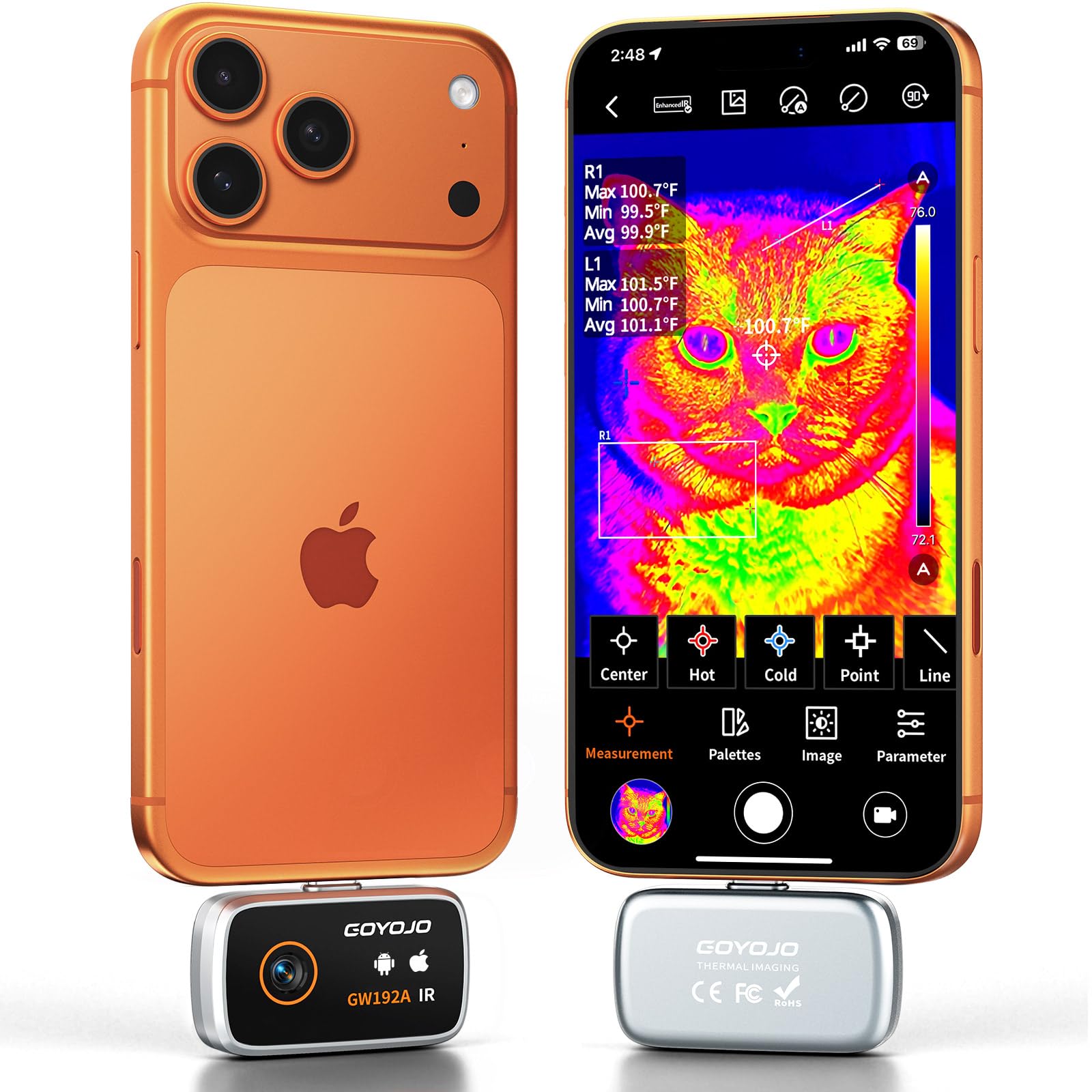
The GOYOJO GW192A is a budget phone-connected thermal imager that puts a native 192x192 detector into a 0.48-ounce USB-C dongle, giving it a real resolution edge over the entry-level 160x120 USB-C options in this set. The companion app gets you from unboxing to a live thermal view quickly, and the 50° field of view covers wall sections, panels, and under-hood checks without feeling cramped.

Thermal detail at native 192x192 is sharp enough to separate a warm electrical breaker from its neighbors or trace a coolant line, rather than relying on software upscaling to fake the picture. The -4°F to 752°F range spans household and automotive conditions, so the same dongle moves from window drafts to engine bay heat without switching tools. Image quality holds up for its price class, with the main limit being the sensor size rather than the optics.

This is for budget smartphone thermal users who want a lightweight, phone-first tool for home inspections, electrical panels, and automotive troubleshooting. It is not a standalone camera, so a buyer who wants a built-in display and onboard storage should look at the handheld units in this set instead.

💡 After moving the dongle to a new surface, hold it steady for a second to let calibration finish before capturing an image.

Pros

  • Build quality feels solid for a budget dongle and holds up across repeated home checks.
  • App setup is quick and the controls stay intuitive during normal use.
  • Thermal images resolve enough detail for breaker panels, heat loss, and coolant lines.
  • A wide range of inspection jobs can be handled with one pocket-sized accessory.

Cons

  • The app can interrupt a scan with a calibration message while moving between targets.
  • iPhone 16 connection is not guaranteed despite advertised support, so compatibility should be checked before purchase.
Our verdict

For budget smartphone thermal users who accept a phone-connected workflow, the GOYOJO delivers native 192x192 imaging at a friendly price; iPhone 16 buyers should verify connection first.

Check Latest Price
7

PC Report Users

FOXWELL RT280

87 /100
Studio Score Strong Evidence

Key details

Data Export
PC software, 8GB storage
Power Source
Refresh Rate
25 Hz
Native Resolution
120x90 native, 240x180 enhanced
Check Price on Amazon

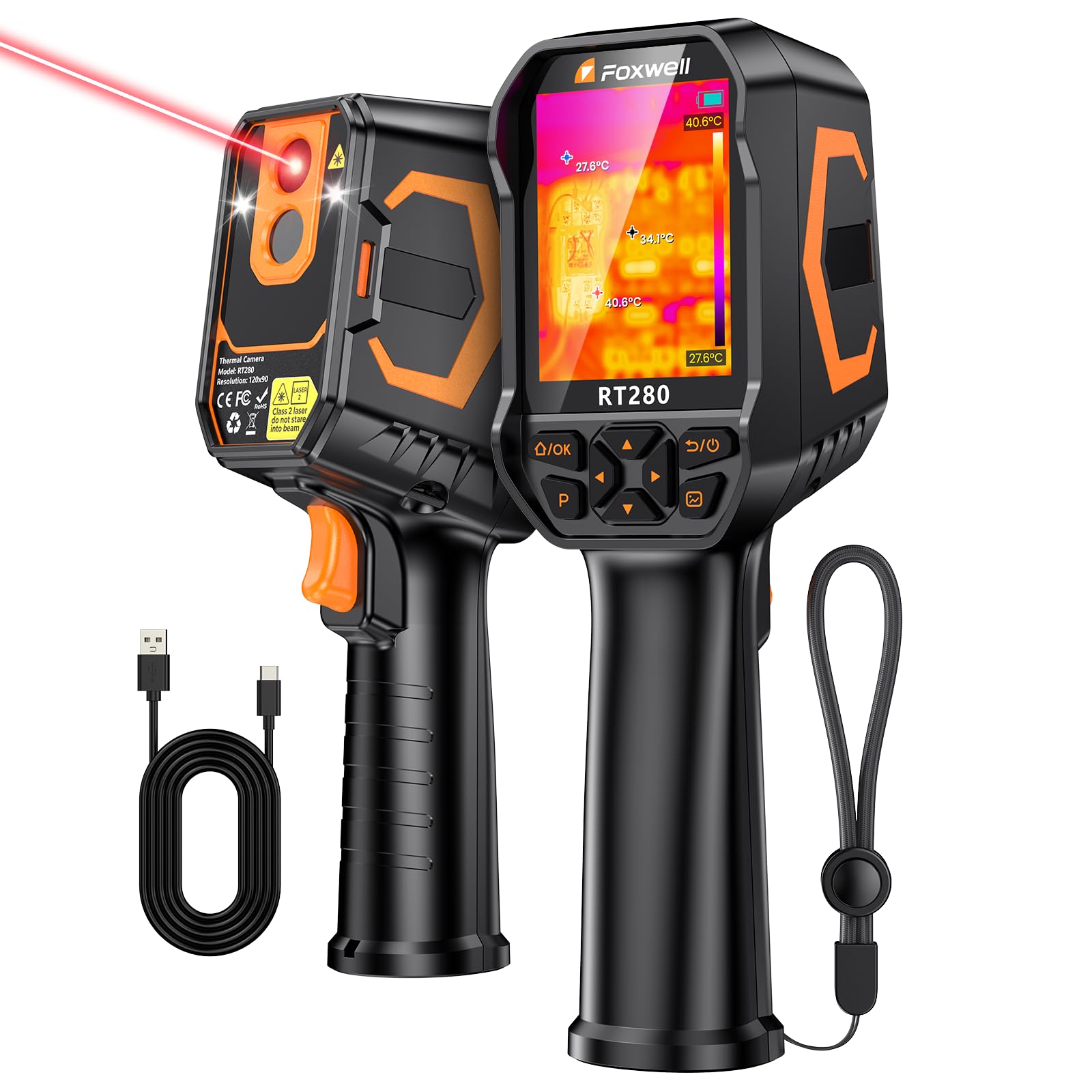
The RT280 is a budget handheld that puts PC-based report generation within reach of RV and home DIYers. Its 120x90 native sensor with 240x180 TISR enhancement, 2.8-inch display, and 8GB storage cover leak checks, window drafts, and exhaust diagnostics. Image clarity can vary between units, and an occasional clicking/freezing quirk has been observed, so checking focus and scan behavior early in the return window is a wise move. These two issues keep it out of the higher tiers, despite strong value and useful PC reporting. Buyers who can tolerate the variability and want documentation at a budget price will get genuine utility.

Pros

  • Built-in PC software turns thermal scans into exportable reports for inspection documentation.
  • Covers RV slab leaks, window drafts, and exhaust diagnostics with a single handheld unit.
  • Offers strong value for a budget standalone with PC reporting, 8GB storage, and a 2.8-inch display.

Cons

  • Upscaled 240x180 output from the 120x90 sensor limits fine detail for precise diagnostics.
  • The interface can present rough edges that will bother anyone expecting a consistent experience.
Our verdict

The RT280 fits budget buyers who need PC-based inspection reports and can accept some variability in image output. For fine-detail diagnostics or a consistently smooth interface, a higher-tier standalone is worth the extra cost.

Check Latest Price
8

Touchscreen Fans

HSFTOOLS HP96

86 /100
Studio Score Strong Evidence

Key details

Data Export
Power Source
Up to 4 hrs, standalone
Refresh Rate
Native Resolution
96x96 native, 240x240 enhanced
Check Price on Amazon

The HP96 is a standalone thermal camera with a 3.5-inch touchscreen, a visible-light camera, and 240x240 live super resolution - enough imaging power to trace hot-water lines, inspect breaker panels, and check HVAC vents in short bursts. The interface feels like a phone, so buyers who dislike button-heavy handhelds will find it approachable. The trade-off is endurance: runtime can shrink to about 30 minutes during hands-on work, and a calibration freeze can interrupt a room-to-room sweep. For home inspections with AC power nearby, those limits are acceptable; for all-day fieldwork, plan around the short runtime instead of expecting a full day away from a charger.

Pros

  • Phone-like touchscreen and visible-light fusion make on-device image review simple.
  • Detects studs, hot-water lines, and electrical panels with enough precision for home inspections.
  • Costs well below premium thermal units while covering the common inspection tasks buyers need.

Cons

  • Battery runtime can shorten to around 30 minutes during active use, and charge-holding may fade after a few months.
  • A calibration freeze can interrupt a room-to-room sweep and leave the screen unresponsive until restart.
Our verdict

For indoor home inspections with a charger close by, the HP96's touchscreen workflow and visible-light fusion make it easy to recommend as a secondary camera.

Check Latest Price
9

Entry-Level Explorers

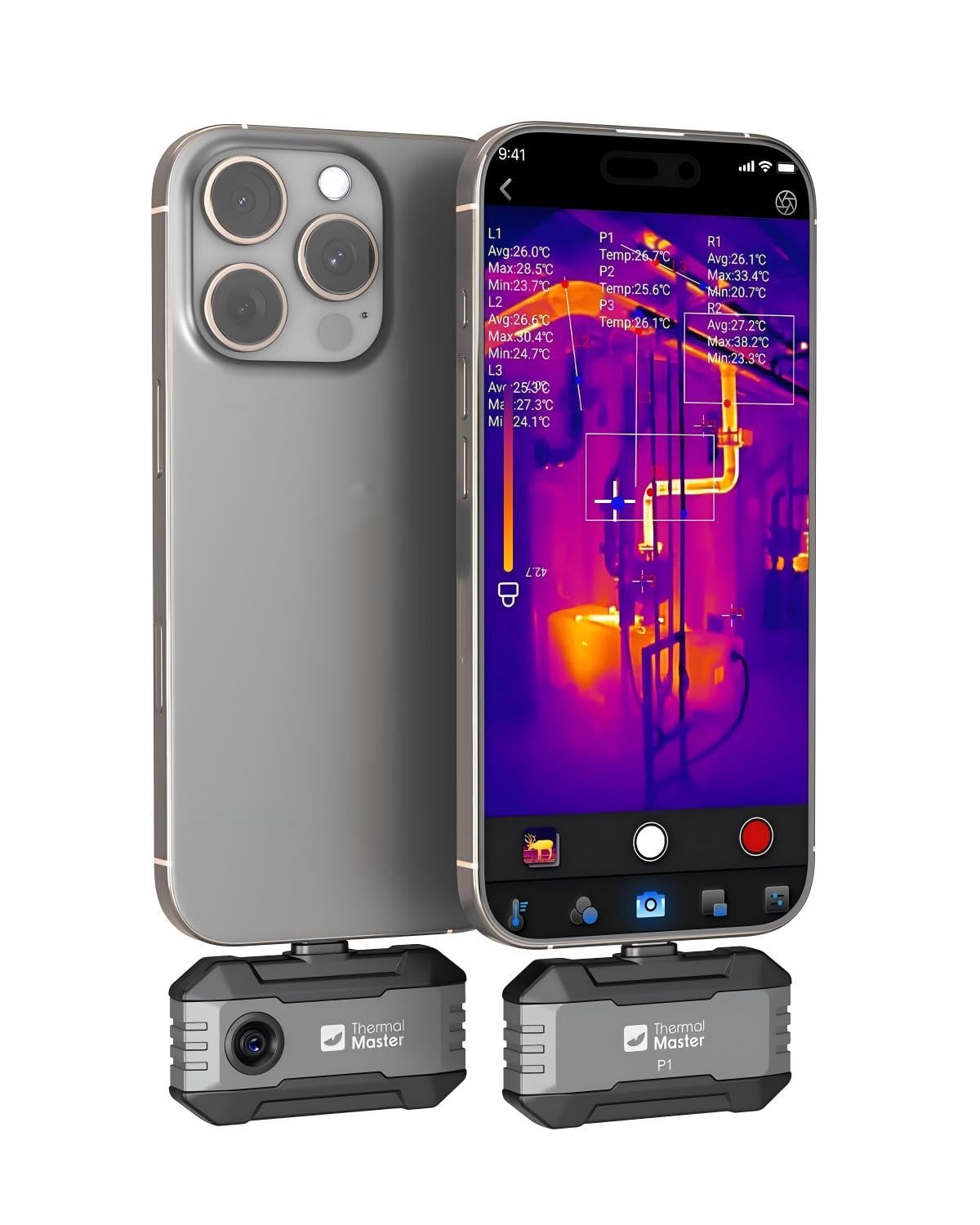
Thermal Master P1

80 /100
Studio Score Strong Evidence

Key details

Data Export
App reporting
Power Source
Phone-powered, 5-8 hrs
Refresh Rate
25 Hz
Native Resolution
160x120 native, 320x240 enhanced
Check Price on Amazon

The Thermal Master P1 is a tiny USB-C dongle that brings thermal imaging to a phone at a budget-friendly price. Its 160x120 native sensor draws just 0.32W, so it can run 5-8 hours from the phone's battery during casual home inspections. Temperature sensitivity is good for spot-checking warm breakers, HVAC vents, or cold spots around windows. The enhanced view is software-upscaled, so it does not deliver true high-resolution imagery. Connection drops can interrupt a scan on certain phones, which places this below more consistent phone-connected options for professional work. Beginners and DIYers with a compatible USB-C phone get a low-cost way to learn thermal inspection; anyone needing uninterrupted sessions should look at a standalone model.

Pros

  • Budget-friendly entry point for exploring thermal imaging without a full handheld investment.
  • Good temperature sensitivity for spot checks around the house.
  • Compact and fun to use, with minimal drain on the phone's battery.

Cons

  • iPhone owners need a separate Lightning adapter before the dongle will connect.
  • No built-in display or storage means the phone must stay connected for every scan.
Our verdict

For a hobbyist who wants a low-cost introduction to thermal imaging from an already-compatible phone, the P1 is a reasonable starting point.

Check Latest Price

How to Choose

Native Sensor Resolution

Advertised resolution often comes from software interpolation. A 96x96 detector can produce a 240x240 'live super resolution' image, but the camera cannot create information that the sensor never captured. The result is a smoother image, not a sharper one.

For home scanning, an upscaled image can still show large temperature differences like missing insulation or a warm breaker. For smaller targets, like a single overheated wire or a narrow pipe, native 256x192 or higher resolves the spot you need to find.

Refresh Rate

Most capable models run at 25Hz, which means the image updates quickly enough to sweep across a wall without smearing. Lower frame rates lag during movement, so a hot wall or cold leak can appear after you have already passed it. If you plan to scan rooms methodically, 25Hz is the floor.

Temperature Range and Accuracy

Broad temperature ranges look useful, but most residential and electrical work happens between -20°C and 100°C. The more important number is accuracy: a spec like ±2 percent tells you how much a reading can drift from the real value, and thermal sensitivity (NETD) shows whether the camera can separate tiny temperature differences. A wide range with poor sensitivity will miss subtle damp spots.

Battery and Power Source

Standalone handhelds need their own batteries, which is why runtime claims matter. A large-capacity cell can deliver 10-15 hours, but a touchscreen handheld may draw far more power and fall short of its claim after months of use. Budget touchscreen models have the weakest track record here.

Phone-powered dongles avoid this by using the phone's battery, which makes them lighter and easier to carry. That convenience comes with a physical trade-off: the short USB-C plug has to seat properly, so thick cases often block the connection. Know whether you can remove the case before relying on a dongle.

Data Export Workflow

How you get images off the camera is as important as how it captures them. Onboard storage, Wi-Fi transfer, and PC software allow proper inspection reports; app-only models tie your data to a phone and the app's compatibility. If you need to document work for clients or contractors, choose the workflow that does not depend on a single app update.

Frequently Asked Questions