8 Best iPhone Camera Grips of 2026: Stable Hold, Dependable Shutter

Find an iPhone camera grip with a secure hold and a shutter that responds, so you spend time shooting rather than re-pairing Bluetooth remotes.

Most iPhone camera grip listings lean on zoom buttons, mode dials, and app-connected wheels. Once you're actually shooting, the parts that matter are a secure mount and a shutter that responds when pressed. Bluetooth remotes can sleep, re-pair, or ignore a command at the worst moment, and magnetic rings on non-MagSafe cases can shift under torque.

The practical choice comes down to mounting style and control expectations. MagSafe grips are seamless when your case is compatible, but adhesive rings are the weak point for phones without it. Clamp-style grips avoid that variable entirely and work with nearly any case. Treat zoom and mode buttons as optional extras rather than the reason to buy.

The right grip for you is the one whose mounting and control trade-offs match how you actually shoot: quick handheld shots, long sessions, or selfie content.

1

Best Overall

KIWIFOTOS HG-BT Grip

86 /100
Studio Score Strong Evidence

Key details

Mounting
Adjustable clamp
Ergonomics
3.5oz handle
Bonus Mounts
Cold shoe, 1/4-20 thread
Extra Controls
Shutter only
Check Price on Amazon

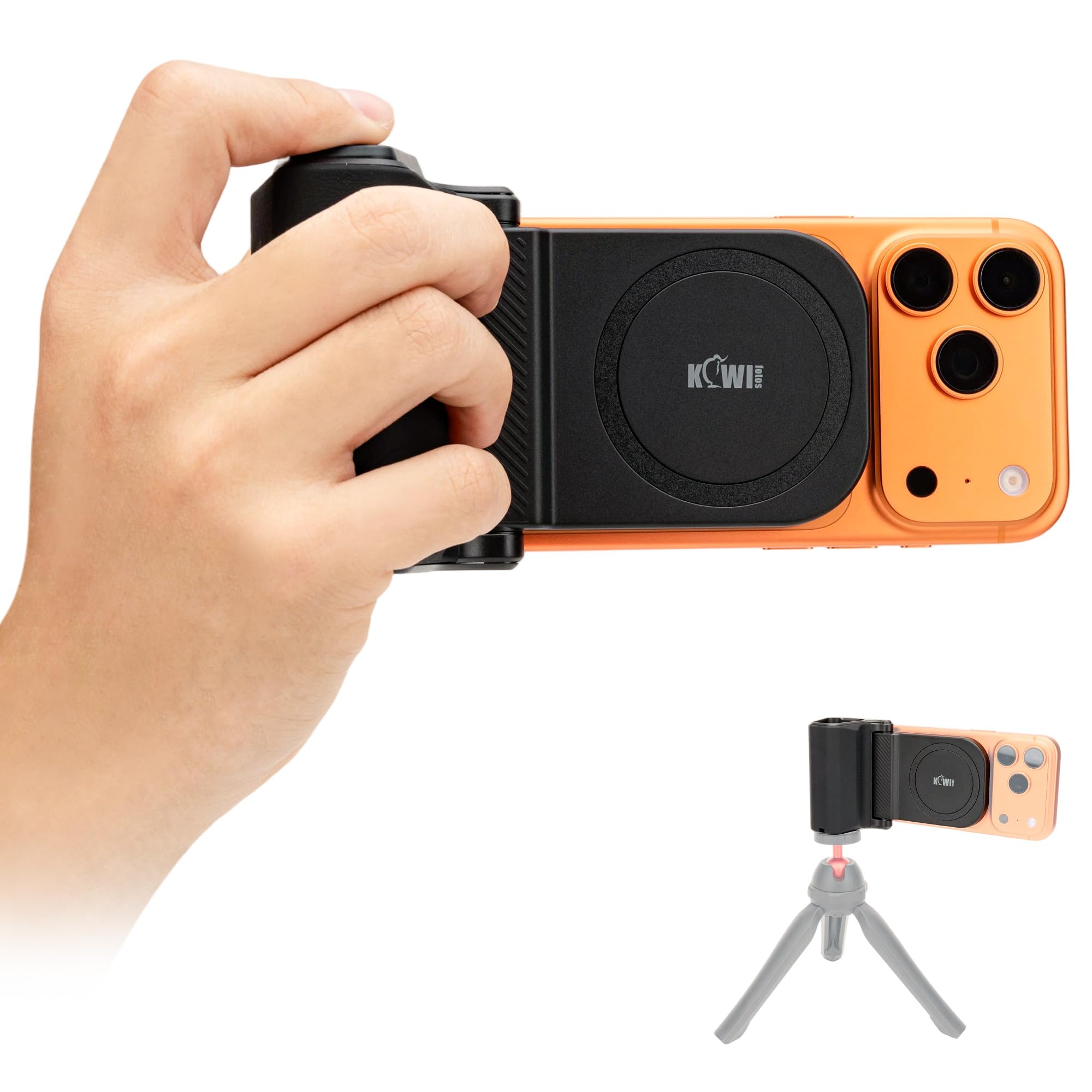
The KIWIFOTOS HG-BT is the dependable all-round phone grip in this lineup: a tight adjustable clamp, a cold shoe for a mic or light, and a Bluetooth shutter that pairs quickly. The clamp opens to 3.3in, which covers current iPhone and Android sizes with a thin case, and the 1/4-20 thread at the base lets you set it on a tripod when your hand gets tired. The handle itself is shaped like a compact camera grip, so your fingers wrap around a real contour instead of a flat stick.

One-hand shooting feels solid: the cradle holds the phone without rattling, and the shutter works from across a room, so group shots don't require a timer. The cold shoe sits above the clamp, so a compact shotgun mic or LED panel stays off the phone's screen. A detachable remote means you can keep the handle on a tabletop and fire from a few steps away, and the 10m range covers a living room or small office without awkward positioning.

This is the grip to start with if you're new to phone camera handles and want something that will survive your next phone upgrade. It doesn't depend on MagSafe, so a case change won't leave you hunting for a new ring, but the coin-battery remote and a clamp that is snug with heavy-duty cases define its boundaries: buy it as a universal handle, not as a charging accessory. Vloggers who want to mount an external mic get the cold shoe they need, and photo-first users get a shutter button that talks directly to the native camera app.

At a budget-friendly price, the HG-BT keeps the feature set simple: handle, shutter, cold shoe, tripod thread. There are no magnets, charging coils, or app drivers to troubleshoot. Compared with magnetic grips, the clamp offers a more predictable hold when you change cases or hand the phone to a friend.

The kit is intentionally basic: no built-in battery, no stand, no light. That focus keeps the grip light at 3.5oz and easy to pack, while still covering the essentials for everyday handheld photo and video. The body is plastic but dense, and rubber pads on the clamp keep the phone frame from touching metal or hard plastic.

Pros

  • Grips phones securely for one-hand shooting; the clamp holds tight without rattling.
  • Works as advertised with a sturdy build that matches the price.
  • Bluetooth shutter pairs quickly and holds its connection at distance.
  • Budget-friendly price gets you the essentials without extra bulk.
  • Cold shoe on top takes a mic or light, and the base threads onto a tripod.

Cons

  • The shutter can ignore a quick tap and take a second press to fire.
  • The remote's auto-off can make the first press after idle time do nothing until it wakes.
Our verdict

The HG-BT is the pick for shooters who want a dependable handle that still works after a phone or case change, and the cold shoe makes it a real camera accessory rather than a phone trinket.
Check Latest Price
2

Best Native iPhone Control

COMITOK MOCA iPhone 17

81 /100
Studio Score Strong Evidence

Key details

Mounting
MagSafe or magnetic plate
Ergonomics
Silicone body, 107g
Bonus Mounts
1/4-inch tripod thread
Extra Controls
Zoom, mode, lens
Check Price on Amazon

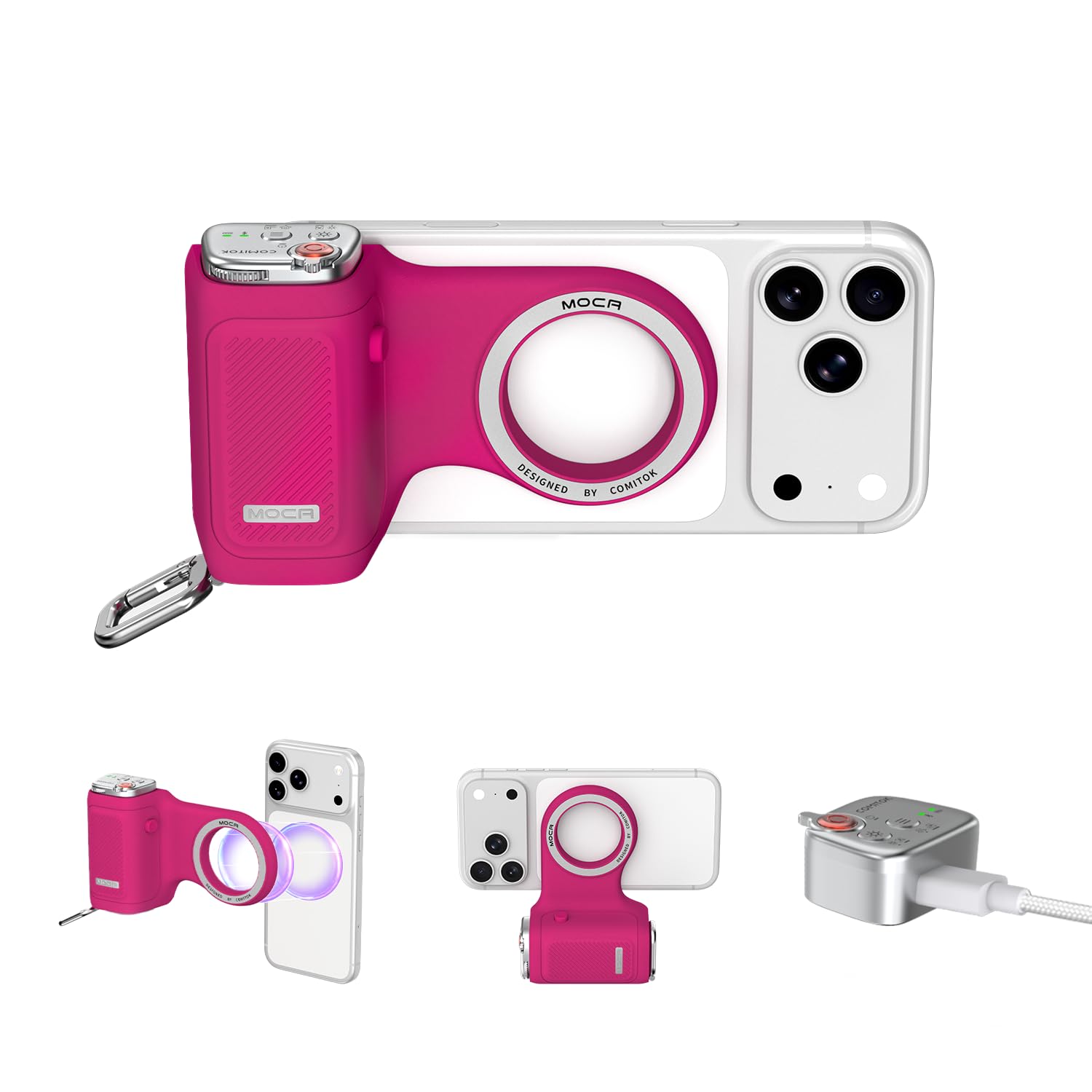
The COMITOK MOCA opens the iPhone 17 stock Camera app and controls zoom and mode from a detachable Bluetooth remote, without a third-party camera app. Pairing is quick, so the remote is ready for a photo walk rather than a setup session. The 107g silicone body keeps handheld shooting light, while the remote's anti-drop lock and keychain hook make it easy to move a few feet from the phone and still trigger the shutter. A 1/4-inch thread adds a simple tripod mount for video or group shots.

This is a budget-first entry point for first-time grip buyers and vloggers who want a portable handle for stable iPhone 17 photos and video. The compact shape favors light travel over the large palm-filling hold of a DSLR-style grip, so buyers who want that chunkier feel should look at a bigger handle in this lineup. It is optimized around the native iOS camera experience rather than universal phone compatibility, and iPhone 17 owners get a direct control path.

The detachable remote is central to the shooting flow: it sits at thumb range for shutter taps, then unclips for timed group shots. The MOCA's value stays in simple handheld stability, so it skips battery and light extras to keep weight down and the price entry-level.

Pros

  • Launches the stock iOS camera and maps zoom and mode to the remote without a third-party app.
  • Bluetooth pairing is fast and holds well for shooting sessions.
  • Budget-friendly price and a keychain remote make it a low-risk first grip purchase.

Cons

  • Zoom button direction can feel backward until iOS Accessibility Zoom is switched on, and mode response can vary.
  • The adhesive ring for non-MagSafe phones can pull off under leverage, so a MagSafe case is the more secure option.
Our verdict

For iPhone 17 owners, the MOCA is an entry-level way to keep the stock Camera app in your hand instead of on the screen.

Check Latest Price
3

Best for Vloggers/Creators

TELESIN Creator Kit + Light

81 /100
Studio Score Strong Evidence

Key details

Mounting
MagSafe or included ring
Ergonomics
Compact handle, 109g
Bonus Mounts
C03 selfie light
Extra Controls
Zoom, mode buttons
Check Price on Amazon

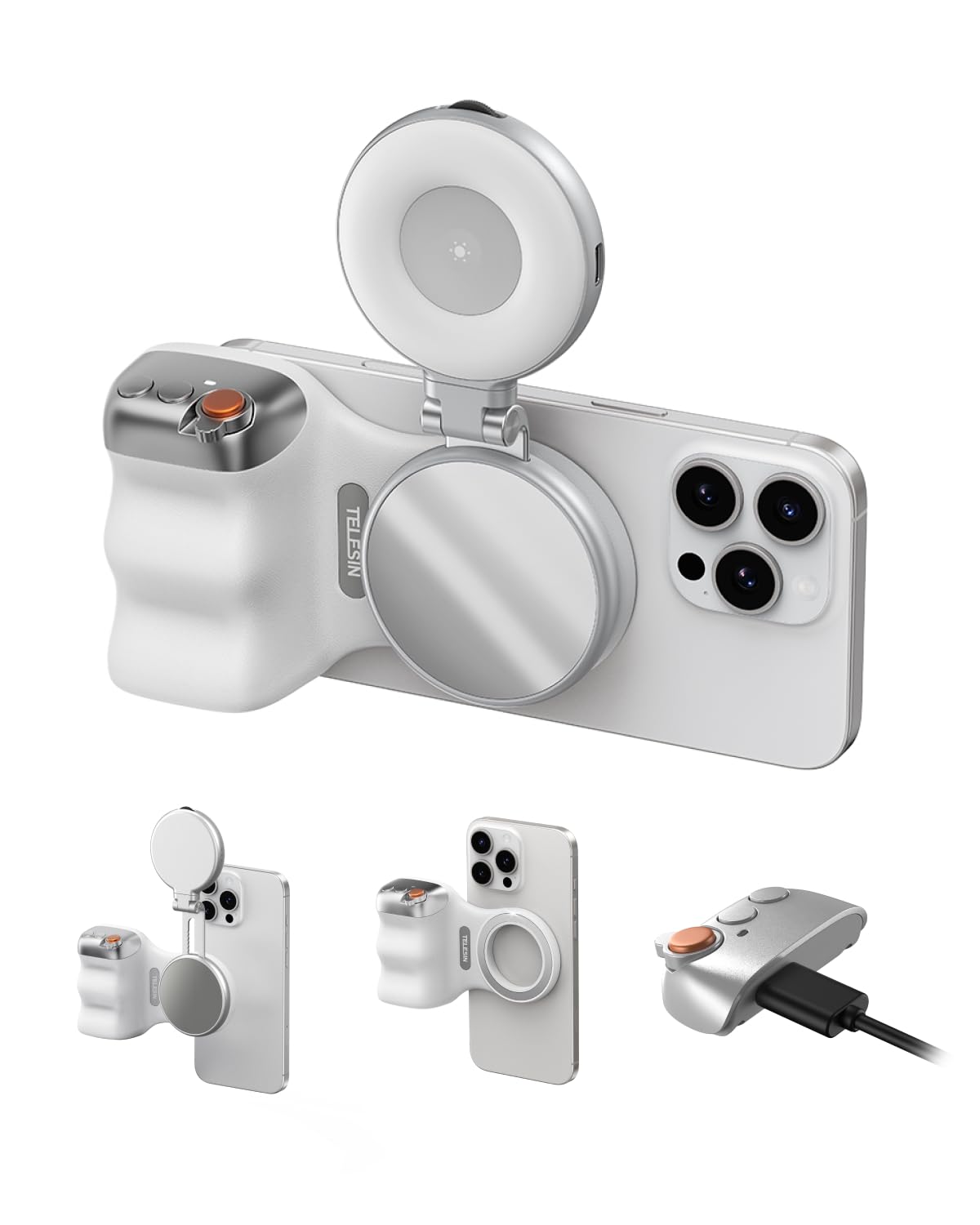
The TELESIN Creator Kit pairs the Fun Shot grip with the C03 magnetic selfie light and mirror, so you can add fill light and check framing without carrying a separate panel. The light rotates 360 degrees, and the grip accepts MagSafe iPhones or an included ring for non-MagSafe phones. A rechargeable wireless shutter handles capture from the handle, which is the practical core of any camera grip.

This kit fits vloggers, TikTok creators, and solo travelers who want a grip plus light in one piece. The honest boundary: zoom and mode controls can be unresponsive on some phones, and iOS Accessibility Zoom may need to be enabled for them to work. Magnetic hold is also case-dependent, so it is strongest with a bare MagSafe iPhone or with the included ring centered on the back.

The shutter button behaves like a standard Bluetooth remote, which makes it useful for group selfies and tripod-free handheld video. Function can vary between units; controls may not respond or power on, so test soon after unboxing. The C03 light snaps onto the grip or the phone, and the mirror gives you a way to frame yourself when the rear camera is the one recording.

💡 Place the included ring dead-center on the back of a non-MagSafe phone before the first shoot; that gives the magnet its best grip.

Pros

  • C03 light rotates a full 360 degrees and includes a mirror for framing in low light.
  • MagSafe mount plus included ring lets one grip work with iPhone and Android setups.
  • Rechargeable wireless shutter captures photos and video without reaching for the phone.

Cons

  • Magnetic grip can shift when the phone case is thick; the included ring is the workaround for non-MagSafe phones.
  • Zoom and mode buttons can be unresponsive on some phones, while shutter capture stays consistent.
  • Function can vary between units; controls may not respond or power on, so test soon after unboxing.
Our verdict

The TELESIN Creator Kit is the selfie-first choice among the grips it sits next to: light and mirror stay with the camera instead of in a bag.

Check Latest Price
4

Best for All-Day Shooting

TELESIN Master Grip

80 /100
Studio Score Strong Evidence

Key details

Mounting
MagSafe universal grip
Ergonomics
DSLR-style handle
Bonus Mounts
—
Extra Controls
Fn keys, dial
Check Price on Amazon

The Master Grip is the power-user option in this lineup: a 3200mAh battery lives inside the handle, so an iPhone can charge wirelessly while you continue shooting. The DSLR-style grip and physical shutter keep one-handed photo and video work stable, and the dial and Fn keys map through the Reef Color App for hands-on control.

This premium-priced grip suits the iPhone 17 Pro Max owner who needs backup power for long sessions and values a true handle over a compact travel grip. It expects some setup patience: the bundled case can crack if installed quickly, and the wireless/control layer can be more variable than a simple shutter remote, so buyers who want no-fuss operation may prefer the adjustable clamp grip in this lineup.

The magnetic hold and handle shape carry the experience: the phone stays planted during extended handheld work, and the grip remains comfortable for one-handed use. The built-in battery is what separates this from the slimmer magnetic grips in the same lineup, making it the better choice for anyone who treats the phone as a primary camera for hours at a stretch.

Pros

  • Strong magnetic grip keeps the phone planted, with no wobble during one-handed framing.
  • Sturdy construction gives a confident feel in the hand.
  • DSLR-style handle and physical shutter make extended one-handed operation comfortable.

Cons

  • Bluetooth connection can drop during a session, so re-pairing may be needed.
  • Button and wheel controls can respond unpredictably despite app-side configuration.
  • Included iPhone 17 Pro Max case is fragile and can crack during installation.
Our verdict

Long-session shooters who want backup power in the handle will find the Master Grip more useful than a simple clamp grip; the premium price is tied to the battery and handle, not the bundled case.

Check Latest Price
5

Best Compact MagSafe Travel Grip

KIWIFOTOS Travel Mag Grip

81 /100
Studio Score Strong Evidence

Key details

Mounting
MagSafe or magnetic ring
Ergonomics
Compact, rotates, stand
Bonus Mounts
1/4-20 tripod thread
Extra Controls
Shutter only
Check Price on Amazon

The KIWIFOTOS Travel Mag Grip is the MagSafe-first alternative to the top pick in this lineup. It attaches with one snap, rotates between portrait and landscape, and folds into a stand without removing the phone. A USB-C rechargeable remote fires the shutter from up to 10 meters away, and the compact body slips into a pocket between shots.

This grip is for iPhone owners with built-in magnets or a MagSafe case who want a compact handle for stable one-handed video and quick orientation changes. The strong magnet is part of the tradeoff: it holds without wobble, but remote removal can be fiddly and phones using adhesive rings may have those rings pulled from the back. Thick non-MagSafe cases and buyers wanting a full-hand DSLR-style grip are better served elsewhere.

One-handed shooting feels planted, and the 1/4-20 tripod thread gives a direct path to a monopod or tripod when the frame needs to be locked down. The remote's USB-C charging covers a long day of photos and clips, and stand mode handles desk shots or tabletop framing without an extra accessory. The double-sided magnetic design keeps the remote within reach when the phone is set down.

💡 Slide the remote off from one side rather than pulling straight away from the magnet.

Pros

  • Secure magnetic hold keeps the phone steady during one-handed shooting.
  • Quick to set up and connect, so the remote is ready without fuss.
  • Rotates between portrait and landscape and doubles as a stand without removing the phone.
  • USB-C rechargeable remote provides shutter control from up to 10 meters away.

Cons

  • Remote removal can be fiddly because the magnet holds it firmly.
  • On non-MagSafe phones with adhesive rings, the magnetic pull can lift the ring off the back.
Our verdict

For MagSafe iPhone users, this is the compact travel grip that handles remote shutter, orientation changes, and tabletop use in one small body.

Check Latest Price
6

Travel, Selfie Stick

AMAZEAR Grip + Selfie Stick

80 /100
Studio Score Strong Evidence

Key details

Mounting
MagSafe or ring
Ergonomics
3-axis adjustable head
Bonus Mounts
Selfie stick, tripod
Extra Controls
Accessibility Zoom required
Check Price on Amazon

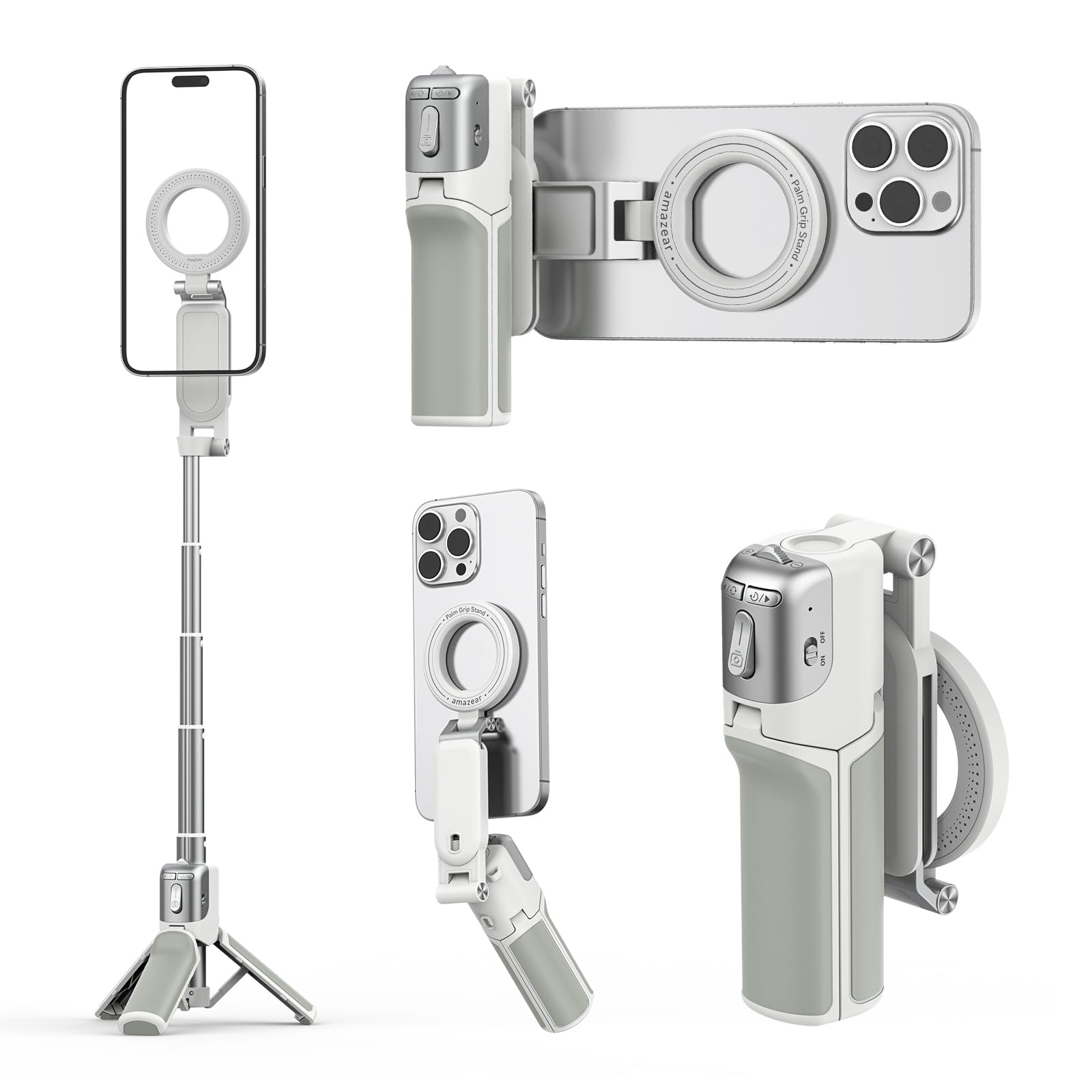
The handle, extendable stick, and fold-out tabletop legs cover three common phone-shooting positions without extra gear. The detachable Z3 remote adds a 10m shutter range and USB-C recharging, so group shots don't require handing the phone around. Travelers and casual family photographers who accept some setup steps will get real utility from the physical design; control execution is less consistent than top-tier dedicated grips, which keeps this in travel-accessory territory rather than camera-control territory.

Pros

  • Three shooting positions live in one unit: grip, extended selfie stick, and fold-out tabletop tripod.
  • Build quality feels higher than the budget price suggests.

Cons

  • The included magnetic ring can detach from non-MagSafe cases, and the tabletop legs can feel unsteady.
  • Zoom controls can be unresponsive with iPhone, and the Accessibility Zoom workaround keeps an on-screen magnifier visible.
Our verdict

This is a good fit for travelers and family groups who want one portable tool; photo-first users who need precise controls should look at a dedicated grip.

Check Latest Price
7

Simple Magnetic Grip

JJC Magnetic Grip Handle

82 /100
Studio Score Strong Evidence

Key details

Mounting
MagSafe magnetic
Ergonomics
Compact handle, stand
Bonus Mounts
1/4-inch tripod screw
Extra Controls
Shutter only
Check Price on Amazon

This budget magnetic grip pairs a USB-C rechargeable remote, a strong MagSafe hold, and a rotating tabletop stand in one compact unit. For handheld iPhone photos and video, the handle gives one-handed shooting a more stable base than a naked phone, and the 1/4-inch tripod screw adds a simple mount for a mini tripod. It suits MagSafe iPhone users who want a basic grip and stand and do not need zoom or mode control from the remote. Large hands may find the compact handle cramped, and the Bluetooth remote can require occasional re-pairing before a session. Those two boundaries keep it a step below the top picks, but the price fits casual shooters.

Pros

  • Strong magnetic hold and quick attach/detach make it easy to move between handheld and tabletop framing.
  • Handle profile feels solid in the hand and gives one-handed iPhone shooting a camera-like base.
  • Budget price bundles a remote and a stand, so casual shooters get the essentials without extra spend.

Cons

  • Compact handle can feel cramped for larger hands, which makes one-handed shooting less comfortable for those users.
  • Bluetooth remote can require repeated re-pairing between shooting sessions, adding a setup step before use.
  • Shutter button response can vary, and occasional missed captures may need a second press.
Our verdict

For MagSafe iPhone owners who want a simple grip and can accept occasional remote re-pairing, this is a budget-friendly way to stabilize handheld shooting.

Check Latest Price
8

Pro Max Video

COMITOK MOCA ARCO

77 /100
Studio Score Established

Key details

Mounting
MagSafe or plate
Ergonomics
Thumb rest, Pro Max
Bonus Mounts
1/4-inch tripod thread
Extra Controls
Exposure, focus, lens
Check Price on Amazon

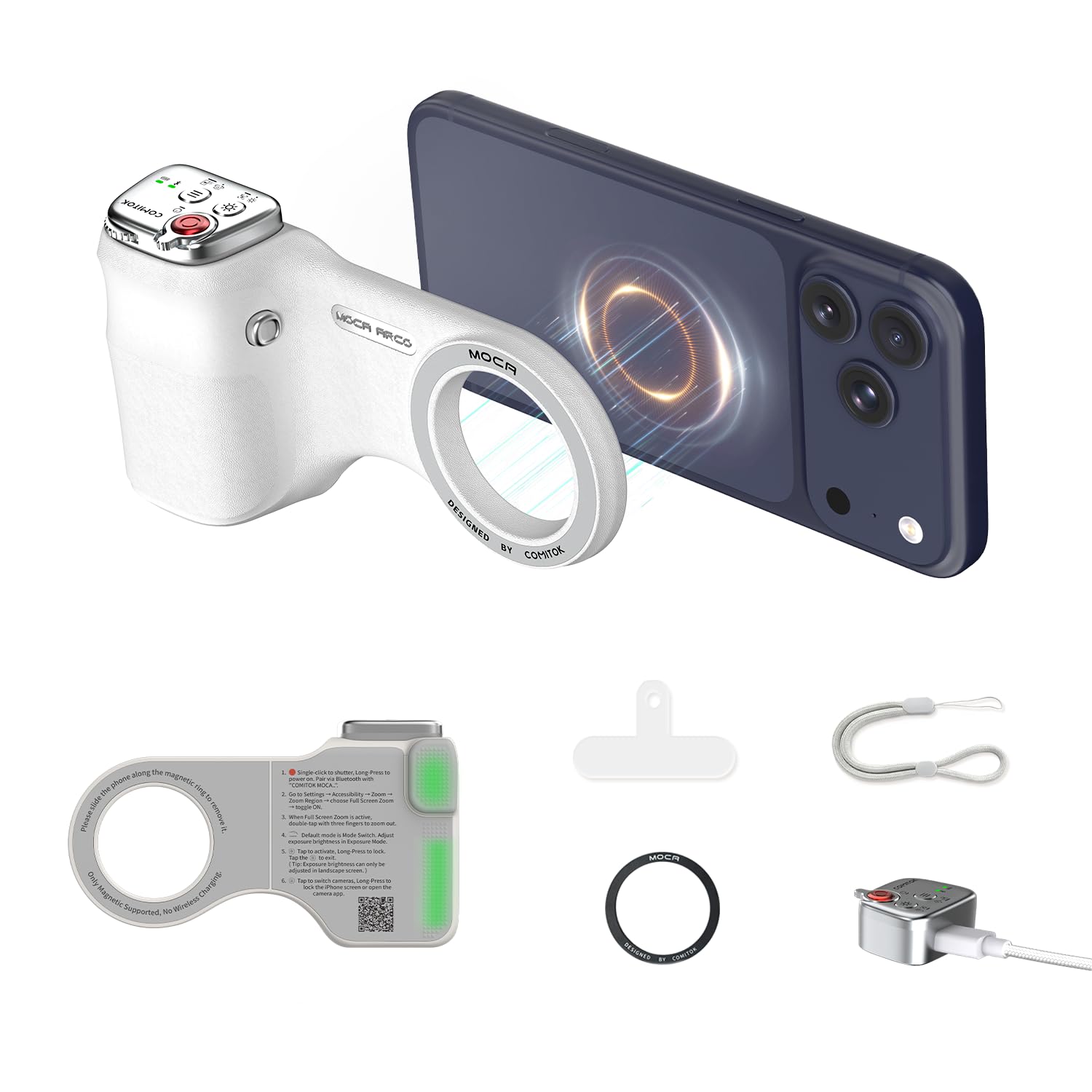
The extended holder and thumb rest make one-handed Pro Max video more stable, and the remote pairs quickly. Native iOS camera controls respond well — zoom cycles through lenses, and shutter, exposure, and focus stay responsive. The zoom function ties into iOS Accessibility Zoom, so it suits buyers willing to enable that one-time setting. Magnetic mounting, a 1/4-inch tripod thread, and the detachable controller add range for the price. The all-plastic body may feel less substantial than heavier handles, a fair trade for a lighter grip. Unit-to-unit consistency holds it below a higher slot.

Pros

  • Extended Pro Max holder and thumb rest make one-handed video more stable.
  • Native iOS camera controls keep zoom, shutter, exposure, and focus responsive.
  • Rechargeable remote pairs quickly and stays connected.

Cons

  • All-plastic body can feel less substantial than heavier handles.
  • In some cases, zoom and mode buttons do not respond, leaving only the shutter working.
Our verdict

For iPhone Pro Max video shooters who prioritize a thumb-rest handle and native iOS controls, this is the budget-friendly option to weigh before moving up the lineup.

Check Latest Price

How to Choose

Mounting Type

MagSafe grips are effortless when your case is compatible. The adhesive ring included for non-MagSafe phones relies on glue, and that glue can shear loose when you rotate the phone or press the shutter at an angle.

A universal clamp physically pins the phone in place and works with any case thickness, removing the adhesive-ring weak point. If you switch phones often or use a bulky case, a clamp-style grip is the more stable foundation.

Remote and Power

Bluetooth remotes trade battery life against wake-up speed. Remotes that sleep aggressively can miss a shot because the first press only wakes them.

Coin-cell remotes last for months but are not rechargeable; USB-C remotes are easier to top up but add another cable. For street photography and events, choose a remote that wakes quickly or accepts a deliberate shutter press without re-pairing.

Extra Controls

Zoom and mode buttons on iPhone grips do not work by default in most cases. They rely on iOS Accessibility Zoom, which maps a button press to a Zoom command and leaves an on-screen zoom window visible.

That on-screen window can feel intrusive if you only want a quick shutter. A shutter-only grip removes the setup step and a potential weak point. If you want zoom, buy a grip optimized for your iOS version and budget time to configure it.

Handle Ergonomics

The handle's length, weight, and contour determine leverage. A short 100g handle fits in a pocket but transfers more shake; a longer DSLR-style handle gives fingers room and helps steady pans.

One-handed stability matters most in vertical video and walking shots. Match handle shape to your hand size: thumb-rest grips suit quick Pro Max video, while full-handle grips help longer sessions.

Bonus Mounts

A cold shoe holds a mic or compact light, and a 1/4-inch thread attaches the grip to a tripod or monopod. These mounts expand the rig without adding a cage.

Combination grip/selfie-stick/tripod units add convenience, but every moving joint adds flexibility and setup time. If you need a stable handle, a rigid one-piece grip with a tripod thread is more direct.

Frequently Asked Questions