8 Best Indoor Security Camera of 2026: No-Fee Local Recording

The best indoor security camera for your home: one that stays connected, records locally without a fee, and matches how you'll actually use it.

Indoor security cameras are sold on resolution and pan range, but the difference that matters shows up after setup. A camera that drops off Wi-Fi or hides playback behind a subscription is not actually monitoring your home. The right camera is the one that stays connected and records when it should.

That means sorting through real trade-offs. Pan/tilt covers an entire room but has moving parts and a single viewing point; a fixed lens is simpler but sees only one angle. Local microSD recording avoids monthly fees, while cloud storage makes footage easier to retrieve but adds a recurring cost. 2.4GHz-only cameras reach farther but can suffer in congested networks; dual-band cameras give you an escape route.

No camera in this category does everything well. Matching the right compromise to the room — and to your router — is what makes an indoor security camera worth keeping.

1

Best Overall

Ring Indoor Cam 1080p

95 /100
Studio Score High Confidence

Key details

Storage
Cloud subscription
Pan/Tilt
Fixed lens
Wi-Fi Band
Night Vision
Color night vision
Check Price on Amazon

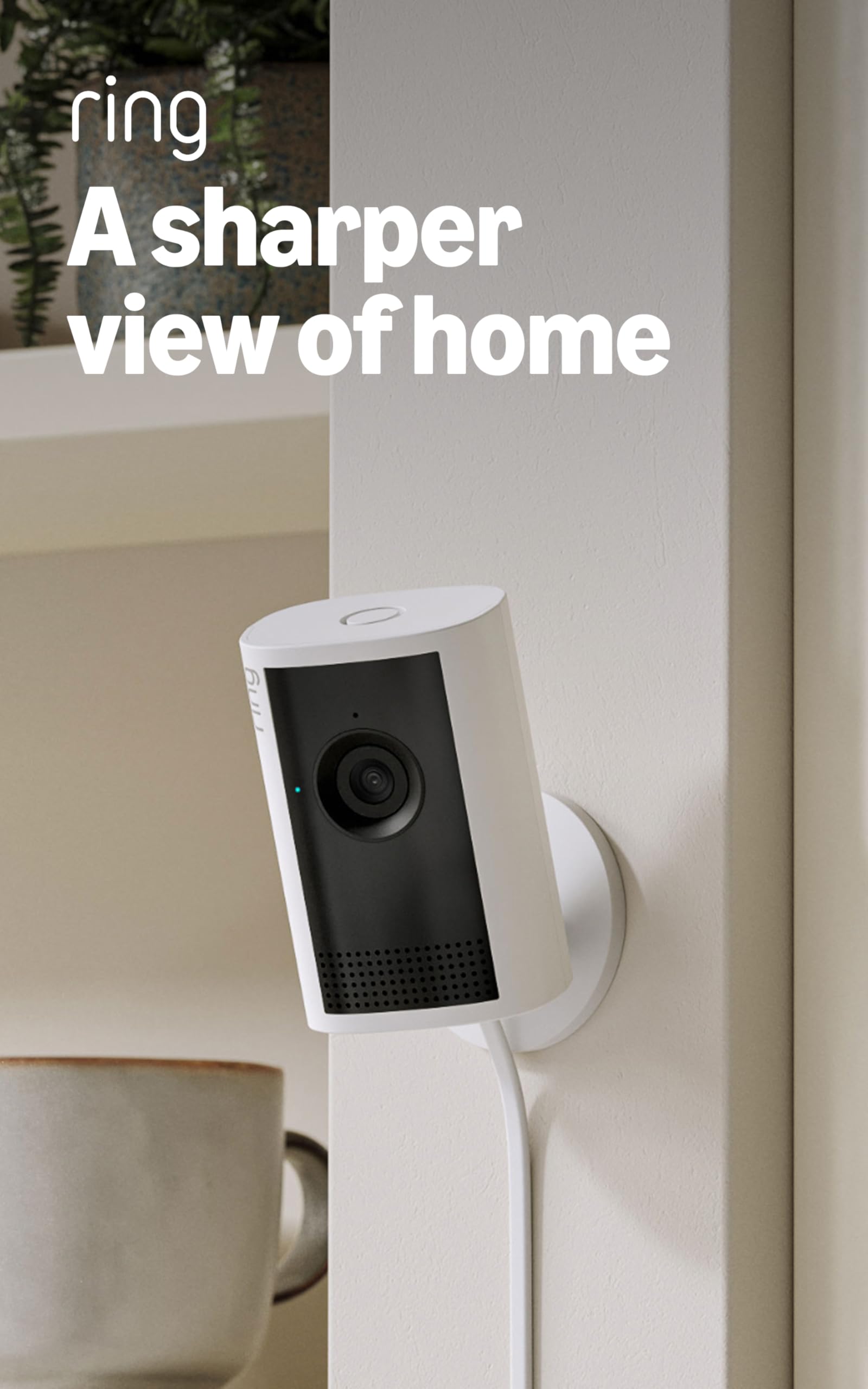
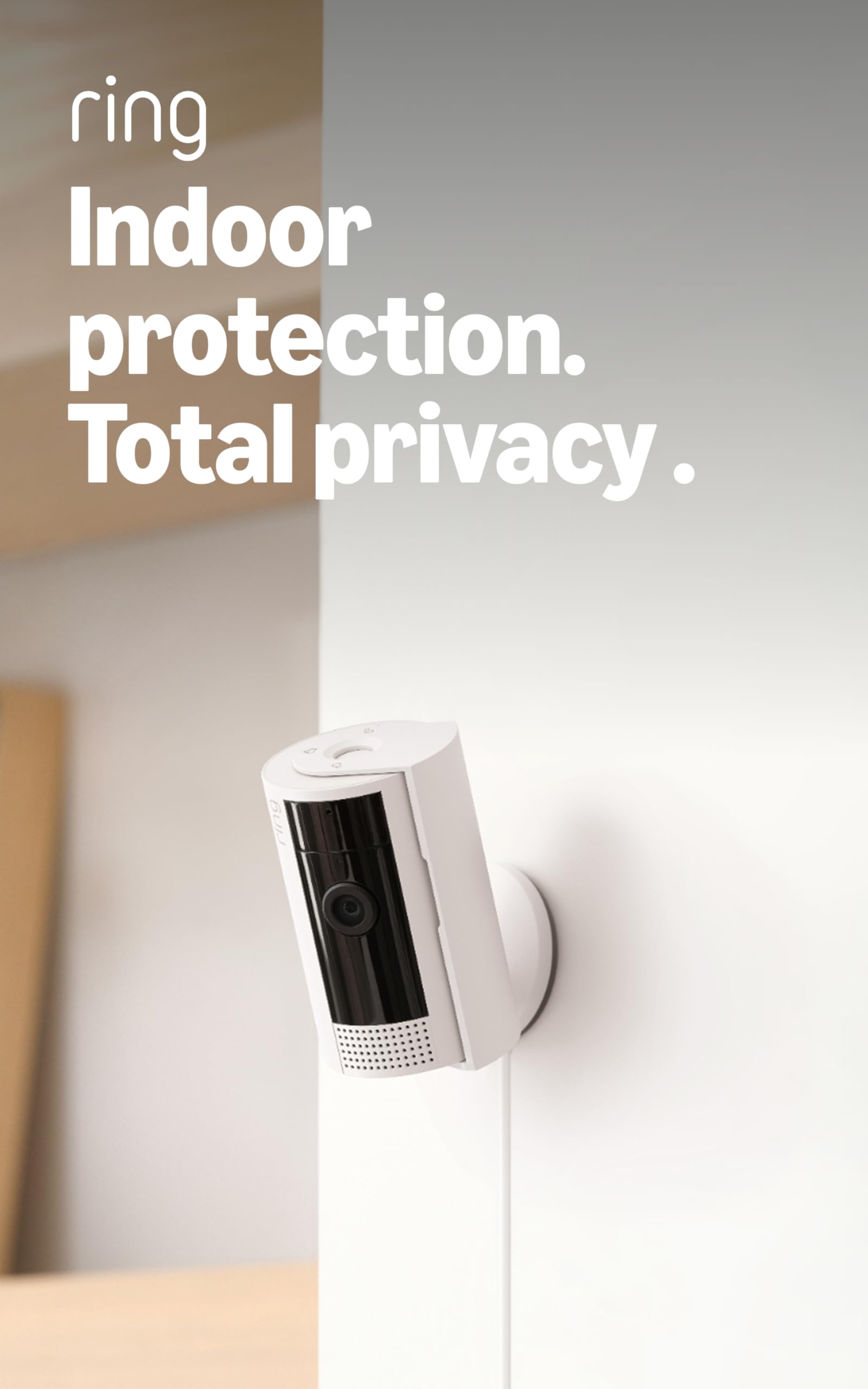
The Ring Indoor Cam records clear 1080p video with color night vision, and a manual privacy cover slides over the lens when you want a hard stop on monitoring. Setup follows the Ring app's guided flow: plug in, scan the code, name the camera, and it appears alongside existing Ring devices. The wedge body is compact enough to sit on a shelf or countertop, and the plug-in design means there is no battery to charge.

Motion detection can be tuned through activity zones, so a window with passing traffic can be ignored while the entry area stays active. Live view loads quickly, and the low-light image holds more context than grayscale-only sensors in the same class. The camera's shape makes it easy to point at one section of a room and leave it in place, which suits monitoring a home office, a nursery, or a small retail space.

The practical advantage for smart-home households is the integration: an Echo Show can display the feed without a separate dashboard, and motion events show up in the same timeline as other Ring devices. Existing Ring doorbell owners get a familiar alert interface without learning a new system. For households already using Ring, this camera is a natural extension rather than a separate project.

This is the right fit for Ring or Alexa households and first-time buyers who want an uncomplicated indoor monitor. The subscription boundary is part of the deal: Ring Protect is required to replay recorded events. Buyers who need motorized pan/tilt coverage should look elsewhere.

The privacy cover doubles as a quick way to signal that the camera is off. Sliding it shut before a video call or when a room becomes private removes the need to remember a software setting. For a bedroom or a home office, that physical control makes the camera easier to live with.

💡 Set up activity zones before you mount the camera so the detection area matches the intended view.

Pros

  • Clear 1080p picture and color night vision make after-dark clips easier to read.
  • Guided setup takes a first-time buyer through the process without guesswork.
  • Compact wedge shape works on shelves or countertops without dominating the room.
  • Customizable motion zones reduce false alerts from areas you want to ignore.
  • Ring and Alexa integration keeps monitoring in the same app as a video doorbell.

Cons

  • No SD card slot, so local playback is not an option.
  • Wi-Fi connectivity can drop in some network environments; a power cycle restores the feed.
Our verdict

For a no-fuss indoor cam that fits an established Ring setup, this is the pick.

Check Latest Price
2

Best Budget 2K Two-Pack

Tapo C211 2K Pan/Tilt 2-Pack

91 /100
Studio Score High Confidence

Key details

Storage
microSD up to 512GB
Pan/Tilt
360° horizontal, 114° vertical
Wi-Fi Band
2.4GHz only
Night Vision
IR night vision
Check Price on Amazon

Tapo's C211 two-pack brings 2K resolution and motorized pan/tilt to the budget tier, where the company's four-camera fixed bundle settles for 1080p. Each camera sweeps 360 degrees horizontally and tilts 114 degrees vertically, records to a local microSD card up to 512GB, and avoids a required monthly subscription. A 3MP sensor gives it more detail than the entry-level 1080p options in this class.

Image quality is the strongest argument for this pair. 2K detail is sharp enough to read package labels across a room, and night vision keeps a low-light scene visible. The pan/tilt motor moves cleanly from the Tapo app, and the compact body feels more substantial than the price suggests. Setup stays inside the Tapo app, with no separate hub required.

This two-pack suits a household that wants pan/tilt in two rooms without a monthly bill, whether that means a nursery and a living room or two pet areas. The pan range makes it possible to follow movement across the room instead of moving the camera. The honest boundary is that Wi-Fi connectivity and unit-to-unit reliability vary; some buyers need to reset or reposition cameras to stay online. Treat it as a capable indoor monitor, not a mission-critical security deployment.

💡 In a dual-band home, creating a 2.4GHz IoT network before pairing can avoid setup issues.

Pros

  • A compact body that holds its position and feels built for the asking price.
  • Two cameras with 2K and pan/tilt deliver more per dollar than buying separate budget cams.
  • 2K footage stays sharp, and night vision keeps dark rooms readable.

Cons

  • Tapo Care cloud storage is an add-on; the no-subscription recording path is a local microSD card.
  • There is no 5GHz Wi-Fi support, so routers that push devices to 5GHz may need a separate 2.4GHz network.
Our verdict

The C211 two-pack is the low-cost path to pan/tilt, 2K detail, and no-subscription local recording in two rooms.

Check Latest Price
3

Best Premium for Google Home

Google Nest Cam Indoor

90 /100
Studio Score High Confidence

Key details

Storage
Cloud subscription
Pan/Tilt
No pan/tilt
Wi-Fi Band
Night Vision
Check Price on Amazon

The Google Nest Cam Indoor (Wired, 3rd Gen) delivers 2K HDR detail, a wide field of view, and encrypted streaming inside Google Home, with Gemini-powered search available on the premium plan. It trades the top pick's Alexa-friendly simplicity for a more refined look and sharper daytime and nighttime footage.

Setup follows the Google Home app flow: plug in, scan, and the camera appears. Live view loads quickly, and the wide lens covers hallway or large-room sightlines without repositioning. The solid build feels at home on a shelf rather than hidden in a corner.

Privacy tools are handled through a Google Account: two-step verification and a physical LED indicator show camera status. The encrypted streams are aimed at owners who already trust Google's security model.

This camera suits Google Home households that want a single, polished indoor cam and are comfortable with cloud storage. The premium price buys premium hardware, but full video history and Gemini search need a Google Home Premium subscription. The legacy Nest app is not supported, and there is no microSD slot, so local-recording shoppers should look at the budget tier.

💡 Use the Google Home app, not the legacy Nest app, for setup and daily viewing.

Pros

  • 2K HDR sensor keeps daytime and nighttime footage clear and detailed.
  • Polished build quality with a premium look that blends into a home interior.
  • Wide viewing angle covers hallways and large rooms from a single position.
  • Google Home app setup is quick, and live view loads with minimal delay.

Cons

  • The legacy Nest app is not supported, so long-time Nest owners must switch to Google Home.
  • Google Home app pairing can be inconsistent, and occasional hiccups may require a reset.
  • Full video history and Gemini search are gated behind a Google Home Premium subscription.
Our verdict

For Google Home households, this is the indoor camera that pairs sharp 2K HDR with a polished wired design.

Check Latest Price
4

Best Pan/Tilt for Smart Home Users

Kasa EC71 Pan/Tilt

89 /100
Studio Score Strong Evidence

Key details

Storage
microSD up to 256GB
Pan/Tilt
360° pan, 113° tilt
Wi-Fi Band
2.4GHz only
Night Vision
30 ft IR
Check Price on Amazon

The Kasa EC71 brings 360° pan/tilt, motion tracking, person and baby-cry detection, and 256GB microSD storage to a single-room indoor cam at a budget price. It is a more feature-dense alternative to the simpler 1080p pan/tilt in this lineup, and one of the few budget cams that tracks movement without a subscription. The 113° vertical range complements the full sweep, so a single mounted unit can cover more of a room than a fixed lens.

The EC71 suits pet owners who want a camera to follow a dog around a living room, or a caregiver checking on a baby. Wi-Fi pairing can be frustrating on 2.4GHz networks, and some units may freeze and need a power cycle before settling into daily use. On a table or shelf, the downward tilt range leaves a close-to-base blind spot, so ceiling or high-wall mounting gets the best coverage.

Local microSD recording up to 256GB removes the subscription requirement, and two-way audio and 30 ft night vision cover the basics for apartment or small-office monitoring. Its motion tracking keeps subjects centered during pan/tilt, which matters more for pet monitoring than for static hallway coverage. Connection stability depends on router placement, so buyers who want minimal setup friction may prefer a less feature-heavy indoor cam. For those who want tracking and local storage, the EC71's feature set is hard to match at this price.

💡 Keep the camera near the router on a 2.4GHz network during the initial pairing to reduce connection hiccups.

Pros

  • 360° pan/tilt, motion tracking, and person and baby-cry detection cover a full room without a subscription.
  • 1080p video stays clear in daylight and with night vision.
  • Initial setup is quick and the app guides pairing from power-on to live view.
  • Motion alerts arrive quickly when the camera detects movement.

Cons

  • On a table or shelf, the limited downward tilt leaves a blind spot near the camera base.
  • Wi-Fi pairing can be frustrating, and some cameras drop the connection after setup.
  • Some units freeze and need a power cycle before returning to normal operation.
Our verdict

The EC71 is the budget pick to choose when a room needs automatic tracking and local recording, not just a static view.

Check Latest Price
5

Best Whole-Home 4-Camera Value

LaView F1 1080p 4-Pack

88 /100
Studio Score Strong Evidence

Key details

Storage
microSD up to 128GB
Pan/Tilt
No pan/tilt
Wi-Fi Band
2.4GHz only
Night Vision
33 ft IR
Check Price on Amazon

Four fixed 1080p cameras, local microSD storage up to 128GB per unit, and a browser-based viewer come in one box with no monthly fee required. That is the core appeal: whole-home coverage at a per-camera cost that leaves room in the budget for extra cameras elsewhere.

This bundle suits a household that wants several rooms on camera at once, whether that means a rental apartment or a small office, and prefers local recordings over a subscription. App and Wi-Fi setup can be finicky, and one camera in a pack can drop offline while the others stay connected, so it is best for patient buyers who don't expect zero-touch installation.

Daytime footage is sharp enough to read faces at typical indoor distances, and the 33-foot night vision range covers a living room or hallway. Motion detection fires fast enough for entry alerts, and the app lets you toggle notifications per camera. Recordings save to a microSD card in each camera, so a 128GB card holds plenty of activity clips without a cloud bill. The browser-based viewer logs in from a desktop and displays all four feeds on one screen, which is more convenient for a quick check than opening the phone app camera by camera.

💡 Aim each camera across the room toward doorways to get the most useful motion coverage.

Pros

  • Four fixed 1080p cameras cover separate rooms for less than the cost of two premium singles.
  • Initial setup is a QR scan away; installation is simple.
  • Clear 1080p picture and 33-foot night vision handle typical indoor rooms.

Cons

  • Motion alerts can fire on minor movement; sensitivity settings need a minute of tuning.
  • Each camera has a fixed view, so choosing the right angle at install time matters.
Our verdict

For fixed-position multi-room monitoring on a budget, the F1 4-pack gives you the lowest per-camera cost in this group.

Check Latest Price
7

Ring Upgrade

Ring Indoor Cam Plus 2K

92 /100
Studio Score High Confidence

Key details

Storage
Cloud subscription
Pan/Tilt
No pan/tilt
Wi-Fi Band
Night Vision
Color low-light mode
Check Price on Amazon

2K video and the 4x zoom bring a real clarity bump over the standard 1080p Ring Indoor Cam, and the slide-to-cover shutter gives a simple physical way to block the lens in a bedroom or home office. The tradeoff is that recording history requires a Ring Protect subscription — there is no SD slot — and the lens is fixed, so pan-and-tilt coverage is off the table. That fixed-subscription boundary makes this a sharper upgrade for buyers already comfortable with Ring's paid plan, not a no-monthly-fee alternative. Its higher price over the top pick is the main reason it sits below that camera here.

Pros

  • 2K video and 4x zoom reveal small details like labels and faces from across a room.
  • Setup takes minutes and uses the same Ring app as existing Ring devices.
  • A clear step up from the older 1080p Indoor Cam in sharpness and color.

Cons

  • Night footage can look foggy or smoky in dark rooms on some units, cutting into the 2K detail.
  • Wi-Fi disconnects can interrupt live viewing when the camera sits far from the router or on a busy network.
Our verdict

This is a fitting choice for existing Ring households upgrading specifically for sharper detail and 4x zoom.

Check Latest Price
8

Whole-Home Monitoring

Tapo C100 1080p 4-Pack

89 /100
Studio Score Strong Evidence

Key details

Storage
microSD up to 512GB
Pan/Tilt
No pan/tilt
Wi-Fi Band
2.4GHz only
Night Vision
40 ft IR
Check Price on Amazon

Four 1080p cameras with local microSD storage give budget households the lowest per-camera route to whole-home coverage, and the image quality is clear enough for checking on pets or kids in separate rooms. The fixed design has no pan/tilt, so each camera must be aimed manually. Connection behavior can be uneven, which is why this is a value pick rather than the top whole-home option.

Pros

  • Sturdy build and dependable performance for the price.
  • Four cameras for less than most single-cam prices.
  • Clear 1080p daytime video and usable 40-foot night vision.

Cons

  • 2.4GHz-only Wi-Fi can drop a camera from the network in some homes.
  • A unit in a four-pack can stop responding until it is reset.
Our verdict

For a whole-home setup with fixed camera positions and no-subscription recording, the C100 four-pack delivers the lowest per-camera cost in this roundup.

Check Latest Price
9

Indoor/outdoor Use

AOQEE C1 2K 2-Pack

88 /100
Studio Score Strong Evidence

Key details

Storage
microSD up to 128GB
Pan/Tilt
No pan/tilt
Wi-Fi Band
2.4GHz only
Night Vision
Color night vision
Check Price on Amazon

The C1 two-pack pairs sharp 2K daytime detail with color night vision in a weather-resistant body, giving you a budget-friendly fit for one indoor room and one covered outdoor spot. App-guided setup gets both cameras online quickly, and motion alerts arrive without delay. Wi-Fi pairing and connection stability can vary between units, and the fixed lens removes any pan/tilt option — both keep it out of the top tier. The value still lands for fixed two-zone coverage.

Pros

  • Sharp 2K daytime detail and color night vision keep activity easy to see around the clock.
  • Two-pack pricing keeps per-camera cost low for covering two separate areas.
  • App-guided setup is fast, and motion alerts arrive quickly.

Cons

  • No 5GHz Wi-Fi support
Our verdict

If you only need two fixed camera views and no monthly fee, this two-pack covers them without overspending.

Check Latest Price

How to Choose

Video Resolution

1080p vs 2K/4MP matters less than you think unless you need to read faces or package details at the edge of the frame. A 2K sensor packs more pixels into the same lens, but bandwidth and compression determine whether that detail survives over Wi-Fi. If your network is marginal, a stable 1080p feed can outperform a 2K feed that stutters.

Pan/Tilt Coverage

A motorized pan/tilt camera sees 360° from one mount, but it can only look in one direction at a time. Motion tracking or preset scans help it follow activity, but they cannot replace four fixed camera feeds. For a hallway or nursery, a fixed lens is usually enough; for a living area, pan/tilt earns its place.

Storage

Local microSD storage records continuously or on motion without a monthly fee, but a card can fill, corrupt, or be stolen with the camera. Cloud subscription stores footage off-site and makes playback easy, but the recurring cost adds up and live view alone is not a recording history. If you want evidence without a bill, choose a camera with a card slot and optional cloud backup.

Wi-Fi Band Support

2.4GHz-only cameras have better range and wall penetration, but they share a crowded band with baby monitors and smart-home gear, making dropouts more likely in dense apartments. Dual-band 5GHz support offloads the camera to a faster, less congested channel if the signal can reach it. Buyers on mesh or combined SSID networks should confirm band support before buying.

Audio and Smart Alerts

Two-way audio is a speaker and microphone in the same housing, so echo and delay depend on the app's echo cancellation, not just the driver. Smart alerts such as person detection may be processed on the camera or in the cloud, and the free tier may only send basic motion pings. Test both from the room where the camera sits; a quiet speaker or slow notification is a usability issue, not a hardware problem.

Night Vision and Low-Light Mode

Infrared night vision lights the room with IR LEDs, but it can wash out faces and dim color at close range. Color night vision uses a more sensitive sensor plus ambient light or built-in LEDs to keep color, at the cost of a visible glow and more noise in dark rooms. For a nursery, a soft color image is easier to check; for a dark hallway, standard IR is often enough.

Frequently Asked Questions